

We are excited to announce the release of Verge3D 4.12 for Blender! This new version brings new examples for object cloning and embedding web pages into the 3D scene. Besides, you can now also enjoy “true” GPU-instancing, multi-folder view and proxy settings in the App Manager, several new puzzles and options, a tool to visually setup the camera pivot in viewport, and support for new nodes of Blender 5.1.
Clone Object
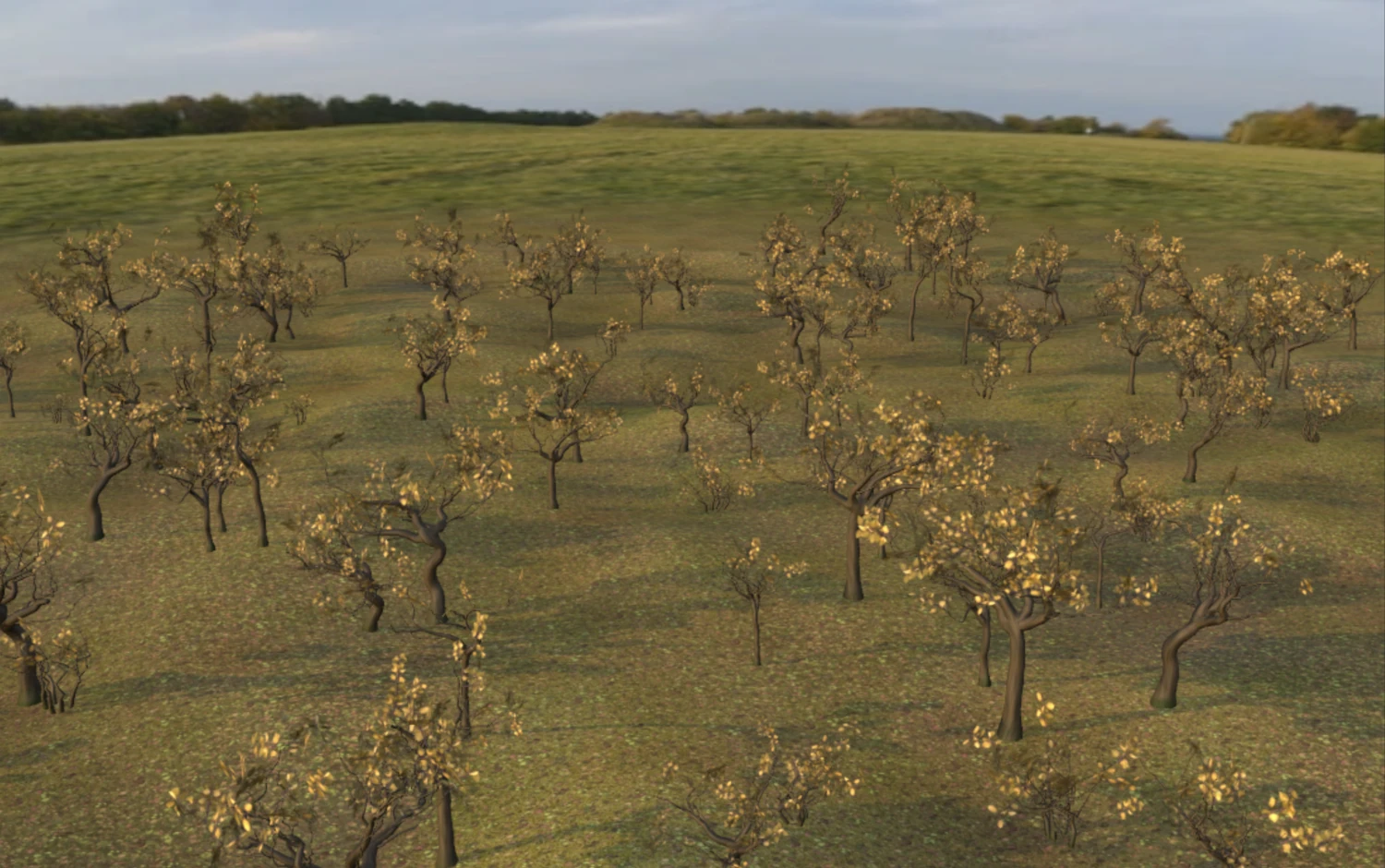
We created a new project with the old name for the Clone Object demo and packed more functionality into it. The clone object puzzle generated forest with randomized positions, rotations and scales. All objects are placed upon curved surface at correct heights using the raycast puzzle. Finally everything is batched together for faster rendering.
GPU Instancing
For this update, we added a new puzzle for “true” GPU-based instancing of objects. Unlike the clone object puzzle mentioned above, it does not create a copy of an object but rather uses the capability of graphics hardware to generate geometry on the fly. This is much more efficient than rendering separate objects, as you can have dozens or even hundreds of thousands of objects easily rendered on a low-end device.
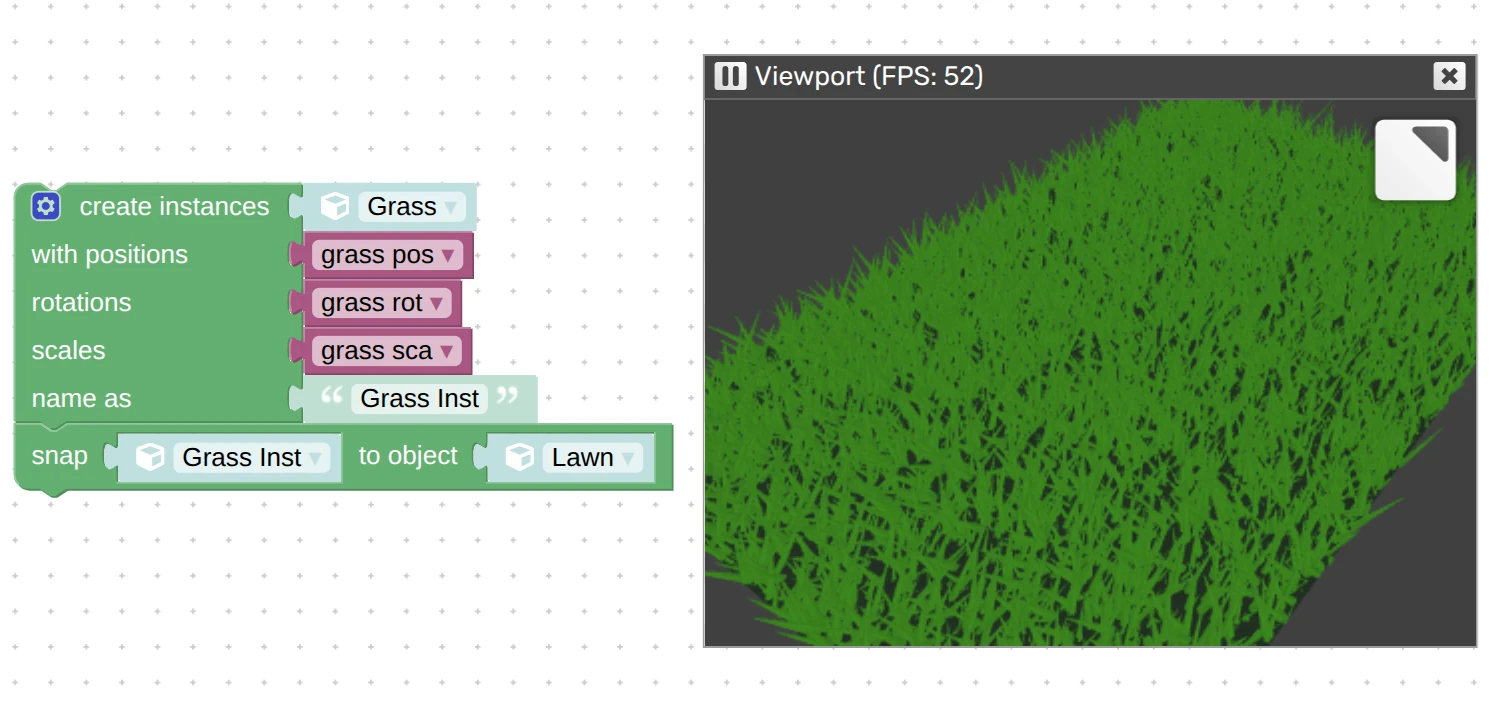
This puzzle if very flexible. The input data can be lists of coordinates or lists of empty objects from which the coordinates are copied. You can also omit any of the inputs (e.g. scales) if you don’t need them.
Possible use-cases include grass, foliage, nature objects, city landscapes, fences, you name it. Basically any repeated static objects will benefit from this feature. We are going to make a more presentable example app for this feature for the next update.
Webpage Inside 3D
We converted our old Htmlmixer demo to something more presentable and called it Webpage Inside 3D. Here you can see a live webpage layered upon a 3D surface – a feature provided by the puzzle create+plane with html.

Moreover, you can provide a website link as parameter in the URL of this demo, e.g. webpage_inside_3d.html?website=wikipedia.org, if website allows cross-origin embedding. For example, see how it works with Wikipedia.
Multi-Folder View in App Manager
If you got a big project with many scene files it is only natural to organize it with sub-folders. These are now natively supported by the App Manager. Sub-folders can be opened by clicking on them, expanded or collapsed. You may also notice that the .html files are now spaced from assets by a separator line. For example, see how we arranged the materials packs to preview them in a single application:
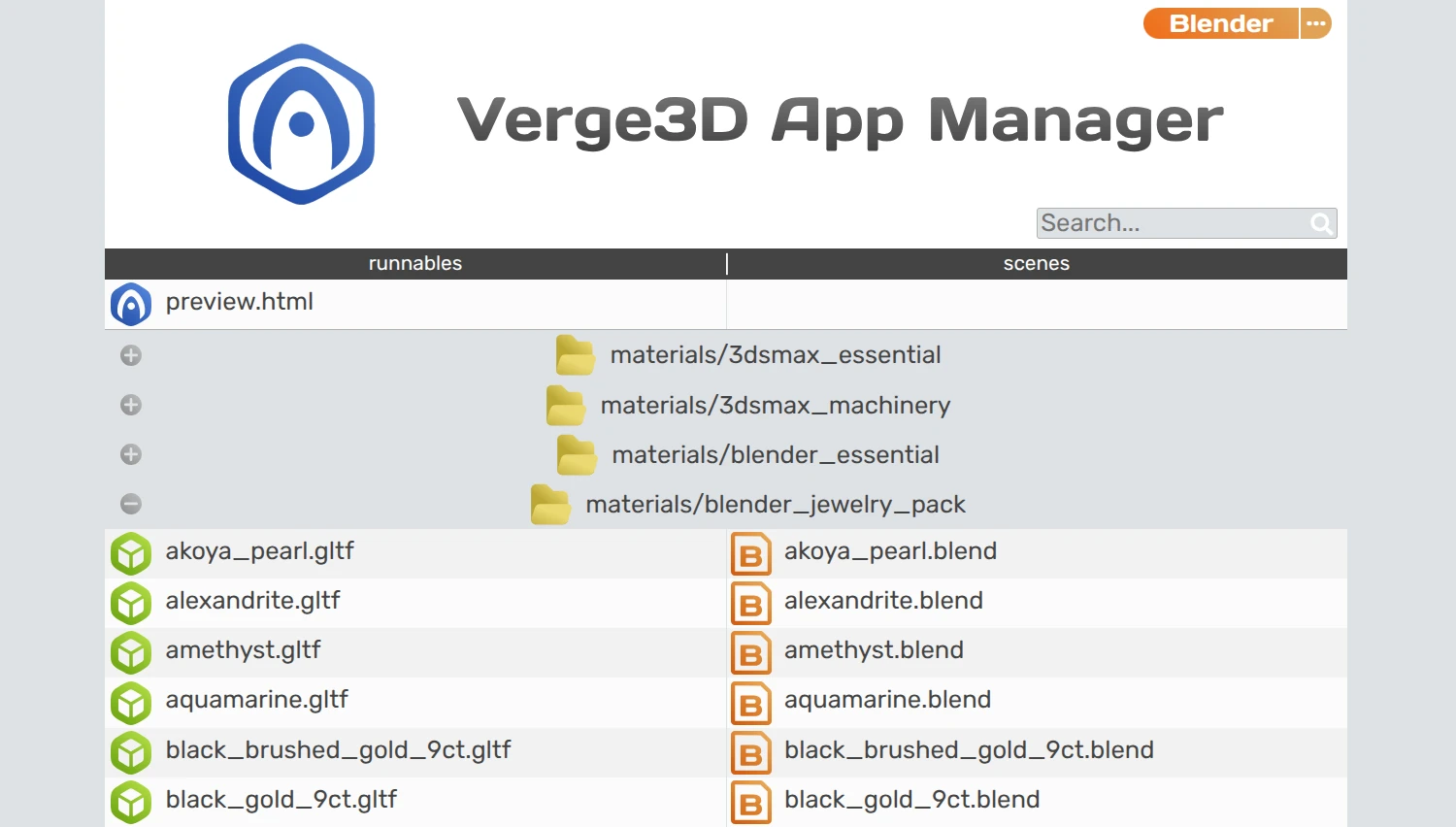
Another usability improvement that we implemented to help you manage your files is that exported scenes are now intelligently matched against their source files. As such, you are immediately aware of their relations, and can see any missing files, whether skipped by mistake or intentionally.
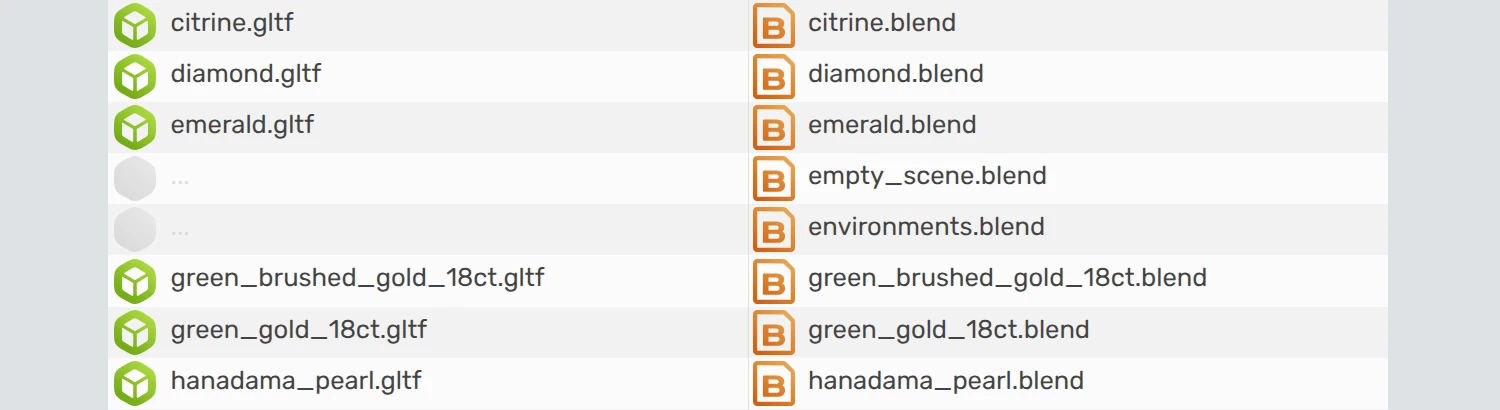
Finally, very long file names are now accurately wrapped to new line and no longer break the layout.
Projects with Different Scenes, Parameters, and Puzzles Branching
Somewhat related to what’s said above is the following experimental feature. It allows you to launch a same app with different sets of glTF files and/or URL parameters. You can then use the parameters to implement conditional branching in your Puzzles to execute different blocks for this or that situation.
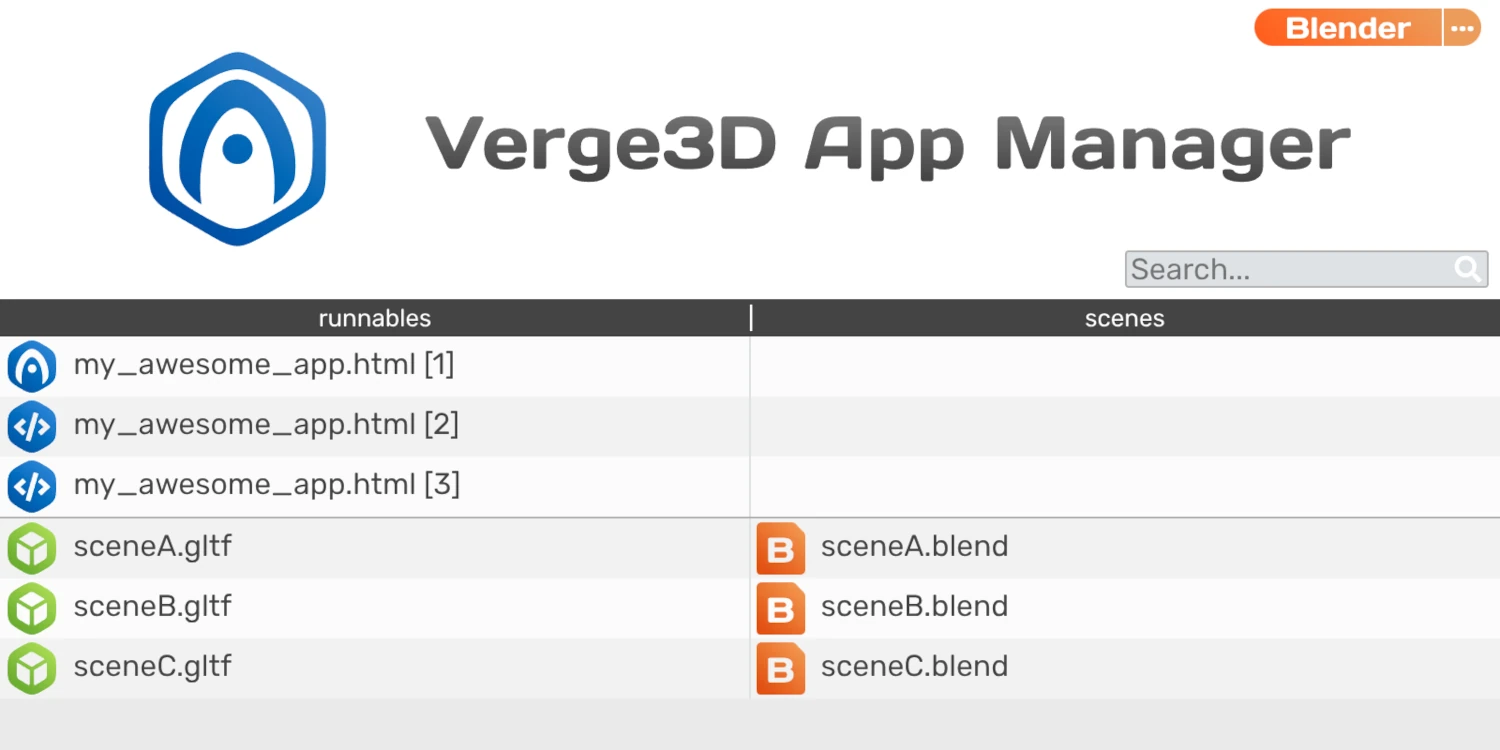
We extensively use it internally for testing in multiple configurations with various modeling tools. It requires editing config files in app folder though. See this guide in Verge3D wiki for more details.
More Improvements in App Manager
Here is another important usability improvement. Quite often developers of complex projects (e.g. based on React, Vue, or Firebase) must move the Puzzles’ scenario file visual_logic.js (generated from visual_logic.xml) into some subfolder. This would break the normal operation of the App Manager and the Puzzles Editor, but not anymore. From now on, the App Manager will recursively search for puzzles and automatically assign proper paths in the Puzzles Editor.
Next, some Verge3D users have to work in a constrained corporate/regional network which may restrict the access to certain Internet resources. If this affects your interactions with the Verge3D infrastructure, you can fix it by specifying HTTP proxy settings in the App Manager. This would allow you to browse and upload to Verge3D Network, use the Asset Store, and download the Electron.js builds for creating desktop apps. Both anonymous and authenticated proxies are supported. Thanks for bringing this up on the forums (e.g. here and here).
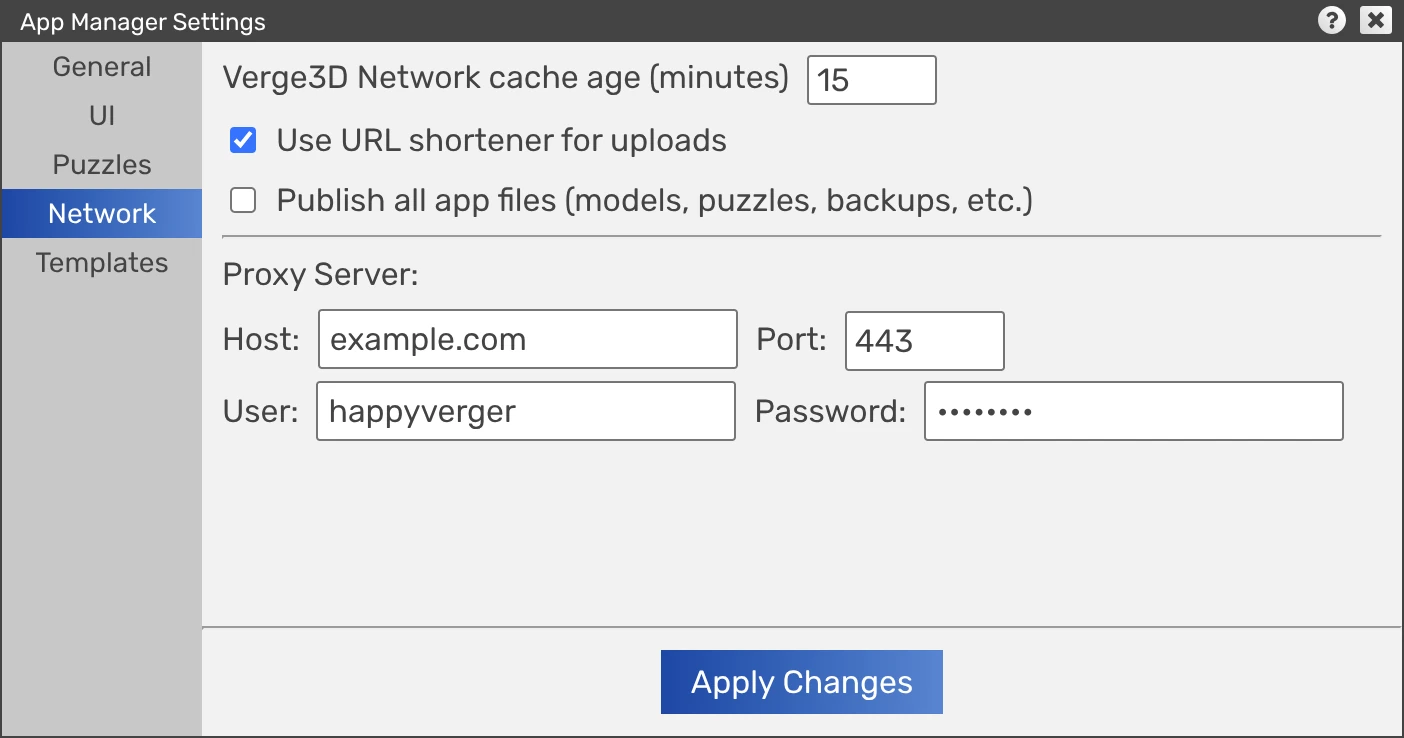
Then, since deleting from Verge3D Network may be somewhat prolonged, a preloader and a more descriptive finished dialog will accompany such operations.
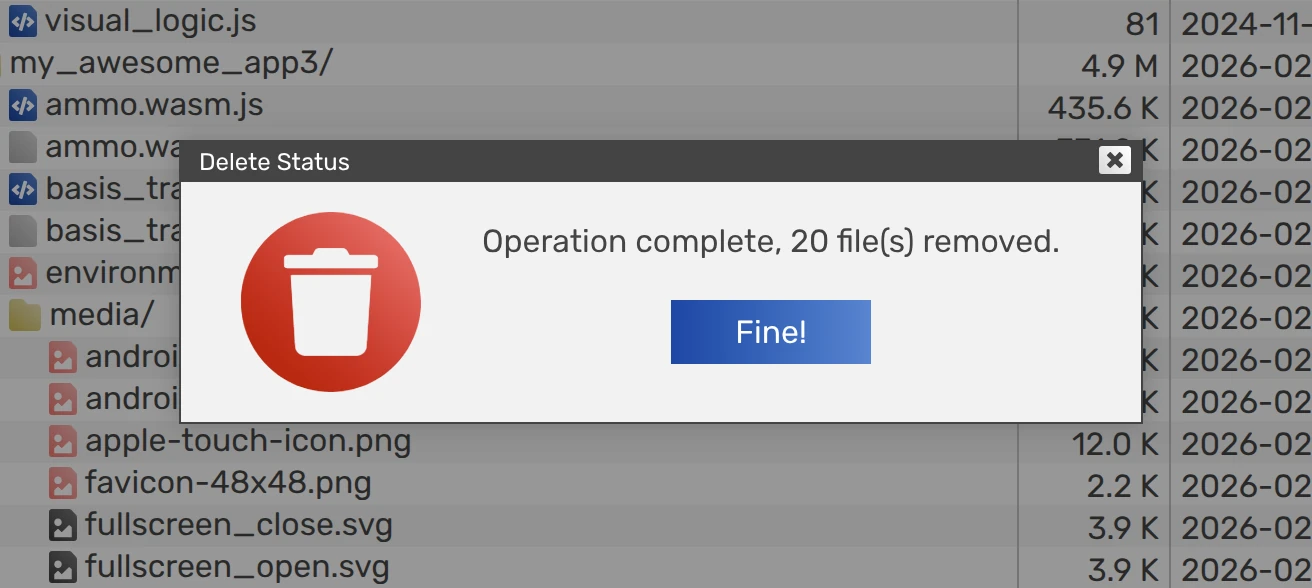
In the Asset Store, we further categorized applications into complex demos and simpler examples. The former are finished apps to show off Verge3D possibilities, while the latter are intended for learning and reusing them in new projects. This filter should improve productivity when working with examples.
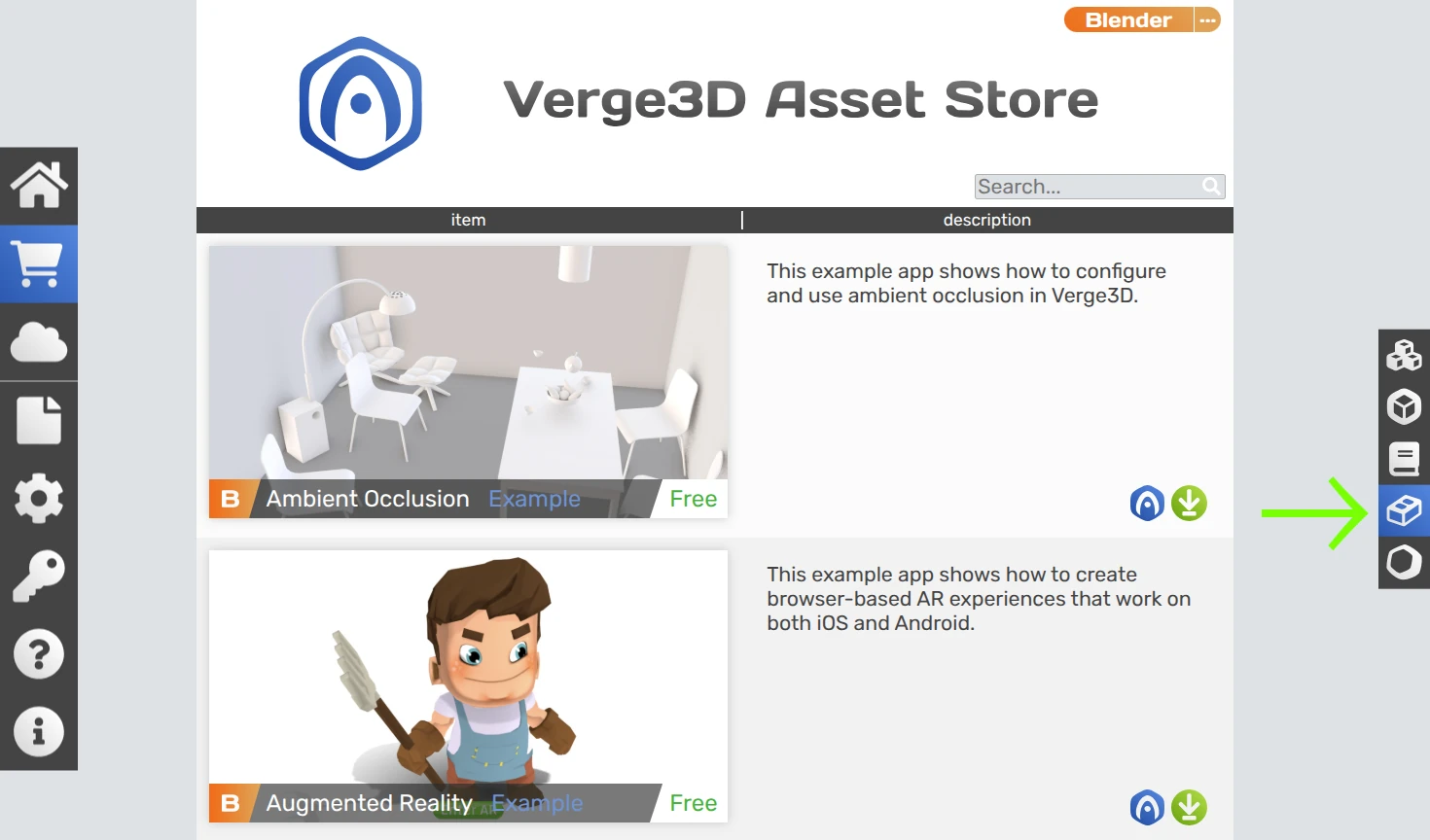
To simplify setup of a new applications, we reworked the Application Settings panel. First, we removed the settings for favicon sizes 16px and 32 px, which are outdated formats.
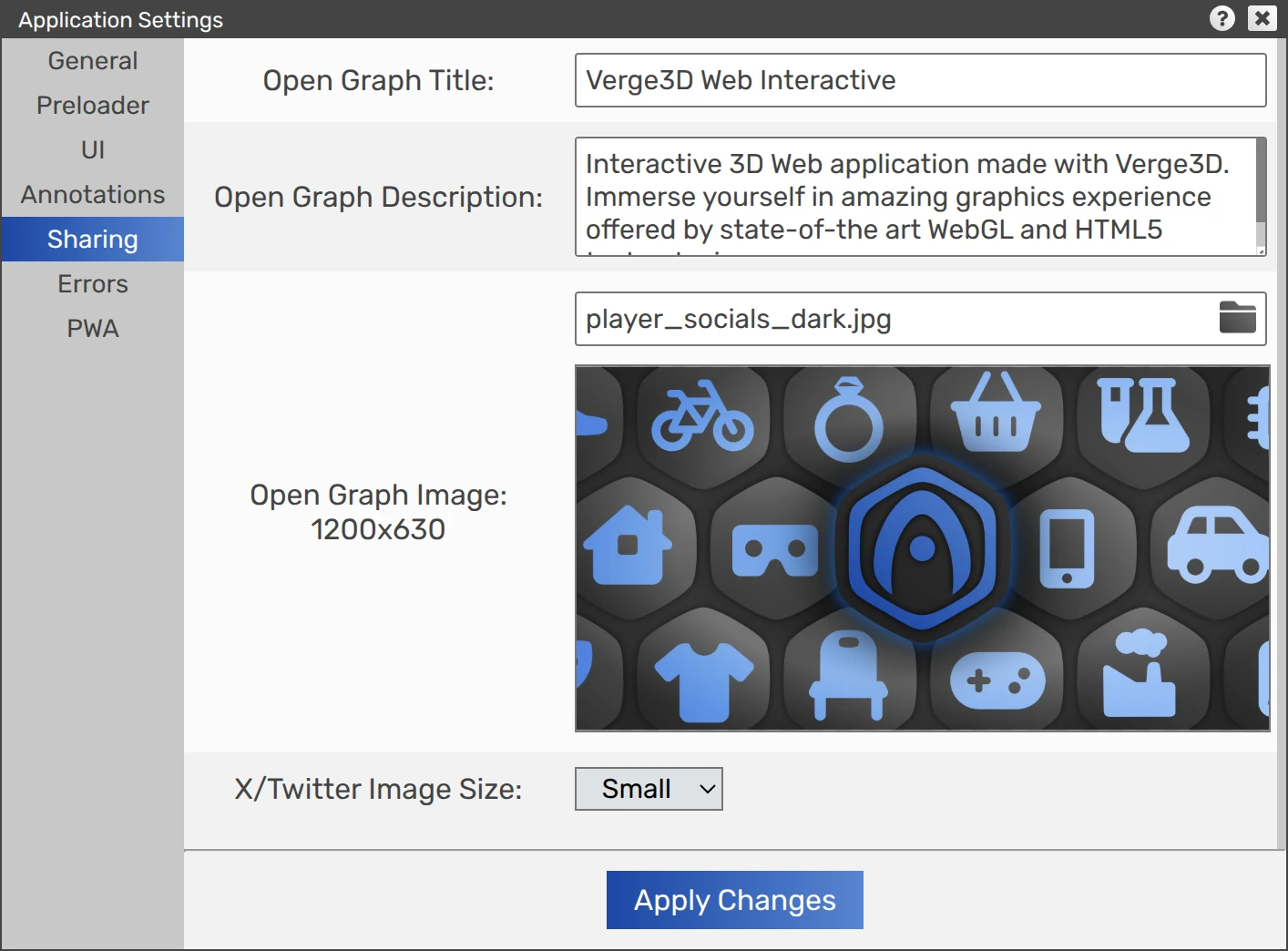
Then, we dropped the Twitter sharing settings since X is now fully complaint with the Open Graph protocol. Instead, we added the possibility to choose image size for your X posts – small or large. Also in this panel, we fixed the issue with the new line character used in the description area.
When updating apps for new Verge3D version, any files present in the app media folder are no longer overridden to prevent data loss. Also, more details are now logged in the App Manager when updating apps.
Finally, we made the App Manager look more consistent across various web browsers.
Blender-Related Things
This update introduces support for Blender 5.1 which should be released by now. Among other things, you can now use Round mode for the Vector Math node introduced in Blender 5.1.
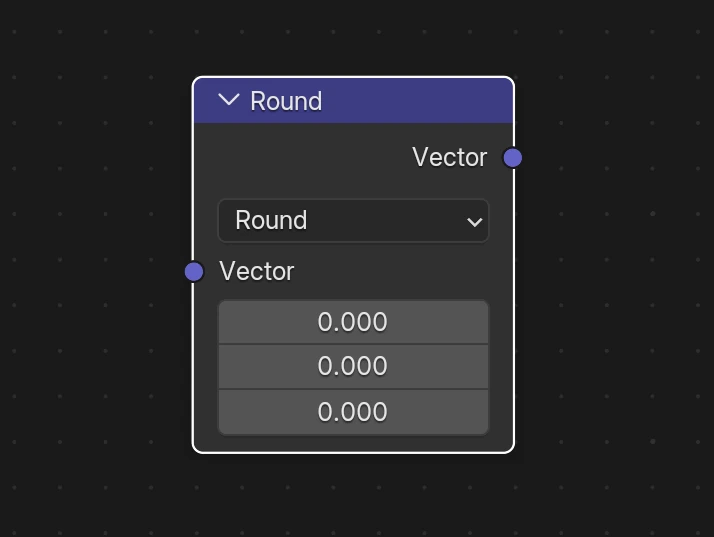
Also some recently introduced nodes, namely Principled Hair BSDF, Light Output, Ray Portal BSDF, Raycast, and Radial Tiling (most are from Cycles) no longer crash the engine.
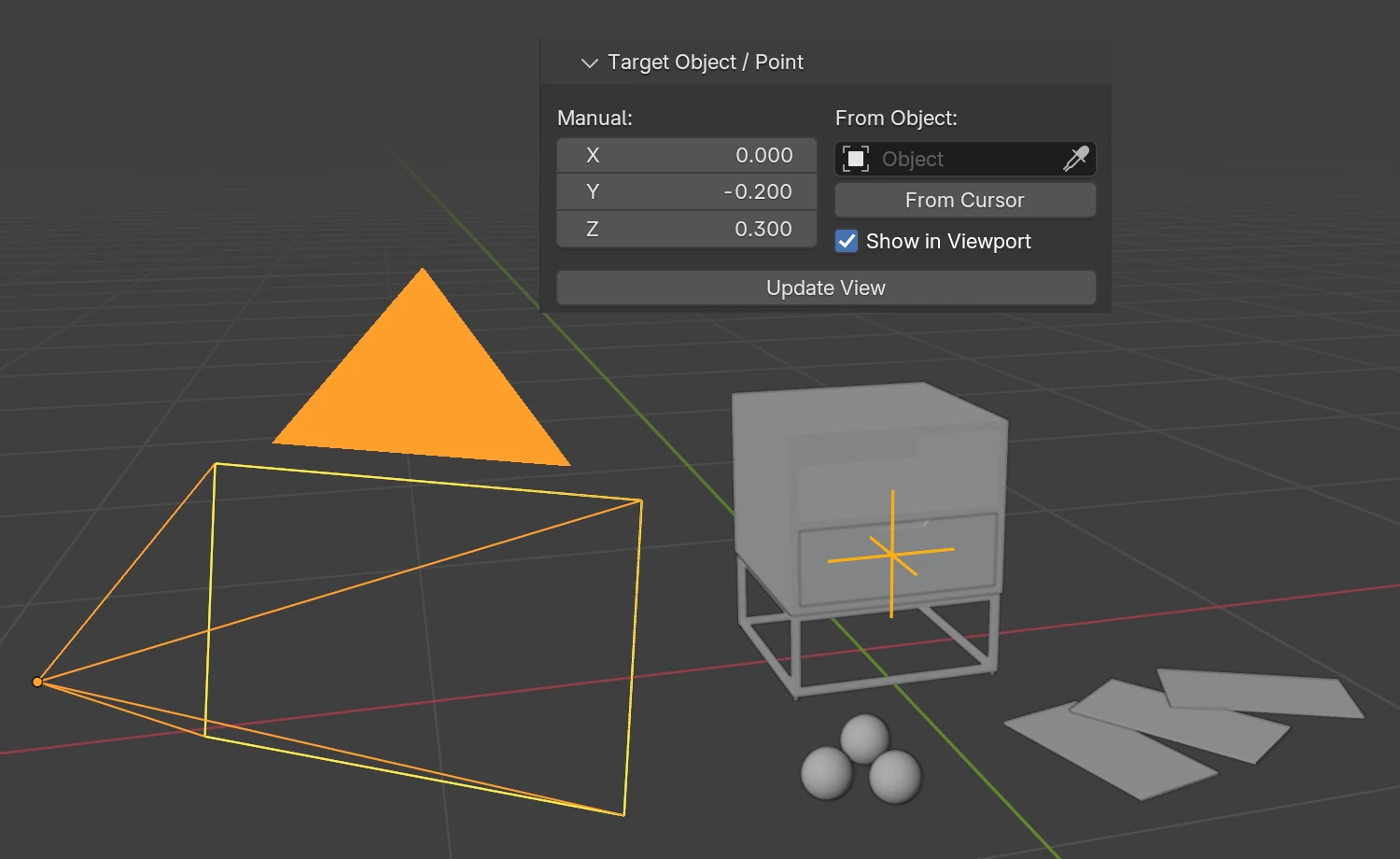
Orbit camera’s pivot can now be seen in Blender viewport to simplify its positioning. This behavior is enabled by default and can be switched off in the camera settings.
The Load Unload demo now loads faster thanks to some minor optimizations.
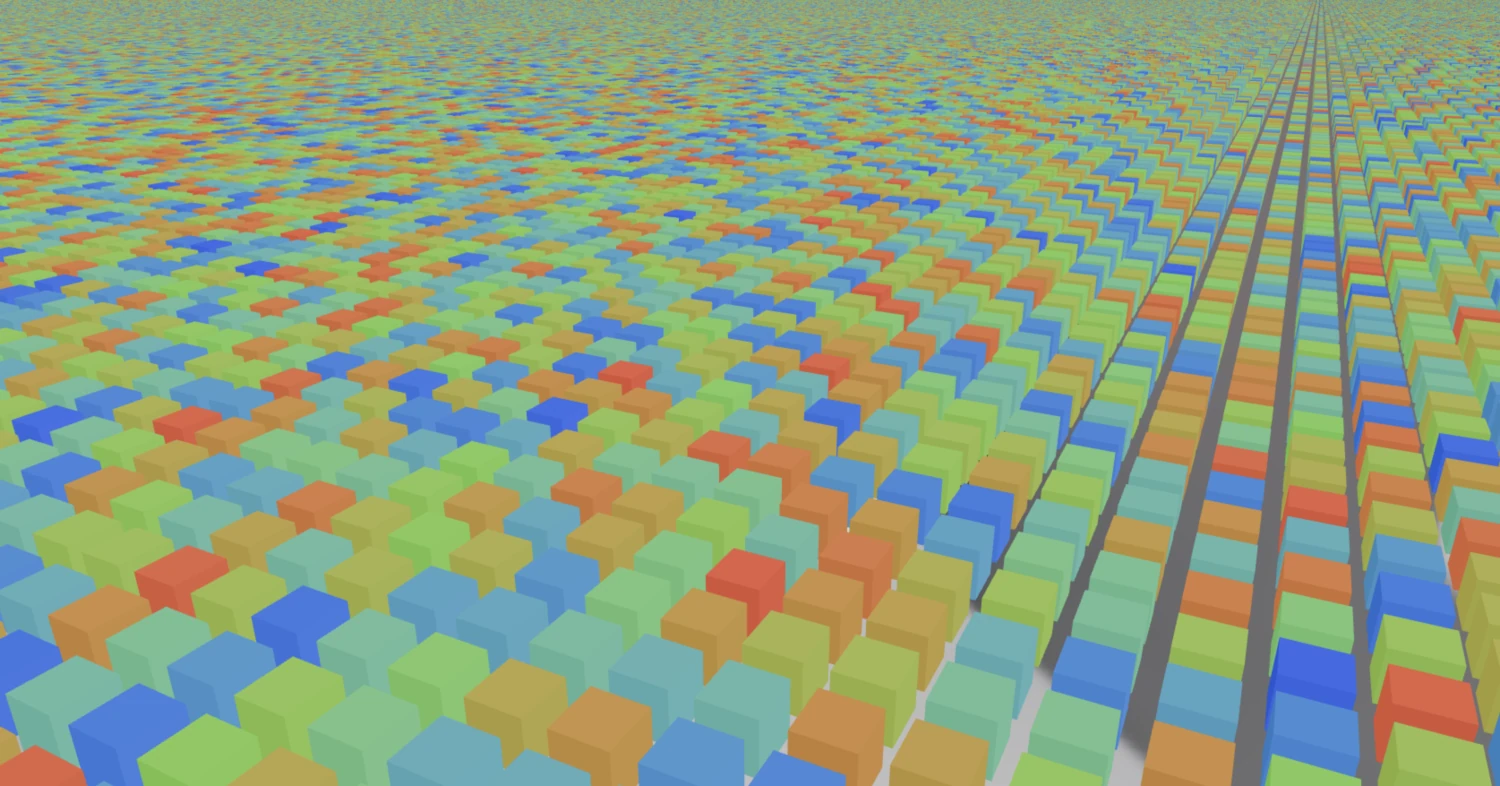
Geometry’s output Random Per Island is employed in Cycles to randomize objects cloned by the Array modifier. We decided to reuse it to randomize GPU-instanced objects, making it possible to adjust colors or other params for every instance.
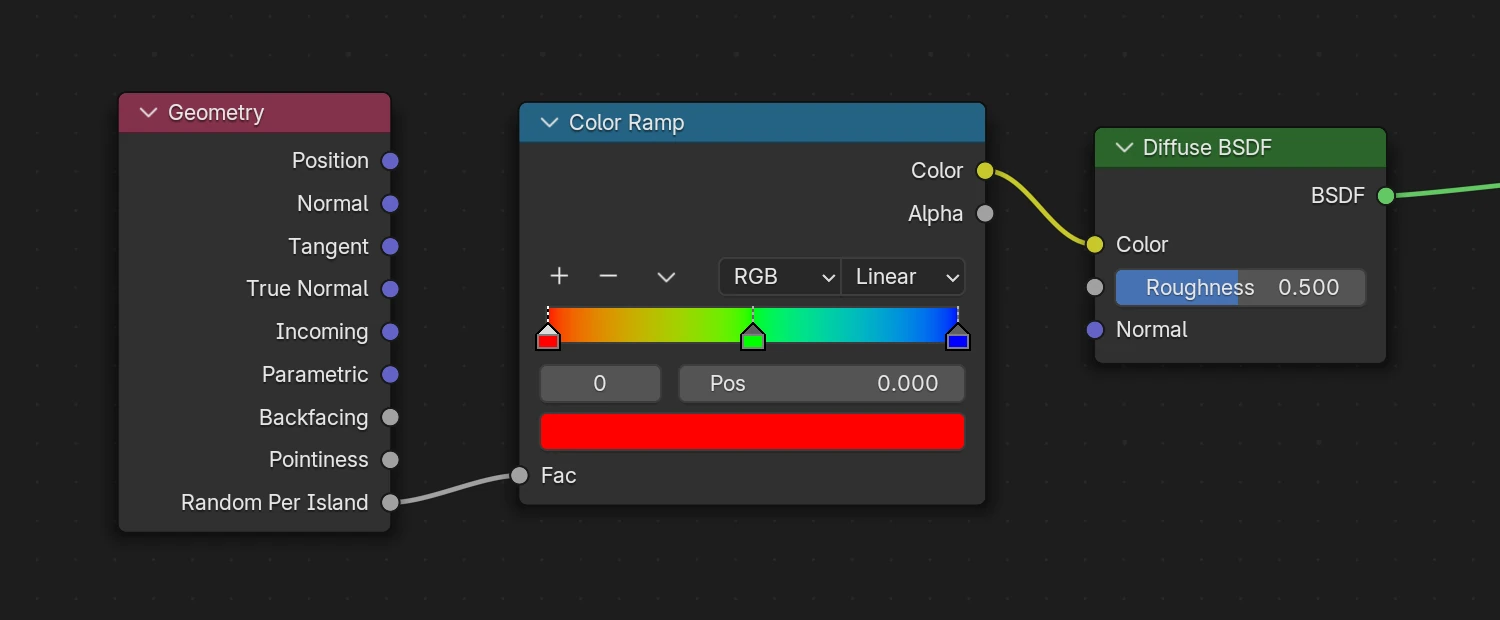
For example, here is the screenshot of a million randomly colored cubes rendered at 60 FPS!
The Jewelry Configurator demo was updated to fix a severe memory leak in the puzzles related to replacing scenes. Also it now shows already viewed jewelry pieces much faster.
We slightly optimized collection-based instancing (this Blender feature is not to be confused with GPU instancing provided by the new create instances puzzle). As a result, no more unnecessary auxiliary objects are generated when exporting such scenes. Also fixed missing shadows for such objects.
Among other things, we did some tweaks in the exporter to make the glTF files a bit smaller. We also fixed transparency artifacts in Farmer’s Journey and Fire Effect apps introduced after updating the scenes to newer Blender versions.
Finally, we fixed the issue when the Bump node is used with Noise causing wireframe-like artifacts. It only affected the latest Apple devices (iPhones, Macs). Thanks for bringing this up on the forums.
New Puzzles
With this update we introduce a few new puzzles for advanced use.
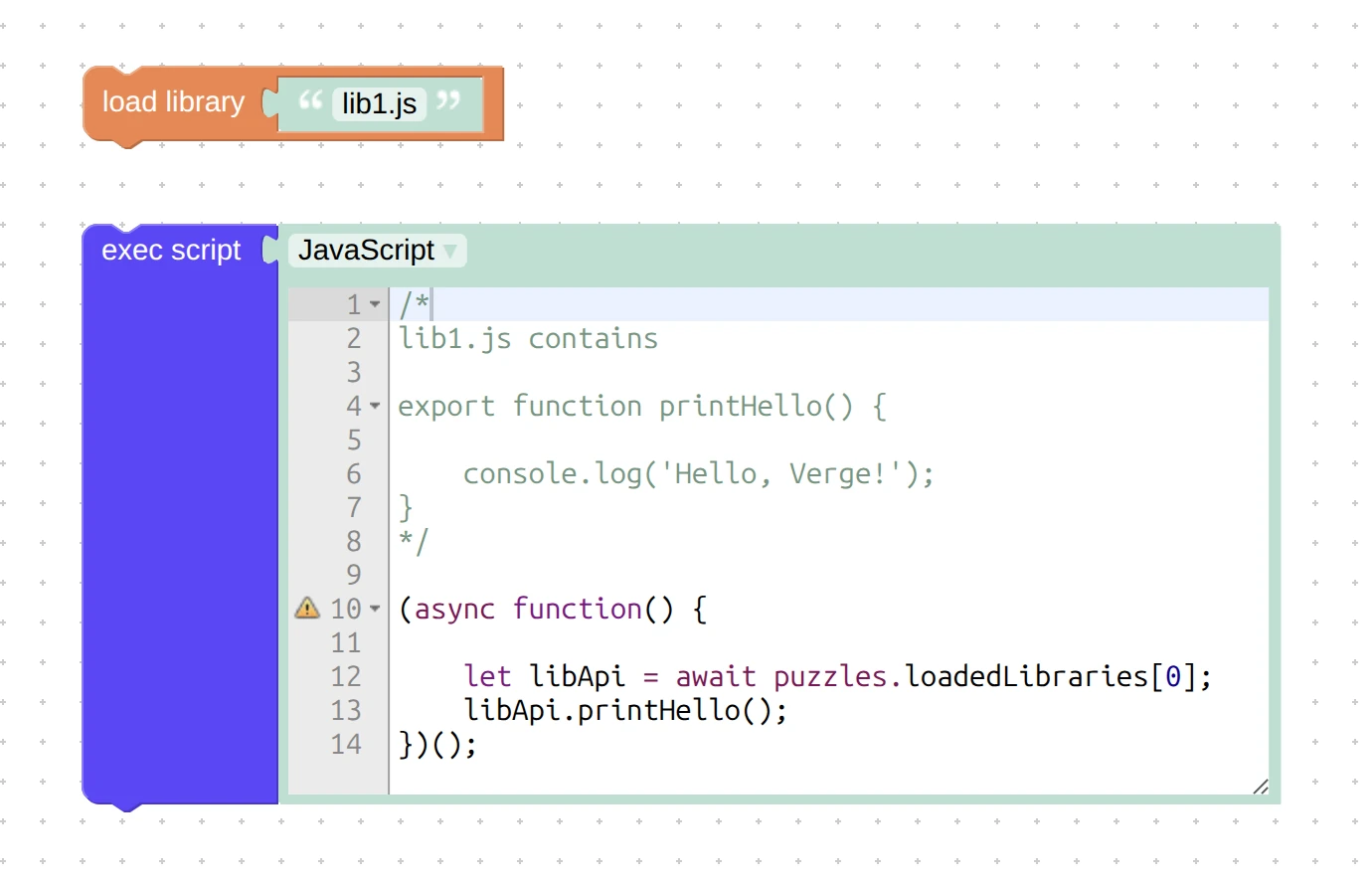
A new puzzle for using in the Init tab only – load library – works as it sounds. It loads code without the need to link it in the main .html file, which can be vanilla JavaScript, CommonJS, or ES6 module. After loading, the namespaced APIs can be accessed via puzzles.loadedLibraries (this is an array of import Promises).
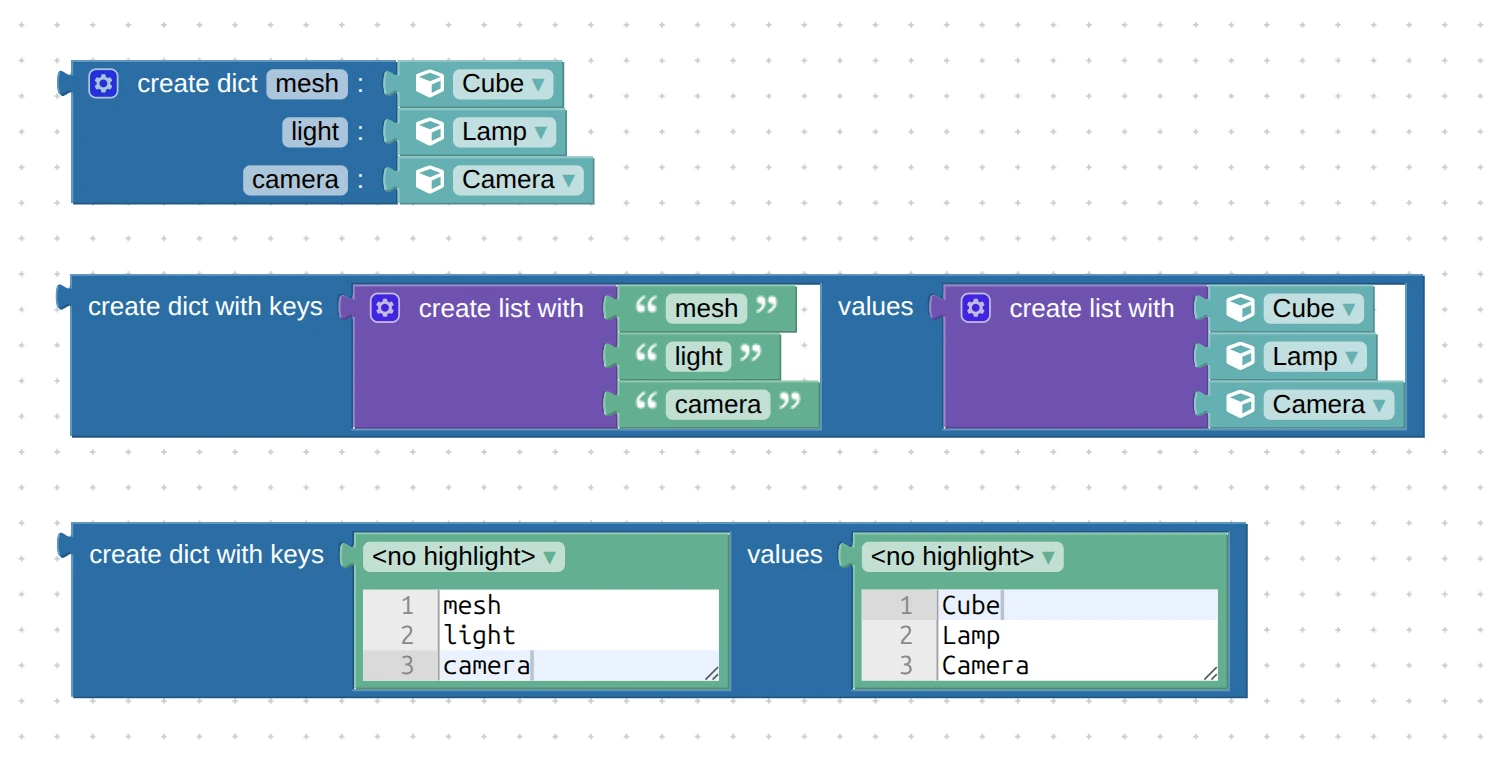
Another new puzzle, create dict, does the same thing as the already existing create dict with keys, but in a speedier and more compact fashion. Nonetheless, the old puzzle is still useful because it can work with variable keys and with multi-line text.
Finally, the new puzzle stringify json converts any data structure used in Puzzles to a text line. It will be useful for saving something to a element’s data attribute or to the local storage, sending over network, updating a remote database, using as page param, etc.
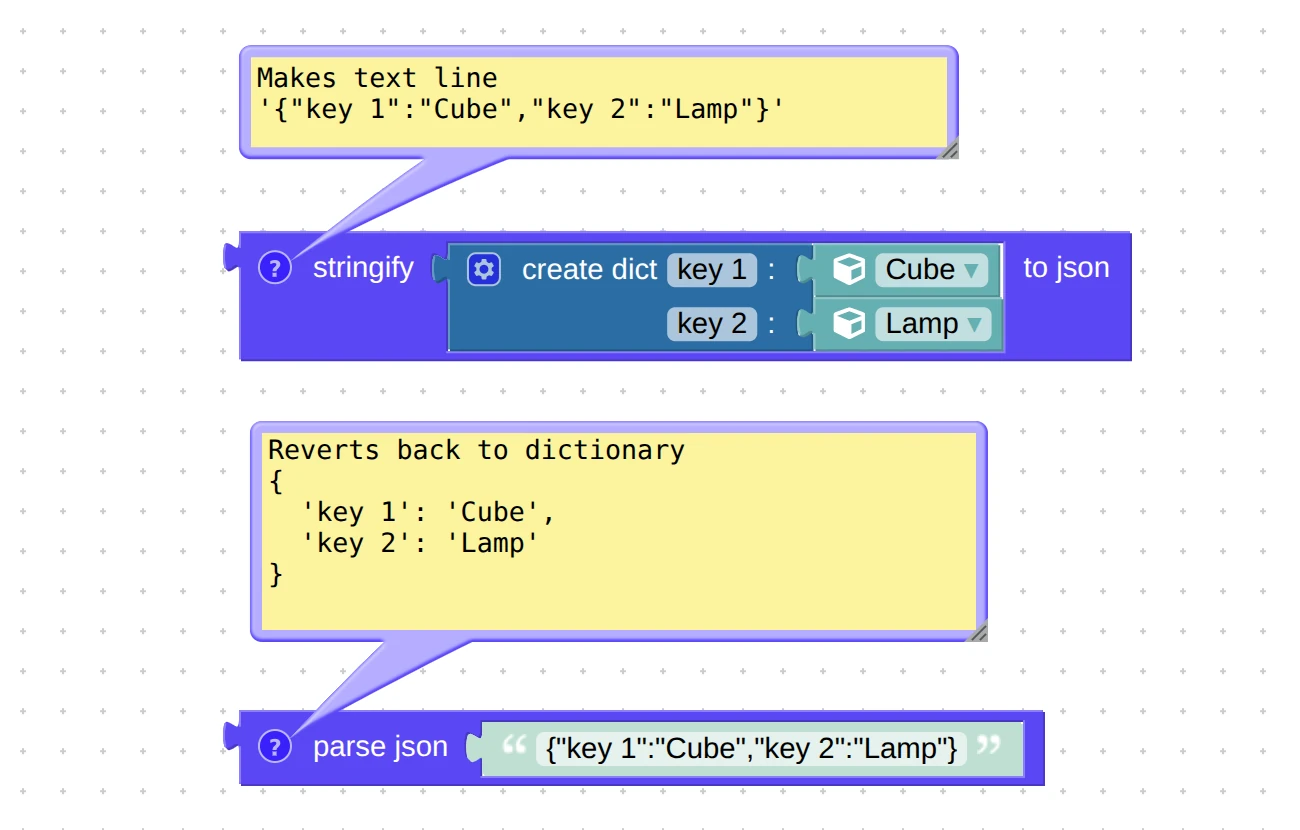
Note that we renamed the puzzle read json from, that does the reverse operation, to parse json for consistency.
Updated Puzzles
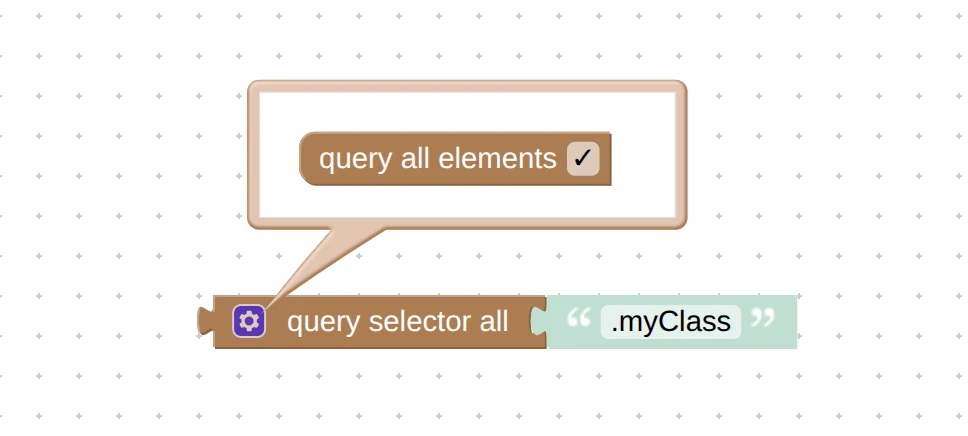
The puzzle query selector obtained a new option, query all elements. It allows you to change the properties or assign event listeners to multiple HTML elements in bulk instead of making it one by one. Thanks for bringing this up on the forums (e.g. here and here).
We also listed some common query examples in the User Manual.
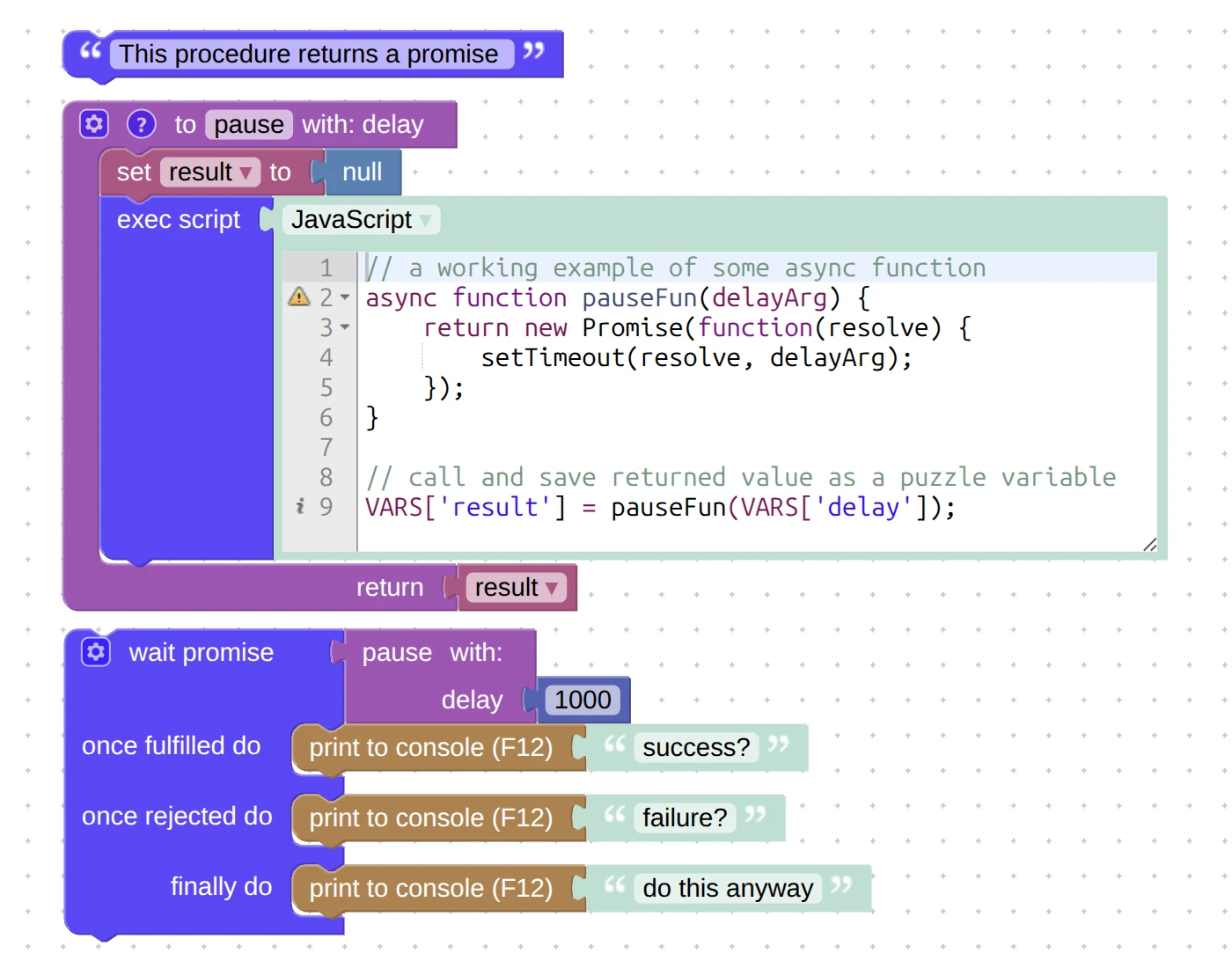
We added the optional finally slot to the wait promise puzzle, which helps to using asynchronous APIs of third-party libraries.
The HTML puzzle get property now offers the dataset option. With it, you can use data attributes to store information directly in HTML elements, without extra variables, lists, or dictionaries.
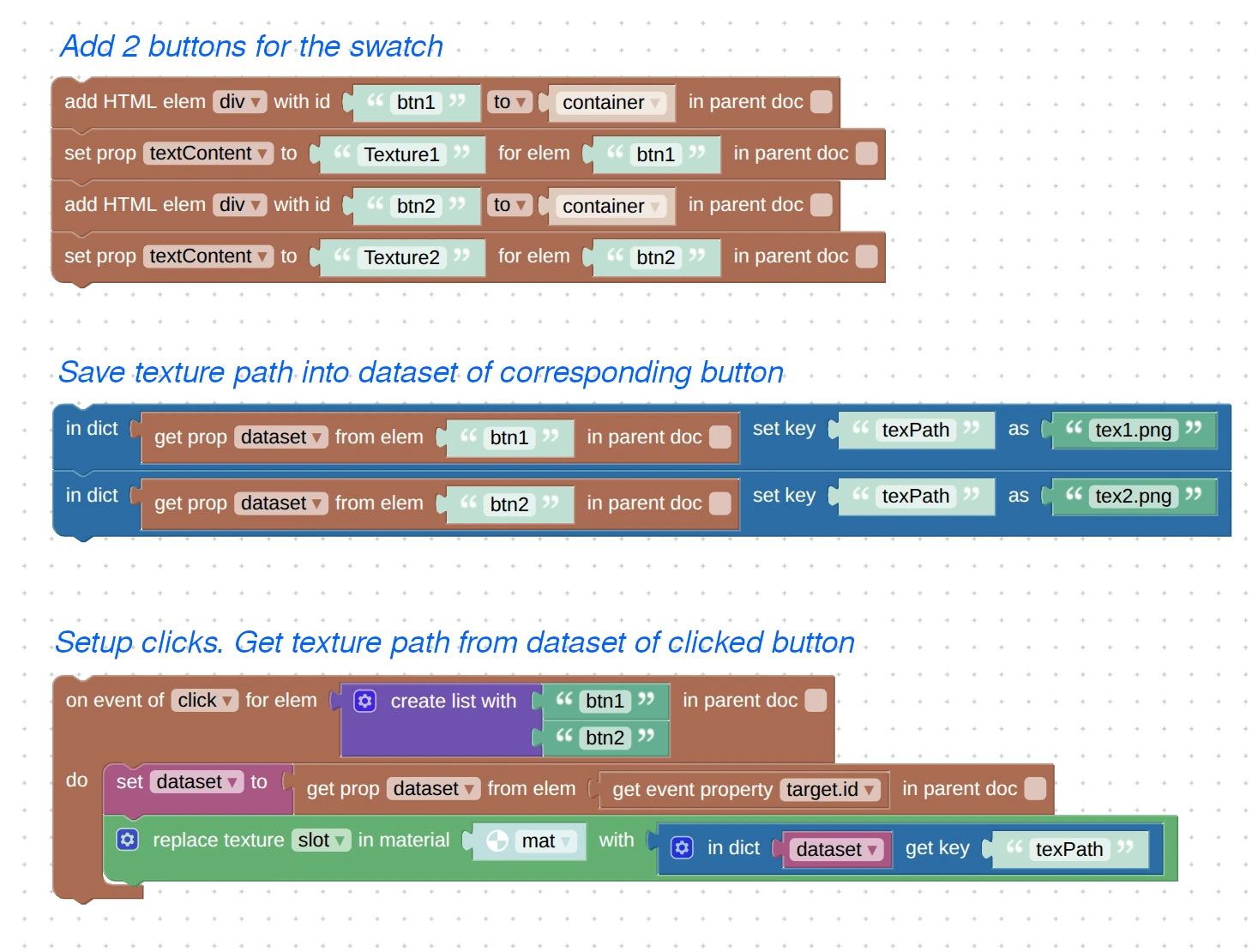
For example, if you create a configurator with a swatch of textures, you can save the path to the texture file directly to the corresponding clickable HTML element, and get it right away when the user clicks it.
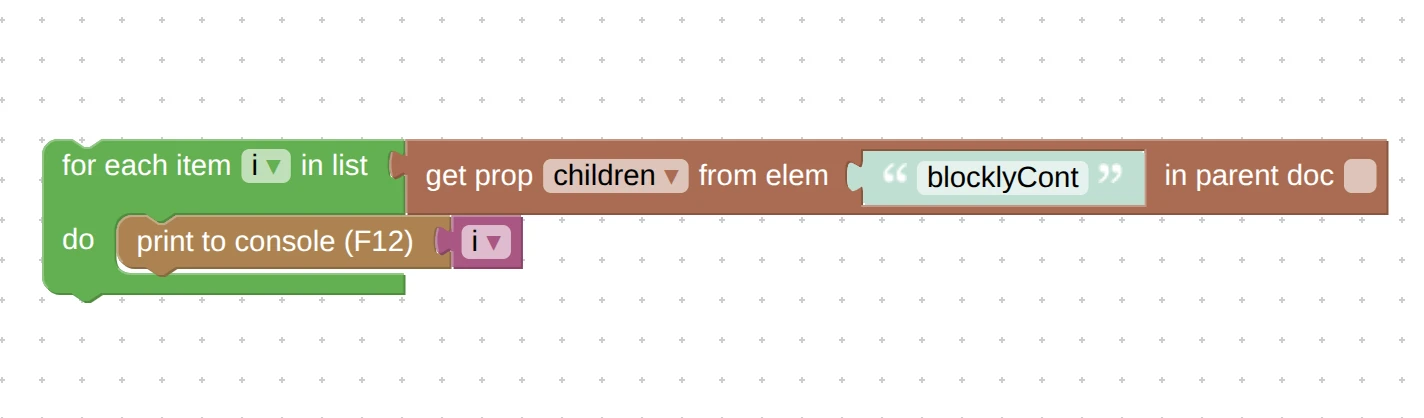
The very same get property puzzle obtained another new option, children, which you can use to get the list of parented HTML elements. It returns an iterable list of ids, so naturally the result includes only elements with an id.
The puzzle set URL params now works properly when passing special characters as param values thanks to URL encoding applied.
We rewritten the puzzle check performance from scratch. It no longer uses the old, thick and poorly maintained benchmark data (which added extra 330 kb to the engine by the way). Instead, it performs various heuristic evaluations of GPU and browser information to predict the performance of the user system. As a result, it became faster and more accurate – for example, it better handles the latest Intel’s integrated GPUs, older iPhones, Google Pixel devices, popular Samsung A-series phones, and the flagship Oppo/Xiaomi/Realme/Redmi/Vivo phones.
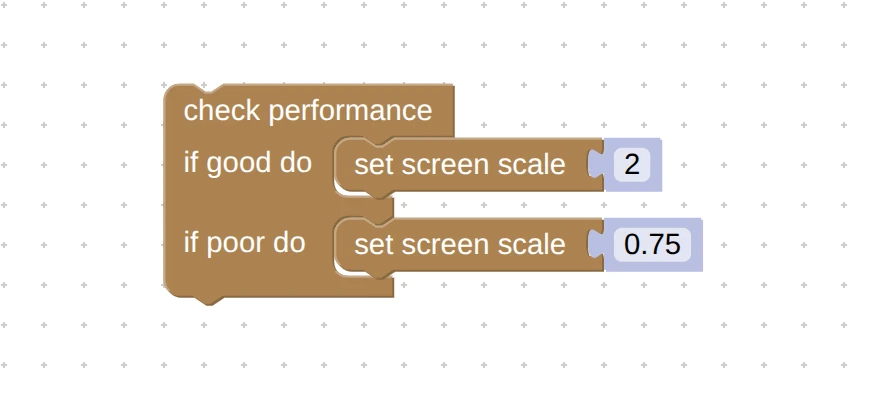
You can run this performance checker on your device using our WebGL System Report page . Feel free to report any inconsistencies, i.e. if you believe you got a graphics-friendly device but it says it’s bad, or vice versa.
Versions and Compatibility
We noticed that many users, that have been working with Verge3D for long time, sometimes do experience issues with maintaining their old projects. This observation motivated us to implement the possibility to install Verge3D to specific versions of Blender, which can now be selected in the installer.
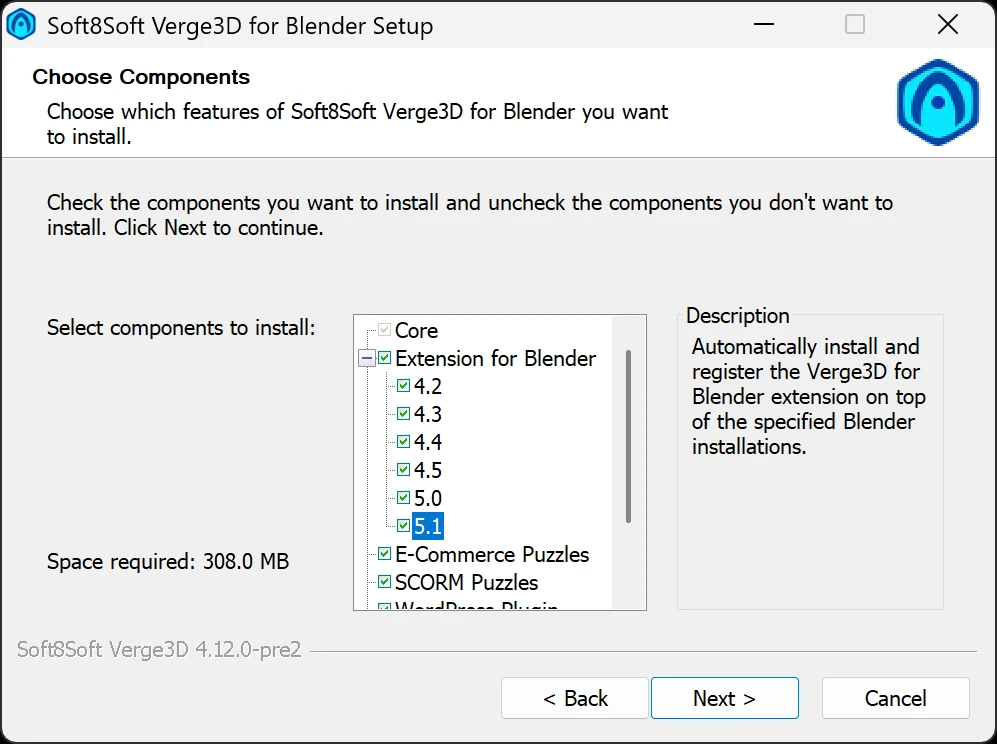
As a result, you can now have an older 3D tool with a compatible Verge3D version installed in it, and it won’t interfere with any fresh installs. You can also use command-line scripts to do the same – see this system administrator’s guide.
Please note that by default, all supported Blender versions are checked. This means that the extension will be installed for all these Blender versions regardless if they are actually present on your computer.
In addition, we rearranged and renamed some components in the installer menu for more clarity. Thanks for all the feedback provided on the forums (e.g. here and here).
Optimizations
Here is an important optimization for Verge3D Network. If files didn’t change in the remote folder, the upload button won’t re-upload them, considerably speeding up the publication process. Thanks for suggesting this on the forums.
We managed to significantly reduce the size of the exported glTF files simply by skipping the default object parameters. Instead, such the params are set to their respective default values in runtime. This reduced the file size manyfold for scenes with many objects – imagine thousands of empties used to setup instancing, for example.
More Features
Geometry batching now better works with multi-material objects.
The message on the “WebGL troubleshooting” screen made more visible with dark theme.
Upon request from our users and as a result of our own (re)consideration, we returned full support for the following API classes: CatmullRomCurve3, LOD, InstancedBufferAttribute, and InstancedMesh. These were also documented in detail in the API Reference.
We removed the monochrome mask for favicons which is no longer required by Safari browser.
Usage hints are now printed when running the keymanager command without parameters. This script is used to activate the Dev Kit and npm-based versions of Verge3D.
An npm-based Verge3D application would now print “npm” instead of “Ultimate” in the browser console.
Camera rotation made faster for the Factory Tour demo on mobile.
Hemispheric lighting examples from Three.js now work with Verge3D using Ambient lighting as backend.
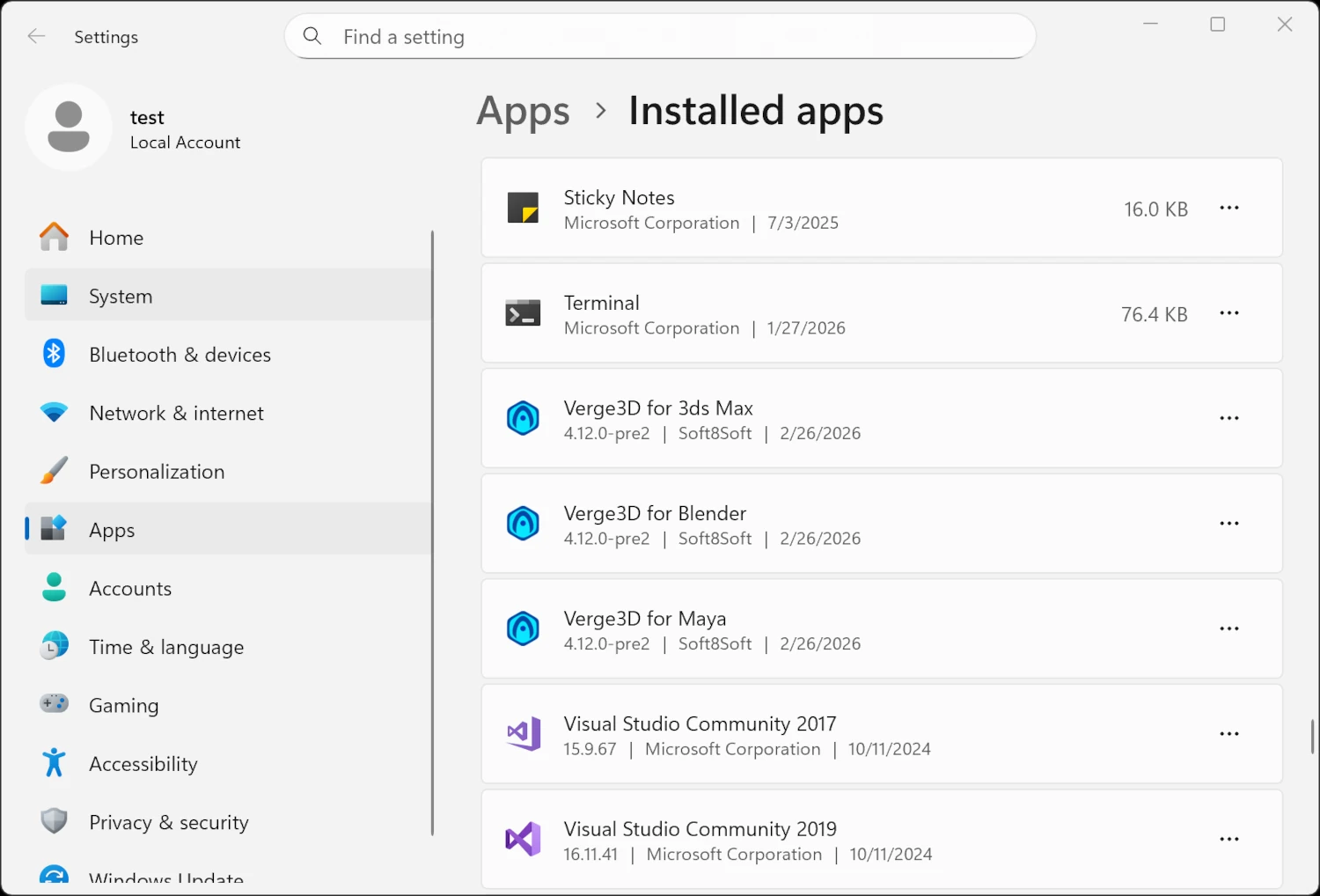
Windows’ service Add or Remove Programs (renamed to Installed Apps in Windows 11) now displays the Verge3D icon.
We dropped the outdated and barely working React and Vue examples from the Asset Store. Instead, we suggest using the reworked and simplified templates found in the corresponding (updated) docs.
We removed unused screenshots from older example apps thus making them a bit cleaner.
As usual, the cared about the docs – this time the Beginner’s Guide, Workflow, Project Structure, and FAQ pages seen some updates. Also we separated some advanced topics for clarity and to improve navigation.
Fixed Bugs
We fixed the bug with losing controllers and the current camera position when loading new scene in VR mode. Thanks for reporting this on the forums.
We fixed the old issue with the preloader progress exceeding 100% when loading assets from servers with enabled compression.
The UI text encoding issue in the App Manager occurred for some users will no longer bother them.
We fixed the engine crash with loading glTF files exported by the puzzle export to glTF. Reported here, thanks!
We fixed the regression with the remove event listener puzzle. Thanks for reporting this on the forums.
The component controls in the Scooter demo no longer lag on mobile.
We fixed the crash in the App Manager if connection cannot be established with the Assets Store due to slow internet, firewalls, etc. It now displays a descriptive message instead.
Lastly, we fixed a minor memory leak with background render targets not mopped up after replacing a scene. This issue was reported through the Enterprise support channel.
Update Now!
Get the new version of Verge3D from the downloads page! Let us know how it works for you, or suggest new features for implementation on the forums. We’d be happy to hear your feedback!

Great stuff!