
We are excited to announce the release of Verge3D 4.14 for Blender! The new version brings Gaussian splatting rendering, Shopify integration, support for the latest Blender 5.3, access to RAL colors in puzzles, support for the Switch nodes for creating configurators, a finalized migration to WebGL 2.0, upgraded demo applications, and multiple performance optimizations.
Gaussian Splatting
3D Gaussian splatting (aka 3DGS) is a relatively new technology that enables rendering photo-real graphics in real-time. By using complex AI-based algorithms, one can convert photos to a set of points in the 3D space called splats. Rendering splats with Verge3D was already possible thanks to third-party plugins. Recently, Gaussian splatting appeared in Blender 5.3. Given these developments, we’ve decided to make this feature available to Verge3D users directly.
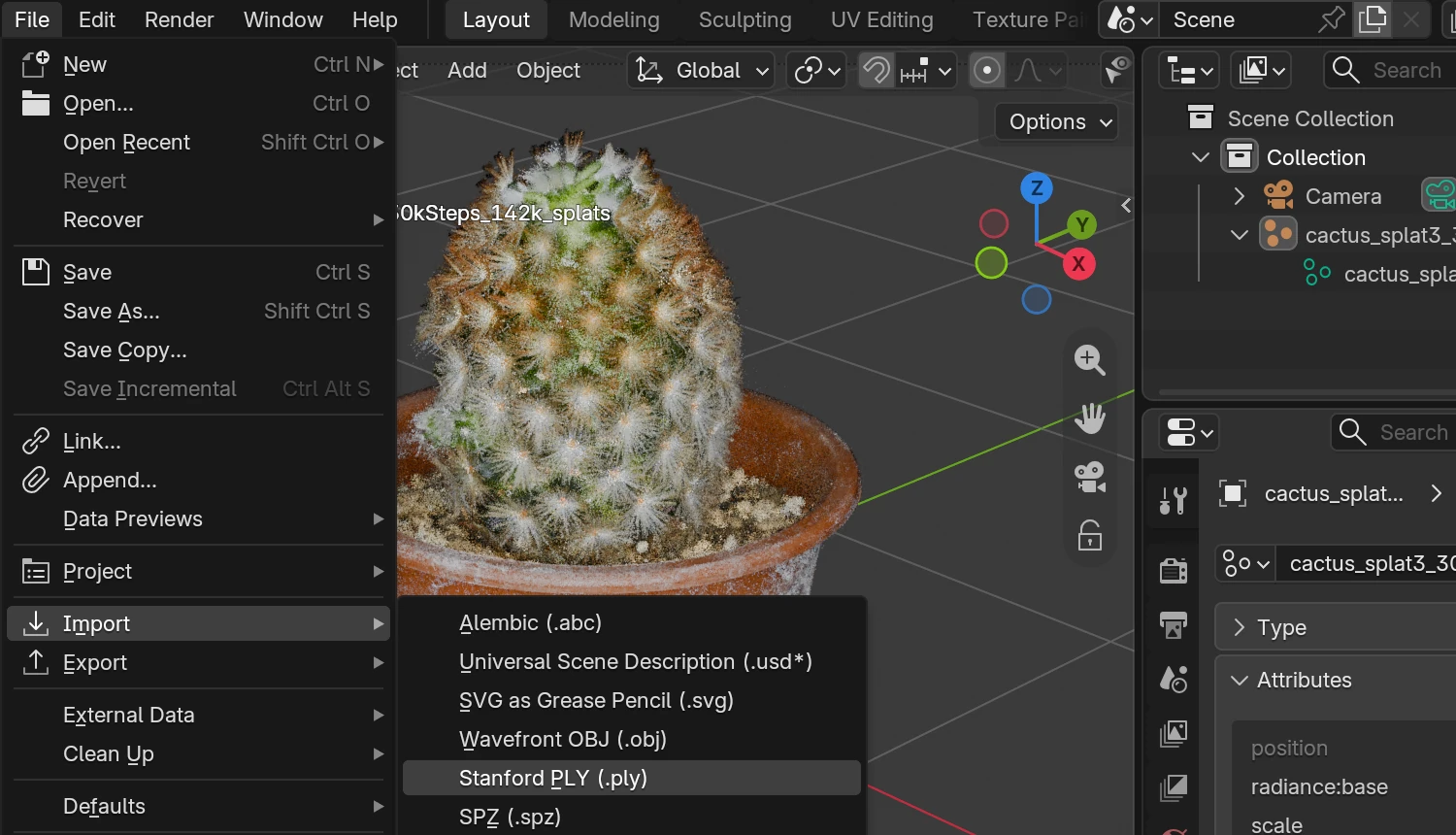
You can get the assets into a respective modeling tool by importing them in PLY or SPZ formats. These files are created from photos or prerendered images using specialized software, free or paid.
In Blender, importing produces point cloud objects of 3D Gaussian Splat type:
Check out the live rendering of the cactus model courtesy of Steam Studio.
Our vision regarding Gaussian splatting is that it may serve as an auxiliary object type to complement high-quality rendering of conventional polygonal meshes. It can be used, for example, for volumetric objects (e.g. clouds), backgrounds, outdoor environments, or similar elements. Thankfully, with Blender supporting Gaussian Splat objects natively, combining both rendering techniques in a same 3D scene should now be straightforward. You can access these objects in Puzzles too (for which we added a special icon to the object selector puzzle).
We discovered that the LZMA algorithm employed by Verge3D for compressing glTF assets is also very efficient for splats, in some cases achieving up to 5-10x reduction in size. This enables the web application to load quite big scenes within a reasonable timeline.
Shopify Integration
With this update, we enabled Verge3D to work with Shopify, a popular online shop solution competing with the already supported WooCommerce.
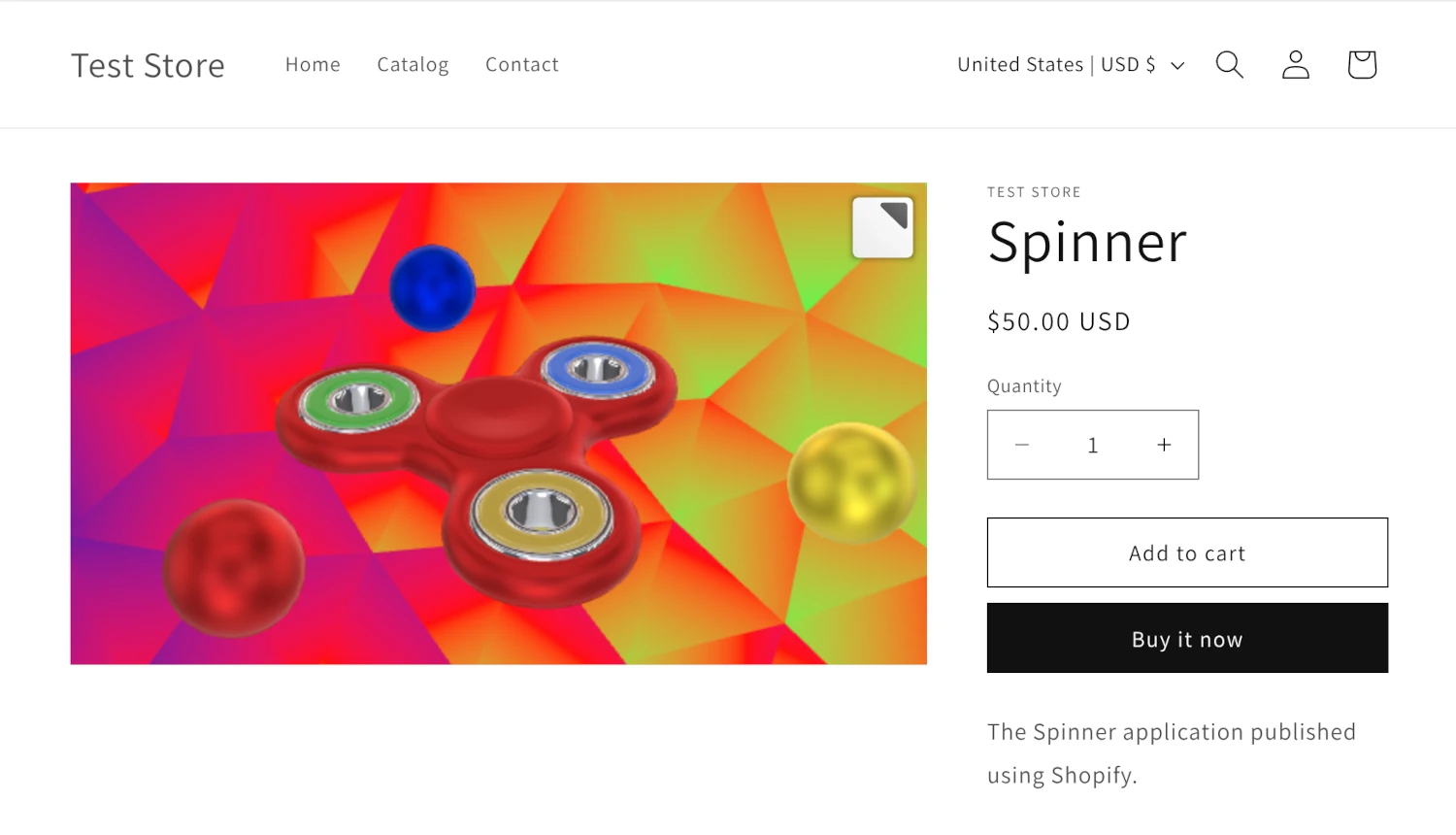
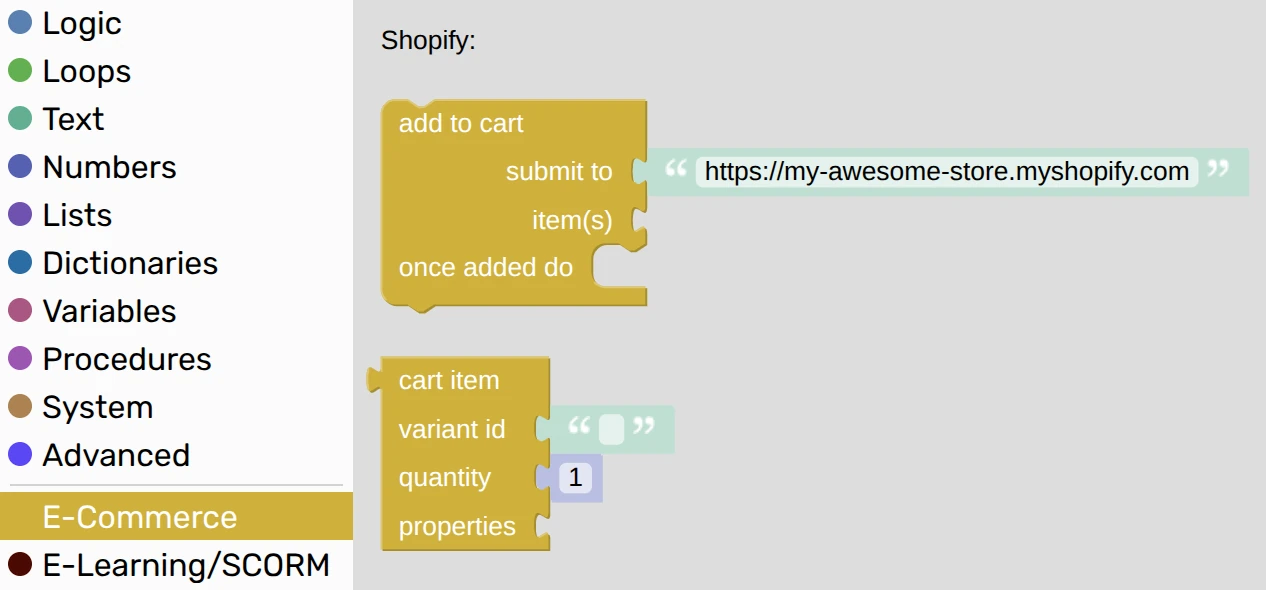
We added two new puzzles to the E-Commerce plugin – add to cart and cart item. You can use them to add configurable products to the cart.
Here is a simplistic usage example:
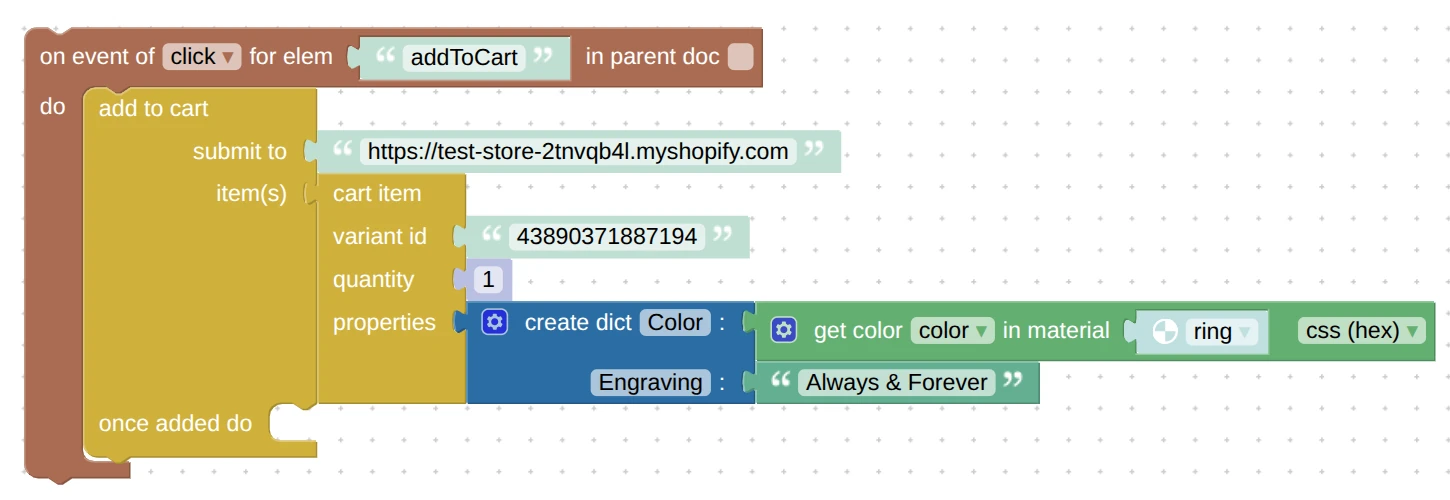
Please note that Shopify has a limitation that does not allow configurations to change the product price. However, for typical use cases, like colors/finishes/images/sizes/etc, this should not be a problem. For more details regarding the Shopify integration see the User Manual.
Demo Applications
We started reworking our existing demo apps with the goal of providing newcomers with easy-to-learn, reusable Verge3D content. We intend to migrate away from Webflow, a third-party design tool, and recreate the UI layout exclusively with HTML puzzles by leveraging modern web technologies. Our first efforts resulted in a reduced number of puzzles and clarified logic structure, thus making the scenarios more understandable and fit for learning.
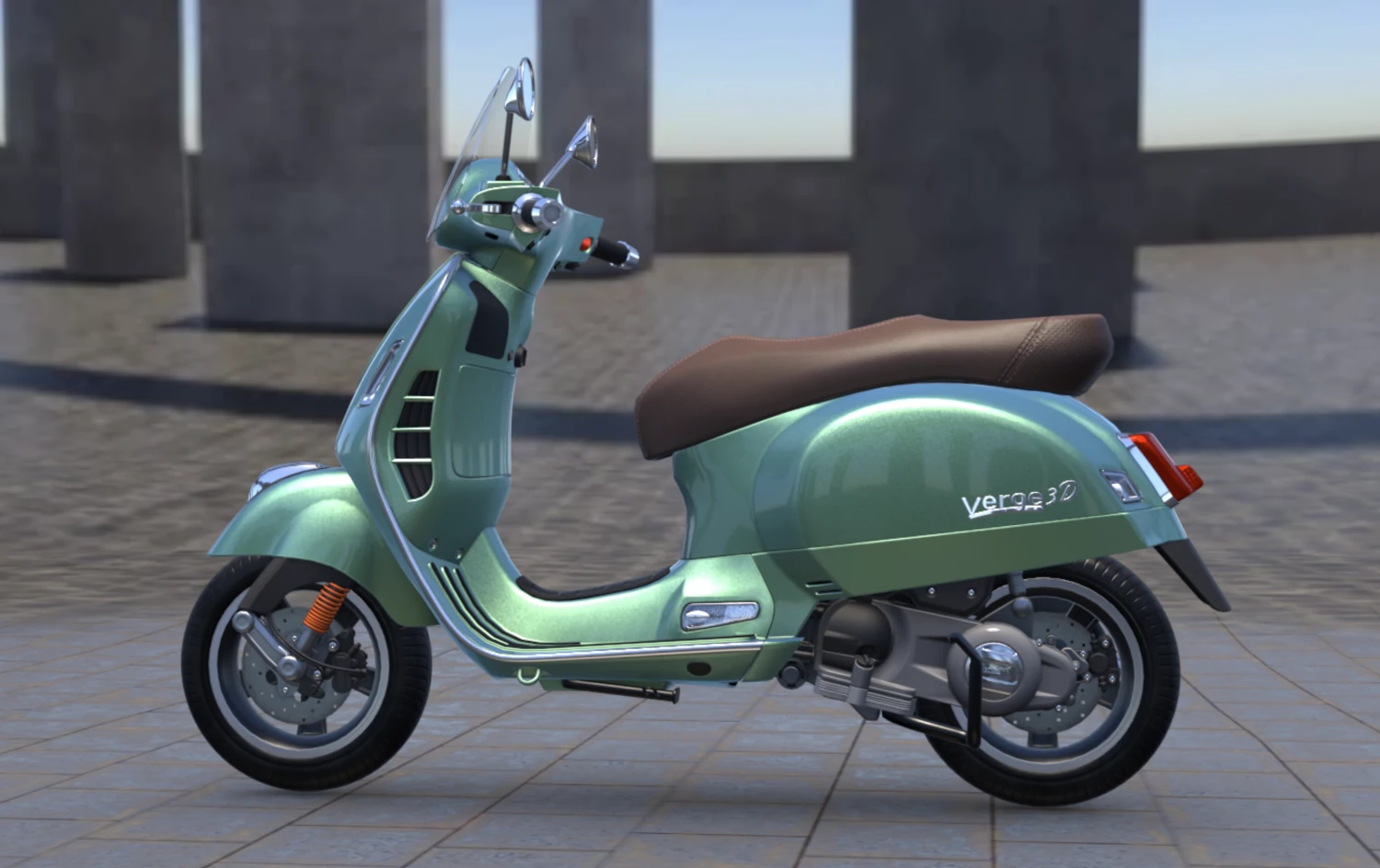
Particularly, in our flagship Scooter demo, we grouped the puzzles into tabs according to their functionality, providing them with detailed comments. Among other new features are:
- scrollable side panels for both desktop and mobile systems
- added new city-themed environment (as on the screenshot)
- removed the iframe so it is a single-page app now
- tweaked and enhanced the materials
- improved the rendering performance
- converted the textures to the highly efficient WebP format
- and made other minor refinements.
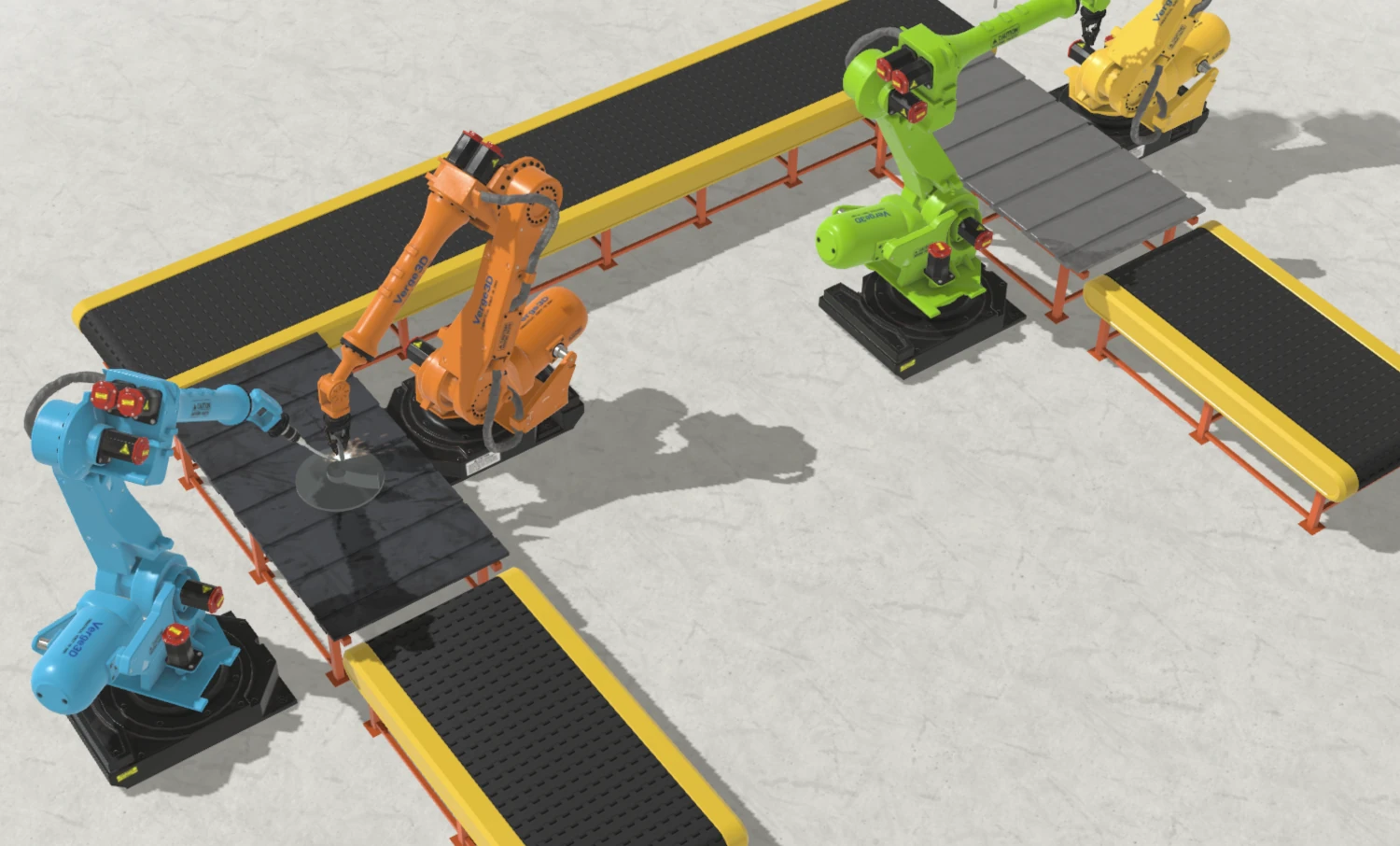
So far, we applied the same procedure to the Industrial Robot and Recliner demos as well. In addition, the Industrial Robot demo received a new conveyor visualization with several robots working sequentially (click Switch to Animation Mode).
Upgrade to WebGL 2.0
Almost all current hardware supports this advanced Web 3D standard now. Indeed, NVIDIA, Radeon, and Intel hardware has been supporting WebGL 2.0 for 15 years, while mobile devices could use it since 2014. The only reason why we hesitated to drop WebGL 1.0 earlier was the older Apple devices, like iPhone 5S and iPhone 6. Those cannot run Safari 15 which is the minimum requirement for WebGL 2.0. Since these devices are generally retired, we decided it is time to say goodbye to WebGL 1.0, and thus pave the way for remarkable new possibilities.
For now, we have initiated a full revision of rendering code, removing many compatibility hacks that bloated the code and possibly caused some glitches. Almost all shader programs have seen a major upgrade to the more advanced features of WebGL 2.0. As a result, we accelerated the rendering, made the Verge3D apps start earlier thanks to faster shader compilation, and reduced the memory footprint by using the more efficient texture and render buffers.
Blender Integration
This update enables support for Blender 5.3 which had seen its release earlier this week.
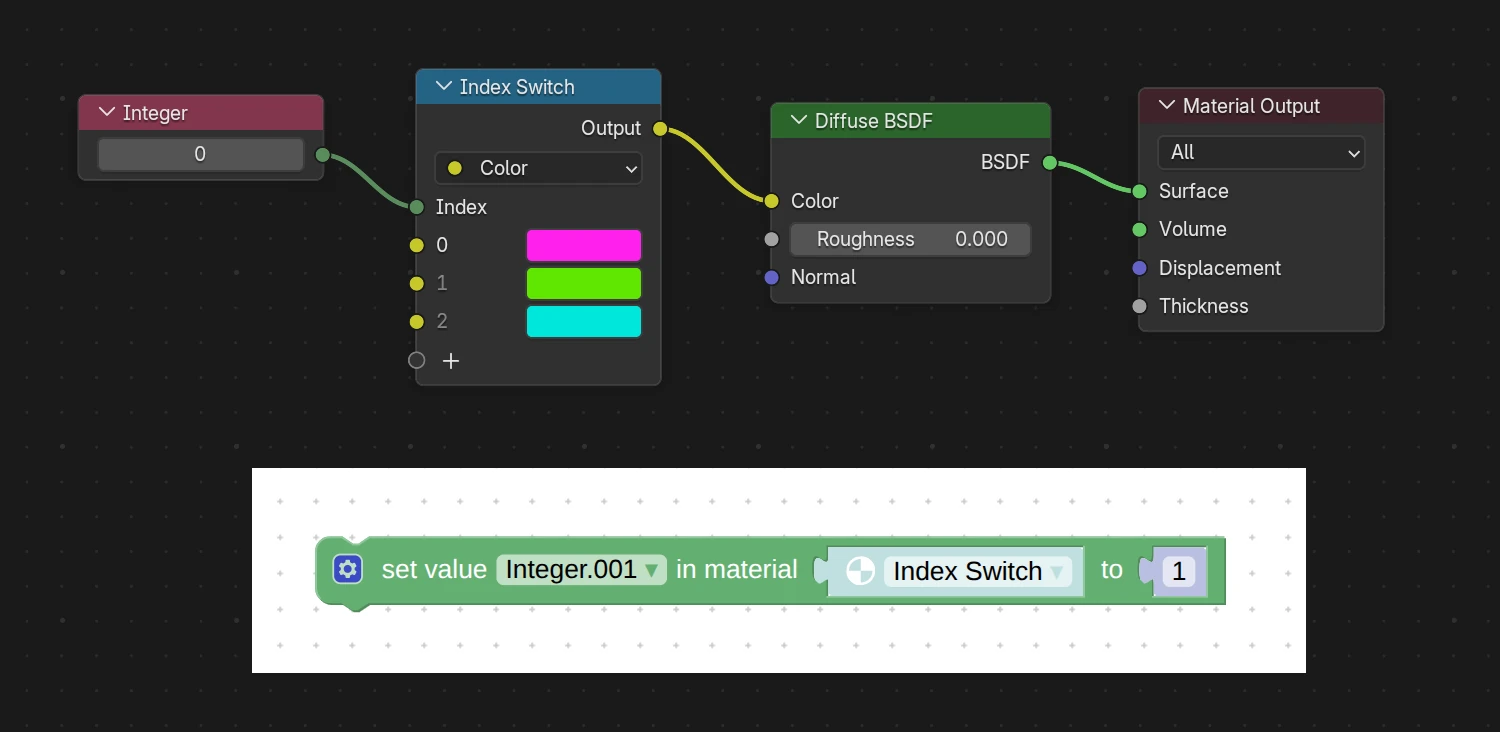
In particular, we supported animation and enabled control in puzzles for nodes Index Switch, Switch, and Menu Switch that Blender 5.3 has just introduced. These may be very useful for creating configurators because you can see the color palette (or set of other parameters) directly in the Blender viewport. Once you are happy with your options, you can use the puzzle set value to switch between them in the Verge3D application.
For example, the following material setup makes it possible to switch between 3 colors, when 0 index turns the material to purple, 1 – to light-green, and 2 to cyan.
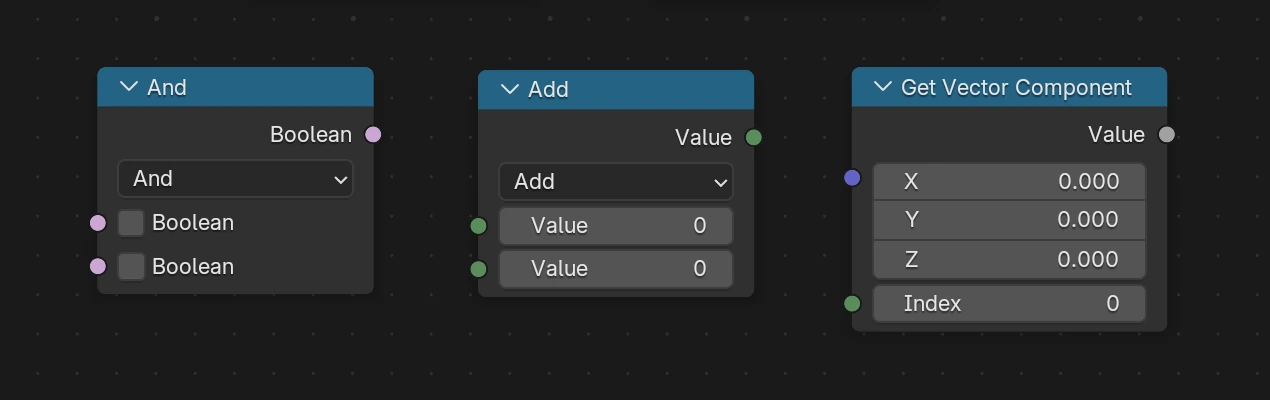
Other new nodes Boolean Math, Integer Math, and Get Vector Component extend the arithmetical and logical functionality of material shaders.
We also added stubs for the new String nodes to prevent them from crashing, and ensured that the Glass BSDF and Vector Transform nodes are fully compatible with Verge3D when exported from Blender 5.3.
In other news, the Blender extension now more precisely detects what Blender version it is compatible with.
Finally, we fixed the exporter crash during animation baking if an animated armature is not present in the active view layer. We have also made animation baking slightly faster and provided feedback about its results in Blender console.
Puzzles
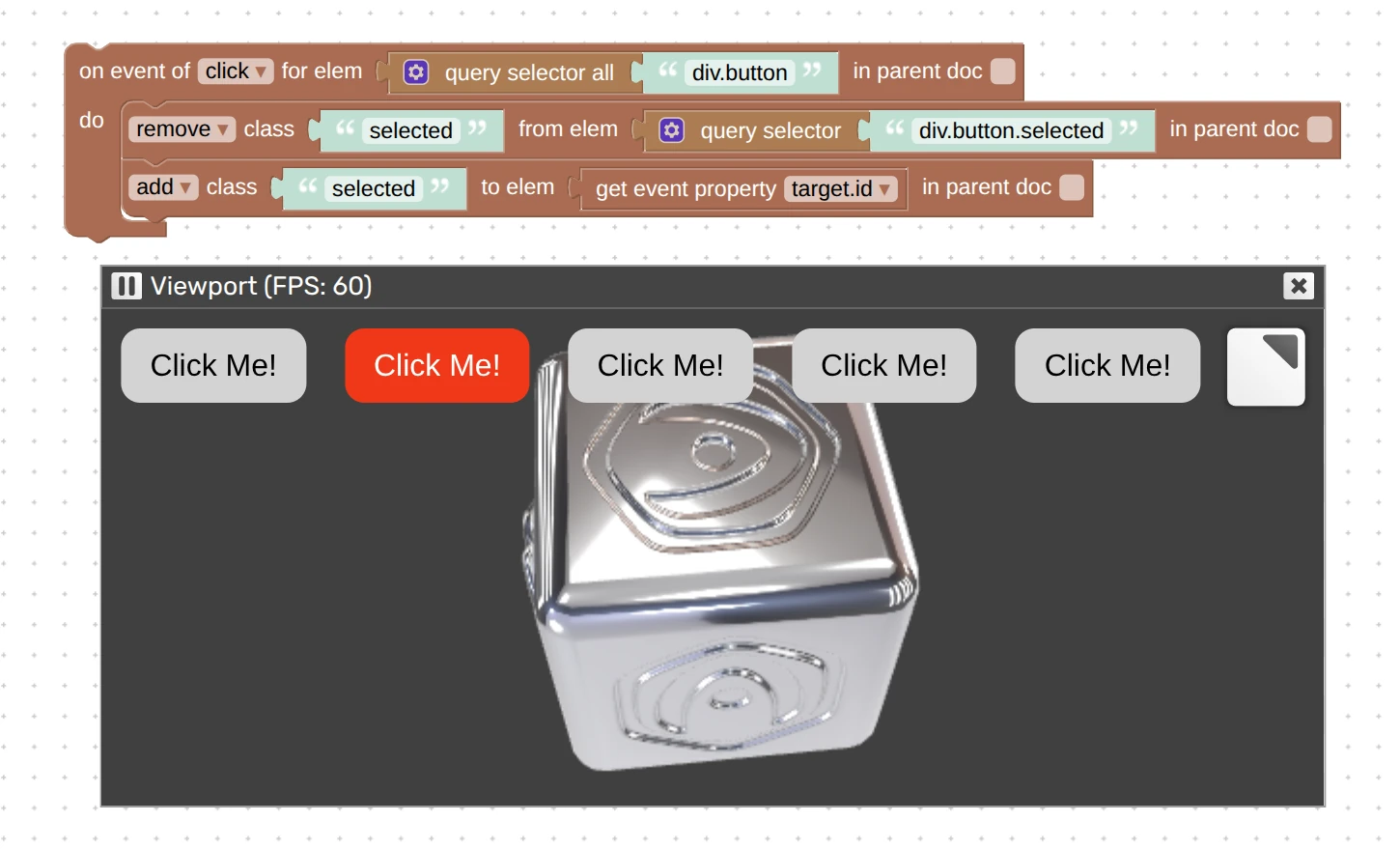
This update added a new puzzle in the HTML category which you can use to add, remove, toggle, replace, or check a class name for an HTML element.
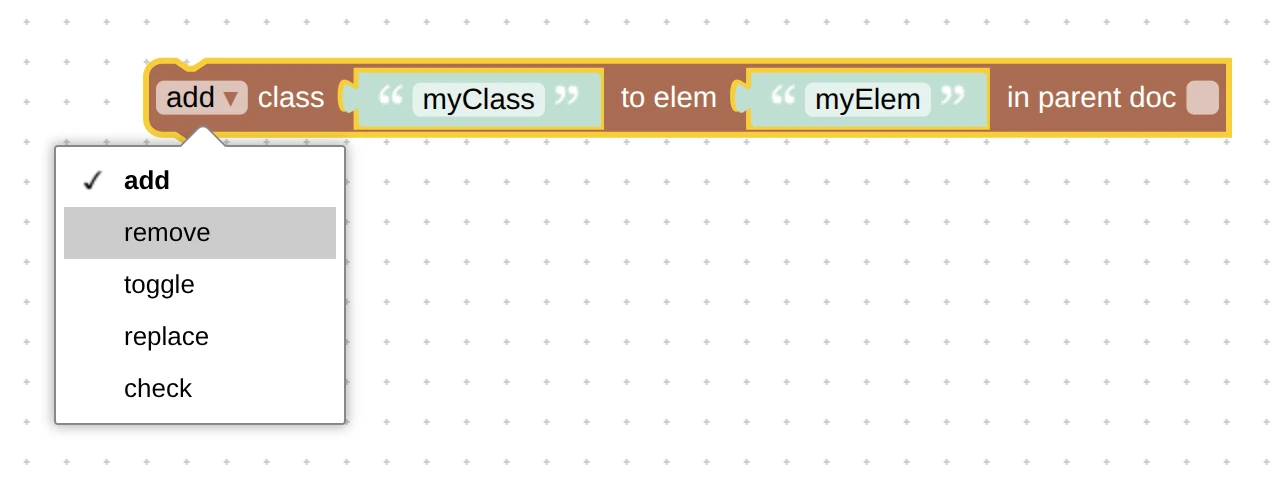
It will be very useful in situations when you already have a set of predefined CSS classes and want to efficiently style your elements. In the following simplistic example, we paint the clicked button red and ensure that the previously clicked buttons return to their original styling.
Next, the important puzzle export to USDZ (the one used for AR on iOS) received major improvements.
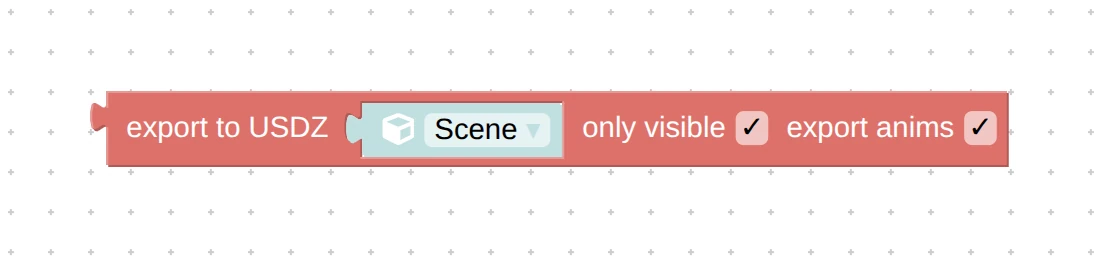
First of all, it now supports object transform animation (that is, of position, rotation, and scale) for which we added a new checker, export anims. It now also supports the scaling factors for normal mapping and better handles the material transparency. We added another checker, only visible, to make it consistent with the export to glTF puzzle. We also fixed the issue with using non-alphanumeric symbols in object names – thanks for bringing this up on the forums.
The puzzle call method + postMessage now works properly when sending message to a parent element from an embedded Verge3D app. To remind you, this is a typical case where the 3D part must interact with the parent page located on a different domain.

RAL Colors
RAL is a premier global standard for color communication in architecture, construction, manufacturing, and industrial design. With this Verge3D update, you can now use both RAL codes and color names to convert to and from RGB color values.
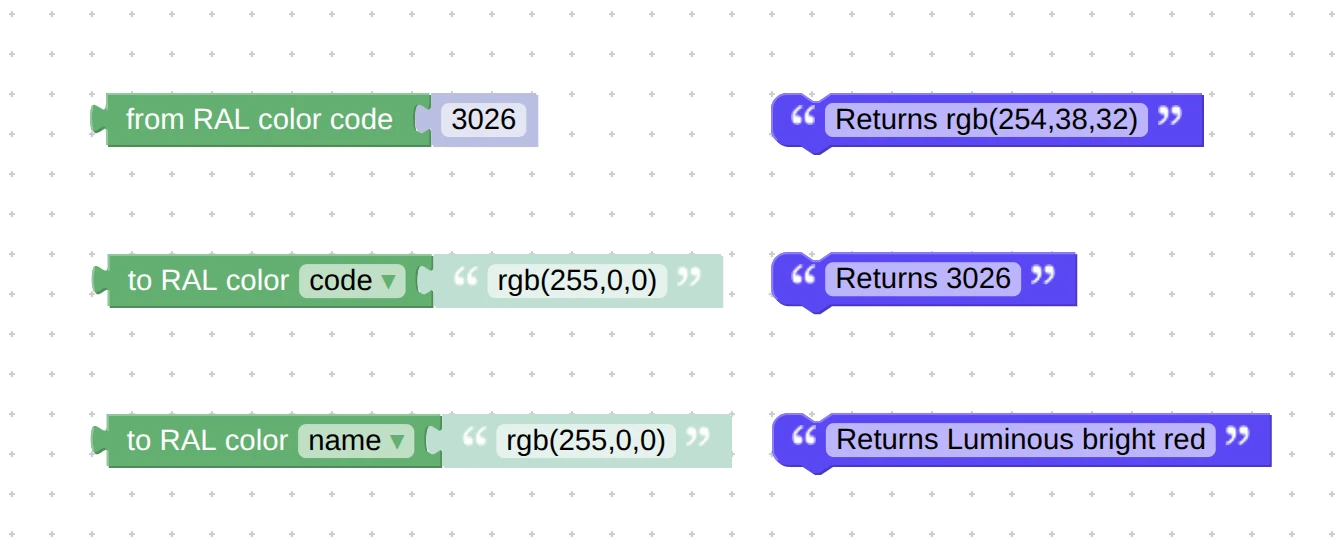
The puzzle from RAL color code returns RGB color that can be passed to set material color puzzle or assigned to HTML elements. The second puzzle, to RAL color code / name tries to select a most fitting color from the RAL Classic palette consisting of 216 entries, and returns its 4-digit code or the human-readable name.
You can also work with RAL colors via JavaScript API.
Firebase Integration Guide
This one is important, so we repeat it here in case you missed the post in our social media. Let’s say your project requires something beyond interactive 3D graphics, such as saving data or files to a customer account, handling user inquiries, integrating with some existing infrastructure (e-commerce, CRM, ERP, CPQ, e-learning), and whatnot.
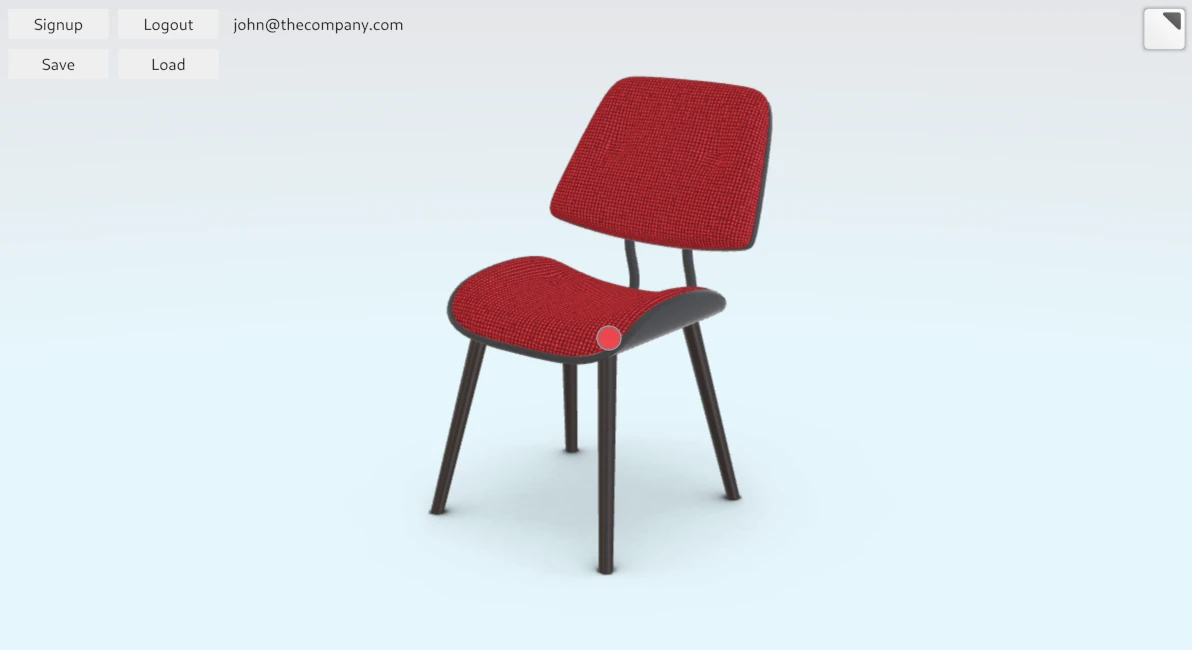
In this year’s releases, we focused on solving this problem. We provided means to connect Verge3D apps to systems known as Backend-as-a-Service (BaaS), with Google’s Firebase being the most prominent example. Check out this guide that explains how to make a simple furniture configurator that saves customizations to user accounts.
Other Improvements
In the WordPress plugin, we decided to remove the downloadable products feature and PayPal payments, which were rarely used and prone to security issues. Both features can be perfectly replaced by our WooCommerce integration module and by the PayPal puzzle. We also fixed some issues with the plugin that were found through third-party code security audits.
Next, we optimized GPU memory consumption when using morphing. In addition, we slightly optimized shader compilation resulting in faster loading of Verge3D-based apps.
The dialog for selecting the application folder in the App Manager now looks better on Windows. We also fixed the incompatibility warning incorrectly shown to trial users when they try to update for a new Verge3D version.
We updated component descriptions in the Windows installer to make them more clear.
Finally, we removed various compatibility hacks from exporters and engine runtime which are no longer relevant to the current version of Verge3D.
Systems and Software Versions
The minimally supported version of macOS raised from 11 to 13. We also dropped support for Windows 8.1, so the minimal Windows version is 10 now.
Windows and macOS distributions of Verge3D now use the newer Python 3.14, which resulted in a noticeable performance improvement for the App Manager, especially regarding how quickly it starts.
We updated Electron to v. 45. As a result, Verge3D-based desktop apps will now start quicker, render the 3D graphics faster, and will work better with Wayland compositors on Linux (penguins will appreciate that).
Lastly, we recompiled the texture compression module using the latest stable version of the KTX library. It contains various minor fixes and improvements.
Update Now!
Get the new version of Verge3D from the downloads page. Let us know how it works for you, or suggest new features for implementation on the forums. We’d be happy to hear your feedback!