
Home › Forums › Official Announcements › Verge3D 4.13 pre2 available!
- This topic has 4 replies, 3 voices, and was last updated 1 week, 6 days ago by
 Alexander Kovelenov.
-
AuthorPosts
-
2026-06-25 at 8:09 am #87596
 Yuri KovelenovStaff
Here is the second preview of upcoming Verge3D 4.13. For this update we prepared:
☞ support for new nodes from Blender 5.2 (Constants, Scene Time, Menu Switch and more)
☞ support for Blender’s Speaker objects and Cone settings for directional sounds
☞ sound sources can now be set up for playing even before the file is fully loaded
☞ support for more settings in 3ds Max’ Image map
☞ support for Maya’s remapColor, remapHsv, and remapValue nodes
☞ support for more Color Space options in Maya’s file node
☞ added more supported hardware to the check performance puzzle
☞ adjusted the design and captions of some puzzles for more clear lookCheck it out:
2026-06-25 at 8:10 am #87597Yuri KovelenovStaffBlender Integration
We continued work on ensuring compatibility with the upcoming Blender 5.2, adding support for several new shader nodes.
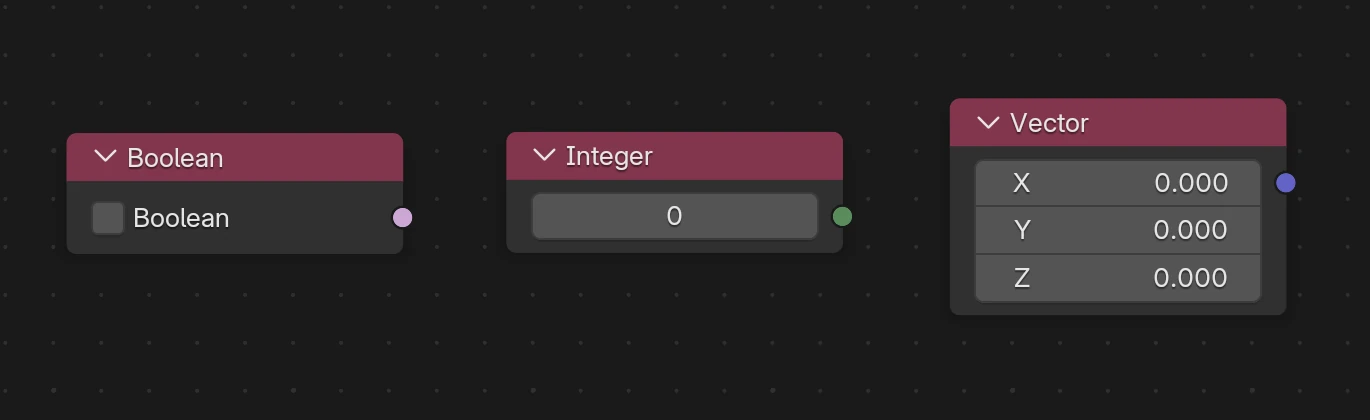
First, new Constant nodes – Boolean, Integer, and Vector – are now supported, in addition to Value and Color which have always been available.
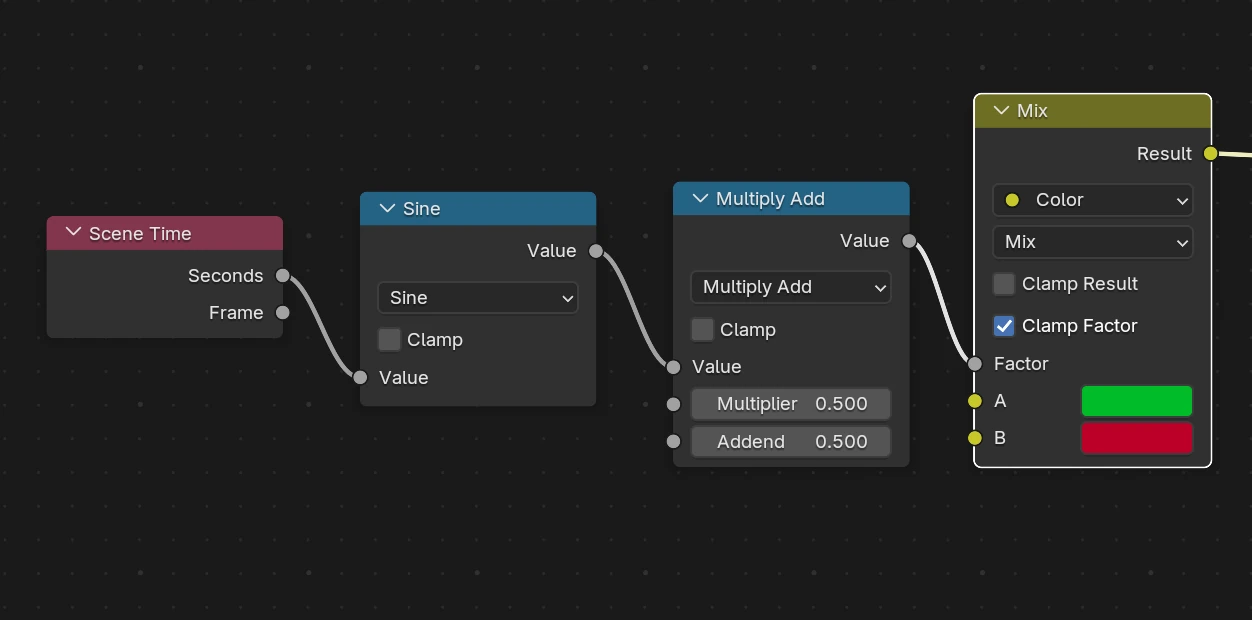
Then, you can now use the new node Scene Time with its Seconds and Frames outputs. Basically, you can have free material animation with this node.
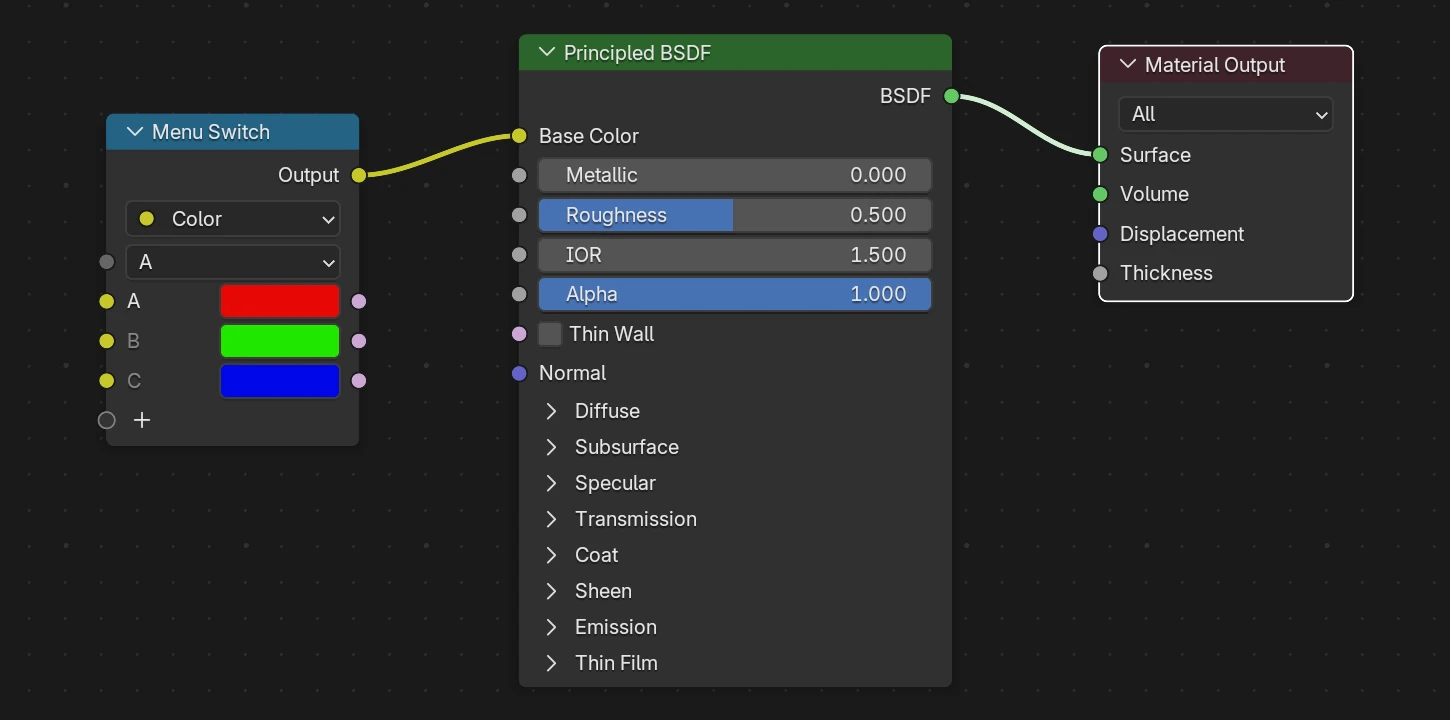
Another newly supported node is Menu Switch (actually appeared in Blender 5.0). It allows you to quickly change your shader by selecting color or any other material param on the fly in Blender UI.
We fixed export crash in Blender 5.2 when baking modifiers on objects with shape keys.
We reworked all demos to get rid of automatically inserted nodes and tweaked Blender settings to match Verge3D pipeline. Sometimes this alos improved rendering performance.
Finally, we handled the Principle BSDF node which now looks a bit different, and fixed crashes if a Menu Constant, Closure, Bundle, or Repeat node are used in the shader.
Blender Speakers
We hesitated to implement this because it is a Blender-only feature, but it suits our long term strategy to make Verge3D as close to the underling modeling software as possible. Anyhow, the Speaker objects are now exported and converted to positional audio sources in Verge3D.
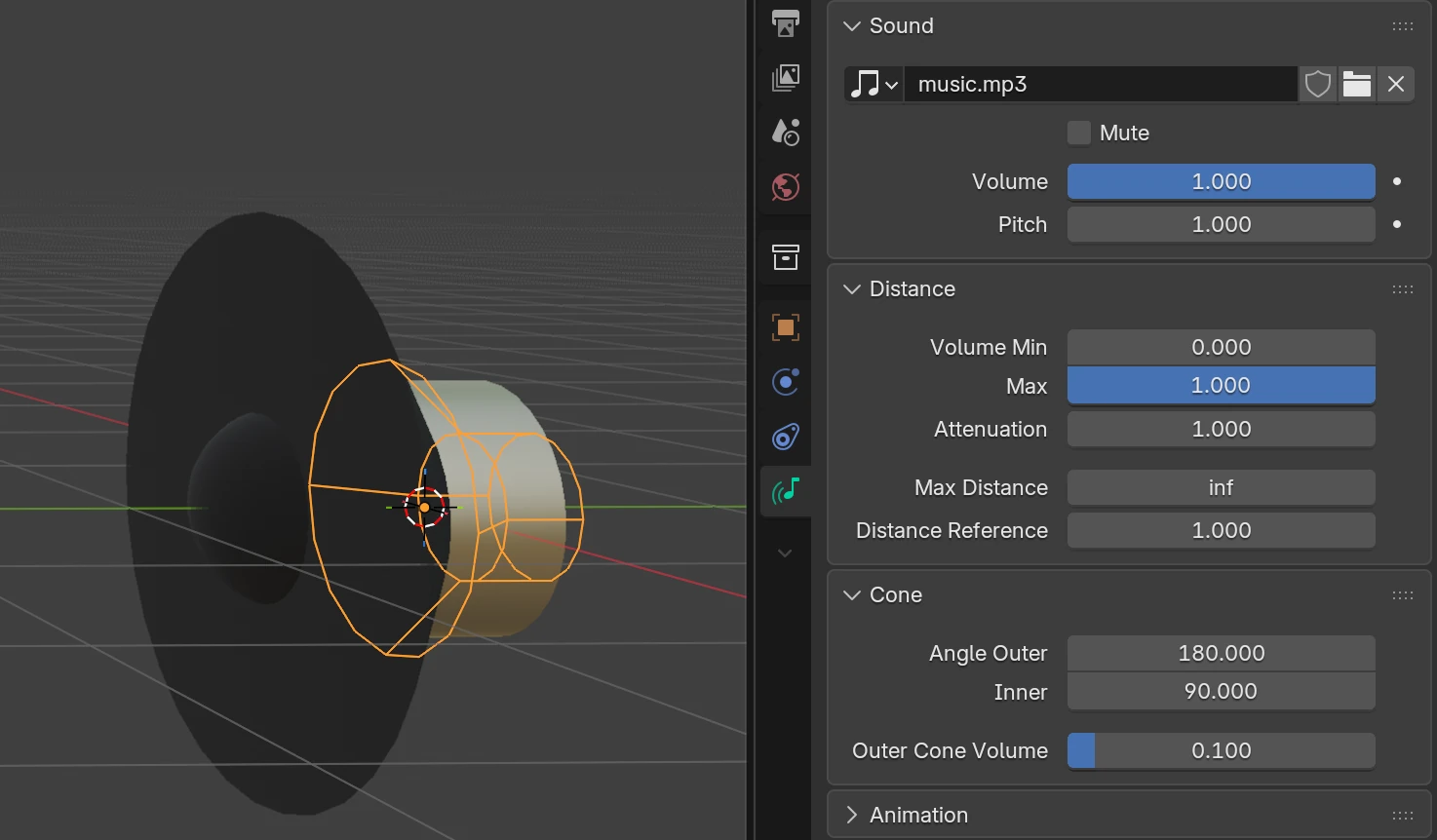
As a result, all audio puzzles can now use such objects as inputs.
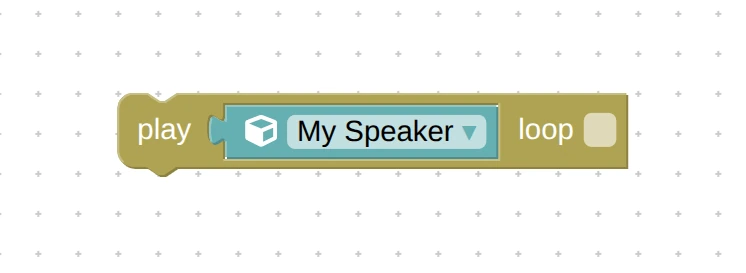
Also Blender’s Cone settings are now supported which allows you to implement directional sounds without programming.
3ds Max Integration
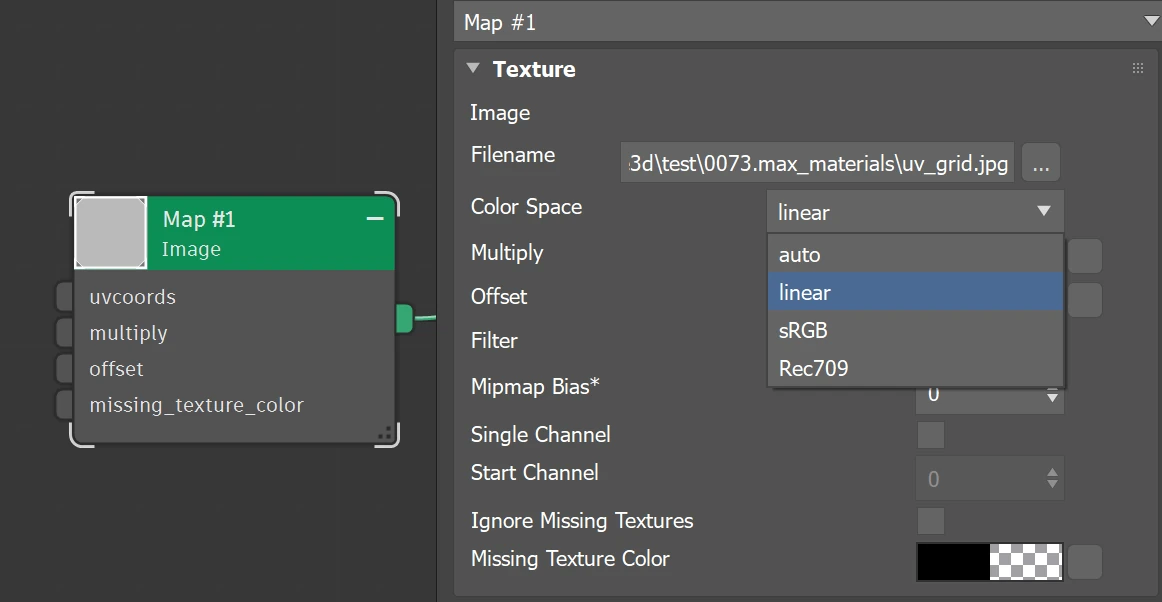
For this update we supported the Color Space param in Arnold’s Image map. We also fixed crash when there is no texture in this map, and supported its Missing Texture Color input.
In some demos we tweaked the camera range settings to improve user experience.
Maya Integration
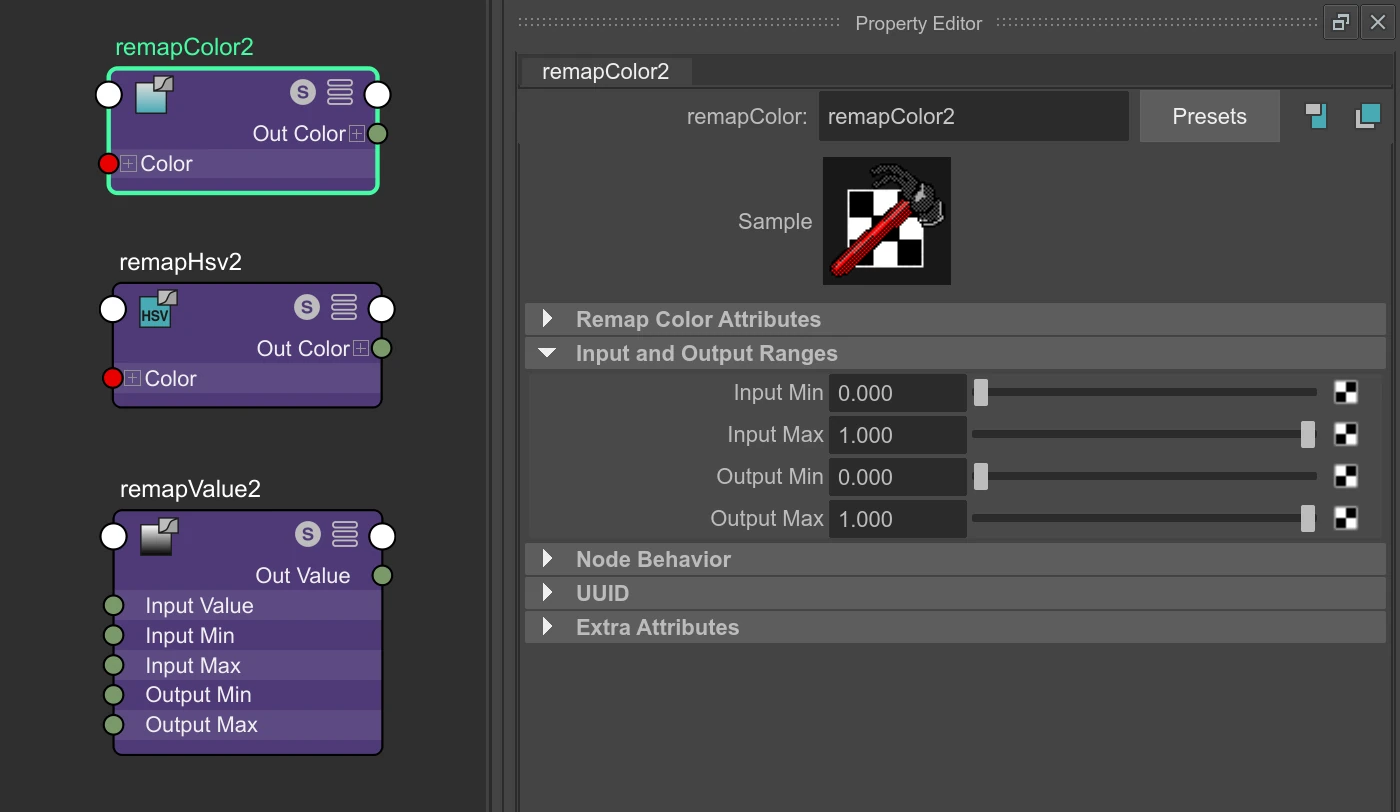
For this update we partially supported the remapColor, remapHsv, and remapValue nodes, only with their inputMin, inputMax, outputMin, and outputMax params (i.e curve-based params are not supported).
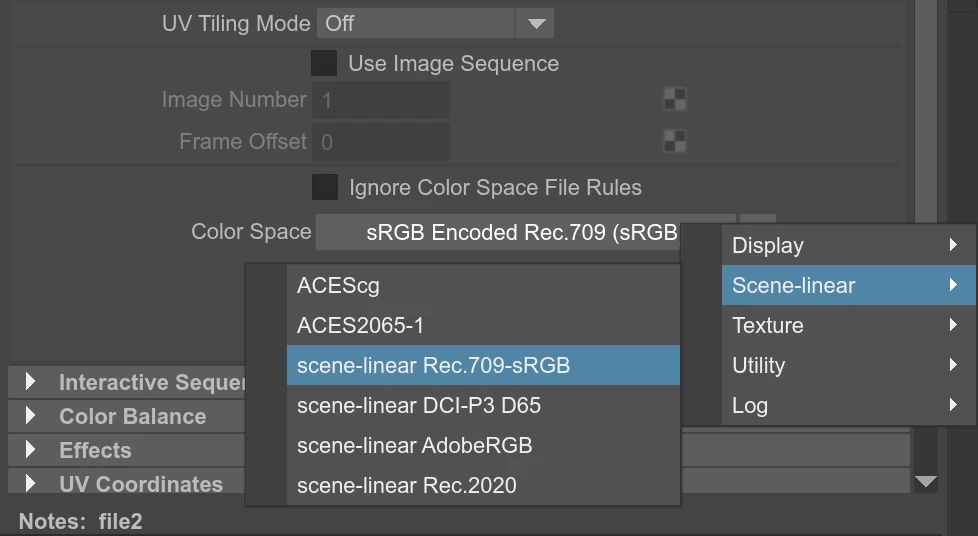
We also supported more Color Space options in Maya’s file node.
We fixed the default values for ambient occlusion. We also made these params work no matter what system measurement units are used (centimeters, meters, etc).
Animation in the Teapot Heater demo works again.
Finally, texture UV now works correctly when the node place2dTexture’s U or V are connected but not both.
Puzzles
Multi-materials objects and the newly supported Blender Speaker objects obtained distinctive icons each in the Object selector.
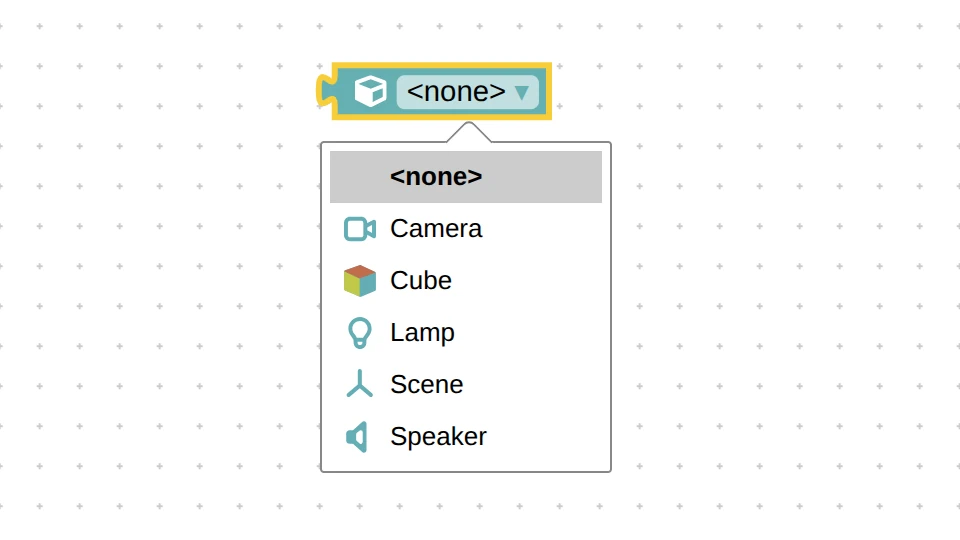
We slightly adjusted the design and captions of some puzzles for more clear look.
If you rename
visual_logic.xmlor create more files with additions in the filename likevisual_logic2.xmlorvisual_logic_mytag.xml, those will still be consumed by the Puzzles Editor.The Puzzles’ save file has become more lightweight thanks to reduced cluttering of XML namespaces. This should speedup loading your scenarios in the Puzzles Editor a bit.
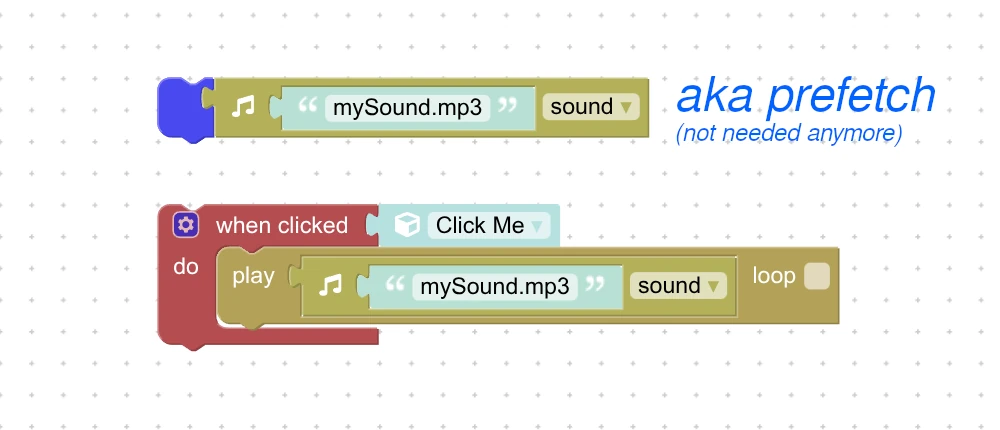
Here another great improvement related to audio. Sound sources can now be set up for playing even before the file is fully loaded. Before this update you had to always prefetch all the files at application startup and wait some time before you could use sounds, which was unreliable. Now it works more stable and easier to grasp.
Finally, we added more supported hardware to the check performance puzzle.
Other Improvements
The exported glTF format seen some minor cleanups.
We did some minor UI tweaks in the App Manager and Puzzles Editor here and there.
The banding artifacts observed with ambient occlusion on Android devices (mostly with Mali GPU) have been handled. Thanks for bringing this up on the forums.
The Spinner demo was greatly simplified and a howto article was added to the Wiki.
We updated npm dependencies for Verge3D Developer Kit.
Fixed Bugs
We fixed the bug when a same texture node / map had different Color Space or Anisotropy params.
Documentation
We did minor tweaks in the API Reference. In particular, the docs for the WebGLRenderer class have been updated.
On the other hand, the Puzzles Reference have seen many improvements, with more examples provided.
AI Considerations
As we are now living through an AI boom, some people from the community suggested adding AI capabilities to Verge3D. We tried some popular AI tools to get the idea how they can assist with building Verge3D apps and got mixed results. We believe this is due to Verge3D’s visual approach to creating application logic on the one hand, and insufficient information available for AI training on the other hand.
We realized that the first thing we must do is make our existing documentation and wiki more structured and clear for understanding by humans and AI bots alike. We also realized that we need way more howto tutorials in text-based form so that the LLMs had more training data, benefiting humans at the same time. Our current position therefore is to move this way in the near future before doing anything more radical (such as adding an AI prompt). Let us know what you think!
-
This reply was modified 3 months ago by
 Yuri Kovelenov.
-
This reply was modified 3 months ago by Yuri Kovelenov.
-
This reply was modified 3 months ago by Yuri Kovelenov.
-
This reply was modified 3 months ago by Yuri Kovelenov.
-
This reply was modified 3 months ago by Yuri Kovelenov.
2026-06-25 at 8:10 am #87598Yuri KovelenovStaff2026-09-10 at 10:08 am #88387jelteh
CustomerGood day Yuri,
I was looking to use the menu switch as a switcher in a shader. I installed it in the shader and gave it an input -> constant -> menu (because others don’t seem to work on this node). But upon exporting to verge3d v.4.13.0 I cannot see the exposed menu value in the “get material value” puzzle. Could you perhaps offer some insight?
Kind regards!
2026-09-10 at 12:13 pm #88388 Alexander KovelenovStaff
Hi jelteh,
Unfortunately, the “menu” input type is not supported by the WebGL shading language. Hence we deliberately made it invisible in Puzzles. Recommended approach to this is using Blender’s Mix node with a float-based Value node and set it to 0.0 or 1.0 with the set value puzzle. -
This reply was modified 3 months ago by
-
AuthorPosts
- You must be logged in to reply to this topic.