We use cookies to ensure that we give you the best experience on our website. If you continue to use this site we will assume that you are happy with it.

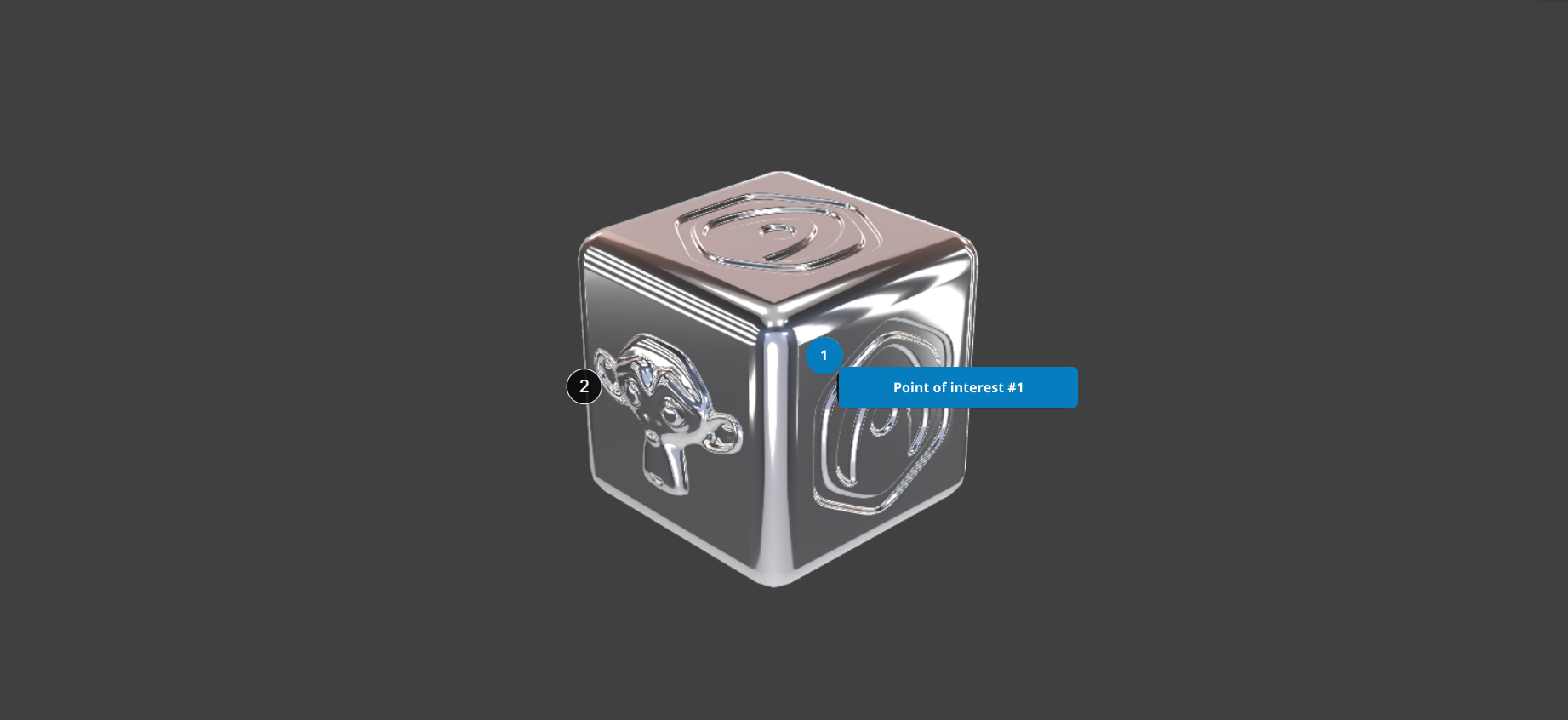
Change annotation number and open box to be a different color than closed annotations

Home Forums Puzzles Change annotation number and open box to be a different color than closed annotations

Viewing 5 posts - 1 through 5 (of 5 total)
  • Author
    Posts
  • #88197
    emadamsinc1
    Participant

    Hi,

    I am wondering if anyone has suggestions for changing the color of an annotation when it opens. I would want this to affect both the number and the box. Please see a mockup of my goal below.

    Thank you!

    Attachments:
    #88199
    visualizer
    Participant

    I think you can use CSS & html to further tune it.
    There was some post in this forum on making customized annotations and was pretty good.

    #88202

    Hi,
    Actually, you don’t even need to use Puzzles to achieve this. Check out the app settings for customizing annotations.

    Soft8Soft Tech Chief
    Want more Verge3D updates? Follow me on X, Facebook, or LinkedIn

    #88207
    emadamsinc1
    Participant

    The customizing annotations settings, sets things universally and I need to target the markers colors individually based on whether the associated dialog box is open or not.

    I will look for that article mentioned above.

    thank you both!

    #88208
    3dma
    Customer

    You can change them by referring to CSS by id
    assign another style on click

    • This reply was modified 1 week, 1 day ago by 3dma.
    • This reply was modified 1 week, 1 day ago by 3dma.
Viewing 5 posts - 1 through 5 (of 5 total)
  • You must be logged in to reply to this topic.
