
Home › Forums › Graphics / Blender › Clipping planes and ambient occlusion, materials and filled cross-section
- This topic has 7 replies, 2 voices, and was last updated 4 months, 1 week ago by
beast_dgtl.
-
AuthorPosts
-
2026-02-13 at 12:01 pm #86224
beast_dgtl
CustomerHello!
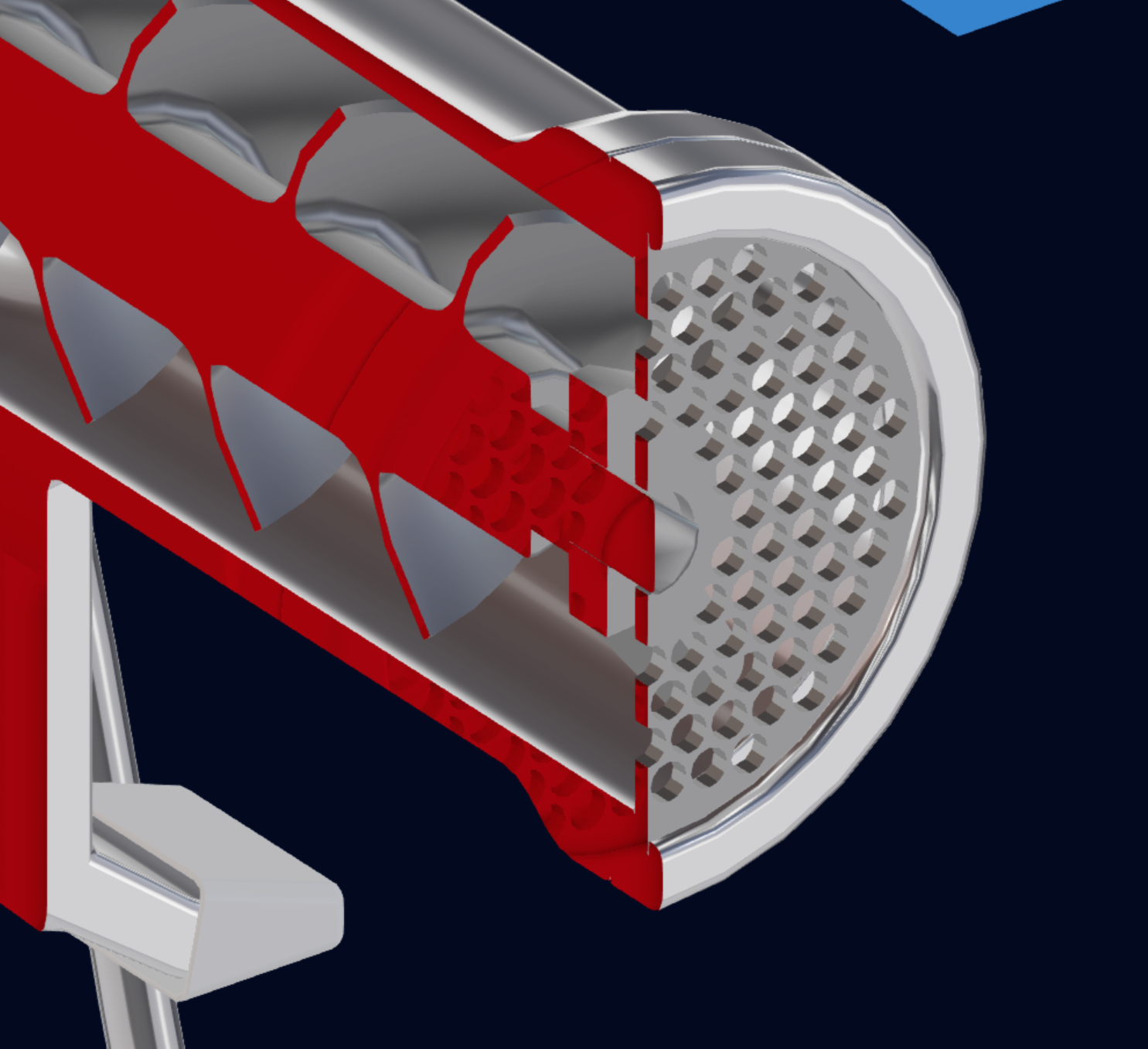
I am experiencing an issue with V3d clipping planes and ambient occlusion in Blender 5 and V3d 4.11.0. The issue can be reproduced in the “Clipping Planes” demo by enabling ambient occlusion: the sectioned AO can be hidden by materials with “Alpha Blend” (do you know of any other methods?), but remains visible on the filled cross-section of the clipping plane.
Do you know of a solution? I searched the forum and manual, but I couldn’t find anything.
I’m fairly new to V3d.Thanks!
Attachments:
2026-02-14 at 9:01 am #86230 Alexander KovelenovStaff2026-02-16 at 10:20 am #86237Customer
Hi Alexander,
Thanks for the clarification. It would be great if you would make them work together, but either way, it’s excellent software and I’m really enjoying using it.
Could you please clarify another issue for me? If I append one scene to another, will the appended scene inherit all the settings from the parent scene? Including Blender post effects such as AO?
2026-02-16 at 6:08 pm #86248CustomerOne more question, would it be possible to disable and re-enable AO directly from Verge3D?
One possible solution would be to temporarily disable AO when sectioning the elements, unfortunately baking is not possible in my case.Thanks!
2026-02-17 at 8:34 am #86257Alexander KovelenovStaffHi,
I can’t promise, but we’ll consider this! All post-processing effects including AO are applied globally and should work for appended scenes. Regarding enabling/disabling AO, it’s possible via JavaScript. Please take a look here.
2026-02-18 at 1:54 pm #86271CustomerI hope you can resolve the clipping and AO problem natively! Ok we’ll take a look, thanks for the advice.
2026-05-25 at 9:29 am #87403Alexander KovelenovStaff2026-06-03 at 8:41 pm #87433CustomerThanks for the update Alexander! I’ll take a look that’s great news.
-
AuthorPosts
- You must be logged in to reply to this topic.