
Home › Forums › Official Announcements › Verge3D 4.13 pre1 available!
- This topic has 4 replies, 3 voices, and was last updated 4 months, 2 weeks ago by
 Alexander Kovelenov.
-
AuthorPosts
-
2026-05-19 at 7:56 am #87380
 Yuri KovelenovStaff
We are excited to announce Verge3D 4.13 and present its first preview release for public testing. Find out what’s included:
☞ new demo called 3D Printer
☞ new puzzle for getting the dragged object
☞ compatibility with Blender 5.2
☞ support for linked animations in Blender
☞ support for Checker map from 3ds Max
☞ ironed out some cases regarding clipping planes
☞ simplified UI for running the App Manager on mobile
☞ improved user experience when running on iPhonesCheck it out:
2026-05-19 at 7:56 am #87381Yuri KovelenovStaff3D Printer Demo
With this update we introduce a new demo which we called 3D Printer. It features a 3D printing process visualized through instancing and advanced animation automatically adapted to object size, as well as audio. Select the Farmer, the 3DBenchy, or the bunny for printing it out! The demo can also serve an example for visualizing any repeating industrial process.
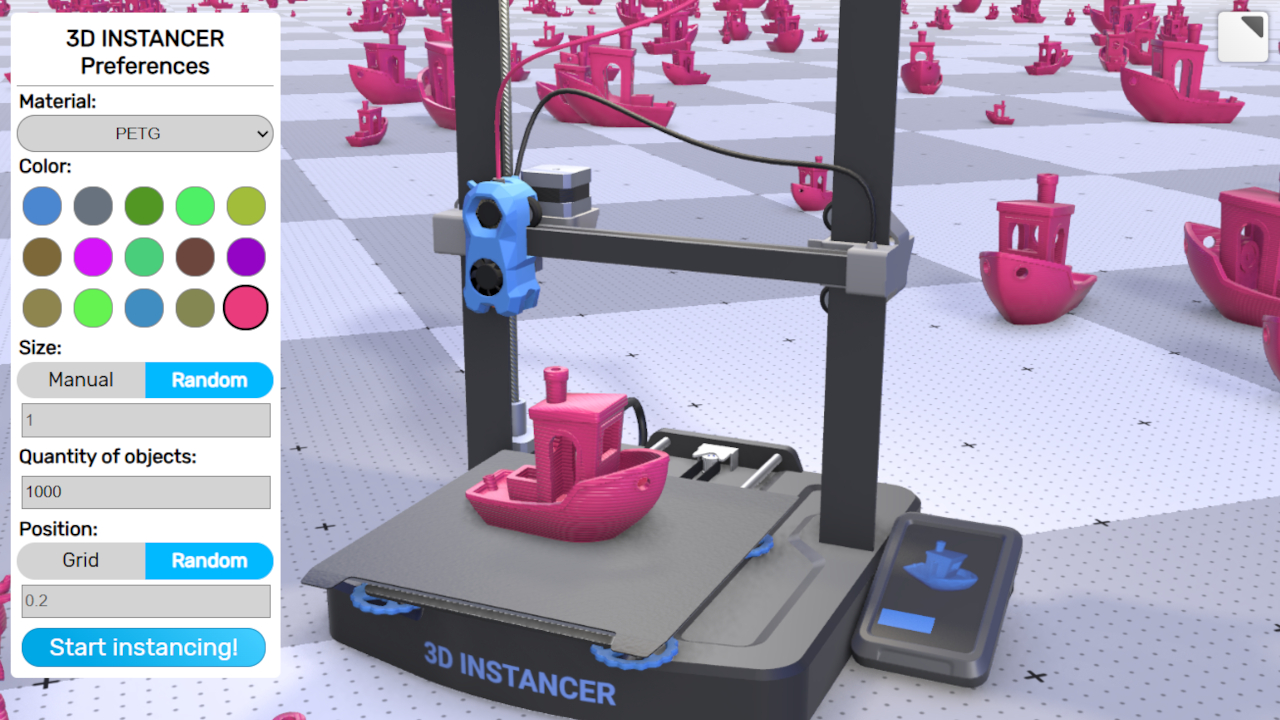
Also some older demos – First Person Camera, Ring, Transparency, Physics, and Scroll Animation – seen various smaller improvements and fixes.
Puzzles
We introduced a new puzzle, dragged object. It works similar to other puzzles from these series, allowing you to get the name of the object over which the mouse cursor moved when dragging. It is intended for use with the drag move, drag rotate, or drag scale puzzles when the “dragged over” object itself should be moved.
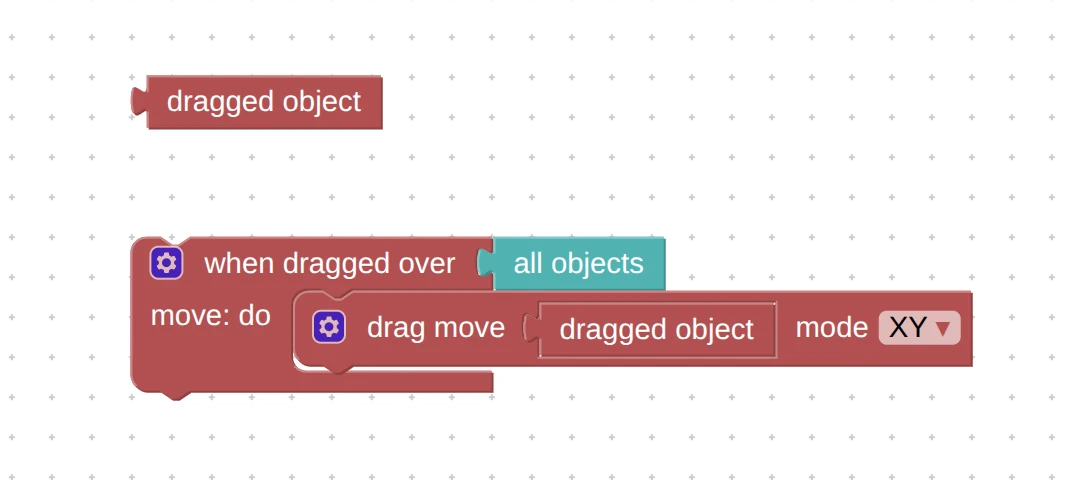
You can now use lists of materials in the puzzles set material color and set material value. Naturally, it expects that the color or value inputs are named similarly in the materials.
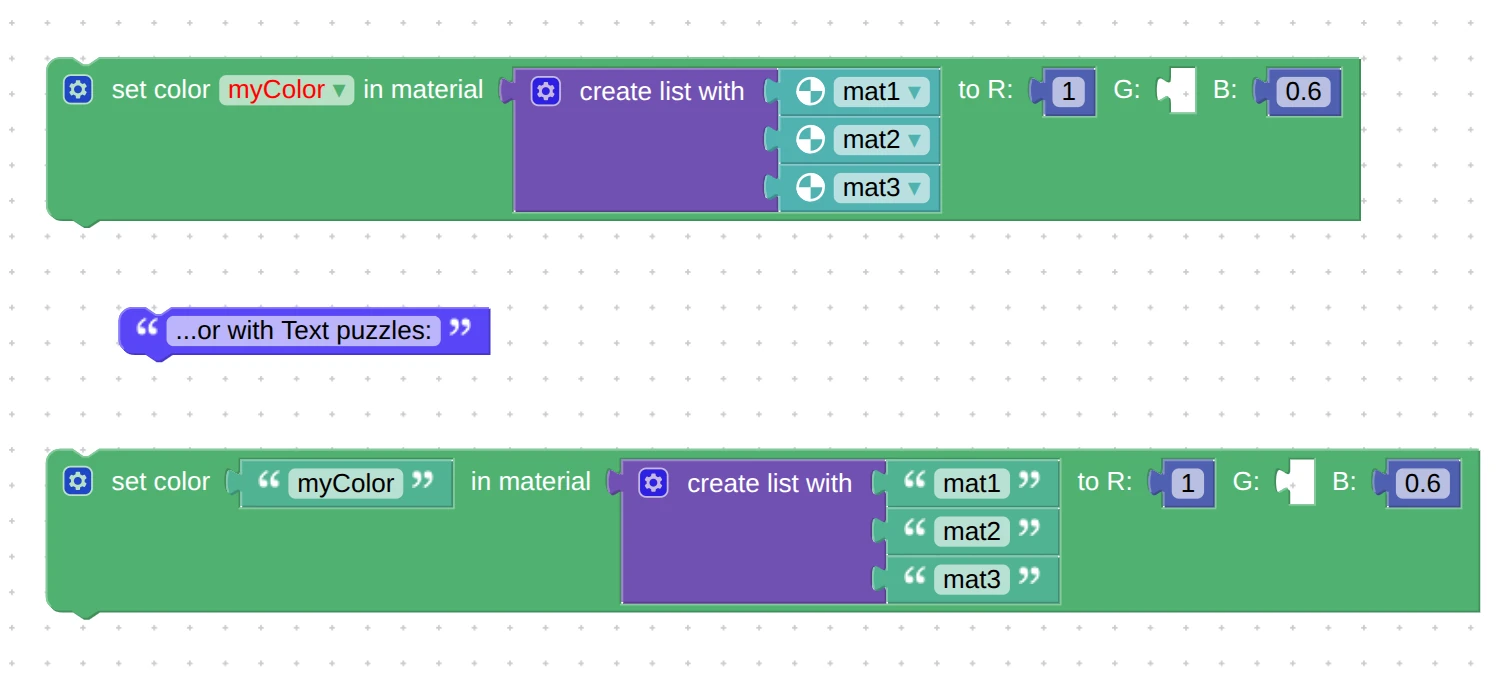
The puzzles set/get material value now work with opacity for glTF-compatible materials. Thanks for bringing this up on the forums.
The Spot and Directional (Sun) lights are now cloned correctly via puzzles. This issue was reported via the Enterprise support channel.
There was an issue when deleting puzzle procedures could cause really strange issues – not anymore.
Blender Integration
This Verge3D version is compatible with Blender 5.2 which is currently at alpha stage. Support for Blender 4.2 and 4.4 was removed – however, exported scenes from these Blender versions will be working for some time to simplify the migration process. Therefore, two LTS versions of Blender are still supported, per Verge3D Life Cycle.
We supported animation for objects linked to the main scene via collections. This feature was suggested via the Enterprise support channel.
We fixed the exporter crash due to circular dependencies of constraints – an issue reported via the Enterprise support channel.
3ds Max Integration
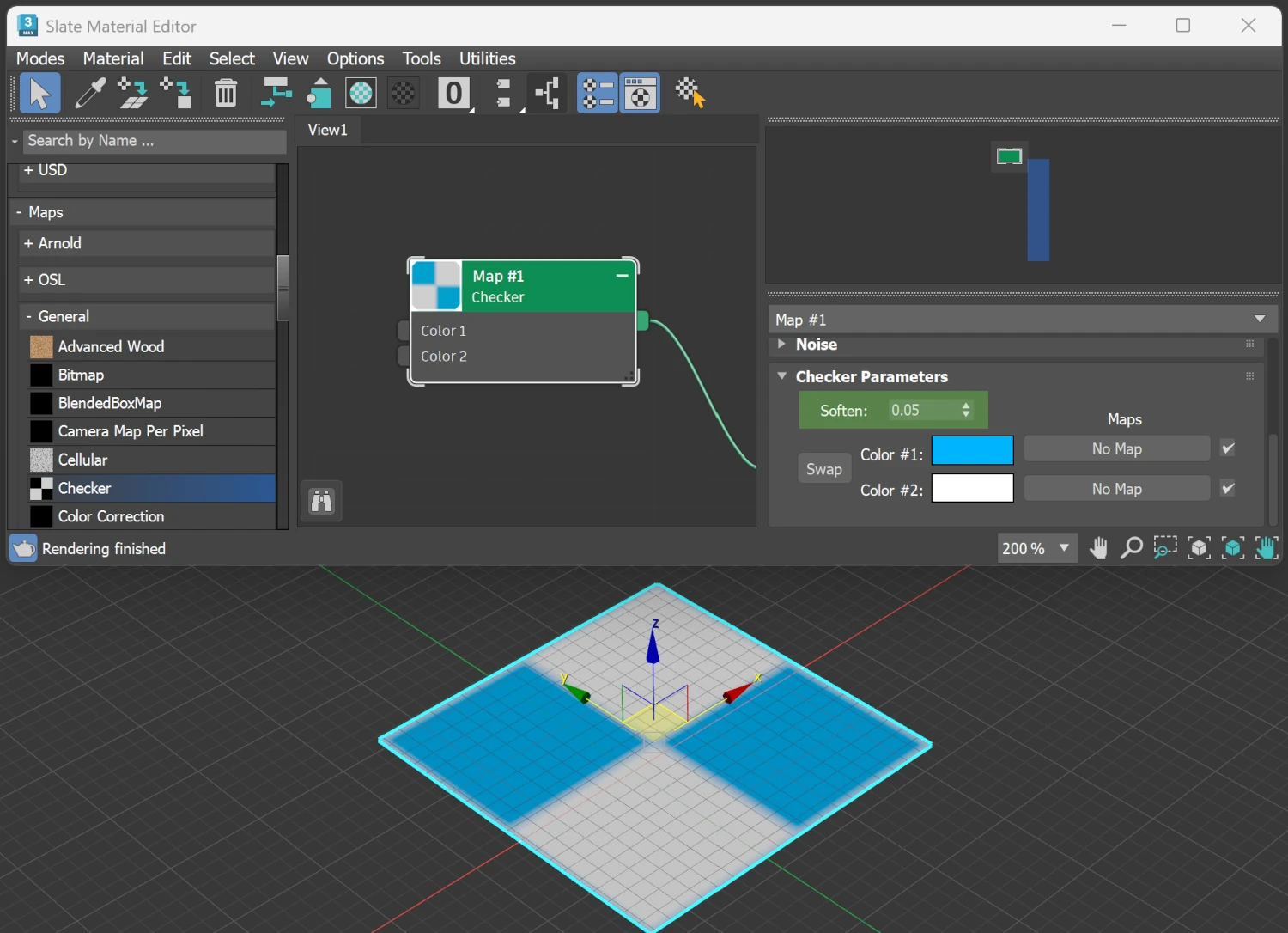
We supported the Checker map with its parameter Soften.
Mobile Support
This update improves iPhone support by making various tweaks for UI and usability. Particularly, in the landscape mode the rendering area is stretched to full width. In some cases this can cause the iPhone notch to occlude some parts of the UI but you can fix this as shown in docs (see the FAQ’s Preventing iPhone camera cutout from overlapping the app’s UI elements). We also updated all the startup templates and demos to work perfectly on modern iPhones.
Also, the camera zoom is tweaked to work better on touch devices.
Verge3D Network
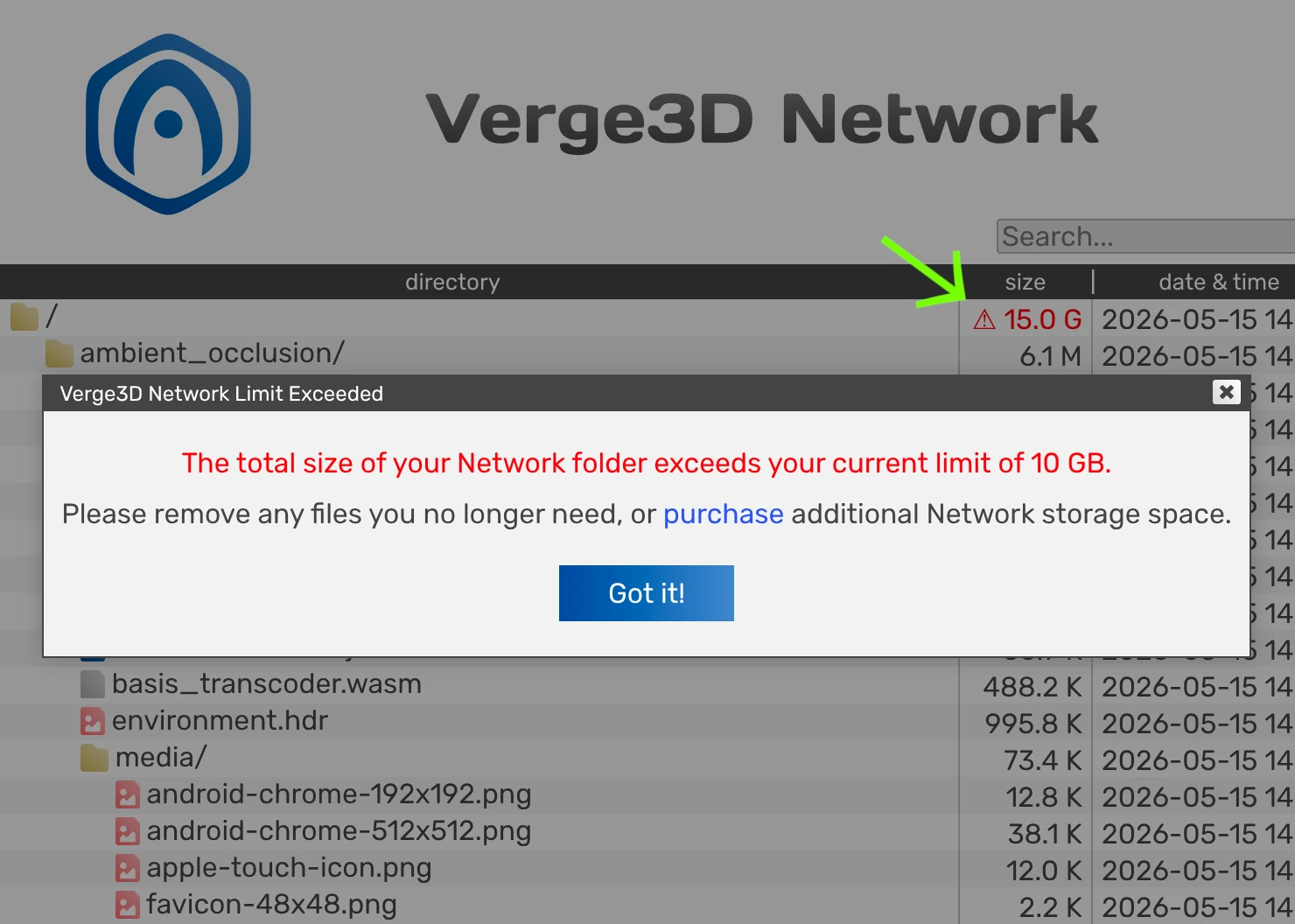
The user will now be alerted if the current usage of Verge3D Network storage exceeds the license quota. The warning sign can be clicked for more details.
Also the runnable
.htmlfiles obtained a distinctive icon to help you find those faster in the Network directory.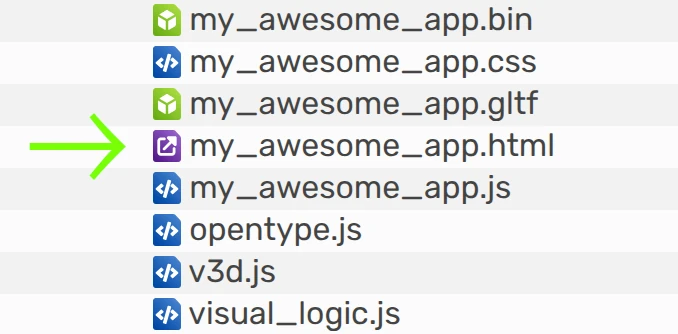
App Manager
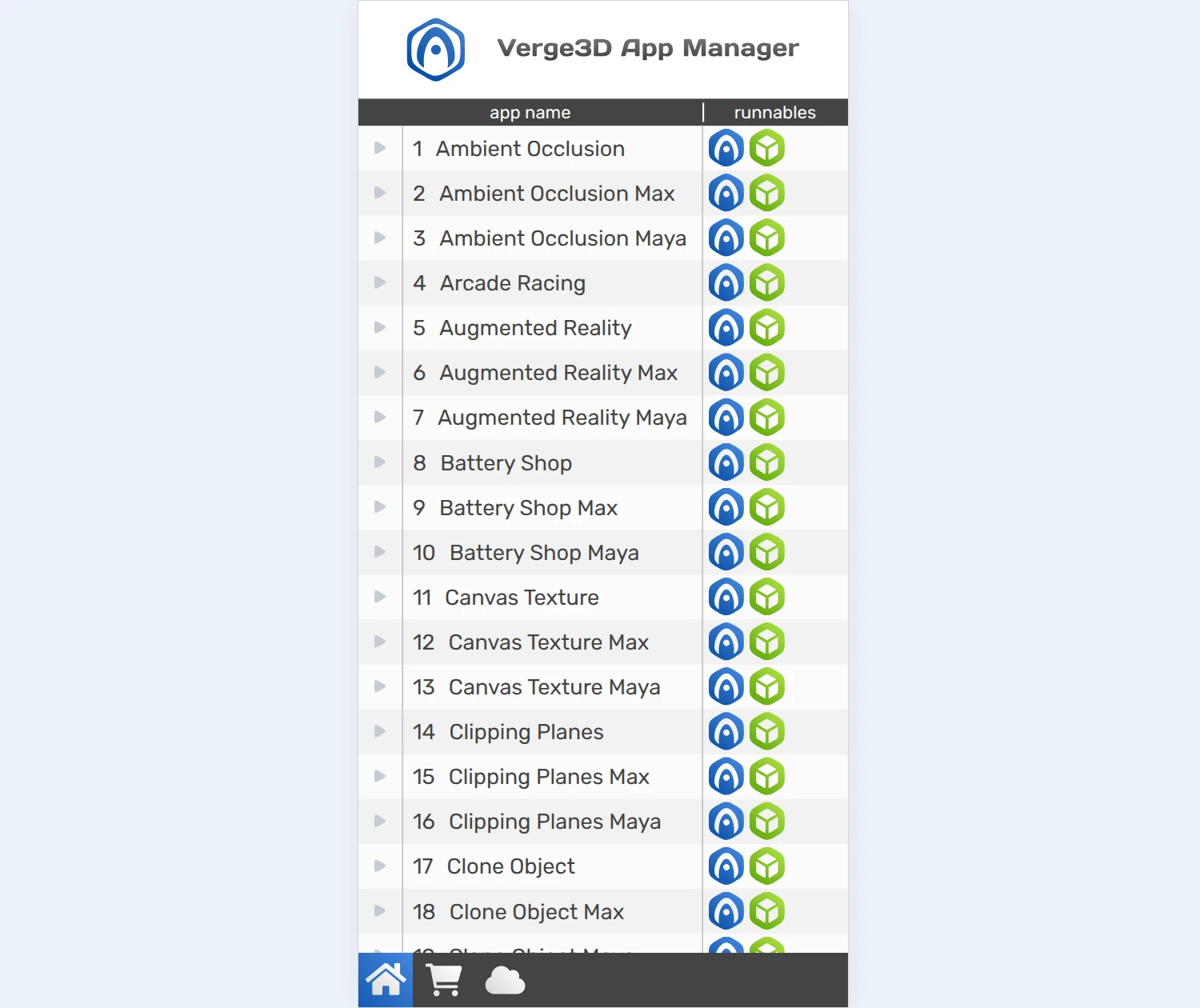
Here we introduce a simplified UI for running the App Manager on mobile. This allows you to easily test your app on hand-held devices and to share your projects with your colleagues or managers via the local network of your organization.
We implemented a fail-safe mechanism for using Asset Store. Before downloading demos there will be a compatibility check, and a warning message popped up if your Verge3D version is not compatible with the demo. This helps prevent various nasty issues due to outdated version of the 3D tool, the Puzzles Editor, the engine runtime, etc.
Other Improvements
We managed to make a drastic draw-call optimization when the shadows and ambient occlusion are both enabled.
We fixed an old issue with ambient occlusion and clipping planes so that both now play nicely together. Thanks for reporting this on the forums here and here.
We also fixed artifacts caused by clipping planes intersecting a hidden object.
The API method WebGLRenderer.clippingPlanes used for “global” clipping planes is now deprecated. We also deprecated the unused class ShadowMaterial as its functionality can easily be implemented with node materials.
The performance profiler now more correctly handles cascaded shadows and shadows cast by point lights.
We fixed the 404 error printed in the Dev Tools console of the latest browsers when running apps from the App Manager.
In the docs, we updated the help pages for some puzzles, the FAQ section and the API Reference.
2026-05-19 at 7:56 am #87382Yuri KovelenovStaff2026-05-22 at 6:58 am #87397 visualizerParticipant
Hi
As usual always excited to see new features in V3D.
I checked the 3D Printer Demo sample. Couldn’t really understand perhaps.
Does it mean that, V3D is supporting IK-FK or similar advanced integrations with Blender natively?About new puzzle “dragged object” its really nice addition. I feel that is something which makes it all objects in scene “draggable” in one setting, Hope I understood correctly.
Additionally, Its exciting that app manage has got new interface/ UI for mobile.
I feel App manager needs to be revamped to more intuitive stage. The huge list of experimental is causing the troublesome scrolling. Can there is some categorization or grouping of collapsing and expanding like a directory structure? Also a thumbnail view @ option for app manage will make it more useful and production grade UI. 2026-05-22 at 12:41 pm #87398
 Alexander KovelenovStaff
Hi
I checked the 3D Printer Demo sample. Couldn’t really understand perhaps.
Does it mean that, V3D is supporting IK-FK or similar advanced integrations with Blender natively?No this was done with the shape keys (morphing) and procedural animation based on the “animate param” puzzle. Quite powerful combination!
I feel that is something which makes it all objects in scene “draggable” in one setting, Hope I understood correctly.
Yep!
Additionally, Its exciting that app manage has got new interface/ UI for mobile. I feel App manager needs to be revamped to more intuitive stage. The huge list of experimental is causing the troublesome scrolling. Can there is some categorization or grouping of collapsing and expanding like a directory structure? Also a thumbnail view @ option for app manage will make it more useful and production grade UI.
Need to think about it

-
AuthorPosts
- You must be logged in to reply to this topic.