We use cookies to ensure that we give you the best experience on our website. If you continue to use this site we will assume that you are happy with it.

scroll animation problem

Home › Forums › Graphics / Blender › scroll animation problem

Viewing 2 posts - 1 through 2 (of 2 total)
  • Author
    Posts
  • #88506
    langdb
    Participant

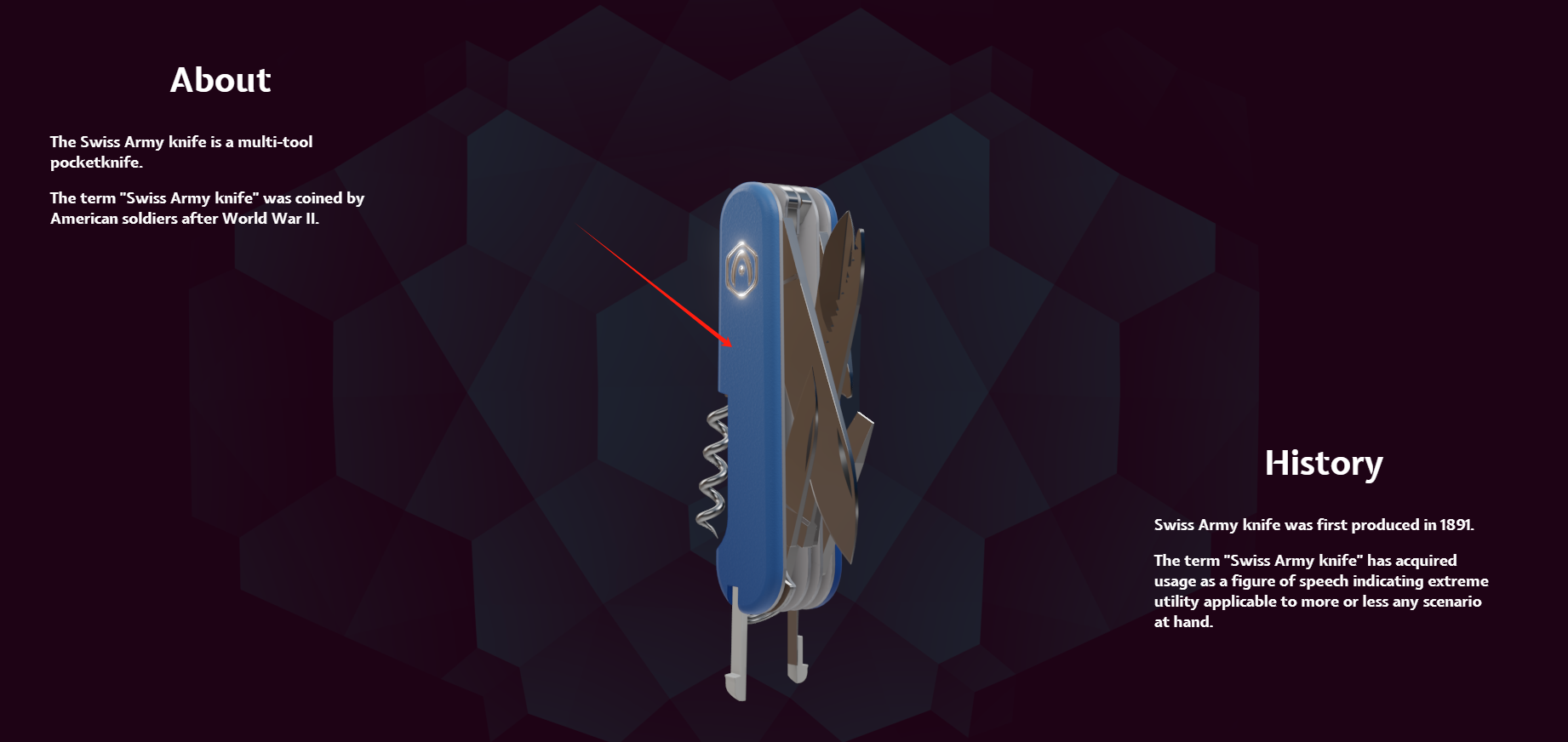
    In the scroll animation sample. if I want click a object to hide,How should I do it?

    Attachments:
    #88508

    Hi,

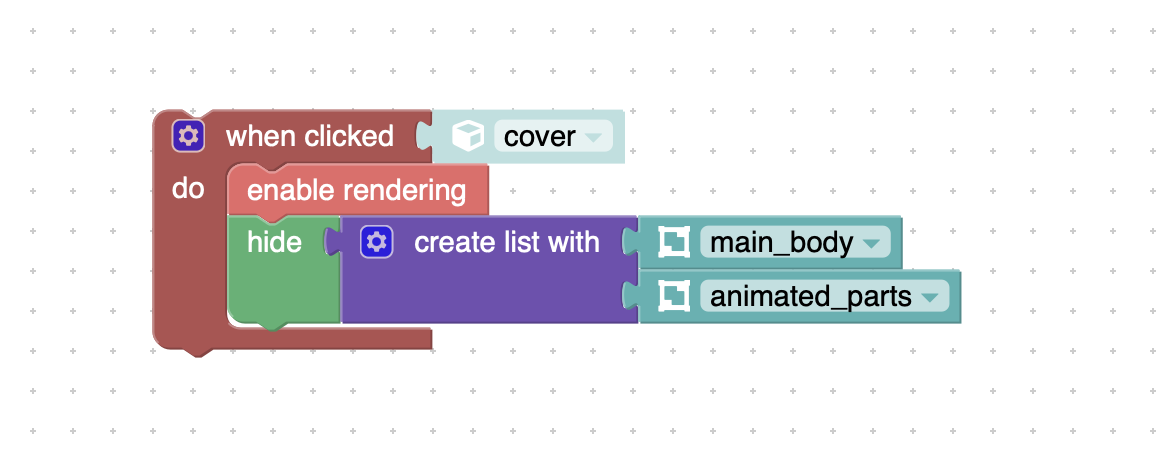
    You can use the when clicked puzzle to achieve that. The only thing you need to add is the enable rendering puzzle to refresh the scene that might have paused rendering (in this app we use the super-sampled anti-aliasing to improve the rendering quality). Also here we use 2 groups (collections) of objects: static and animated – pass them both to the “hide” puzzle.

    See the working snippet:

    puzzles to hide objects in the scroll animation demo

    Soft8Soft Tech Chief
    Want more Verge3D updates? Follow me on X, Facebook, or LinkedIn

Viewing 2 posts - 1 through 2 (of 2 total)
  • You must be logged in to reply to this topic.