We use cookies to ensure that we give you the best experience on our website. If you continue to use this site we will assume that you are happy with it.

Problem Following Furniture Configurator Tutorial

Home Forums General Questions Problem Following Furniture Configurator Tutorial

Viewing 6 posts - 1 through 6 (of 6 total)
  • Author
    Posts
  • #85711
    JT
    Customer

    Hi everyone,
    I’m using Blender 4.5 and Verge 3d Version: 4.11.0.
    I am trying to follow the Web-Based Layouts with Puzzles tutorial video series on YouTube.
    I am currently at Part 03 at 9:00 minutes into the video.
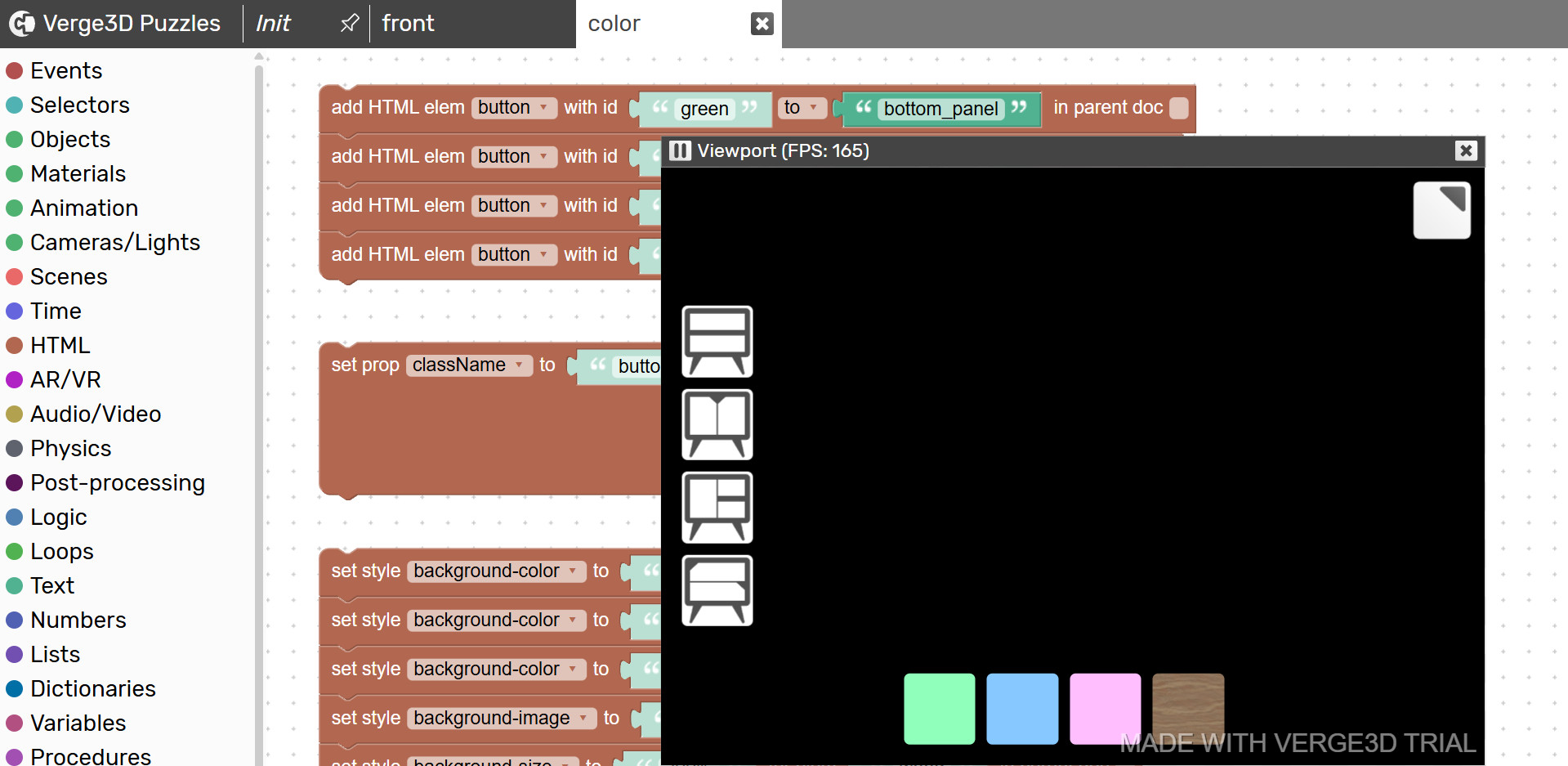
    After adding the RGB/Mix/Value nodes correctly and exporting (overwriting) the furniture_configurator.gltf file and testing in the app, I get a black screen, but the html buttons are still visible.

    It was working fine before exporting from Blender 4.5

    Any ideas as to why this is happening?

    Many thanks.

    #85713

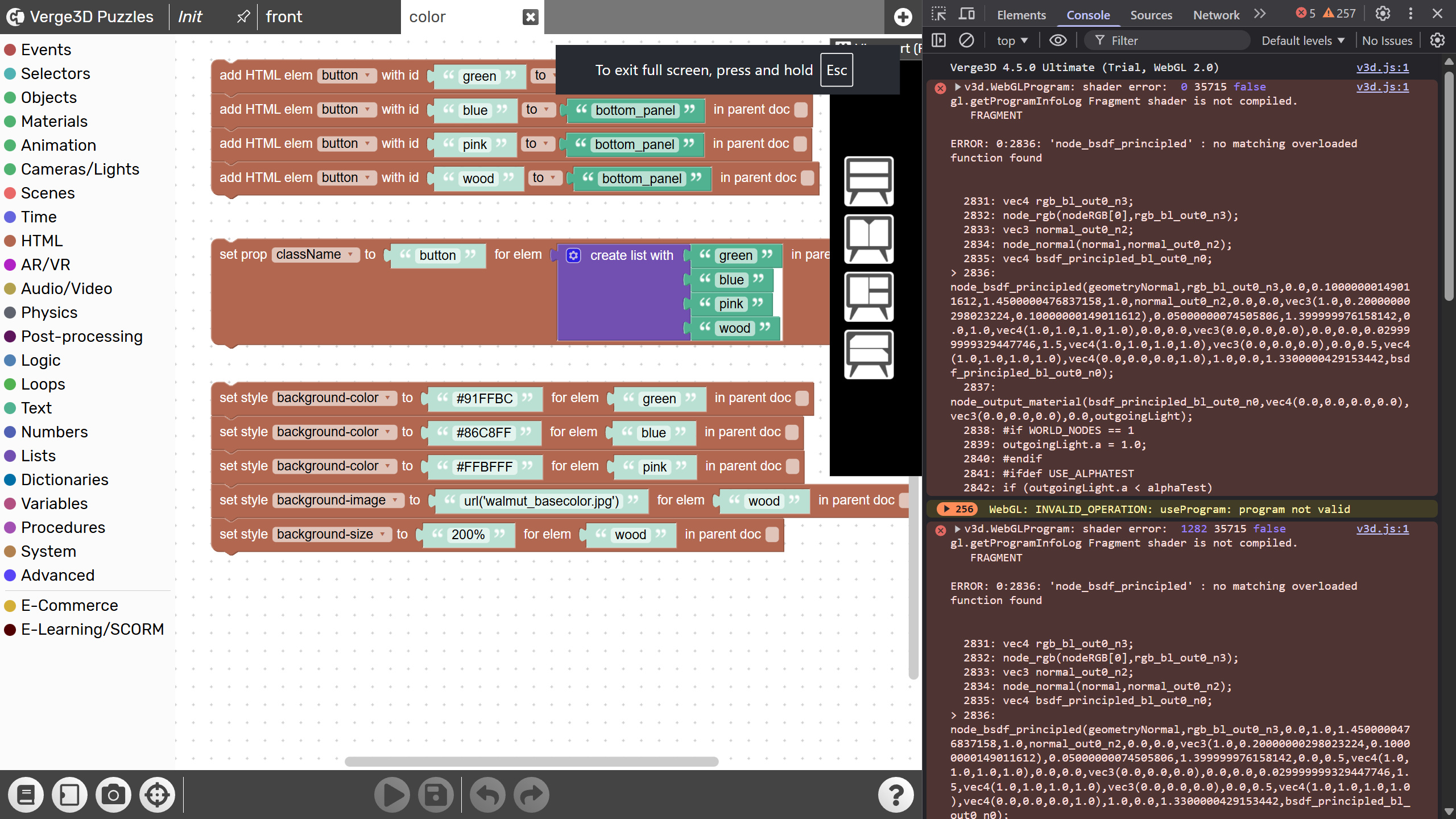
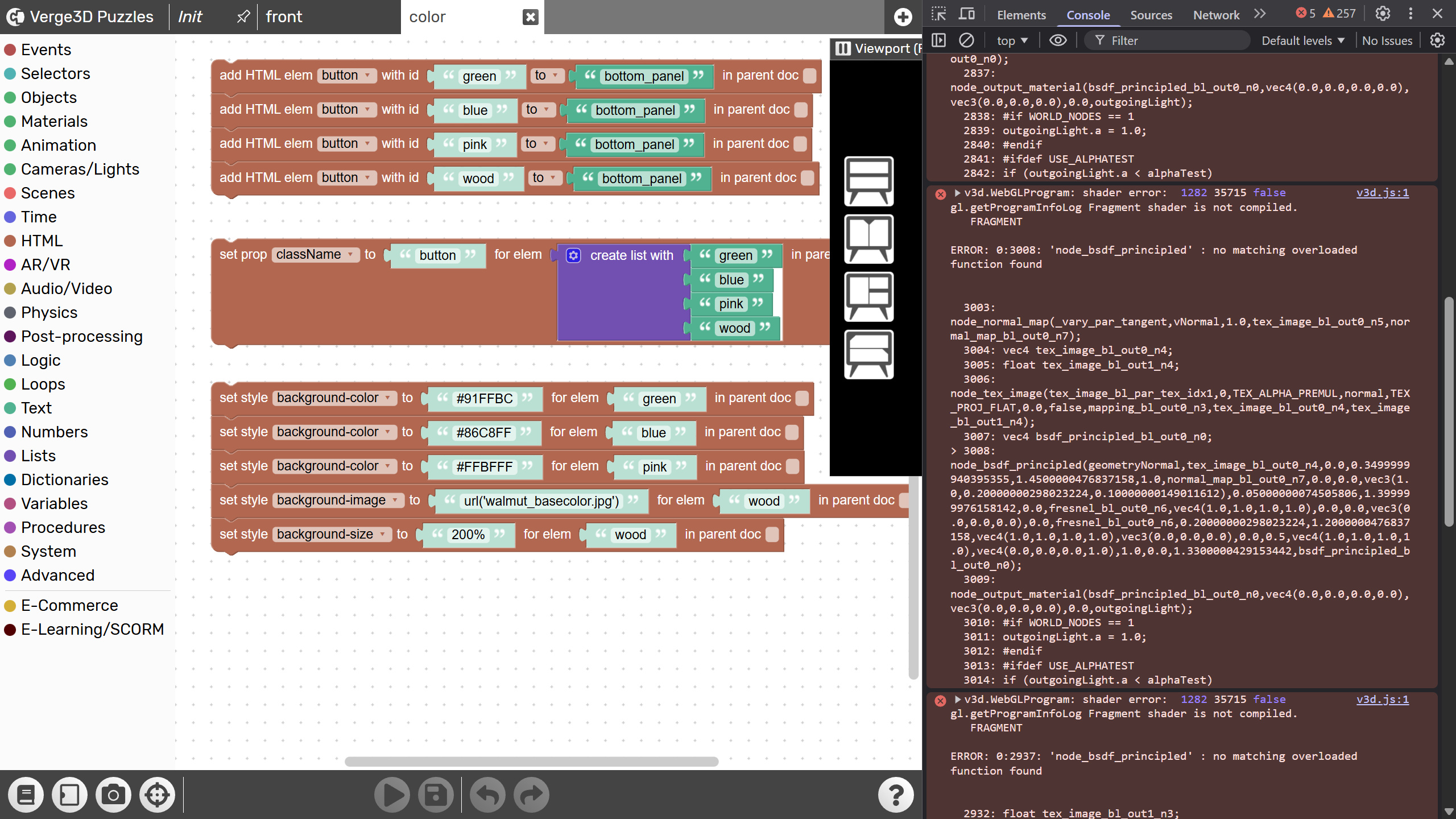
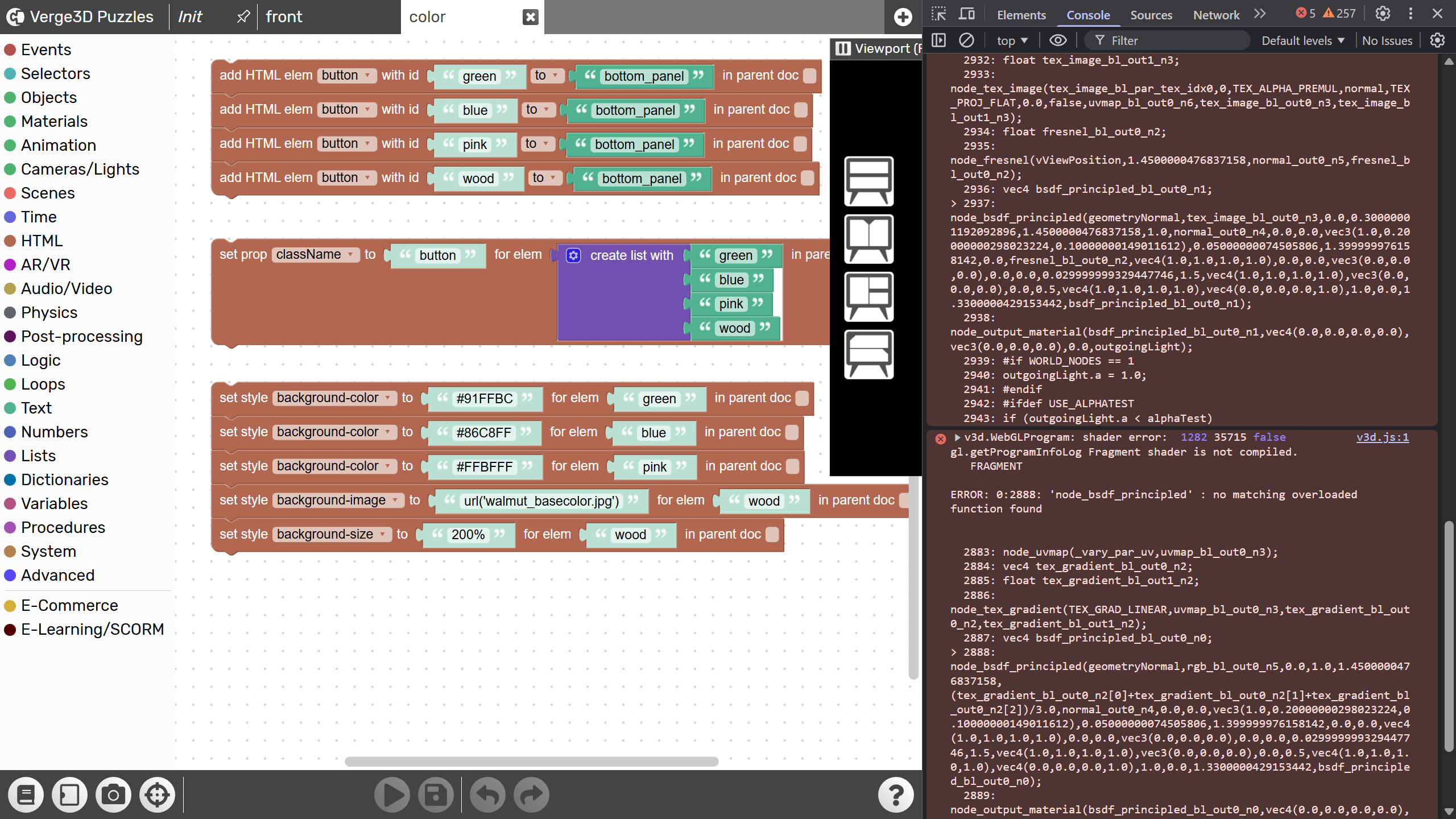
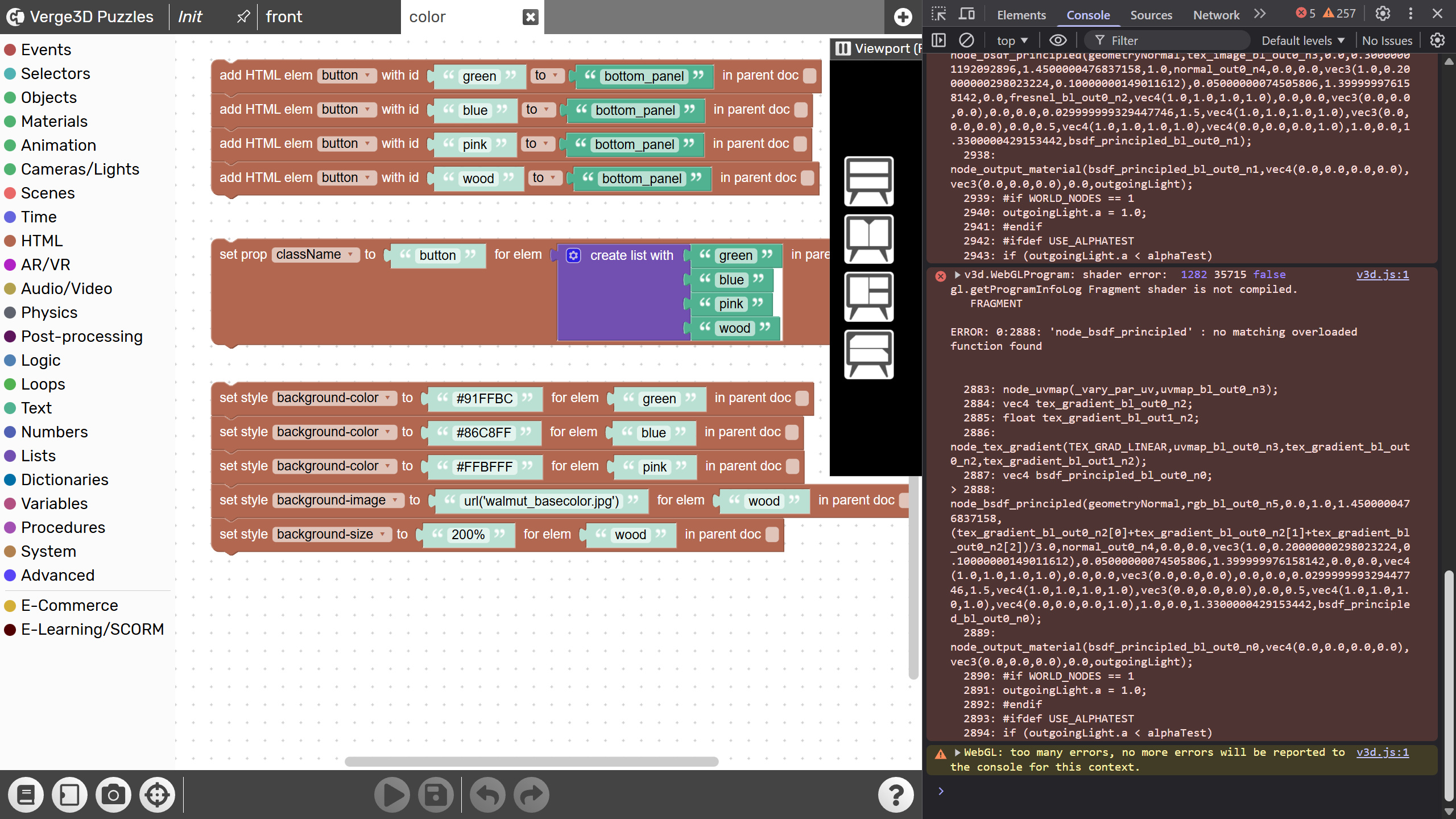
    Can you show the screenshot of the browser console, seems like it’s a crash.

    Co-founder and lead graphics specialist at Soft8Soft.

    #85714
    JT
    Customer

    Hi Mikhail,
    Here’s the browser console screenshot…

    #85715
    JT
    Customer

    I’ll try again, here you go…

    #85716
    JT
    Customer

    Okay, it seems as if there’s a problem uploading screenshots over a certain size, so I’ve broken it down into four separate screenshots, page 01, page 02, page 03 and page 04.
    Hope this helps.

    #85721
    JT
    Customer

    I’m currently using Brave 1.85.116 (Official Build) (64-bit) (Chromium: 143.0.7499.110)
    I’ve also tried using Chrome 143.0.7499.110 (Official Build) (64-bit)

    The problem persists in both browsers, definitely seems like a crash.

Viewing 6 posts - 1 through 6 (of 6 total)
  • You must be logged in to reply to this topic.