
Home › Forums › General Questions › Annotations Stay open when clicked through too quickly
- This topic has 5 replies, 3 voices, and was last updated 54 minutes ago by
irawellington.
-
AuthorPosts
-
2026-09-15 at 3:12 pm #88401
emadamsinc1
ParticipantHi,
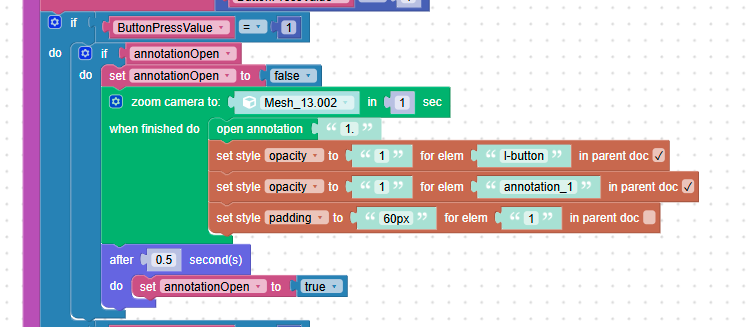
I have a scene where I move through annotations using arrows and a list. When you click the arrows too quickly the annotations that are set to open and close as your proceed do not close and then I wind up with open annotations just sitting and blocking the scene. I tried to fix this by setting a variable to true and then adding a timer screenshot below but I don’t think I am doing it right. Has anyone else experienced this and have a workaround?
Thank you,
Emily2026-09-16 at 11:48 pm #88410 xeonCustomer
If you can share the project I can take a look but you may want to test the logic without the camera zoom… just have it jump to test your logic…. The issue might be the zoom is not done when you expect it to be done… thus not firing the close annotation.
Xeon
Route 66 Digital
Interactive Solutions - https://www.r66d.com
Tutorials - https://www.xeons3dlab.com2026-09-17 at 12:55 pm #88411ParticipantHi,
So I had move the question to the puzzles forum and had sent Mikhail Luzyanin a test file if you don’t feel like you have time to take a look. But the test file can be found here: https://www.dropbox.com/scl/fi/dnxg3p38q46hfvwlkuuxm/0916-test.zip?rlkey=zxig166wabc3p343envsot04y&st=6c60nawx&dl=0
I have to have the camera zoom because it’s how you control going through the sequence of animations in order. And the full scene which is larger than the above continues to have the camera go back further in the vessel. It’s how the user navigates. But you may not be saying get rid of it entirely rather don’t group it with other parts of the puzzles?
Thank you,
Emily2026-09-18 at 3:50 am #88413xeonCustomerI think overall you had it pretty figured out.
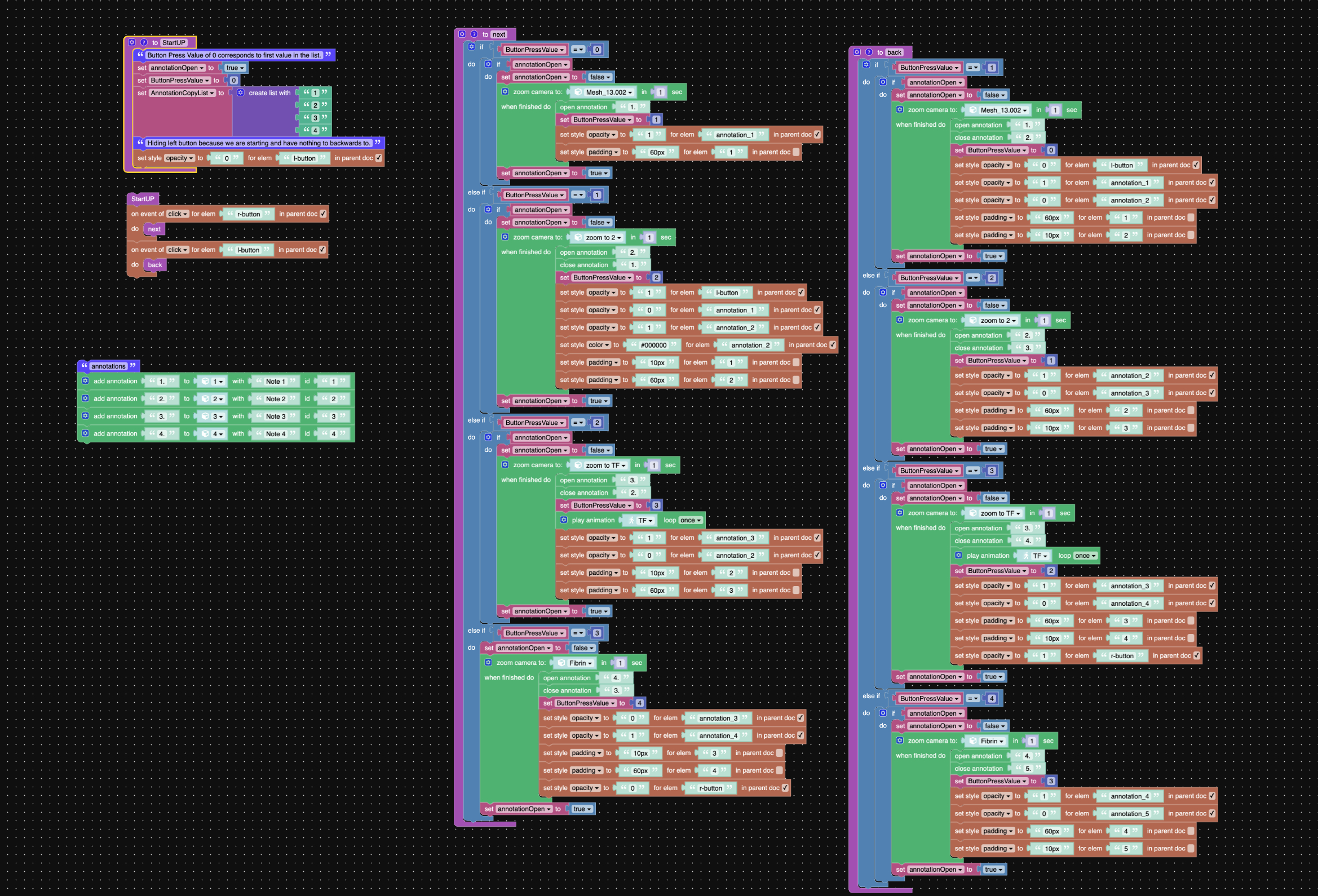
The problem you seem to have created was incrementing the button press value as soon as you entered the Next procedure…so each time you clicked you incremented the number regardless of whether the zoom had completed…thus they instructions for the click get ignored.Here is a link to a modified project – that seems to work regardless of how fast you click the arrow buttons: https://v3d.net/1igf
I also cleaned up some of the logic in the back button.
In these sort of things staying away from auto increment +1 is a good idea…just force the issue directly and alot of the problems go away.Hope this helps.
Attachments:
Xeon
Route 66 Digital
Interactive Solutions - https://www.r66d.com
Tutorials - https://www.xeons3dlab.com2026-09-18 at 1:29 pm #88423ParticipantThank you this helps and I had been wondering about cleaning it up so I appreciate knowing there is a way to do that
2026-10-31 at 11:23 am #88630irawellington
ParticipantI was about to ask same, thank you so much for saving my time.
-
This reply was modified 53 minutes ago by
-
AuthorPosts
- You must be logged in to reply to this topic.