
- This topic has 4 replies, 2 voices, and was last updated 2 months, 4 weeks ago by
 Alexander Kovelenov.
-
AuthorPosts
-
2026-07-23 at 10:05 am #88123
 NaxosCGCustomer
Hello there !
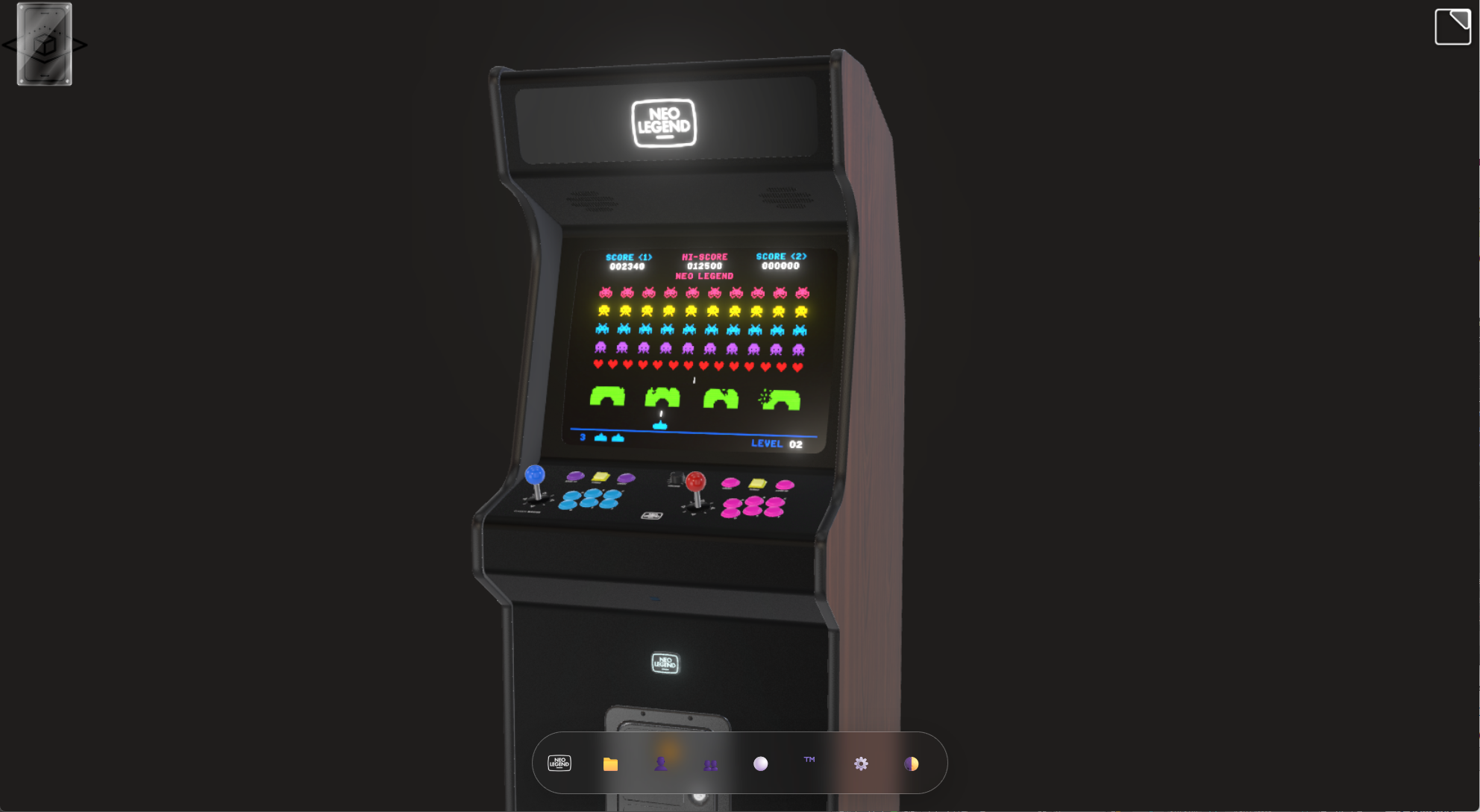
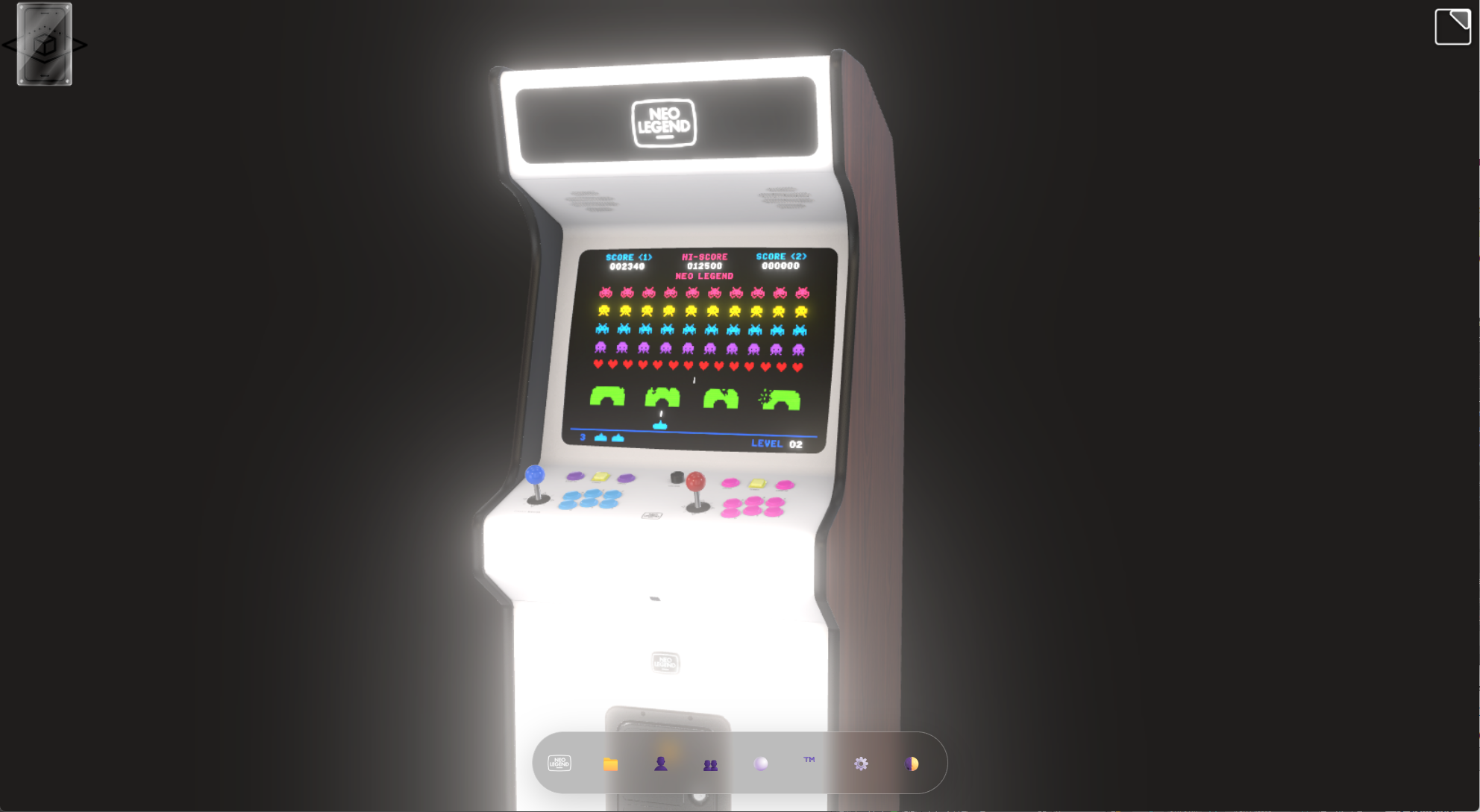
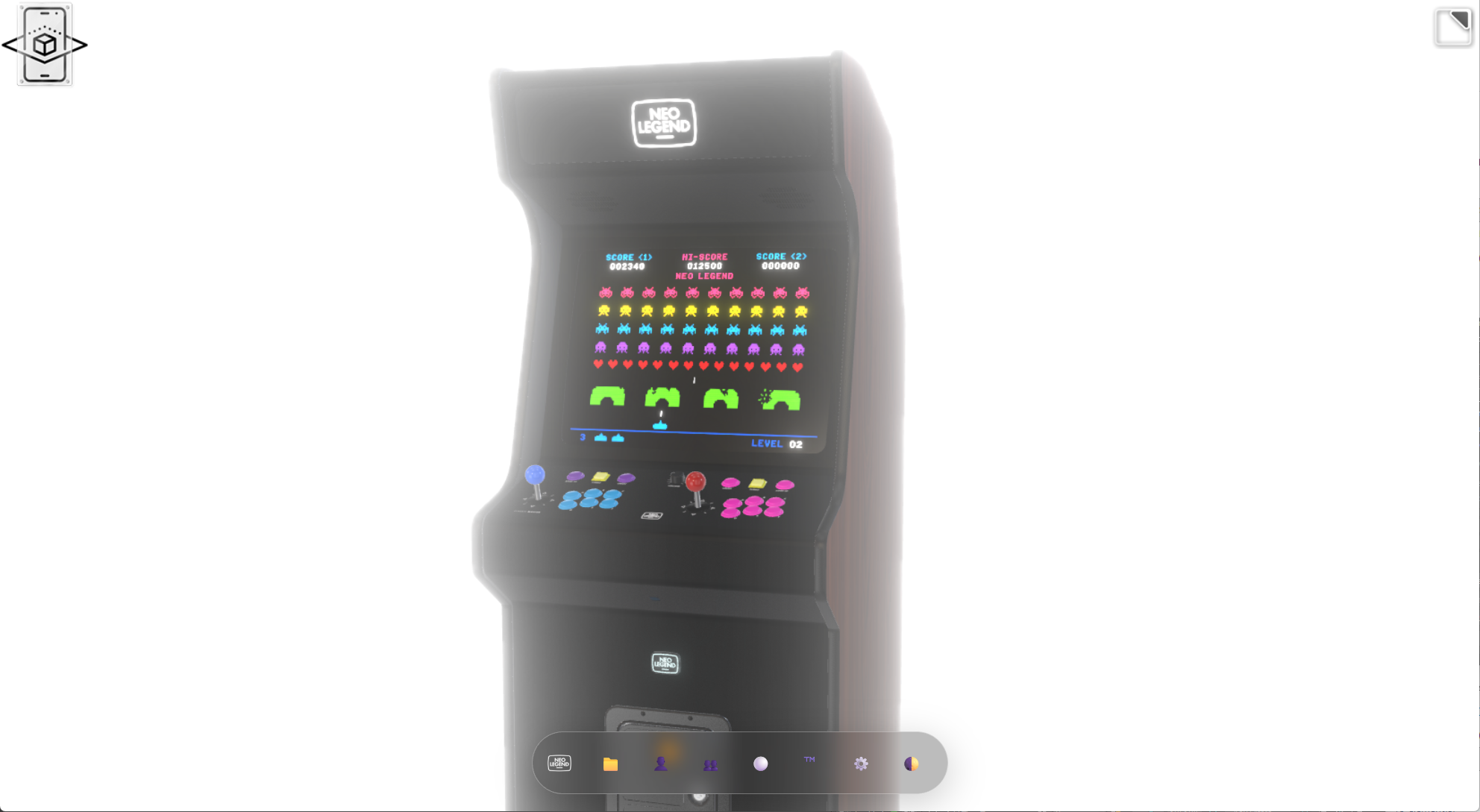
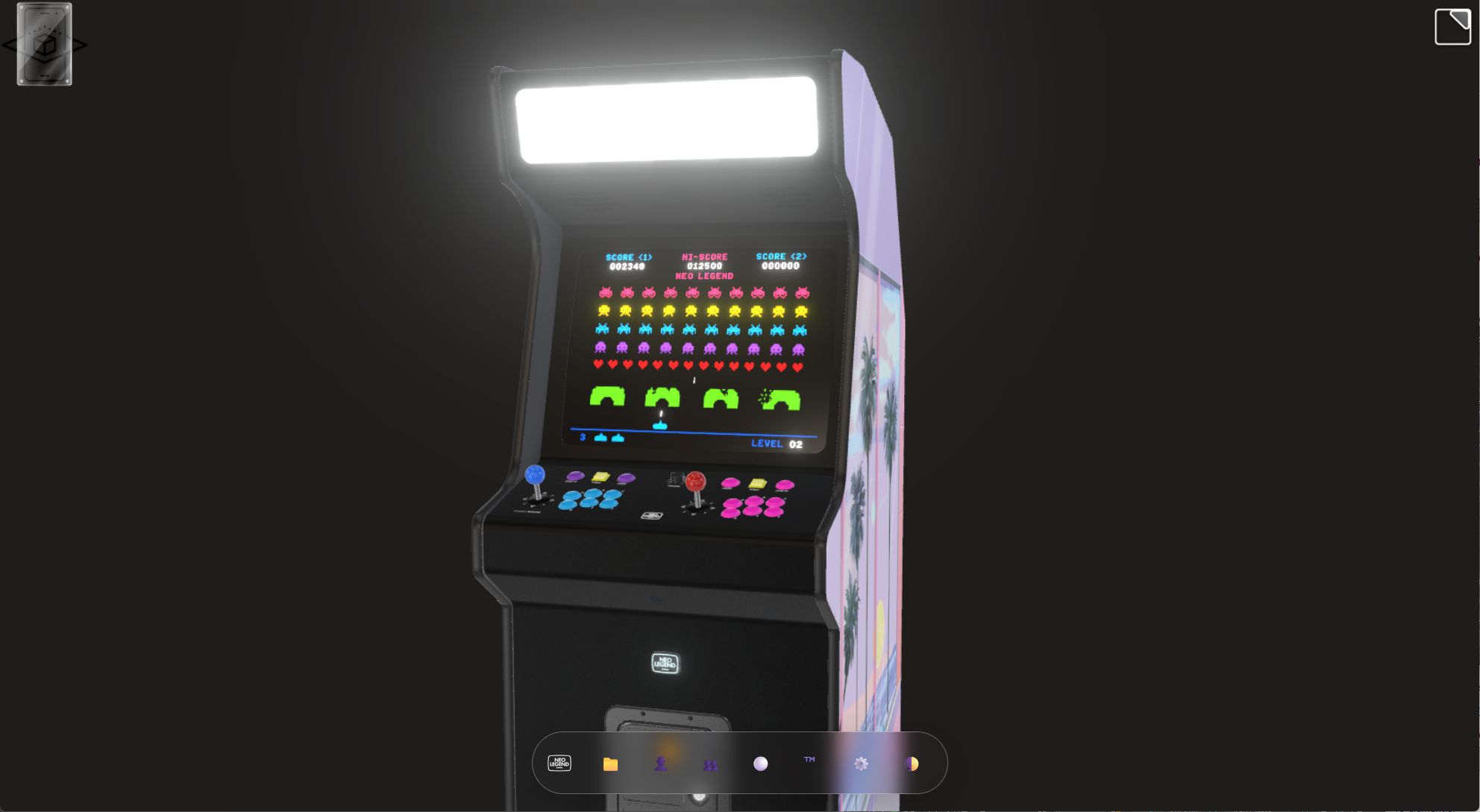
For a new project, i’d like to use the Bloom post effect to maximize the illuminated parts of my objects, but as soon as i set a white theme background, or change the color of an object to clear one, or set a mapping to a light colors one, the bloom is overdue.
I wonder if it would be doable to set bloom effect only for a list of objects, to prevent bloom on not-illuminated ones.
A bit like we do for Reflexion / refraction post effect for materials…The bloom effect makes no distinction between emitting materials and just light-colored ones…
"1+1=3... for large values of 1"
2026-07-24 at 12:25 pm #88131 Alexander KovelenovStaff
Hi,
Bloom effect should be configured in such a way, that highly emissive surfaces contribute to it, while low-emissive ones don’t (even if they have white/bright color). Follow these steps:
1) enable HDR rendering in Verge3D export settings
2) increase emission for the materials that should render the bloom halo
3) increase threshold in the bloom puzzle to really high value, e.g. in the Scooter demo we set this param to 202026-07-24 at 12:50 pm #88132NaxosCGCustomerHi,
Bloom effect should be configured in such a way, that highly emissive surfaces contribute to it, while low-emissive ones don’t (even if they have white/bright color). Follow these steps:
1) enable HDR rendering in Verge3D export settings
2) increase emission for the materials that should render the bloom halo
3) increase threshold in the bloom puzzle to really high value, e.g. in the Scooter demo we set this param to 20I’m gonna try this, many thanks !
"1+1=3... for large values of 1"
2026-08-01 at 10:11 pm #88185NaxosCGCustomerIt worked, thanks !!!
I just had to boost light buttons to 100000 cd/m² ! And fine tune the threshold to 0.94…
"1+1=3... for large values of 1"
2026-08-02 at 9:41 am #88187Alexander KovelenovStaffboost light buttons to 100000 cd/m² !
Flagship phones have screen brightness up to 5000 cd/m². Your value is 20x higher to give intensive glowing… appears to be OK

-
AuthorPosts
- You must be logged in to reply to this topic.