
Home › Forums › Graphics / Blender › [FIXED in 4.13 pre2 :) ] Banding with AO on android
Tagged: AO Android Banding Atrifacts
- This topic has 12 replies, 3 voices, and was last updated 4 months, 2 weeks ago by
 Alexander Kovelenov.
-
AuthorPosts
-
2026-06-09 at 10:22 am #87461
martenmonoz
CustomerHi everyone,
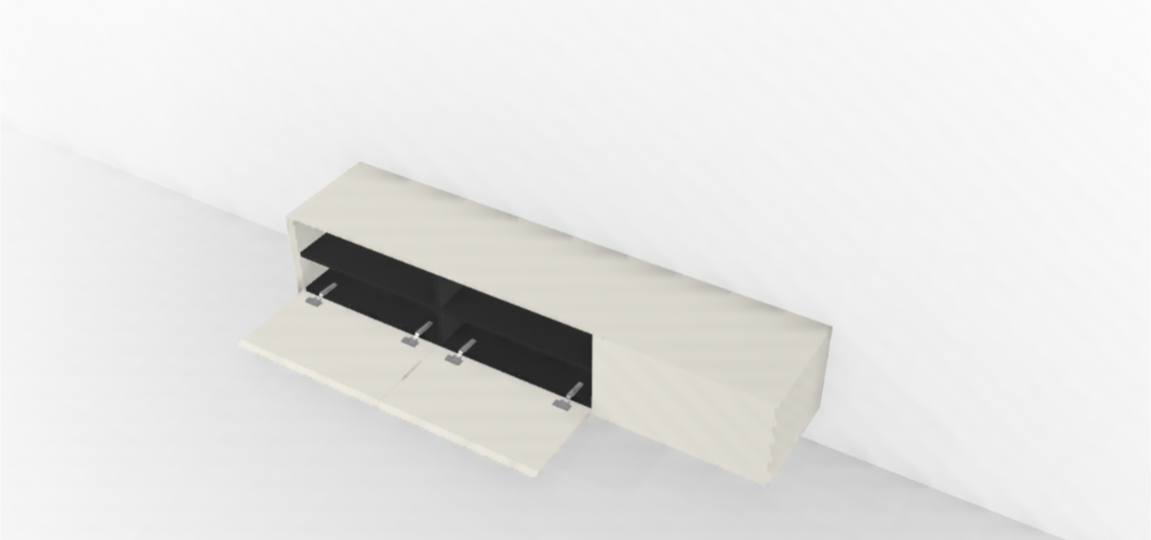
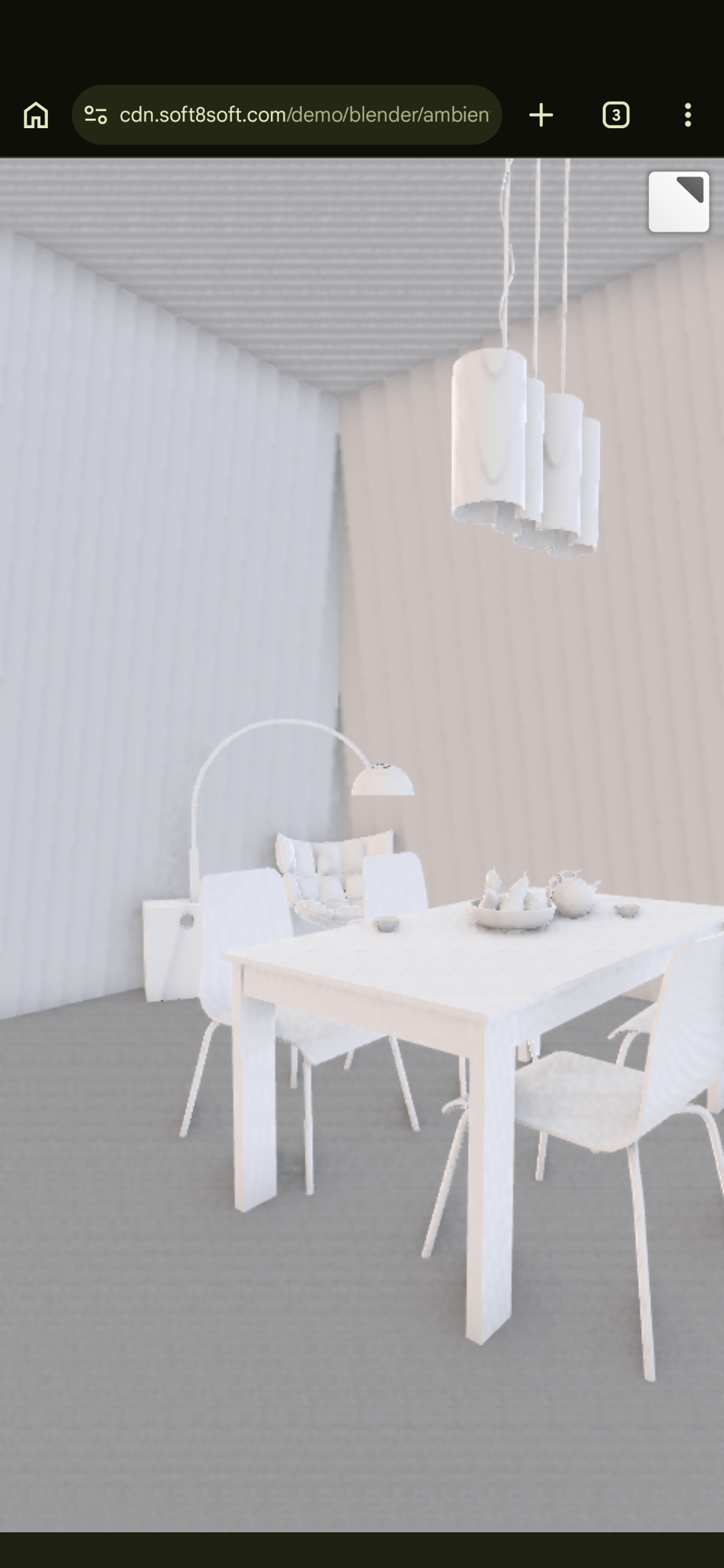
I’m experiencing an issue with visible banding artifacts whenever Ambient Occlusion (AO) is enabled in my app. The problem only appears on Android devices; I don’t see it on desktop.
I’m using Verge3D 4.12 and Blender 5.0.
Does anyone know what might be causing this issue on Android devices? Is there a way to eliminate or reduce the banding while keeping Ambient Occlusion enabled?
Any help or suggestions would be greatly appreciated.
Thanks in advance!
-
This topic was modified 4 months ago by
martenmonoz.
Attachments:
2026-06-09 at 1:21 pm #87463 Alexander KovelenovStaff
Hi,
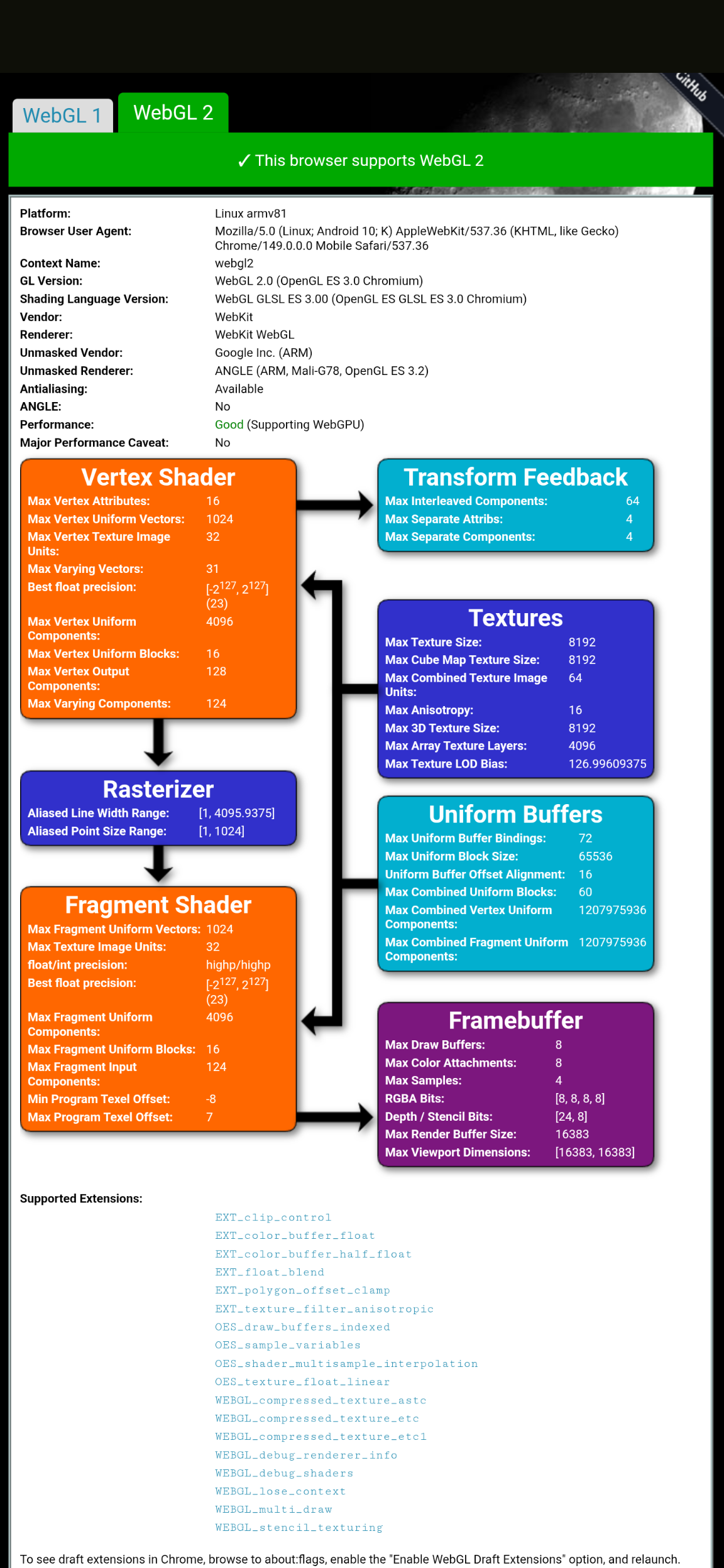
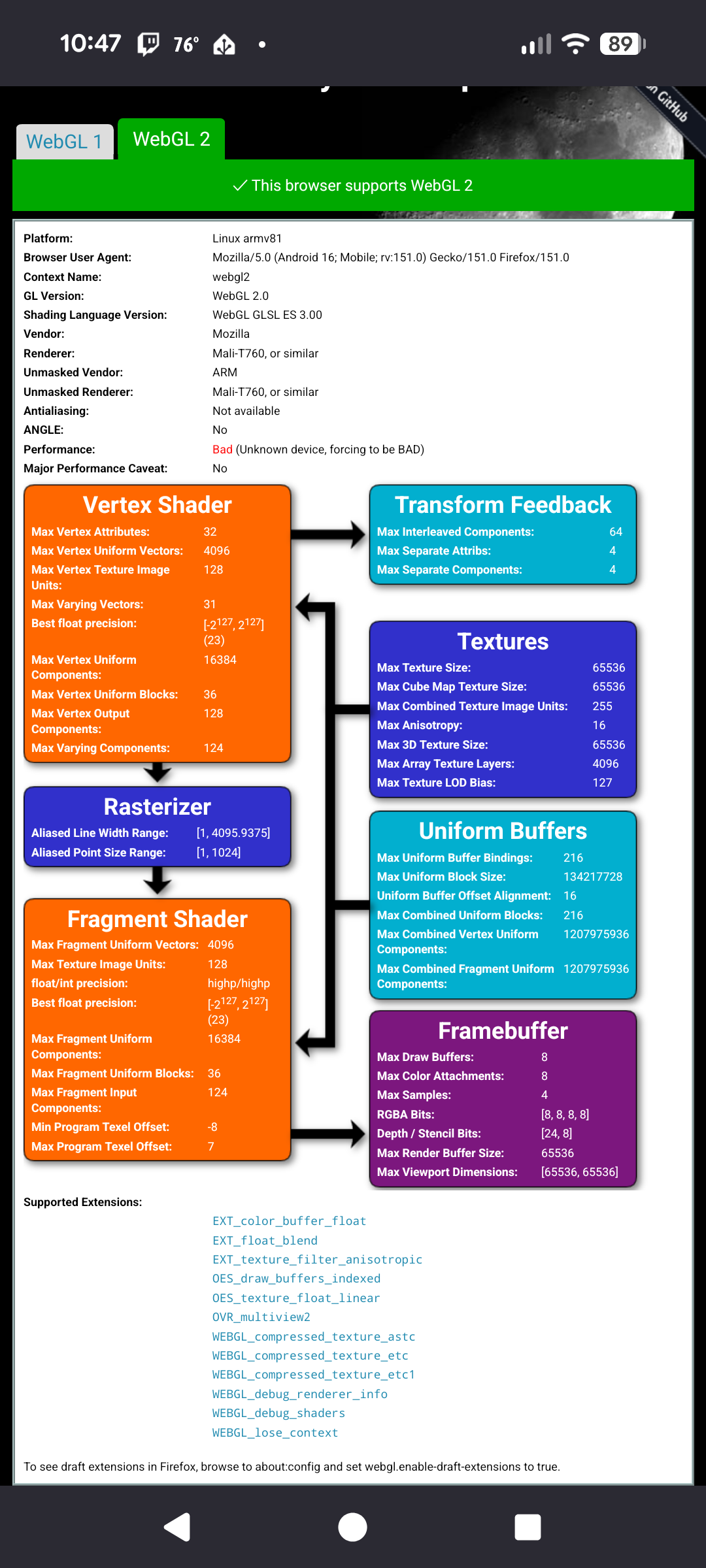
What kind of Android device you use? Also please share the content of webgl report page, especially Unmasked Vendor/Unmasked Renderer lines.-
This reply was modified 4 months, 3 weeks ago by Alexander Kovelenov.
2026-06-09 at 1:23 pm #87465CustomerHi,
A Google Pixel 6 Pro and a NothingPhone 2.
edit: (UV:Google.Inc UR Angle (ARM for pixel and Qualcomm for NothingPhone)-
This reply was modified 4 months, 3 weeks ago by
2026-06-09 at 1:30 pm #87467Alexander KovelenovStaffI see,
You’re using Chrome browser to launch the app?-
This reply was modified 4 months, 3 weeks ago by Alexander Kovelenov.
2026-06-09 at 1:33 pm #87469CustomerYes we use chrome.
Attachments:
2026-06-09 at 1:38 pm #87471Alexander KovelenovStaffThank you for the info, we’ll take a look. BTW can the issue be reproduced when running our stock Ambient Occlusion demo?
2026-06-09 at 1:42 pm #87472CustomerYes the standard demo has the same problem.
Attachments:
2026-06-09 at 3:10 pm #87477backpackvacuum
CustomerI coincidentally came here to ask about the same issue.
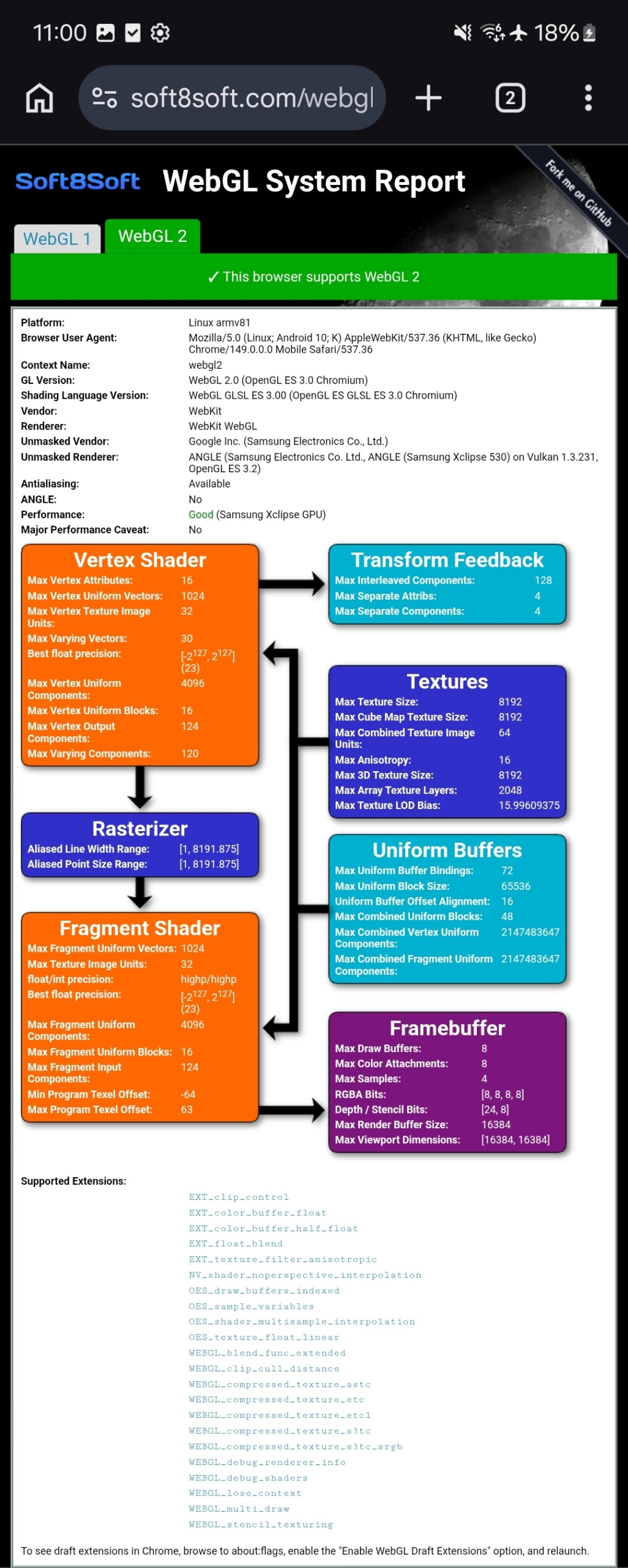
I actually do have an android device that doesn’t have the banding issues. It’s a Samsung Galaxy A55. Attached is the webgl report for it.
I’ve tested on a Pixel 8 and an S24, and both of those have the banding issue.
Attachments:
2026-06-10 at 12:13 pm #87490Alexander KovelenovStaff2026-06-10 at 12:23 pm #87492CustomerHi Alexander,
Good news, and thanks for the quick response!
I have one remaining question: do you have an approximate release date for the next Verge3D update? Our customers are currently experiencing this bug on our website, so we would like to fix it as soon as possible.
In the meantime, I might be able to create a temporary workaround by disabling AO on Android devices via the Exec Script puzzle.
Thanks again!
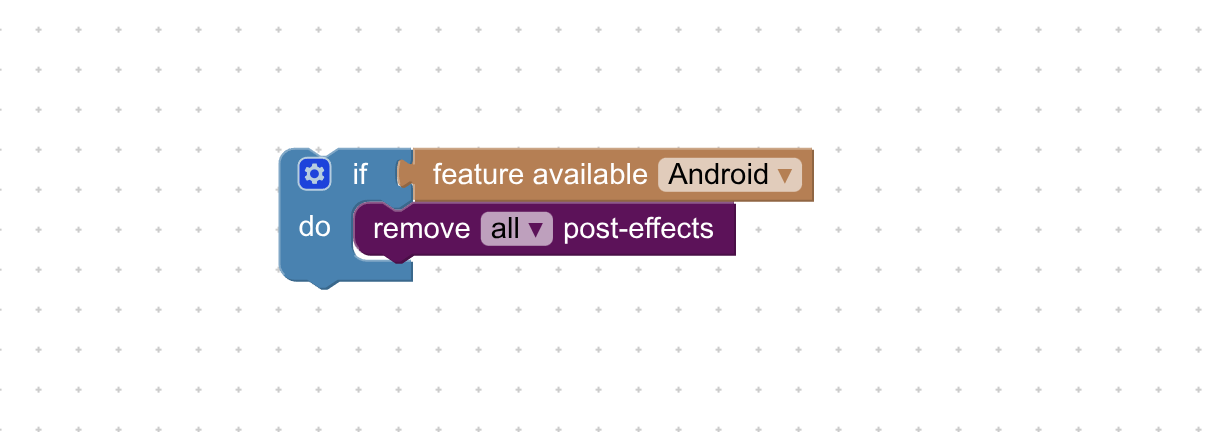
2026-06-10 at 1:14 pm #87495Alexander KovelenovStaffVerge3D 4.13 pre2 can be expected later this month. As a temporary workaround you can disable postprocessing altogether on Android devices, e.g. by using the snippet below:
-
This reply was modified 4 months, 2 weeks ago by Alexander Kovelenov.
-
This reply was modified 4 months, 2 weeks ago by Alexander Kovelenov.
2026-06-10 at 1:25 pm #87500CustomerThanks for the ETA! we use Bloom for fireplaces and lighting.
So i’ll try something like this:(function () { var gtaoFactor = 0; appInstance.enablePostprocessing([ { type: 'gtao', distance: 0.2, factor: gtaoFactor, precision: 0.250, bentNormals: true, bounceApprox: true } ]); appInstance.enableRendering(); })();2026-06-11 at 7:07 am #87501Alexander KovelenovStaff -
This topic was modified 4 months ago by
-
AuthorPosts

- You must be logged in to reply to this topic.