We use cookies to ensure that we give you the best experience on our website. If you continue to use this site we will assume that you are happy with it.

Navigation Arrows Follow Up

Home Forums General Questions Navigation Arrows Follow Up

Viewing 2 posts - 1 through 2 (of 2 total)
  • Author
    Posts
  • #87011
    emadamsinc1
    Customer

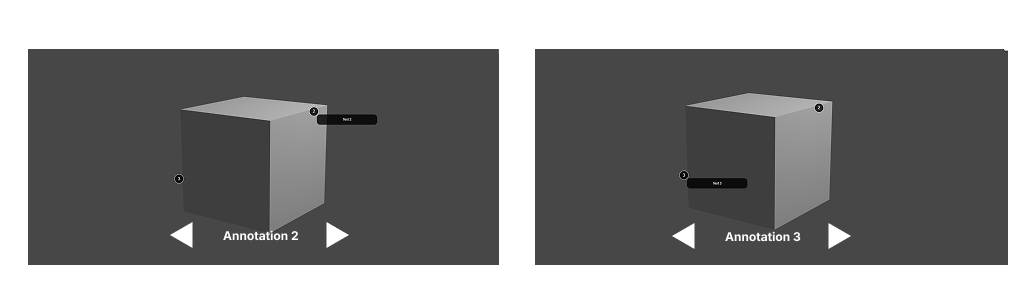
    I am still having issues with navigation arrows. Someone kindly sent me a potential solution that changed the annotation at the same location (see screen record attached), however, as I push the buttons I am trying to get annotations in different locations to open in order. Closer to how sketchfab functions: https://skfb.ly/6TXKL or see screenshots of a two step storyboard below. I need the arrows to guide people around the scene in a specific order 1-10.

    #87016

    Hi,

    When dealing with such use cases there are two things that should be implemented:

    • Looping through annotations in a ordered fashion. For that need a list with annotation labels, a variable that will store the index of the active one and the label to display the active one. Annotation dialogs can be iterated with open / close annotation puzzles. The index variable is incremented / decremented according to clicks on the left/right buttons.
    • Positioning camera with right position / look at point. For that you need to make a pairs of empties (one for camera position and one for camera point of interest) in the modelling suite. Again, the pairs can be stored in lists and retrieved by the same index variable. Camera positioning is done with the tween camera puzzle.

    Hope this helps :yes:

    Soft8Soft Tech Chief
    Want more Verge3D updates? Follow me on X, Facebook, or LinkedIn

Viewing 2 posts - 1 through 2 (of 2 total)
  • You must be logged in to reply to this topic.
