
- This topic has 10 replies, 3 voices, and was last updated 3 years, 11 months ago by
coozoh.
-
AuthorPosts
-
2022-05-03 at 2:31 pm #51599
coozoh
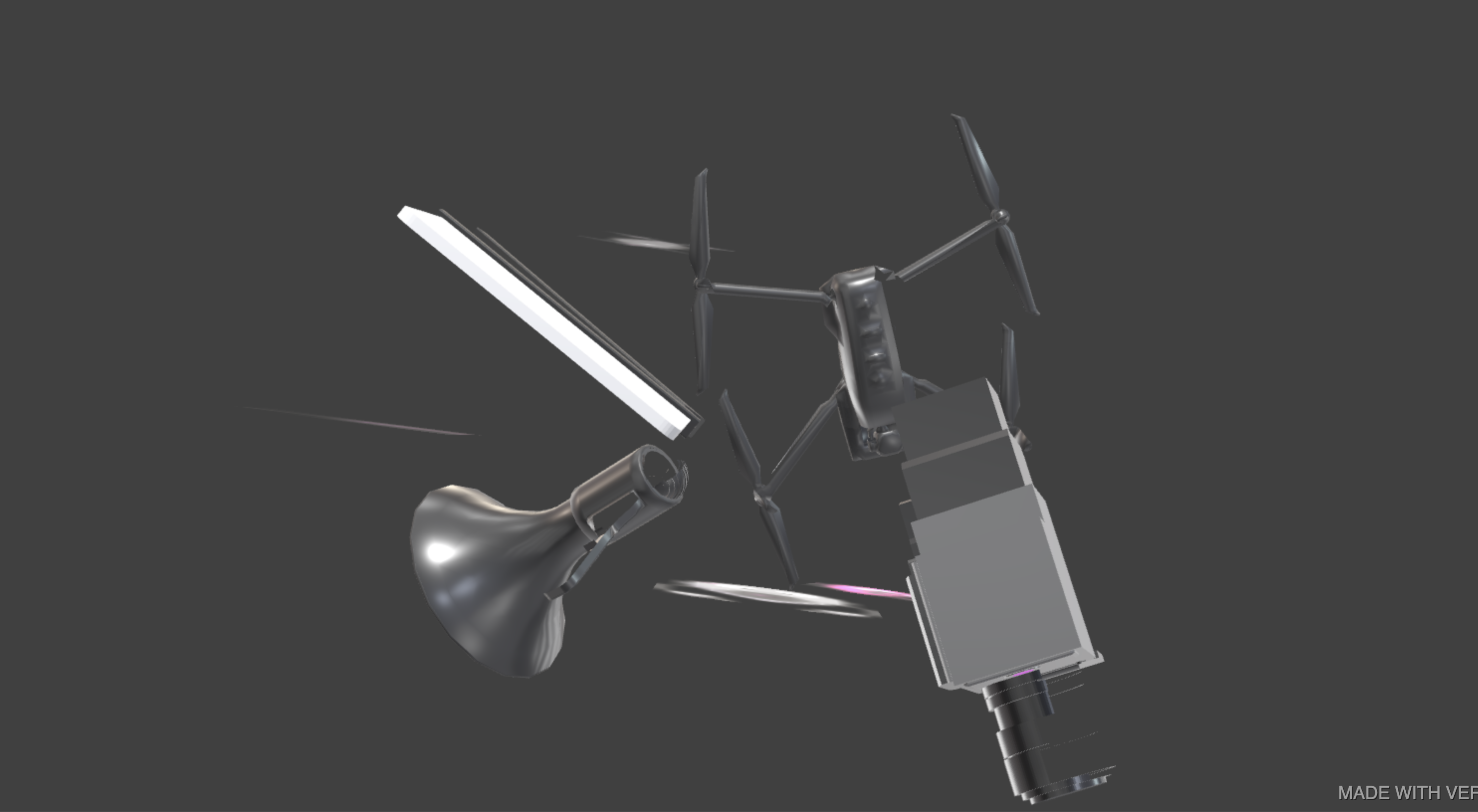
CustomerSo I’ve created a scene that moves on mouse movement, which essentially follows or looks at my cursor. However when I load it in, I get presented with the scene attached; it’s upside down and back to front and I’m not sure why. I’ve attached the puzzles I’ve used also, anyone know what I might have missed?
2022-05-04 at 6:59 am #51627 Mikhail LuzyaninStaff
I can see that all object parented to simething, if parent objecs has -1 scale somewhere it can cause a issue, also check the camera that it has no scale.
Co-founder and lead graphics specialist at Soft8Soft.
2022-05-04 at 9:31 am #51641Customerthanks for you reply, the reason I’ve parented all objects is because all objects need to rotate on mouse movement and figured it was the best way to do it. I tried changing the object to a random item in the scene however and it did exactly the same thing, so I don’t think it’s to do with the parenting of objects?
2022-05-04 at 9:48 am #51645Mikhail LuzyaninStaffAttach the blend file I will look.
Co-founder and lead graphics specialist at Soft8Soft.
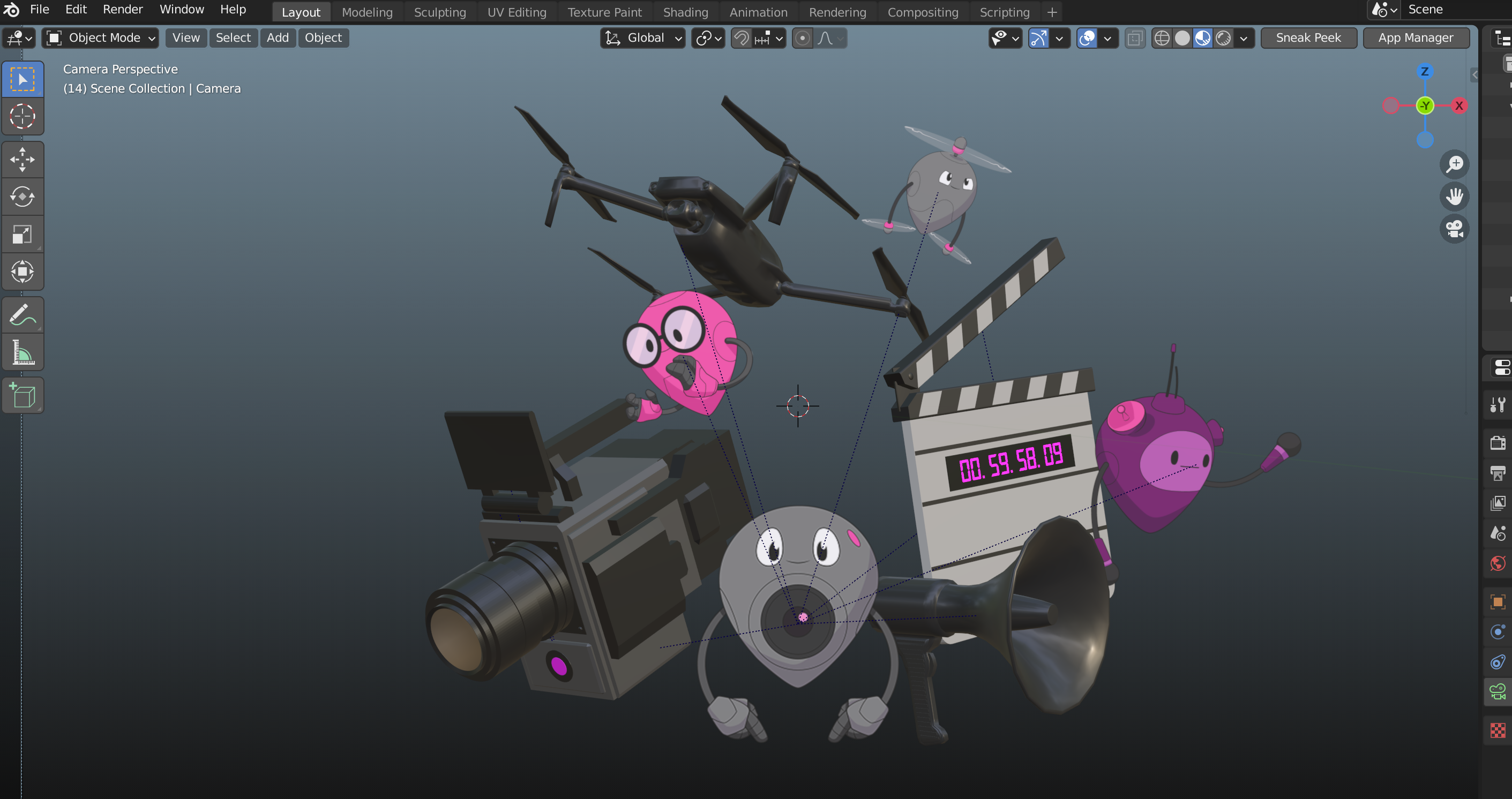
2022-05-04 at 10:10 am #51650CustomerMany thanks, attached!
2022-05-05 at 7:04 am #51670Mikhail LuzyaninStaffHmm, it’s ok for me. What Blender and Verge3D versions do you use? Try to update to lastest.
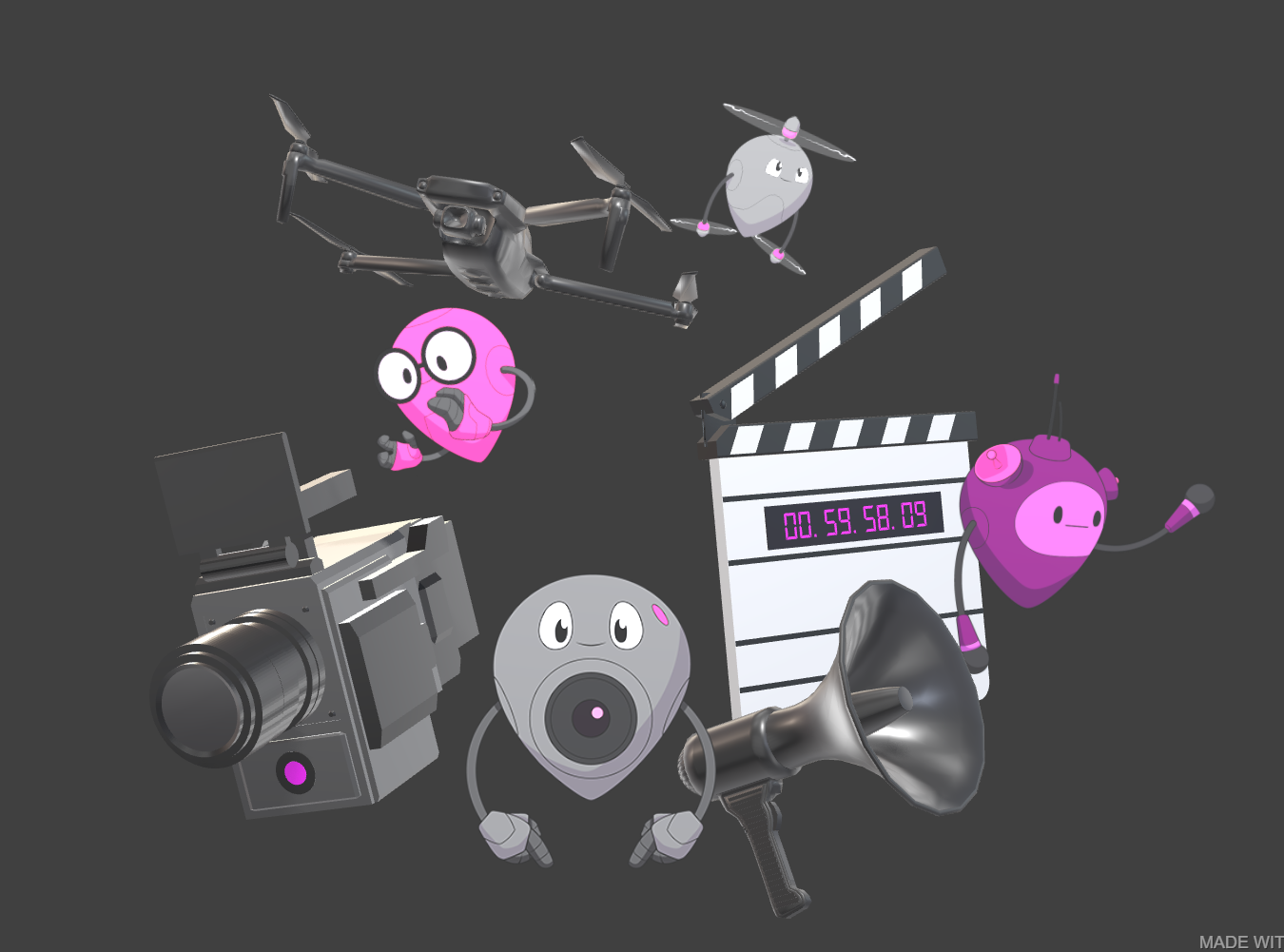
Attachments:
Co-founder and lead graphics specialist at Soft8Soft.
2022-05-05 at 12:32 pm #51693CustomerI’ve updated blender and verge 3d to the latest version, it loads in correct in blender and verge3D before I apply the logic in puzzles still, but then it displays upside down?
2022-05-05 at 1:18 pm #51699Mikhail LuzyaninStaffThen may be wrong logic?
Co-founder and lead graphics specialist at Soft8Soft.
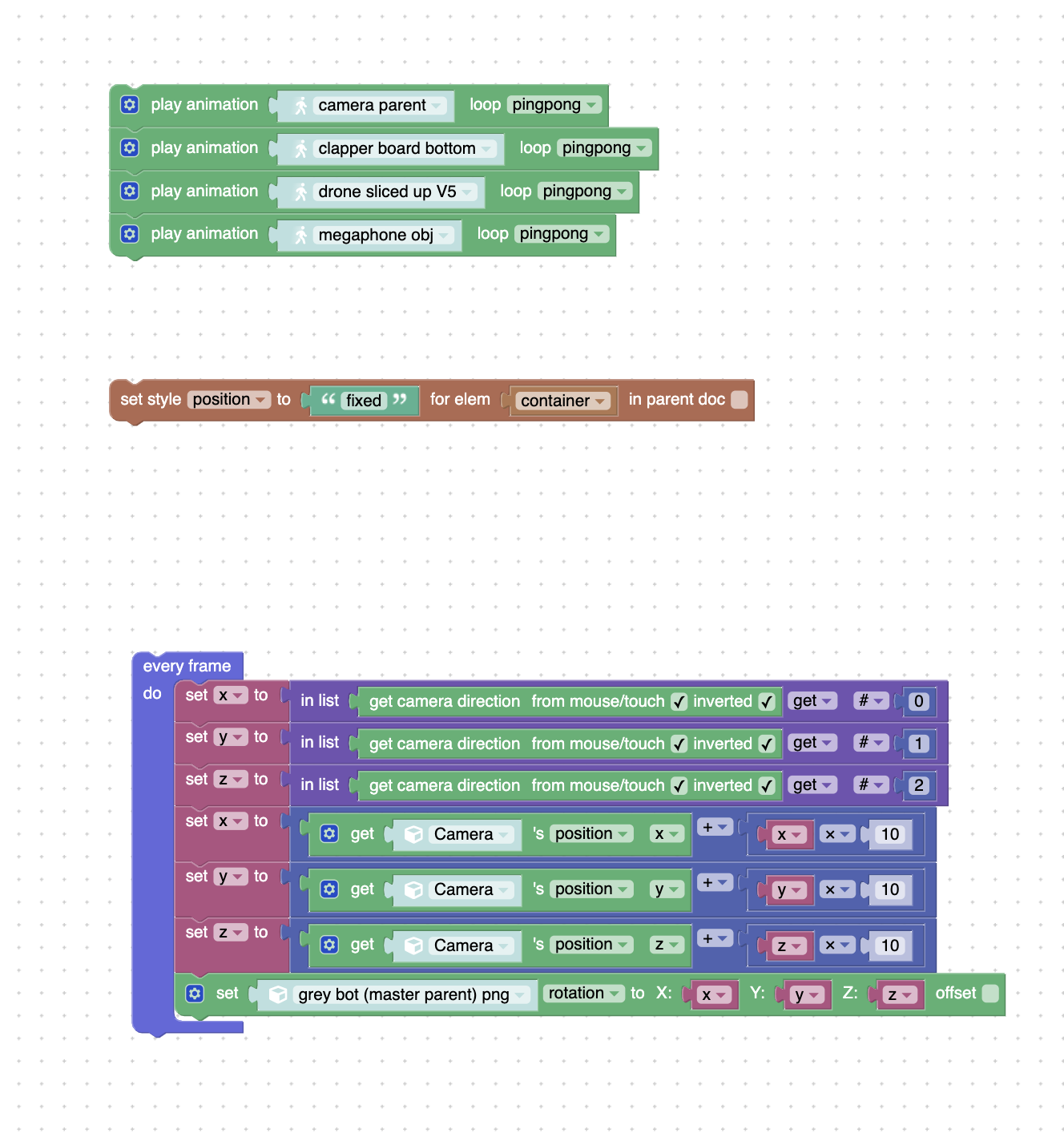
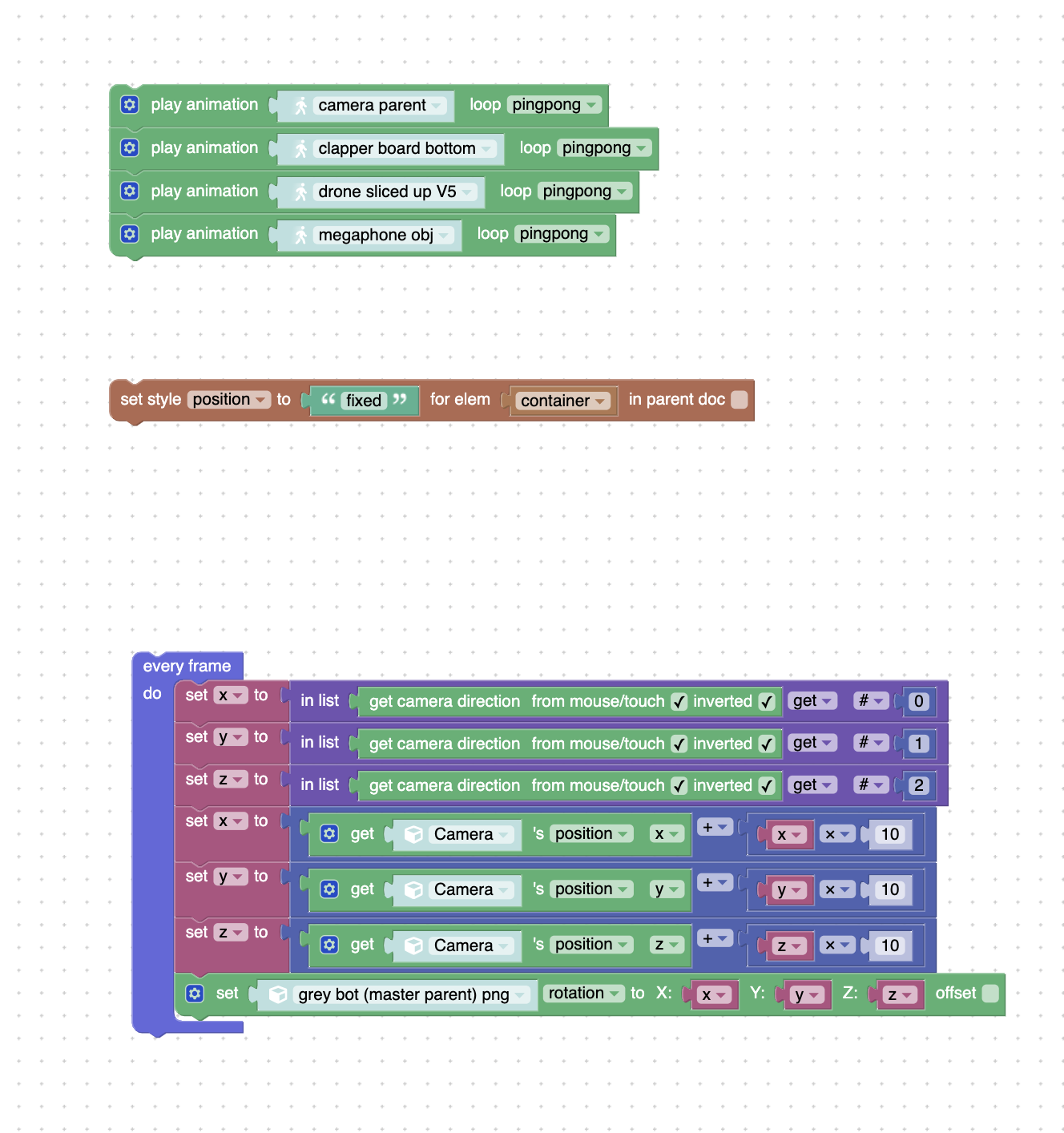
2022-05-05 at 4:13 pm #51730CustomerHere is my logic as attached. I’m trying to figure out what the best solution is, when using the camera as the source object the camera interacts correctly, ie. move mouse, rotate camera. But the minute I change the source to anything in the scene, whether it be an individual object or a parent object, it changes the original rotation of the object every time. Any suggestions on correcting my logic?
Attachments:
2022-05-10 at 4:43 pm #51867 Nurgeldi DovletovStaff
Hi,
as described in docs, it would be better to use TrackTo constraint on your grey bot (master parent) png object with target to some Empty object.Verge3D Developer
2022-05-12 at 10:15 am #51978Customerthanks so much for your help, I now have this working!
-
AuthorPosts
- You must be logged in to reply to this topic.