
Home › Forums › Official Announcements › Verge3D 4.14 pre2 available!
- This topic has 3 replies, 2 voices, and was last updated 48 minutes ago by
spirou4d.
-
AuthorPosts
-
2026-10-29 at 7:39 am #88610
 Yuri KovelenovStaff
Here is the second preview of upcoming Verge3D 4.14! For this update we prepared:
☞ support for Gaussian splatting rendering
☞ animation and puzzle control over new Switch nodes in Blender
☞ support for Sheen parameters in Physical materials in 3ds Max
☞ support for choice node in Maya
☞ new conveyor visualization in the Industrial Robot demo
☞ updated software dependencies and system requirements
☞ various performance optimizationsCheck it out:
2026-10-29 at 7:40 am #88611Yuri KovelenovStaffGaussian Splatting
3D Gaussian splatting (aka 3DGS) is a relatively new technology that enables rendering photo-real graphics in real-time. By using complex AI-based algorithms, one can convert photos to a set of points in the 3D space called splats. Rendering splats with Verge3D was already possible thanks to third-party plugins. Recently, Gaussian splatting appeared in both Blender (in version 5.3) and 3ds Max (in the minor 2027.2 update). Given these developments, we’ve decided to make this feature available to Verge3D users directly.
You can get the assets into a respective modeling tool by importing them in PLY, SPZ, or LCC formats. These files are created from photos or prerendered images using specialized software, free or paid.
In Blender, importing produces point cloud objects of 3D Gaussian Splat type:
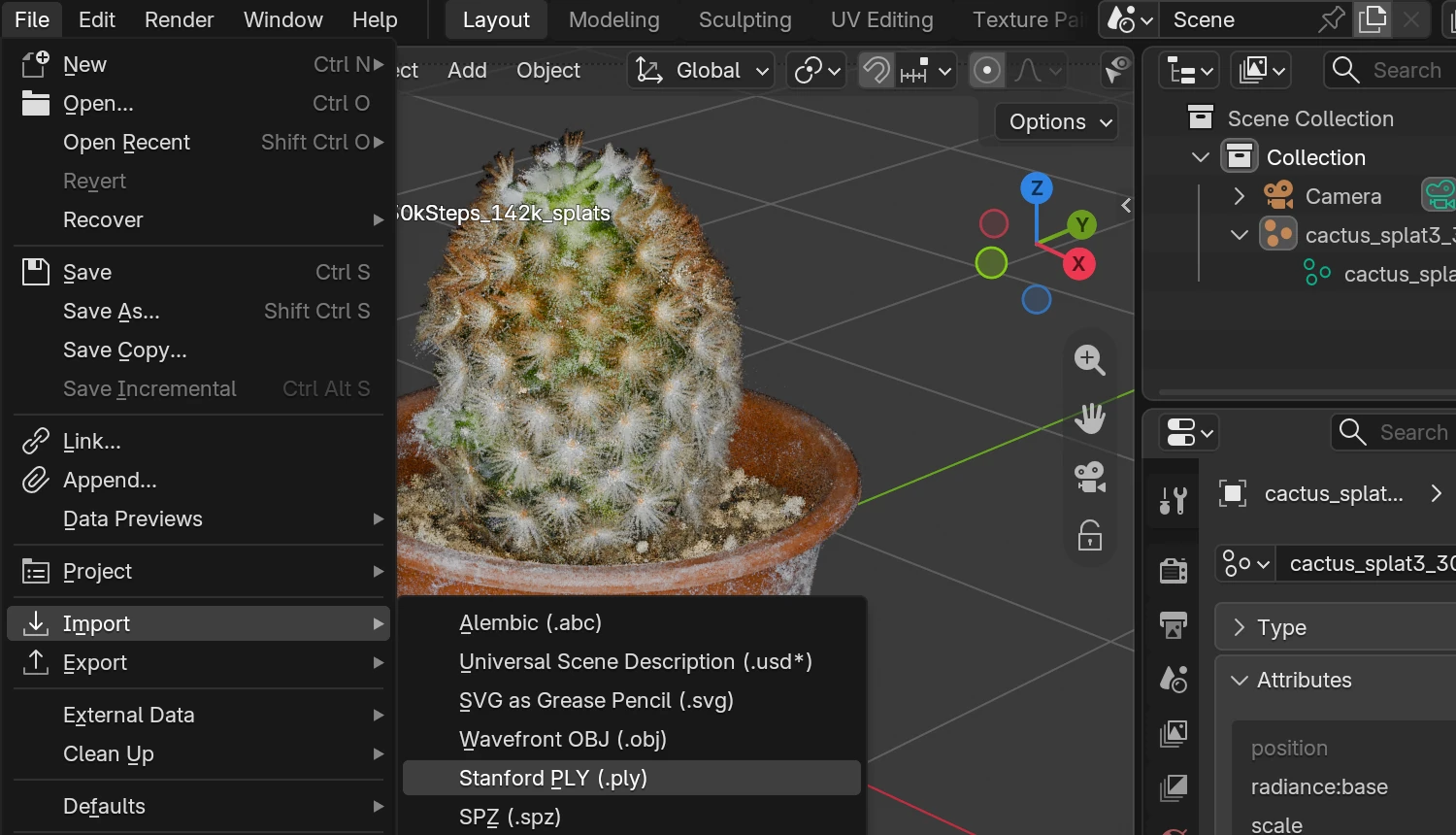
Check out the live rendering of the cactus model courtesy of Steam Studio.
In 3ds Max, importing produces GaussianSplat objects:
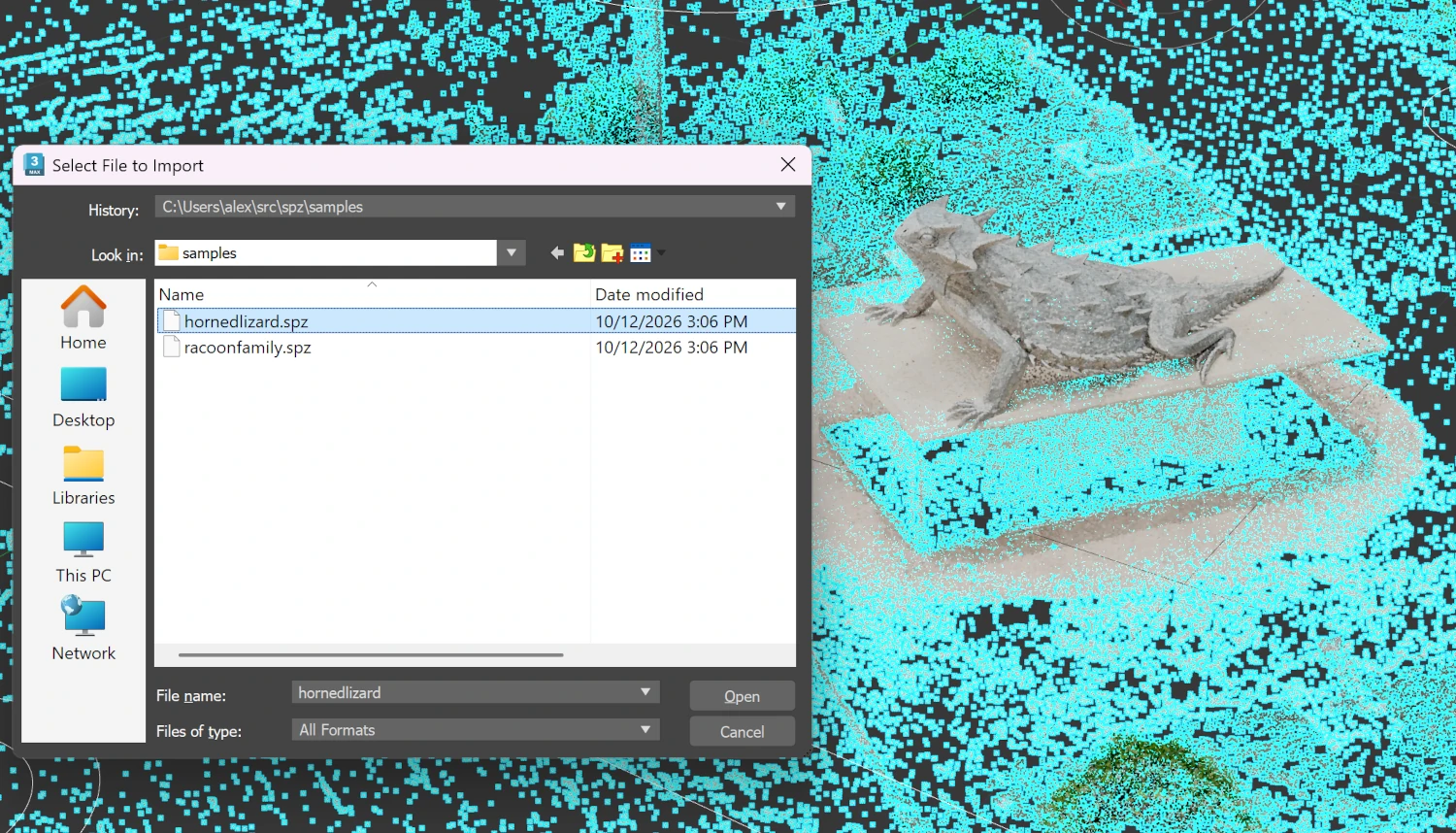
Check out the live rendering of the lizard model courtesy of Niantic Spatial.
Our vision regarding Gaussian splatting is that it may serve as an auxiliary object type to complement high-quality rendering of conventional polygonal meshes. It can be used, for example, for volumetric objects (e.g. clouds), backgrounds, outdoor environments, or similar elements. Thankfully, with Blender/3ds Max (and possibly Maya) that support Gaussian Splat objects natively, combining both rendering techniques in a same 3D scene should now be straightforward. You can access these objects in Puzzles too (for which we added a special icon to the object selector puzzle).
We discovered that the LZMA algorithm employed by Verge3D for compressing glTF assets is also very efficient for splats, in some cases achieving up to 5-10x reduction in size. This enables the web application to load quite big scenes within a reasonable timeline.
Blender Integration
We supported animation and enabled control in puzzles for nodes Index Switch, Switch, and Menu Switch that Blender 5.3 has just introduced. These may be very useful for creating configurators because you can see the color palette (or set of other parameters) directly in the Blender viewport. Once you are happy with your options, you can use the puzzle set value to switch between them in the Verge3D application.
For example, the following material setup makes it possible to switch between 3 colors, when 0 index turns the material to purple, 1 – to light-green, and 2 to cyan.
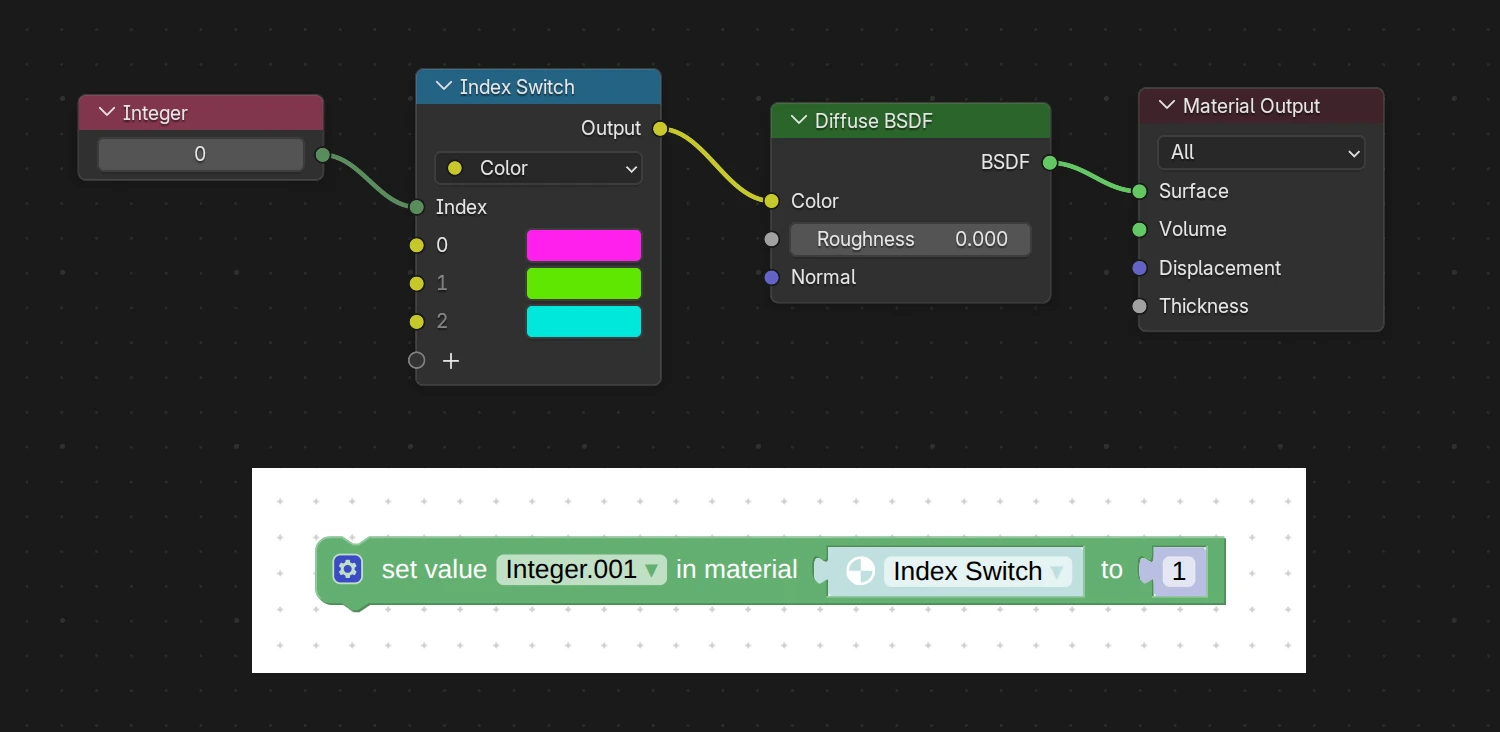
Finally, we ensured that the Glass BSDF and Vector Transform nodes are fully compatible with Verge3D when exported from Blender 5.3.
3ds Max Integration
We supported the Sheen inputs (Weight, Color, and Roughness) for Physical materials.
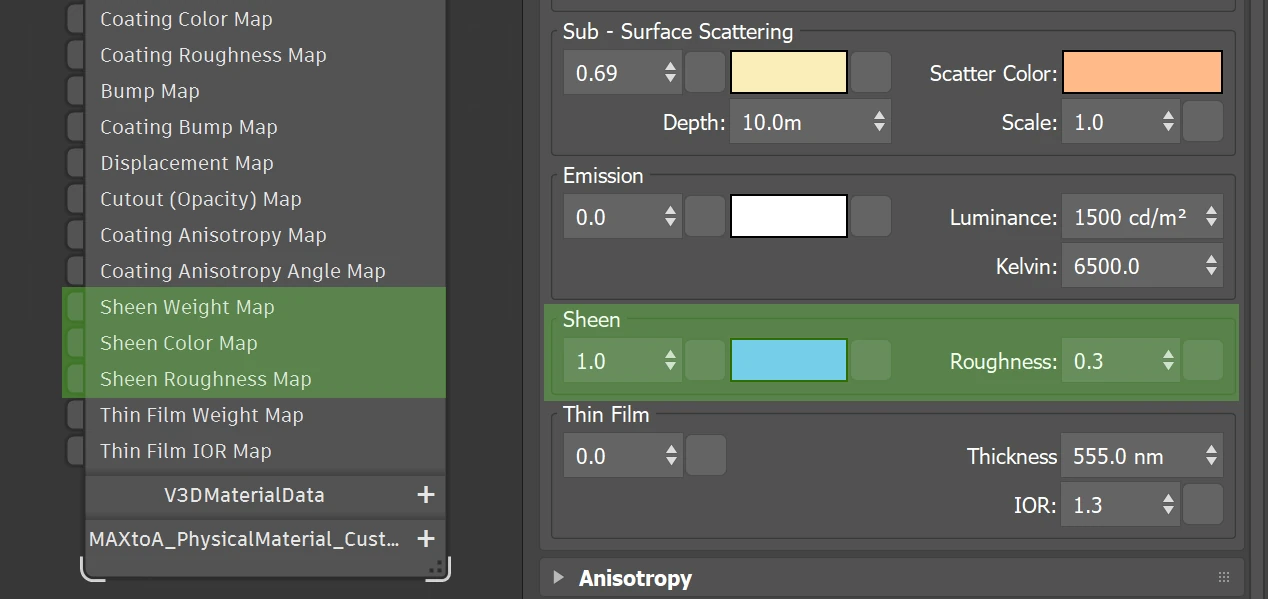
This feature can be used to realistically render microfiber surfaces such as clothes. Also the Sheen and Clear Coat inputs for OpenPBR materials now work correctly.
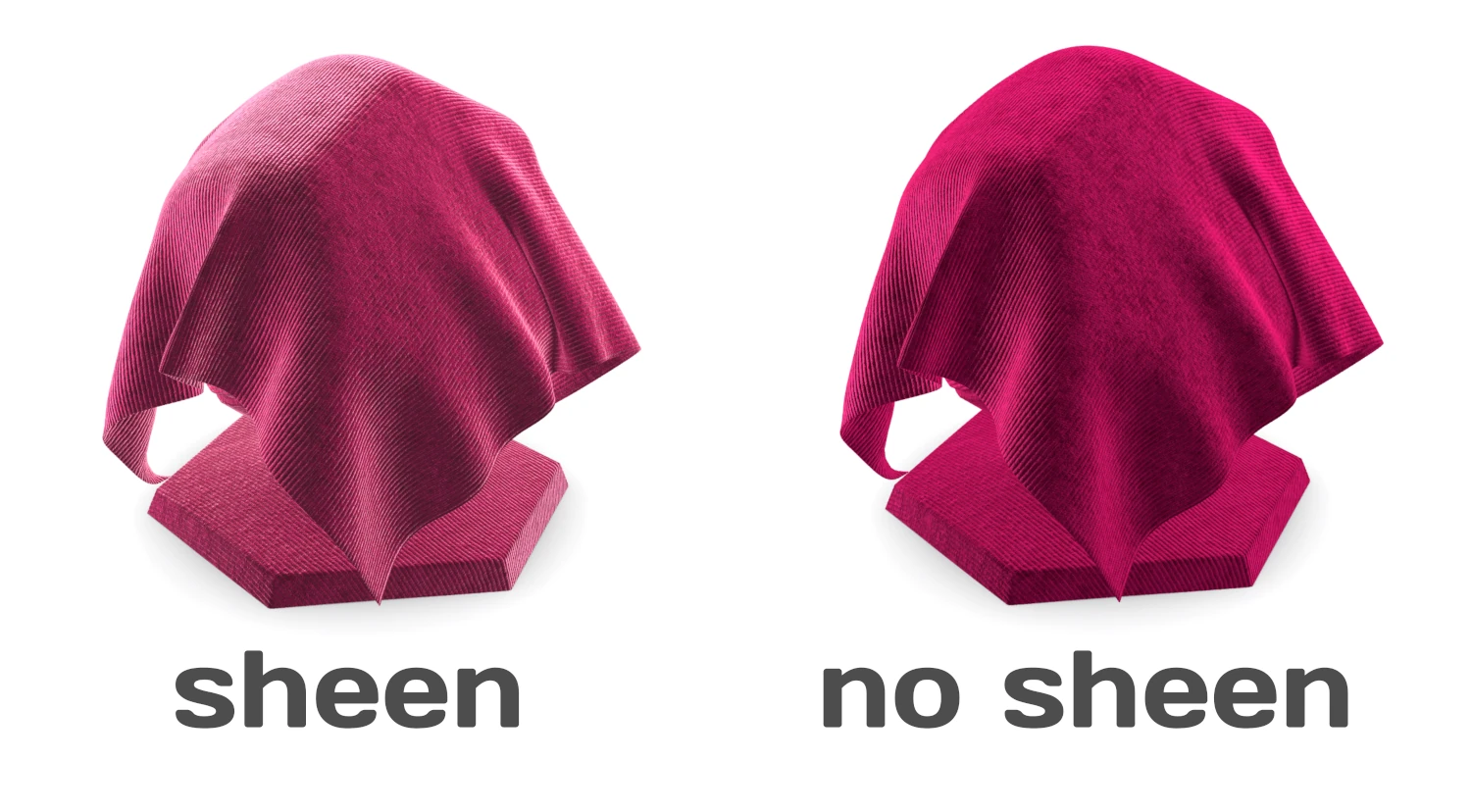
We slightly accelerated the export from 3ds Max thanks to using the NumPy library.
Maya Integration
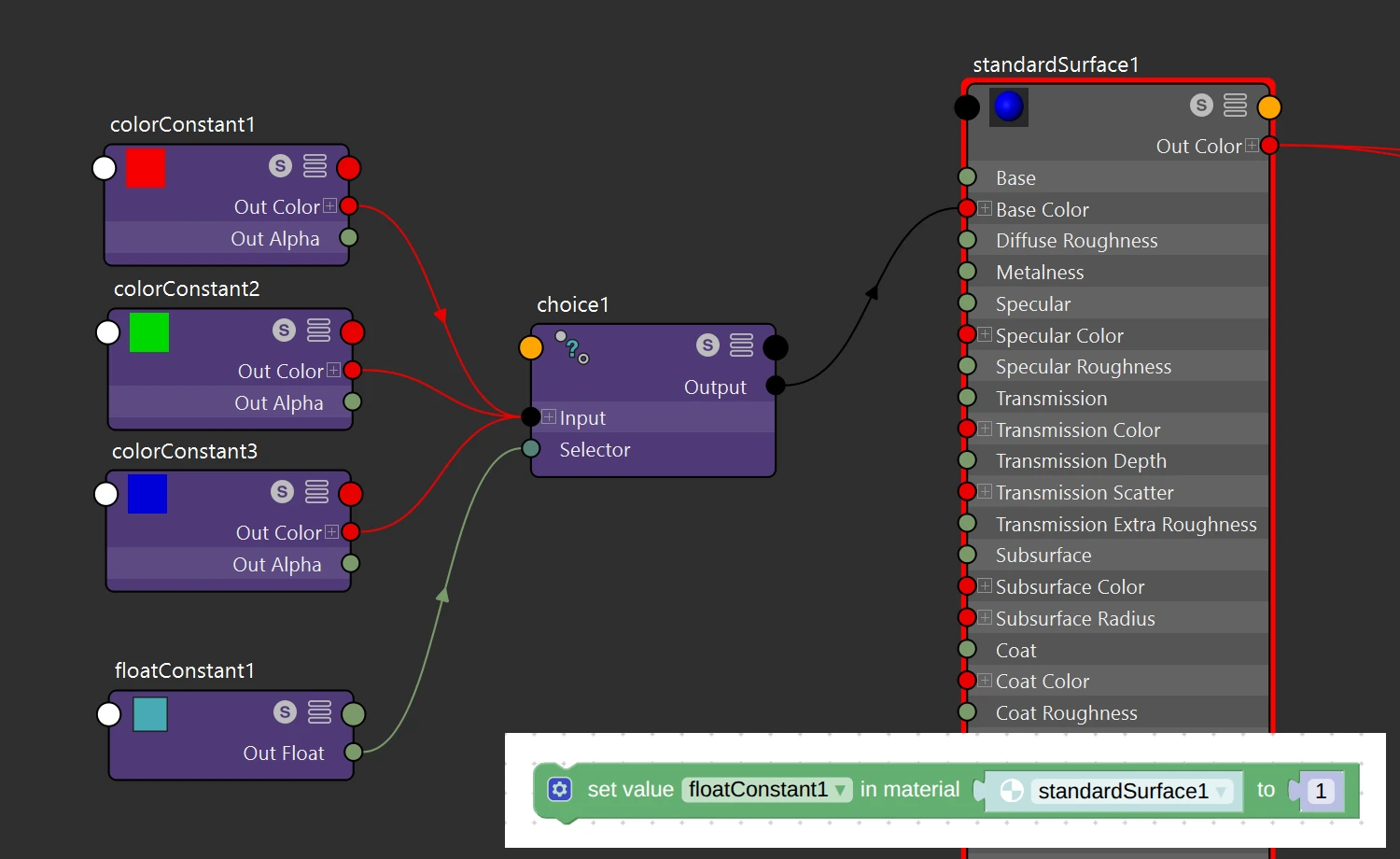
For this update, we supported Maya’s choice node. It may be very useful for creating configurators because you can see the color palette (or set of other parameters) directly in the Maya viewport. Once you are happy with your options, you can use the set value puzzle or material animation to switch between them in the Verge3D application.
For example, the following material setup makes it possible to switch between 3 colors, when 0 index turns the material to red, 1 – to green, and 2 to blue.
More Features
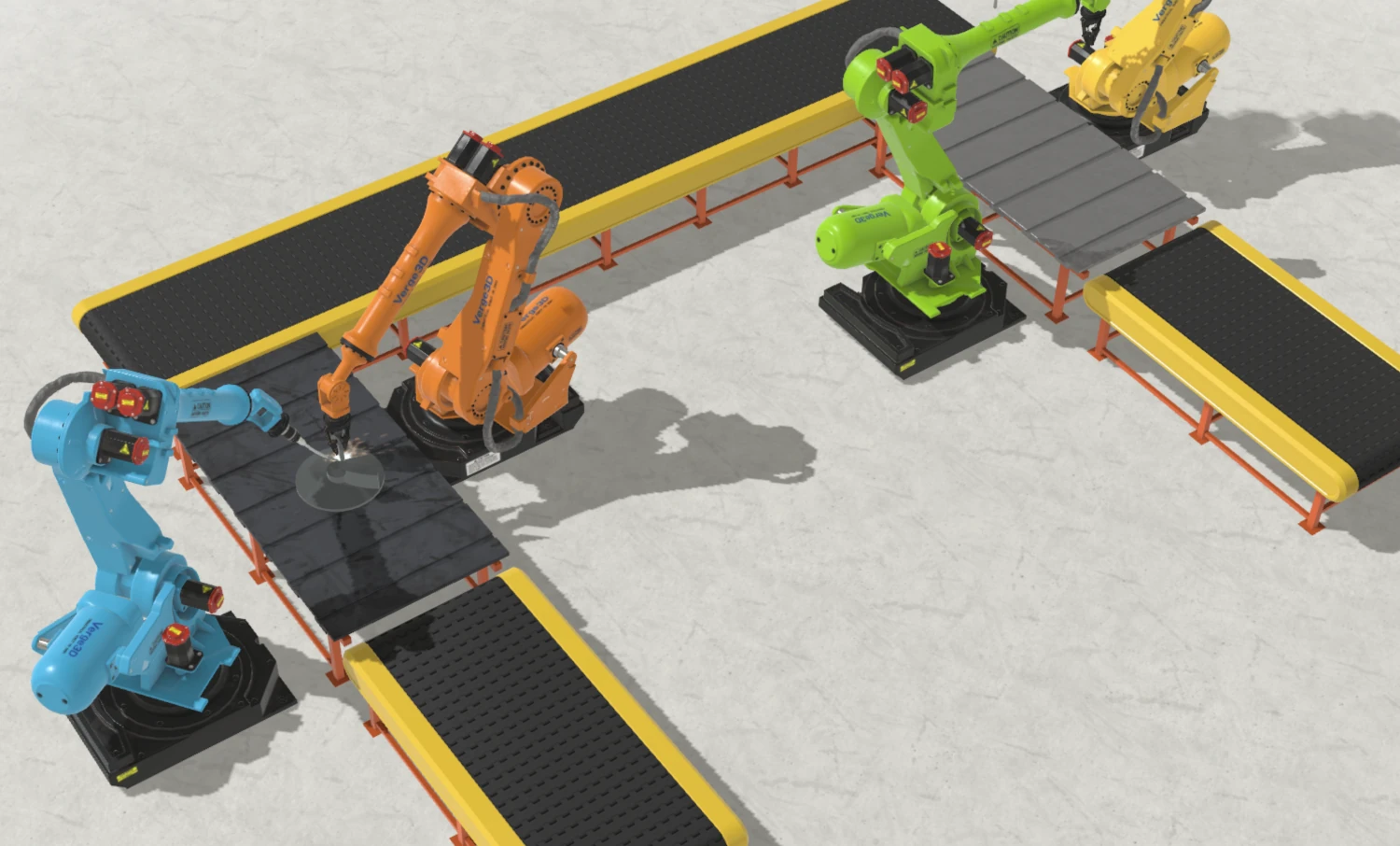
The updated Industrial Robot demo received a new conveyor visualization with several robots working sequentially (click Switch to Animation Mode).
We optimized GPU memory consumption when using morphing. We also slightly optimized shader compilation resulting in faster loading of Verge3D-based apps.
The dialog for selecting the application folder in the App Manager now looks better on Windows.
Systems and Software Versions
The minimally supported version of macOS raised from 11 to 13. We also dropped support for Windows 8.1, so the minimal Windows version is 10 now.
Windows and macOS distributions of Verge3D now use the newer Python 3.14, which resulted in a noticeable performance improvement for the App Manager, especially regarding how quickly it starts.
We updated Electron to v45. As a result, Verge3D-based desktop apps will now start quicker, render the 3D graphics faster, and will work better on Linux’ Wayland (penguins will appreciate that).
The texture compression module was recompiled using the latest stable version of the KTX library. It contains various minor fixes and improvements.
Bug Fixes
We fixed the incompatibility warning incorrectly shown to trial users when they try to update for a new Verge3D version.
2026-10-29 at 7:40 am #88612Yuri KovelenovStaff2026-10-29 at 10:18 am #88617spirou4d
CustomerBravo to the team, I loved the robots….

Patrick Depoix
Architecte D.P.L.G. - Historien-chercheur en histoire de l'Architecture
Etude en cours: Le mausolée Brion - Carlo Scarpa. -
AuthorPosts
- You must be logged in to reply to this topic.