
- This topic has 6 replies, 3 voices, and was last updated 6 months ago by
 NaxosCG.
-
AuthorPosts
-
2026-03-14 at 2:20 pm #86546
 NaxosCGCustomer
Hello there,
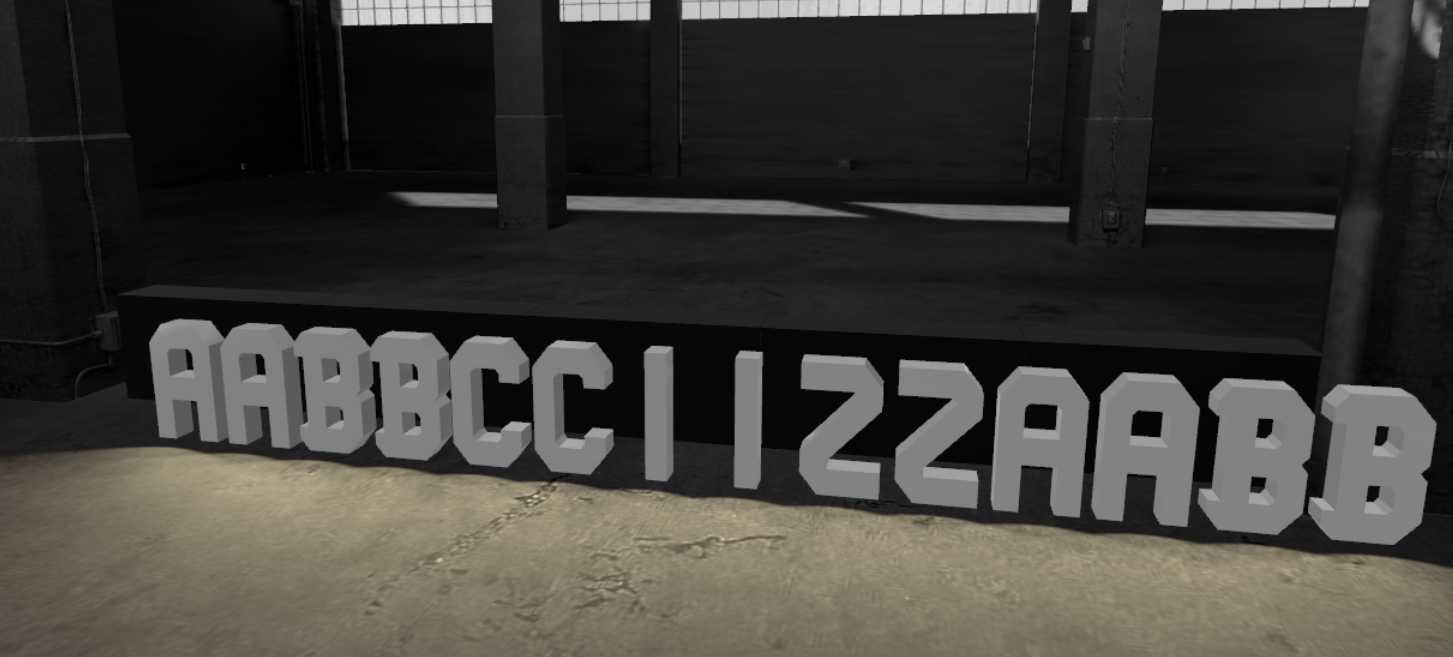
In my current project, i would need to clone Fspots as 14 of them.
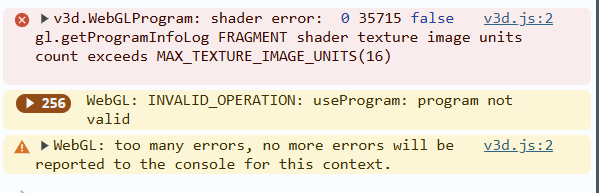
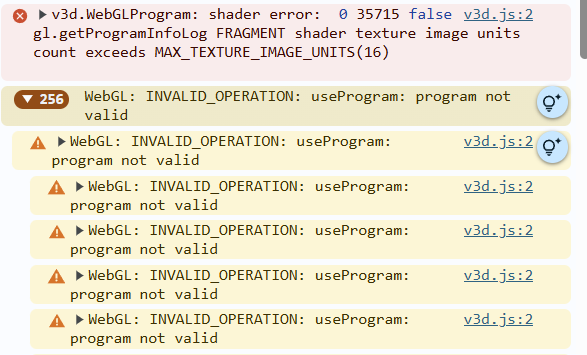
But as soon as i put more than 11, it gets slow and gives errors :v3d.js:2 v3d.WebGLProgram: shader error: 0 35715 false gl.getProgramInfoLog FRAGMENT shader texture image units count exceeds MAX_TEXTURE_IMAGE_UNITS(16)
(see screenshots)
On the screen it seams to work anyway, but this letters are simples ones just for coding process. The final ones are very differents, mot polys, illumination effetcs and they are metallic with roughness effect… And when i get this errors, almost half of polygones are not rendered, letting some random empty spaces in letters.
I tried to set shadowmap size down to 256px just in case, same thing.
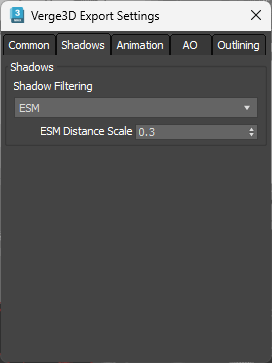
Also tried different shadow params in export settings.
Is there any setting that would let me go up to the needed max 14 spots ?Any idea ?
-
This topic was modified 6 months ago by NaxosCG.
"1+1=3... for large values of 1"
2026-03-15 at 3:36 am #86552 xeonCustomer
Happy to try and help but I am not sure of what your are asking.
I am not familiar with the term Fspots? What are you trying to do? If you are trying to create dynamic letters / strings…using the built in “create text object”?Xeon
Route 66 Digital
Interactive Solutions - https://www.r66d.com
Tutorials - https://www.xeons3dlab.com2026-03-15 at 9:51 am #86555NaxosCGCustomerFspot is freeSpot in 3dsmax : a simple spotlight with shadowmaps
I can’t use “create text object” as the letters will be modeled preciselly and are not from fonts.
Thing is that after 11/12 spots the application is unstable, with mesh faces missing and all those errors…
"1+1=3... for large values of 1"
2026-03-15 at 11:25 pm #86556xeonCustomerOk…not sure but I would chase down the problem by trying to isolate is it a character issue or if its an FStop issue. If you replace your text with simple cubes do they start to render poorly?
If so its seem it would be an FStop issue.There are problems with multiple lights… I have not experimented with cloning lights and what problems that would create but I could imagine it would create many especially since you are wanting to create shadow maps. Verge3D is very inefficient with one light so as you start to clone and multiply them…the problem would get worse.
For giggles…have you tried not cloning the lights and see how many Fstops you can get before having the same problem or if the problem doesn’t exist when you use non cloned lights?
The “create text object” puzzle allows you to specify a font…just have to store that font where V3D can access it. This can often be more performant because you can delete and create new objects as needed without retaining them in your model/scene.
Xeon
Route 66 Digital
Interactive Solutions - https://www.r66d.com
Tutorials - https://www.xeons3dlab.com2026-03-16 at 10:40 am #86573NaxosCGCustomerFinal letters have to be modelled, not fonts.
The errors come also when i export scene with more than 12 spots.But, the shadow map is not needed for this project, so maybe i can tel Verge3D not to render shawows, so it can be less heavy to render…
I’ll give a try
"1+1=3... for large values of 1"
2026-03-16 at 12:25 pm #86575 Alexander KovelenovStaff
Hi,
Shadows is exactly the reason why the crash happens. Each shadow map occupies a texture image unit in shader code, plus a few used for other purposes in the engine. Your system has 16 of texture image units so the amount of lights with shadows can be quite limited.
My advice is to disable shadows for most of these lights which you probably don’t need anyway.
2026-03-17 at 9:09 am #86613NaxosCGCustomerHi,
Shadows is exactly the reason why the crash happens.
My advice is to disable shadows for most of these lights which you probably don’t need anyway.Great to read too ! Thanks !
Hi,
Your system has 16 of texture image units so the amount of lights with shadows can be quite limited.Mmmh, in this project, i’ll have maximum 3 * 14 lettres, each comes with it’s own ORM + base color maps…
Will that be a problem ?"1+1=3... for large values of 1"
-
This topic was modified 6 months ago by
-
AuthorPosts
- You must be logged in to reply to this topic.