
Home › Forums › Graphics / Blender › Essential Material Pack
- This topic has 5 replies, 4 voices, and was last updated 3 years, 2 months ago by
 Alexander Kovelenov.
-
AuthorPosts
-
2023-06-08 at 10:03 am #64446
David Duperron
CustomerHi!
I’ve just purchased the material pack to speed up our material setup process, but I am facinf some issues…
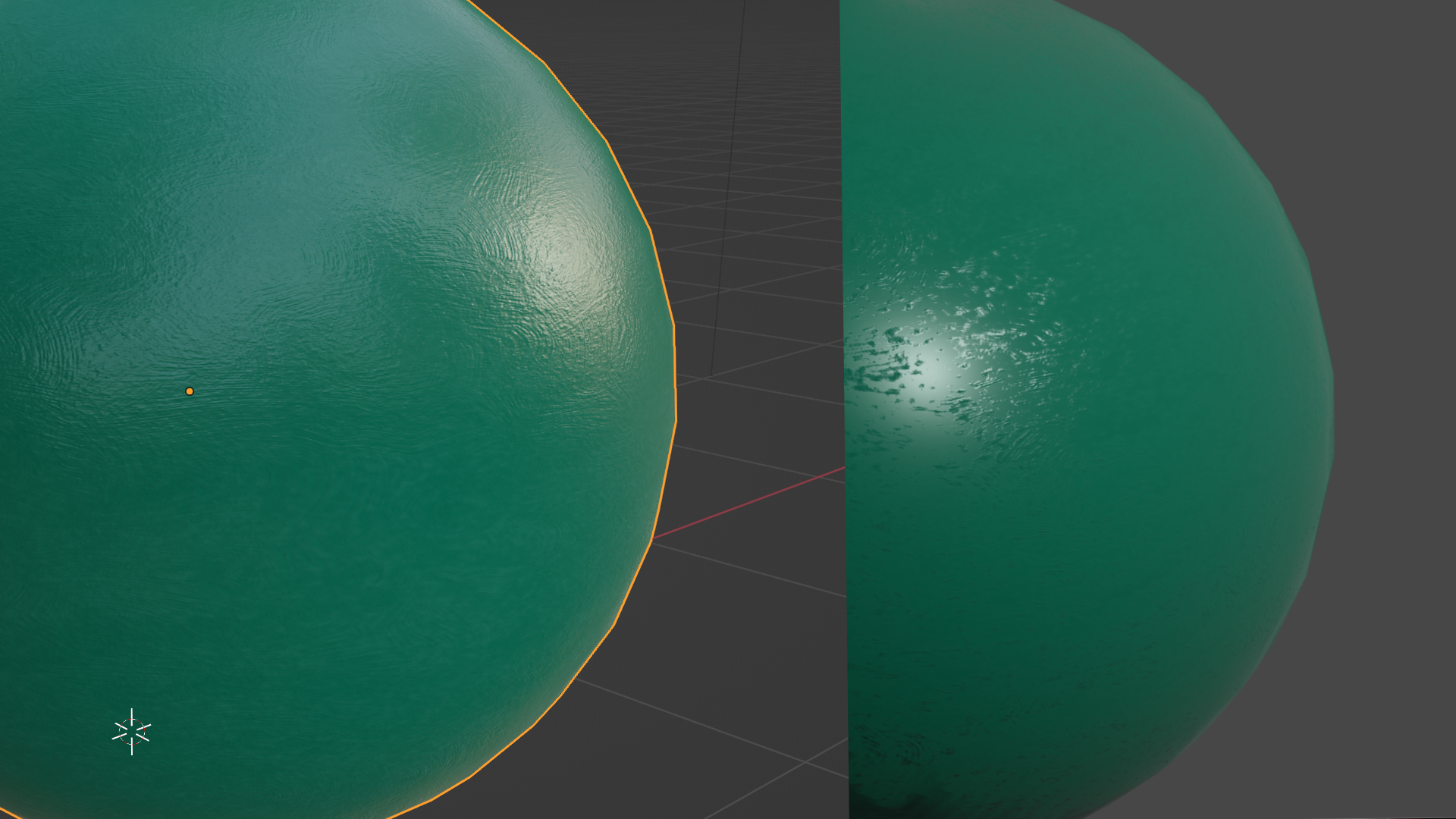
For example the oil_painted_wall material does not look the same at all in the Blender 3D preview (Eevee, which is very close to what I get when I click on the example provided on your product page ) and the sneak peak export. I use the example file to test it…
What am I doing wrong? Are there some specific parameters to check before the export? is the sneak peak limited in some way??
in the Blender UI:

Sneak Peak export:
 2023-06-08 at 1:40 pm #64449
 Mikhail LuzyaninStaff
Strange behaviour, can you give more information about the scene you export or may be attach the scene.
Co-founder and lead graphics specialist at Soft8Soft.
2023-06-11 at 5:53 am #64493 xeonCustomer
I am getting the same result with the same material.
Using Blender 3.5.1 V3D 4.3.1.
Default scene – delete cube.
Add UV sphereGet the exact result as shown.
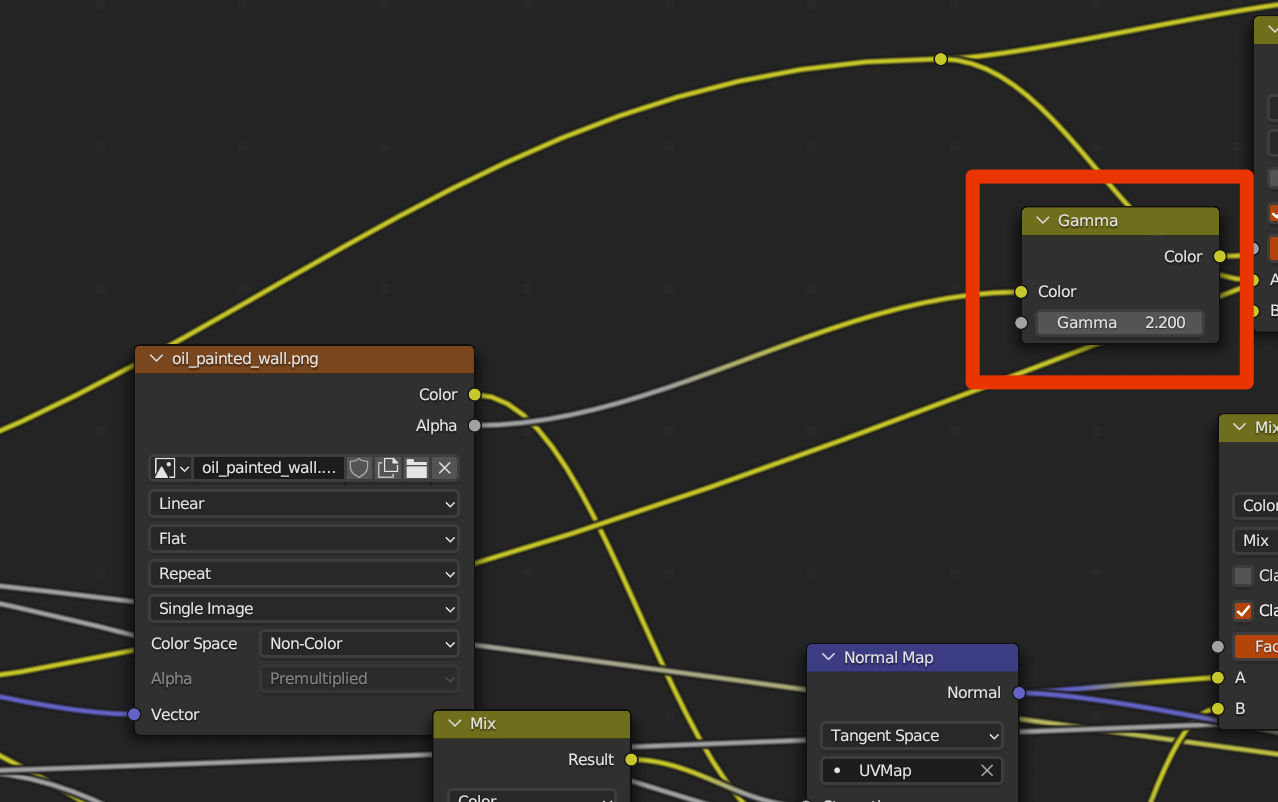
To achieve the results you see in the blender viewport you will need to remove the Gamma node shown here.
There seem to be some issues with many of the materials (cloth specifically) not being visually the same as they have been in the past. Probably since many of the nodes used have been updated since the material pack was released.
Xeon
Route 66 Digital
Interactive Solutions - https://www.r66d.com
Tutorials - https://www.xeons3dlab.com2023-06-13 at 8:55 am #64578CustomerHi Mikhail,
I use the exact example scene as it comes with the bundle (there is one blender file per material). No tweaking at all.
Thanks Xeon, I’ll try your solution!
CheersDavid
2023-06-13 at 1:49 pm #64579 Alexander KovelenovStaff
Hi all, thanks for sharing this!
Unfortunately, it has nothing to do with the Gamma node (just a coincidence). A workaround would be to set the alpha mode to “Straight” (never mind that it’s actually disabled).
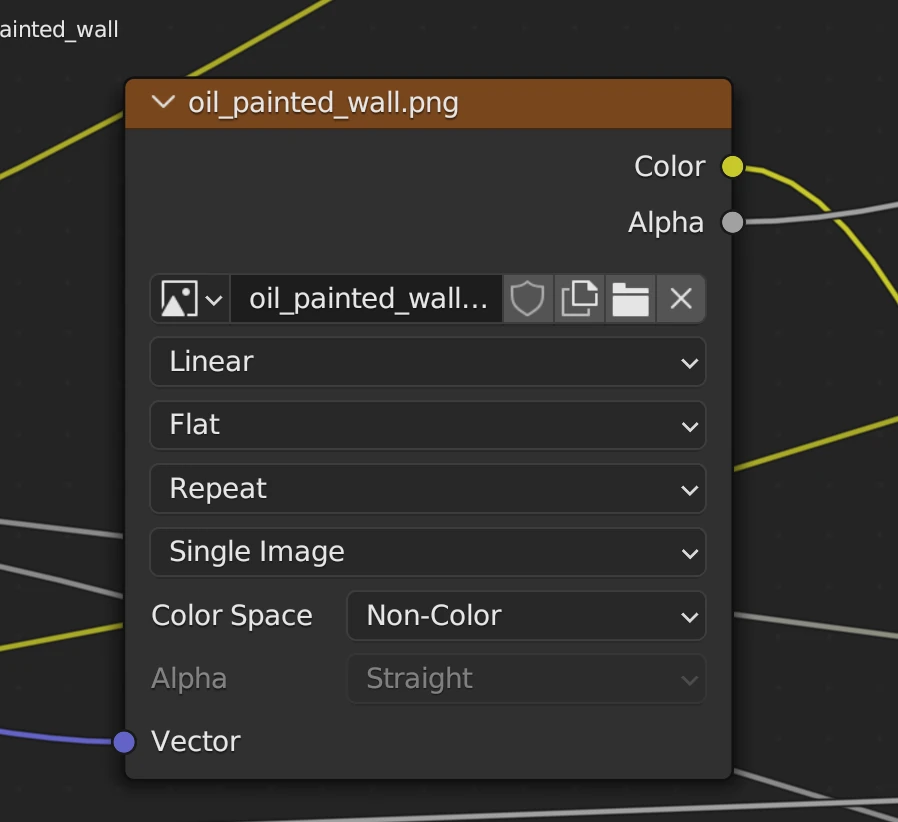
Meanwhile, the fix is coming in the upcoming preview build of Verge3D.
Attachments:
2023-06-22 at 12:35 pm #64785Alexander KovelenovStaff -
AuthorPosts
- You must be logged in to reply to this topic.