We use cookies to ensure that we give you the best experience on our website. If you continue to use this site we will assume that you are happy with it.

SOLVED: Play Verge3d app in web browsers from mobile devices using virtual keyboard?

Home Forums Puzzles SOLVED: Play Verge3d app in web browsers from mobile devices using virtual keyboard?

Viewing 2 posts - 1 through 2 (of 2 total)
  • Author
    Posts
  • #84880
    c4cc
    Customer

    As I have released my trial browser game, how do I activate keyboard/mouse for apps when the webpage is accessed on mobile devices like phones or tablets?

    do default puzzles for keyboard/mouse inputs also work when this webpage with app is accessed from a mobile device like phones or tablets?
    Will using feature available for android or mobile device enable keyboard inputs on such devices?

    • This topic was modified 2 months ago by c4cc.
    • This topic was modified 2 months ago by c4cc.
    • This topic was modified 1 month, 3 weeks ago by c4cc.

    FPS trialproduct 20.9.25 https://postimg.cc/gallery/LMM5vkQ/af43346e

    #84972
    c4cc
    Customer

    On second thought guys, as my recent updates now has such a feature here’s how I solved the problem ATM:

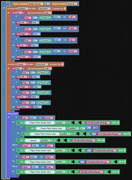
    puzzles for general movement mechanics
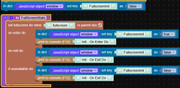
    puzzles/javascript to detect fullscreen mode triggered before game loads

    puzzles for general movement mechanics
    movement speed stats depending on fullscreen or not, for desktop. Only mobile devices fullscreen speed stats are here.

    Touchscreen controls for game screen

    The HTML/CSS interface in game screen:

    puzzles for game speed stats – normal window

    HTML controls for game window

    HTML

    CSS

    puzzles for game speed stats – normal window

    FPS trialproduct 20.9.25 https://postimg.cc/gallery/LMM5vkQ/af43346e

Viewing 2 posts - 1 through 2 (of 2 total)
  • You must be logged in to reply to this topic.