
- This topic has 3 replies, 2 voices, and was last updated 16 hours, 3 minutes ago by
 xeon.
xeon.
-
AuthorPosts
-
2026-04-10 at 2:15 pm #86911
 NaxosCGCustomer
Hello there, again ^^
Now i have a new issue :
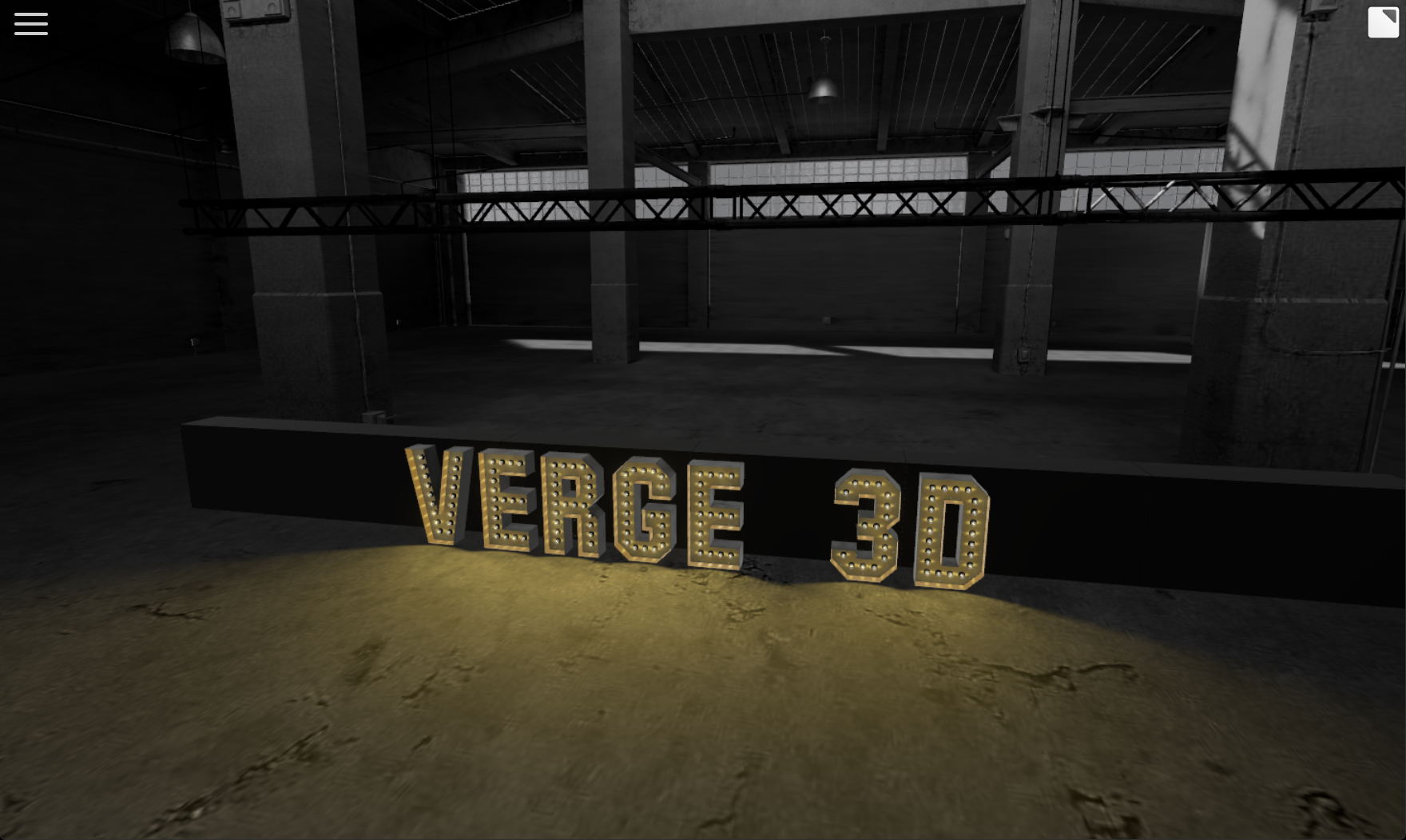
In the main gltf scene, i have a FreeSpot from 3dsmax (so standard spotlight)Each time i “append” a gltf scene (letters), i “parent / clone Fspot-001” to the fresh new appended object.
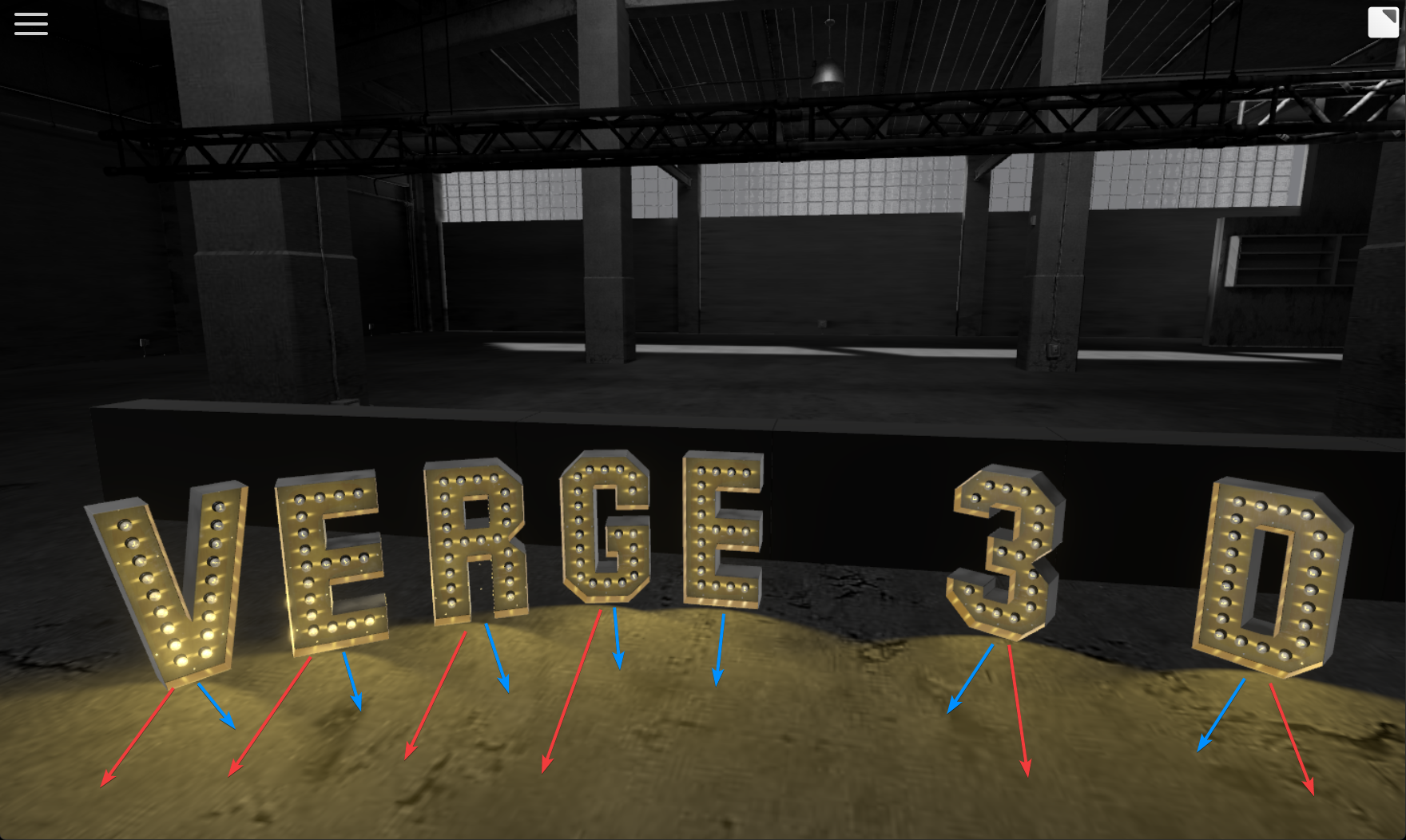
MoveDrag the appended object work well : the spot follows as it is parented to it, but DragRotate does not : the spot is still targetting at initial’s freeSpot target. It does not rotate the spot’s target (the spot follows the parent object, but not its target).Of course i tried several things :
– make the spot targetless : so within 3dsmax the spot is only oriented with rotation.
> this makes the spot in verge3D targetted to origin (0-0-0), and DragRotate does not work neither : always targetting towards origin.– tried to parent spot’s target to the spot, then parent spot to appended mesh
> same : DragRotate does not rotate the spot’s target– tried to create a group of Spot + target within 3dsmax,
> also not working : clone does not want to work with group or something.– tried to create a variable and set it to list of spot and spot target (as verge3d recognizes both in object list)
> not working– tried to create a dummy / point helper within 3dsmax, parent the spot+target to it, then parent this point to the appended mesh
> same no DragRotate– tied also to kind of force rotation with setting direction or rotation of the spot to the “get object’s rotation”.
> problem here is that the target or spot can be rotated, but as the spot always look at its target, it does not rotate it. It kinda rotate target on place, and spot still look at it.In 3dsmax, the spot’s target is quite far away, to prevent spots to focus all in the same close point, and give bad spots orientation.
Any idea ?
See screenshots for tests.
blue arrows : the rotation / direction spot should go
red ones : wher it goes : initial 3dsmax’s target locationAttachments:
"1+1=3... for large values of 1"
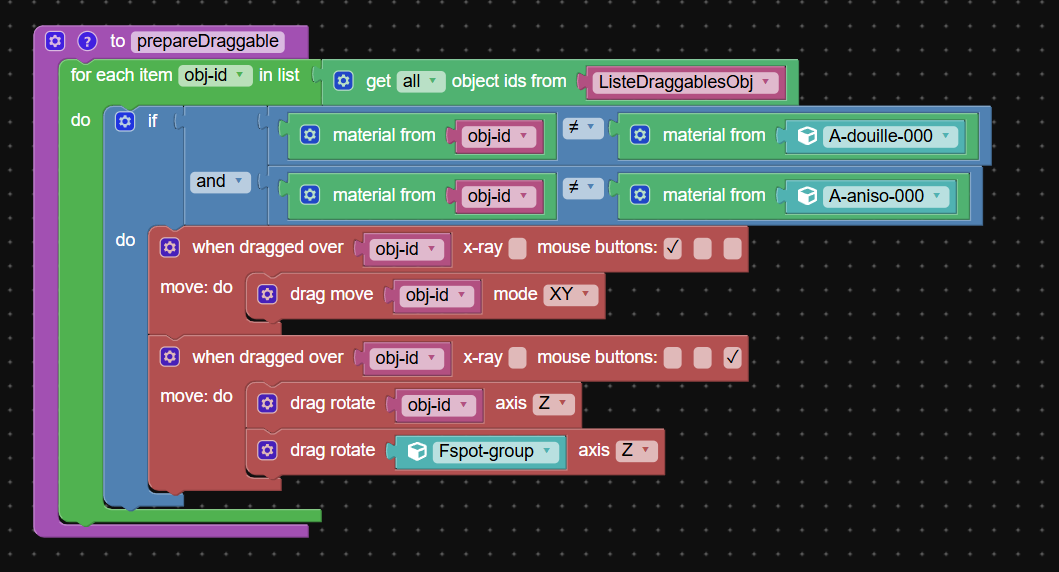
2026-04-10 at 2:39 pm #86915NaxosCGCustomerhere the puzzle i use : that procedure is triggered at the end of the append puzzle.
see attached.
"1+1=3... for large values of 1"
2026-04-10 at 4:30 pm #86918 xeonCustomer
I have been watching your progress on this and was wondering about the overall approach.
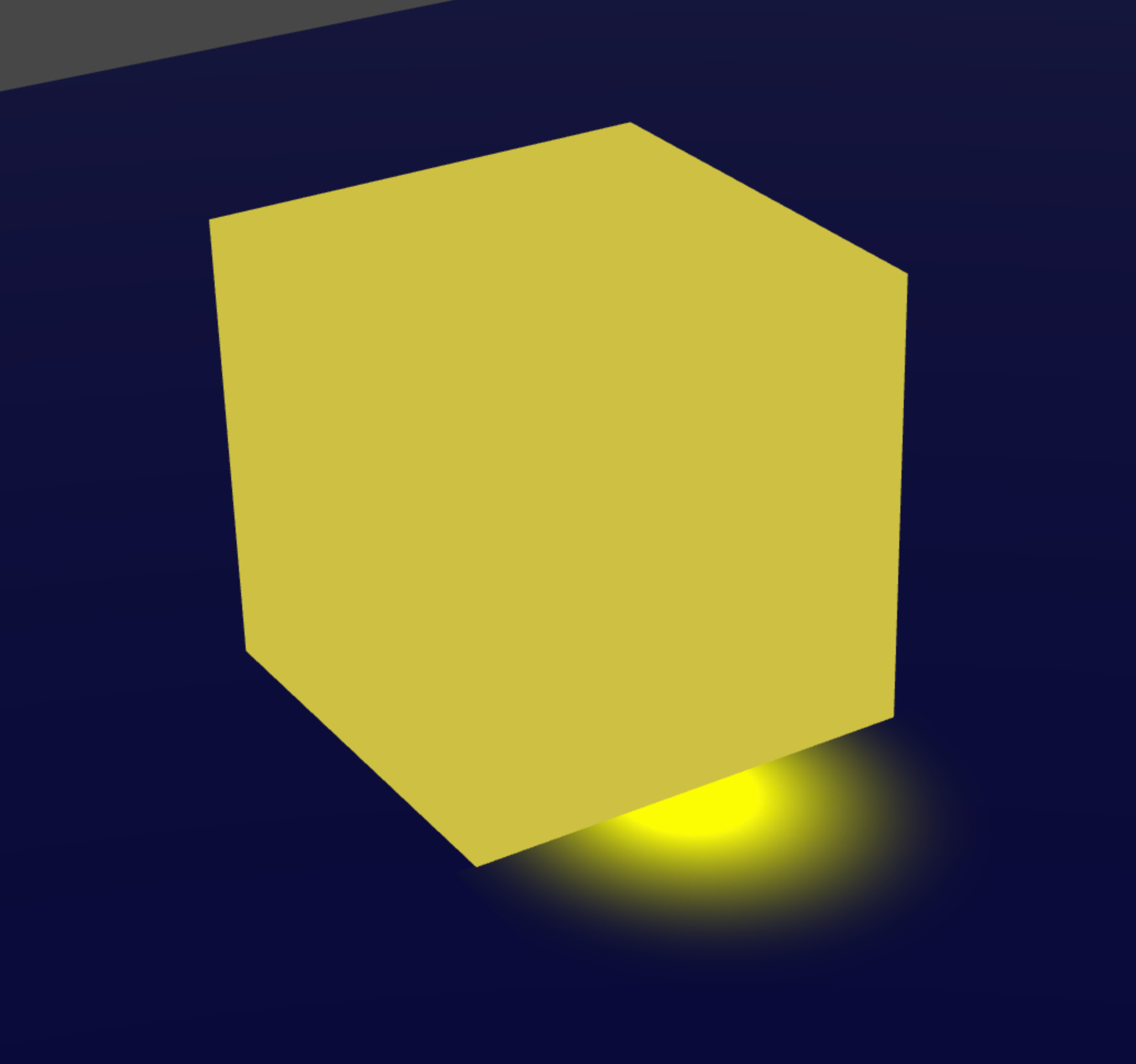
For me … at least I try to do everything I can to not have lights. The more lights the worse V3D performance gets. With that in mind…I would not attach lights to the objects…I would create an image plane and attach it to each letter object. The image plane would be a transparent floor glow of what the lights are doing…. eliminating the need for lights.This is a quick example…but you could then add multiple spotlight effects to the image plane…maybe even animate the brighness/flicker…with no cost to performance not to mention since it would be part of the letter it would rotate correct.
I also was trying to figure out the advantage of loading a new GLTF each time a character is requested. I am assuming you are creating a list of letters that have been called and then each time a new letter is requested going to the list and just cloning that new letter vs appending another copy. Given this, and the shape of our custom text characters…you should be able to keep it all in memory and not need to worry about appending at all…just clone what you need.
Obviously I do not know the full parameters of your project but just seems so far like maybe all the issues could be avoided.
Attachments:
Xeon
Route 66 Digital
Interactive Solutions - https://www.r66d.com
Tutorials - https://www.xeons3dlab.com2026-04-10 at 5:23 pm #86920xeonCustomerIn your puzzles it seems the two drag events require different mouse buttons? Is that intentional? It might work if they use the same mouse button?
Xeon
Route 66 Digital
Interactive Solutions - https://www.r66d.com
Tutorials - https://www.xeons3dlab.com -
AuthorPosts
- You must be logged in to reply to this topic.