
- This topic has 10 replies, 4 voices, and was last updated 2 months, 1 week ago by
 visualizer.
-
AuthorPosts
-
2025-12-24 at 9:13 am #85845
 NaxosCGCustomer
Hello there !
Is there simple anyway to get dimensions shown dynamically on the 3D ?
I’m about to start a new project, where we will enter letters (don’t know how yet), and put 3D big letters onto the 3D floor.
If letters would have been side by side, it would have been easy to calculate total width and create a 3D text or so.
But the user will have the possibility to drag&move each letter, so he can put some a bit in front of another to save space. So i would need :
– get the minimum X value of all 3D object in a list
– get the maximum X value in this list
– show a nice arrow with some text on it.
– align arrow / line with the group of letters.About the arrow, i guess i can simply create a flat cube at the right size but how to place it alogned with the letters ?
Any idea ? tutorial link would help.
Best regards.
"1+1=3... for large values of 1"
2025-12-24 at 12:53 pm #85851 Alexander KovelenovStaff
Hi,
You can use the get object dimension puzzle to retrieve the size of individual letters. If the object origin of the letter is located at its center, you just need to decrease (to get min X) or increase (to get max X) the origin X coordinate by a half of letter size. Minimal value of all letter’s X-es will give you the left side of the entire text, while maximum value of all letter’s X-es will give you the right side of the text.
Hope this helps!
2025-12-24 at 3:49 pm #85858NaxosCGCustomerIt did help !
Many thanks"1+1=3... for large values of 1"
2025-12-25 at 8:16 am #85868Alexander KovelenovStaff2026-01-05 at 8:20 am #85924 PandernCustomer
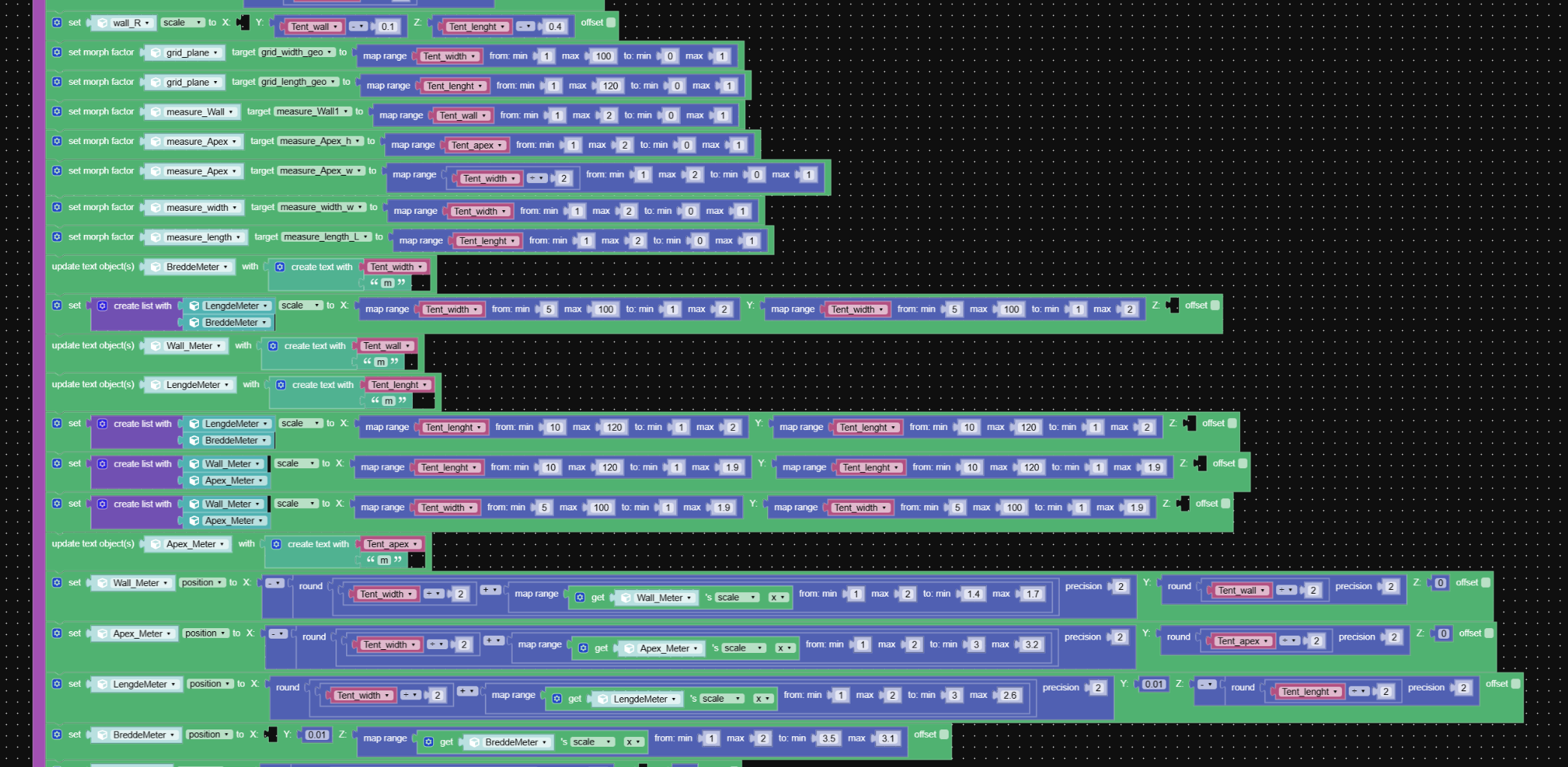
I made this:
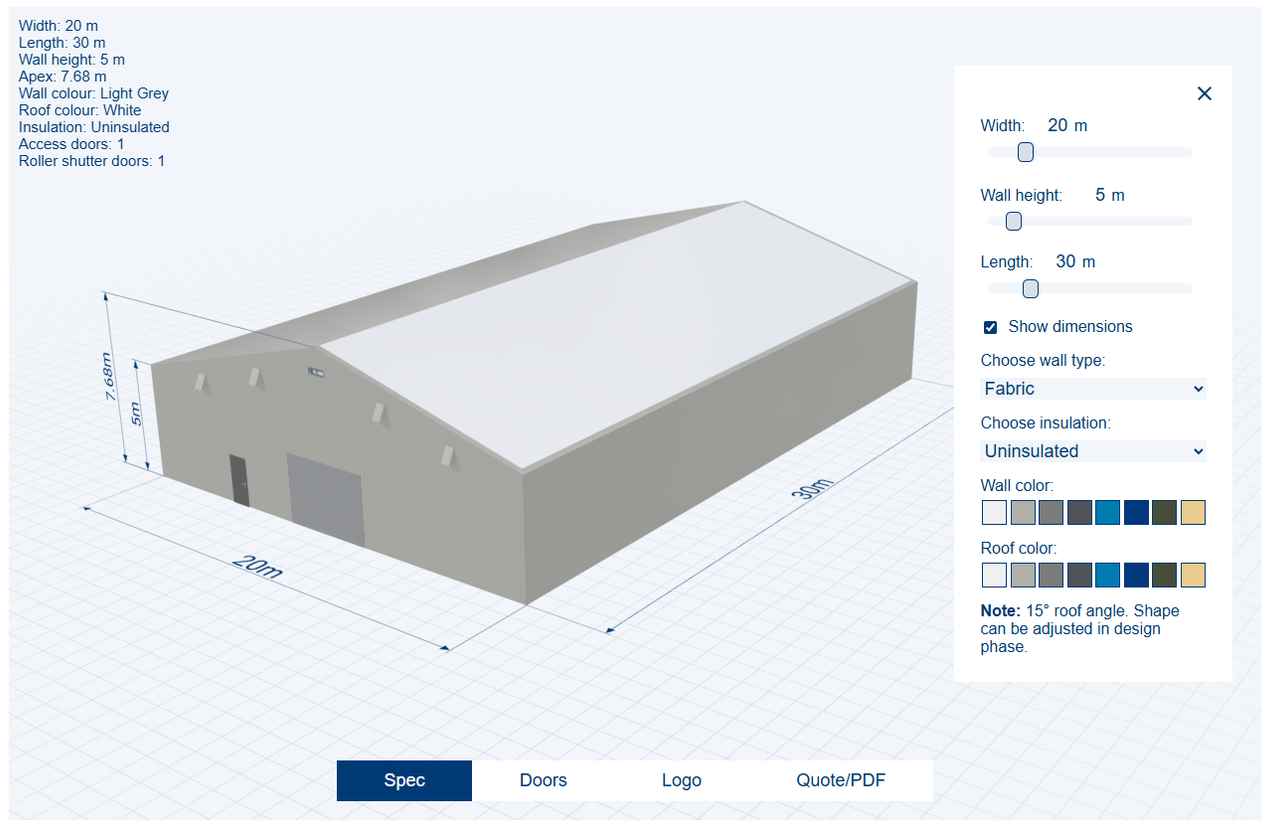
…and I can maybe give you some tips on how to do the arrows.
After some testing, I landed on using morphing for the lines and arrows. (and for a lot of other things in the configurator). The morph goes from 1m to 2m and remapped in puzzles with
map rangeto 0 – 1 with the dimension from the tent/hall as input.I used scaling on the text when the tent/hall is scaled up/down. Also done with
map range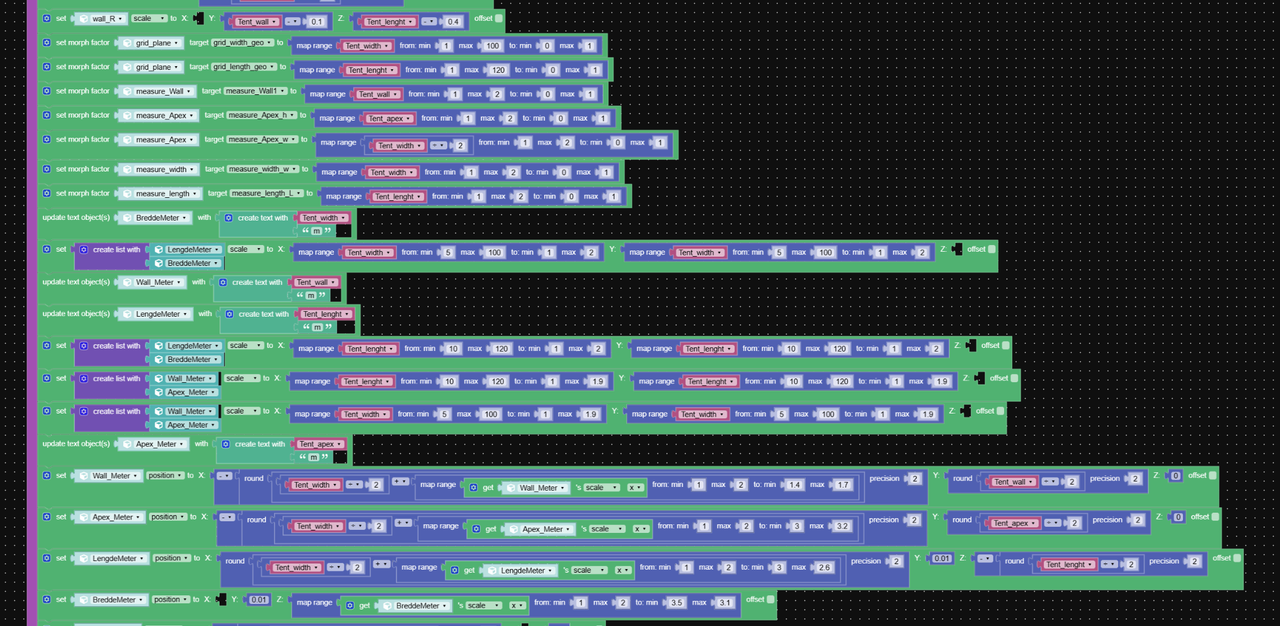
Attachments:
2026-01-06 at 7:21 am #85940 visualizerCustomer
Pandem
The arrow heads & dimension line appearance are tecnically vry nice looking.How did you get the arrow heads? Did you use head elements as seperate object / entity?
-
This reply was modified 2 months, 4 weeks ago by visualizer.
2026-01-06 at 9:32 am #85942NaxosCGCustomerMany thanks, Pandern,
I’ll try to figure out the method. So you created a morpher for lines+arrows, from 1m to 2m, then use a map range to get the right morpher percentage, right ?Just why 1m to 2m, i don’t get it. I would have go from minimum wall width to maximum wall width, but i’m not really coder guy.
"1+1=3... for large values of 1"
2026-01-09 at 8:14 am #85965PandernCustomerVisualizer
It is very simple geometry. One object with 5 separate meshes:
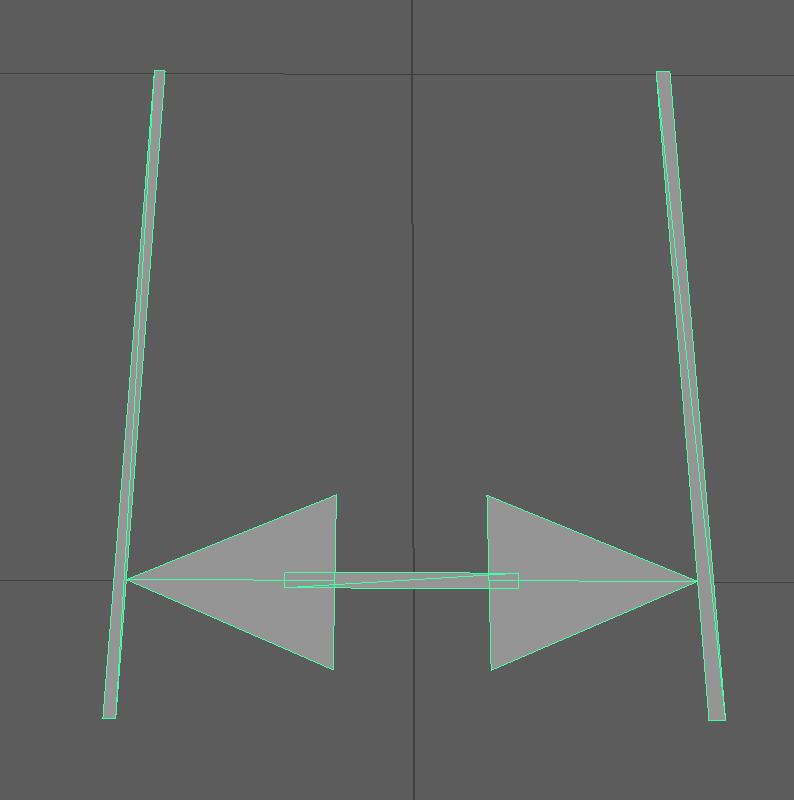
-
This reply was modified 2 months, 3 weeks ago by
 Pandern.
2026-01-09 at 8:30 am #85966PandernCustomerNaxosCG
Yes, you are correct, it would be easier to just use minimum/maximum wall width. I did that width the grid plane as you can see in the puzzles at the top of the previous image.
In this case the configurator is used on 7 different sites in different languages and limits on max length/width. The input value is in meters and morphing is an additive prosess, so i found it easier to do it in meters.
https://www.renthall.co.uk/3d-designer/
https://obwiik.com/3d/
https://rubb.no/3d-generator/all uses the same verge3d files, but with added config files that changes settings and ui according to domain.
2026-01-10 at 8:46 am #85969NaxosCGCustomerNice one, clever one !
"1+1=3... for large values of 1"
2026-01-28 at 11:18 am #86060visualizerCustomerVisualizer
It is very simple geometry. One object with 5 separate meshes:
Right, overall you nicely arranged it.
-
AuthorPosts

- You must be logged in to reply to this topic.