
- This topic has 6 replies, 2 voices, and was last updated 8 months, 4 weeks ago by
 c4cc.
c4cc.
-
AuthorPosts
-
2025-12-17 at 9:49 am #85732
 c4ccParticipant
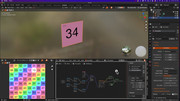
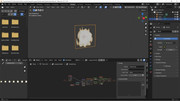
I need puzzles for a spritesheet’s keyframe/value to jump to another when the first is a certain value/keyframe.
e.g, at keyframe 9 with its combine xyz value, switch to keyframe 3 and its combine xyz value
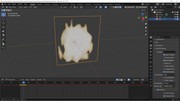
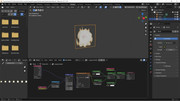
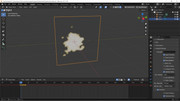
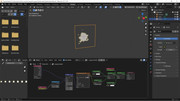
How do I get the spritesheet value? It’s missing

I also tried this tutorial, at 9:2, but I don’t see how to change the input values at groups
Attachments:
FPS trialproduct 20.9.25 https://postimg.cc/gallery/LMM5vkQ/af43346e
2025-12-17 at 5:22 pm #85735 xeonCustomer
So many things to try to answer and understand from your post.
1. The sprite sheet “value” missing is because you were creating a puzzle without the texture having been loaded in the scene. The zip file you provided works and you can select the value and it will not show up red.
2. ” but I don’t see how to change the input values at groups”. What do you mean by at “groups”?
Xeon
Route 66 Digital
Interactive Solutions - https://www.r66d.com
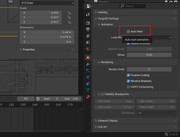
Tutorials - https://www.xeons3dlab.com2025-12-17 at 6:16 pm #85736xeonCustomerSince you seem to want frame control..you will have to turn off Auto Start for the material and then control the material animation in puzzles.
Xeon
Route 66 Digital
Interactive Solutions - https://www.r66d.com
Tutorials - https://www.xeons3dlab.com2025-12-17 at 6:41 pm #85737c4ccParticipant” but I don’t see how to change the input values at groups”. What do you mean by at “groups”?
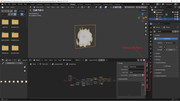
This “group” with Node, View, etc, at the shader tabsFPS trialproduct 20.9.25 https://postimg.cc/gallery/LMM5vkQ/af43346e
2025-12-17 at 8:01 pm #85738xeonCustomertry this:
https://v3d.net/1e44Blend file and V3D project file.
It allows you to control the speed of the animation by setting the timer duration and then you can use the value of the sprite cels to cause an action. I just had it print to console but you can do anything.
The problem I had with your file were:
1. the sprite sheet was not a power of two. This made it very difficult for V3D and Blender to produce values that you could use to trigger an event using logic puzzles. Using a power of two sprite sheet gives you values you can use. I remapped your sprite sheet to a 256×256 pixel image in a 4×4 grid.2. resized your plane object to 1:1
3. reset UV to be 1:1
Then all the math works

Xeon
Route 66 Digital
Interactive Solutions - https://www.r66d.com
Tutorials - https://www.xeons3dlab.com2025-12-18 at 6:32 am #85740c4ccParticipantSince you seem to want frame control..you will have to turn off Auto Start for the material and then control the material animation in puzzles.
Thanks, this actually worked for the object with that spritesheet
FPS trialproduct 20.9.25 https://postimg.cc/gallery/LMM5vkQ/af43346e
2025-12-18 at 6:35 am #85741c4ccParticipanttry this:
https://v3d.net/1e44Blend file and V3D project file.
It allows you to control the speed of the animation by setting the timer duration and then you can use the value of the sprite cels to cause an action. I just had it print to console but you can do anything.
The problem I had with your file were:
1. the sprite sheet was not a power of two. This made it very difficult for V3D and Blender to produce values that you could use to trigger an event using logic puzzles. Using a power of two sprite sheet gives you values you can use. I remapped your sprite sheet to a 256×256 pixel image in a 4×4 grid.2. resized your plane object to 1:1
3. reset UV to be 1:1
Then all the math works
Thanks, really appreciate and recognize the effort you went into to set up this. I’ll definitely look this up, I need to learn this more
FPS trialproduct 20.9.25 https://postimg.cc/gallery/LMM5vkQ/af43346e
-
AuthorPosts
- You must be logged in to reply to this topic.