Home › Forums › Bug Reports and Feature Requests › Bug – Camera zoom in/out glitch when changing camera parameters via puzzles
- This topic has 3 replies, 2 voices, and was last updated 4 years ago by
xeon.
-
AuthorPosts
-
2022-05-22 at 12:50 pm #52242
nitromouse
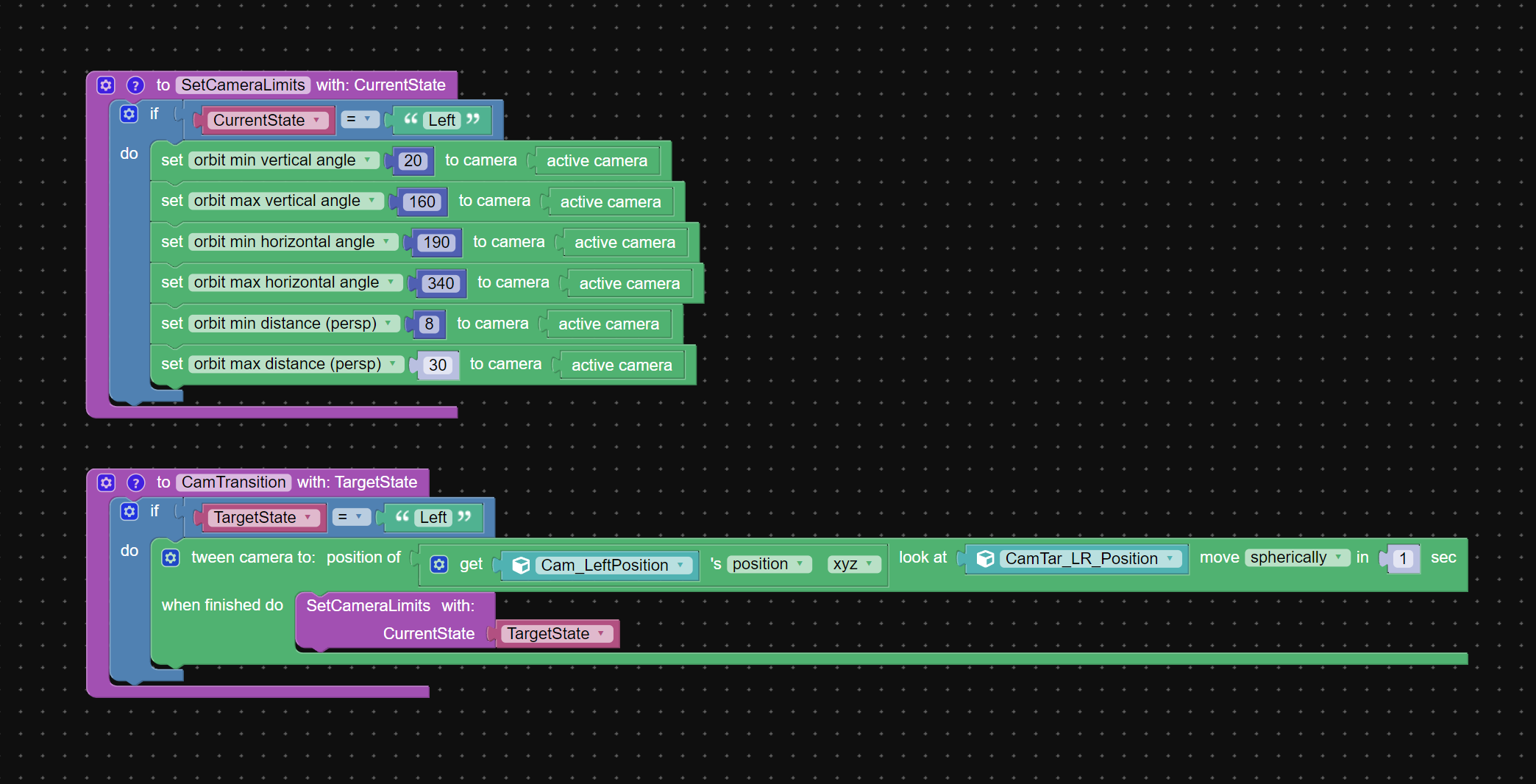
CustomerTask: Tween camera position via puzzles and when finished
change camera parameters
– set Orbit min vertical angle : 20
– set Orbit max vertical angle: 160
– set Orbit min horizontal angle: 190
– set Orbit max horizontal angle: 340
– set orbit min distance(persp): 8
– set orbit max distance(persp): 30Problem(bug): Zoom via mouse scroll makes camera glitchy: camera suddely changes position, zoom in stops working, zoom out is too fast or not respoding. Glitch is how I would describe this behaviour
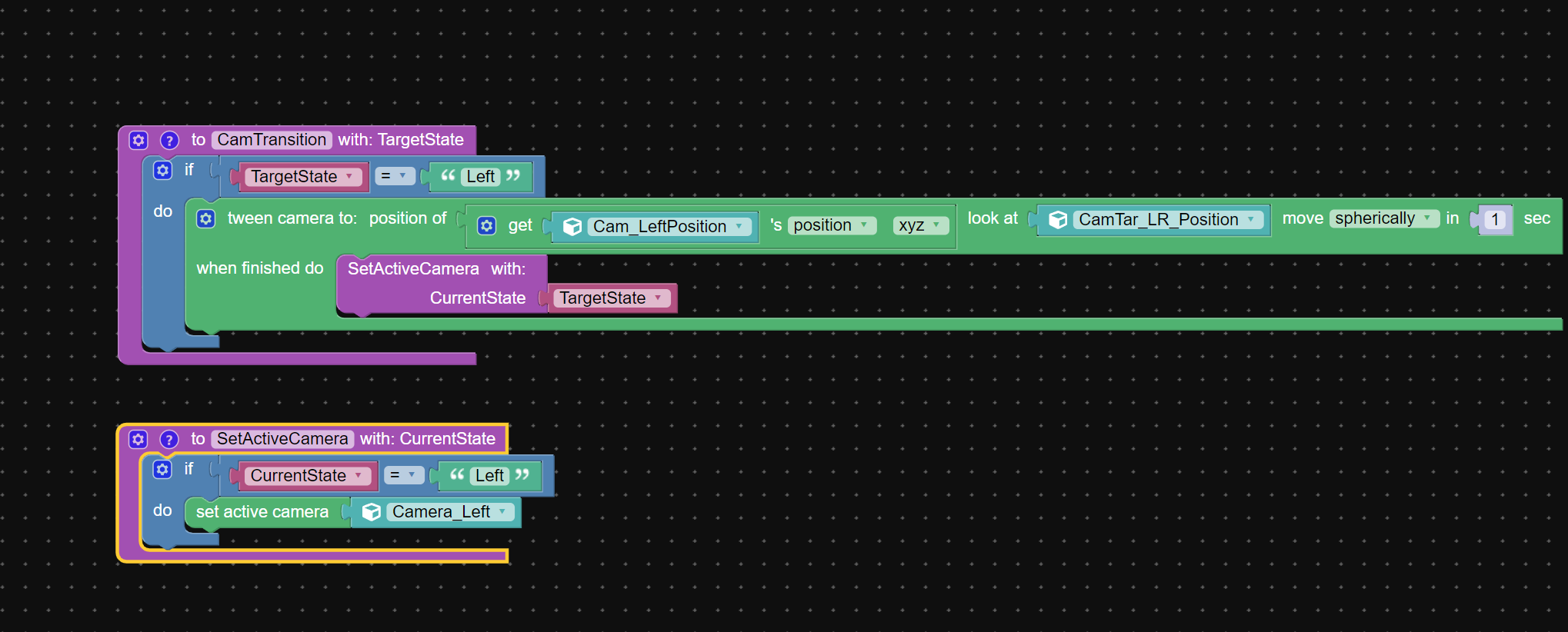
Work around:
The only way I could fix this is by changing active camera to one with desirable parameters at the end of camera tween animation2022-05-22 at 3:57 pm #52261
xeonCustomerI use the switch cameras as well. It really depends on the application you are building and what you are trying to accomplish.
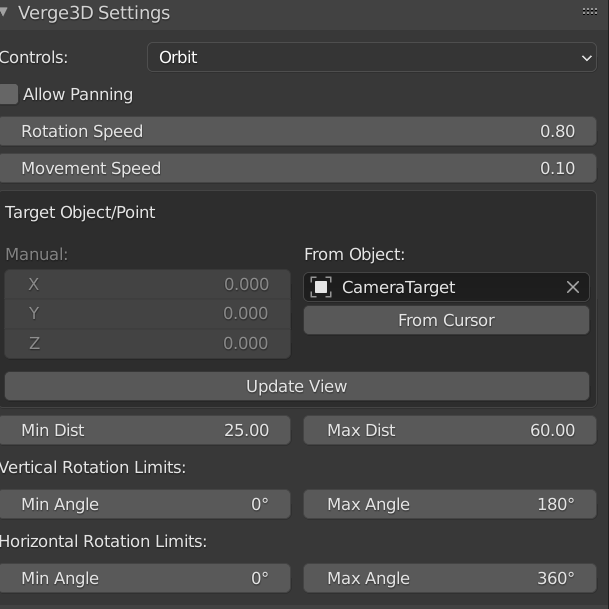
The following is a guess as to why this happens: I think its a function of your camera limits set by min and max distance. This really is a guess.
You may want to change your orbit max and min distance first.
Your camera is limited by its initial min and max. It will stop at the the limit and then when you switch cameras bounce to the limits of the new camera. However, if those limits overlap and the camera is inside the overlapping regions it shouldn’t bounce.As a suggestion, I would start my puzzles with the camera limit change before adjusting any other parameters.
good luck
Xeon
Route 66 Digital
Interactive Solutions - https://www.r66d.com
Tutorials - https://www.xeons3dlab.com2022-05-22 at 8:23 pm #52266nitromouse
CustomerThanks xeon!
Yes, I understand these intersections of limits. But my problem occurs when I use only one camera when I start to change its limits and then zoom starts to do crazy things)
I’m glad that at least I have found a work around2022-05-22 at 10:19 pm #52267
xeonCustomerPerhaps you might consider dollying camera position to scroll input rather than zoom/fov?
Xeon
Route 66 Digital
Interactive Solutions - https://www.r66d.com
Tutorials - https://www.xeons3dlab.com -
AuthorPosts
- You must be logged in to reply to this topic.