Home › Forums › General Questions › Cannot convert .dwg to .gltf/glb in 3ds Max
- This topic has 9 replies, 2 voices, and was last updated 5 years ago by
Mikhail Luzyanin.
-
AuthorPosts
-
2021-03-11 at 9:21 am #39346
lorenzovonmatterhorn
ParticipantI’m no CAD/3D modeling expert: I’m trying to convert this (see attachment) 3D CAD .dwg model I found on the web to .gltf/glb so I can use it.
The model shows up in 3ds Max and gets converted by Verge3D with no error but the 3D model doesn’t even show up in sneak peek feature.
Any tips on how to import/export it?2021-03-11 at 9:27 am #39348
Mikhail LuzyaninStaffThe model shows up in 3ds Max and gets converted by Verge3D
What do you mean under converted by Verge3D if you say before that you can’t export it to gltf? Can you share the max file?
Co-founder and lead graphics specialist at Soft8Soft.
2021-03-11 at 9:33 am #39349lorenzovonmatterhorn
ParticipantWhat I mean is the conversion ends and no error is thrown but the model doesn’t appear in the sneak peek feature and in other software like Blender.
Thank you for your fast reply.
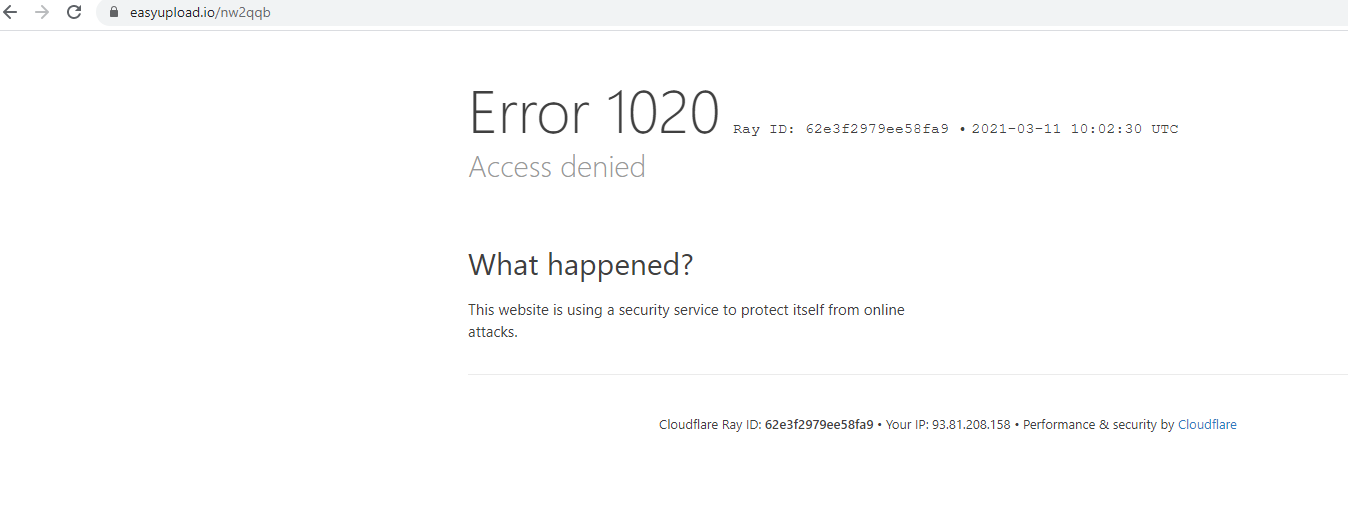
Here is the model: https://easyupload.io/nw2qqb2021-03-11 at 10:03 am #39355
Mikhail LuzyaninStaffCan you reupload it, strange error.

Attachments:
Co-founder and lead graphics specialist at Soft8Soft.
2021-03-11 at 10:07 am #39358lorenzovonmatterhorn
ParticipantAttachments dont work for me :(
https://www.file.io/download/kg2nWYr2rwLx2021-03-11 at 10:25 am #39372
Mikhail LuzyaninStaffAttacmet for file less than 5 mb.
Again:

Attachments:
Co-founder and lead graphics specialist at Soft8Soft.
2021-03-11 at 10:33 am #39376lorenzovonmatterhorn
ParticipantOh my God lol
, sorry i think i didnt read the terms on the sitehttps://www.file.io/download/4FvkAQjSXTnC
https://file.io/OkoIS78fwKtA
https://file.io/4v8H6c7KLln9Now this time it must work!
2021-03-11 at 11:14 am #39380
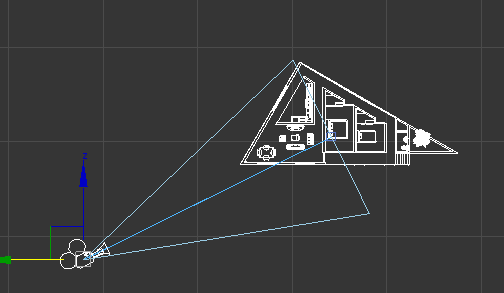
Mikhail LuzyaninStaffOk, I get it. It happens because when you imported the object it placed somewhere far from the center of the scene, but camera look always (orbit camera type) in the center of the scene by default. So just place the object in the center of the scene after import or create a camera near the object like this:

Attachments:
Co-founder and lead graphics specialist at Soft8Soft.
2021-03-11 at 1:16 pm #39389lorenzovonmatterhorn
ParticipantNOW IT WORKS!!!
THANK YOU SO MUCH!
2021-03-12 at 5:51 am #39408
Mikhail LuzyaninStaff
Co-founder and lead graphics specialist at Soft8Soft.
-
AuthorPosts
- You must be logged in to reply to this topic.