
Home › Forums › General Questions › Is USDZ Stack Transparency Really Weird?
- This topic has 5 replies, 3 voices, and was last updated 5 months, 1 week ago by
 mOnz.
mOnz.
-
AuthorPosts
-
2025-09-23 at 2:15 am #84755
 mOnzCustomer
Hey folks, is USDZ transparency really that weird?

I’ve tried fixing the transparency on my haircards, but it looks like stacked transparency just isn’t supported in USDZ. Anyone know a workaround?
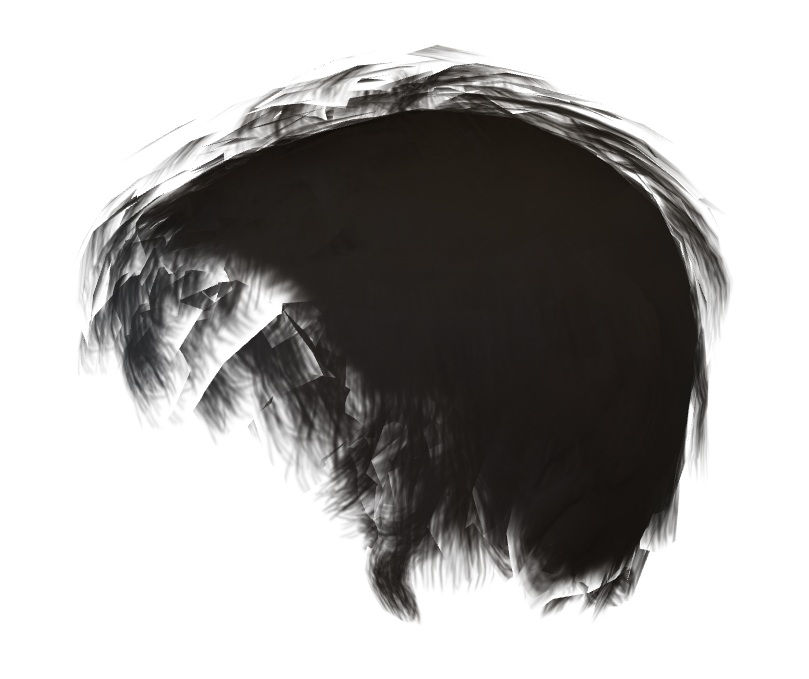
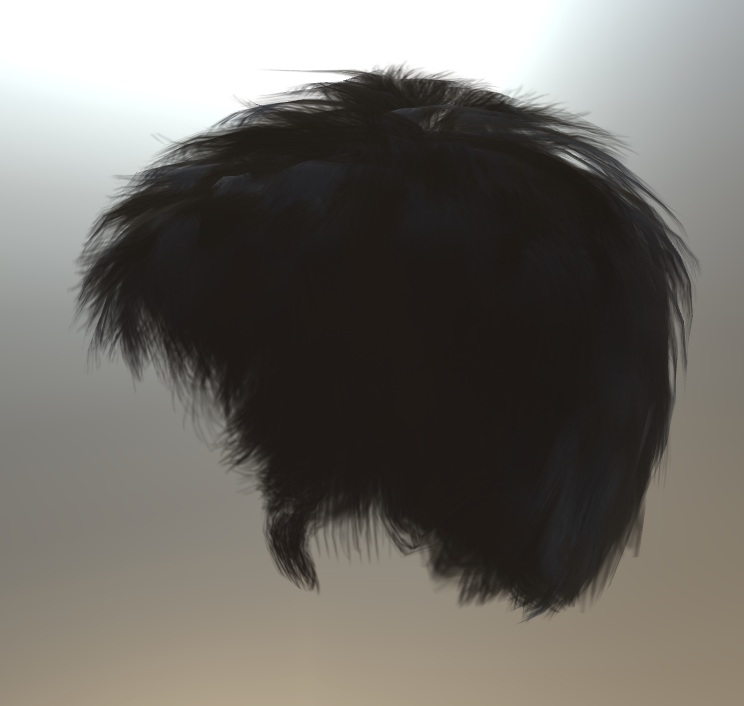
Below are the images showing the comparison between USDZ and GLB formats.
Thank You!
2025-09-23 at 1:50 pm #84759 Alexander KovelenovStaff2025-09-28 at 9:28 am #84822mOnzCustomer
Hi Alex, yes…
I missed a bit, I want to create a character with Haircard for AR (Android & Apple).The first image is rendered in Apple Quick Look (usdz), and the second is in glb/Android or Verge3D format.
2025-09-28 at 2:35 pm #84823 xeonCustomer
The two ar systems you are comparing are very different. Color space, lighting and how textures are processed {alpha too}. They are so drastically different that the only way I have found to make them look the same is to build all my textures twice… once for Webxr and once for Quicklook.
There are two choices then. Just save the USDZ with the desired textures in the model in your project, if the model is not user customizable, or switch all materials prior to usdz export.
If the folks at Soft8soft have a better solution… can’t wait to hear it.
Xeon
Route 66 Digital
Interactive Solutions - https://www.r66d.com
Tutorials - https://www.xeons3dlab.com2025-09-28 at 2:43 pm #84824xeonCustomerForgot to mention… you may want to consider building a separate model in your favorite 3D app, exporting as usdz and insure you get the textures right without getting V3D involved. Then bring your final model and textures into V3D and check results and tweak as needed. This is what we have found gives us the best results.
Xeon
Route 66 Digital
Interactive Solutions - https://www.r66d.com
Tutorials - https://www.xeons3dlab.com2025-09-29 at 5:54 am #84827mOnzCustomerYes. I did create the model in two formats: .usdz and .glb for each AR platform (Android and Apple). For the usdz format, I’m still investigating the hair card transparency issue. It seems there’s a limitation to the usdz format itself.
I’ll try another method later.
-
AuthorPosts
- You must be logged in to reply to this topic.