
Home › Forums › General Questions › Layer independent lighting
- This topic has 6 replies, 3 voices, and was last updated 1 year, 1 month ago by
 QiangGe.
-
AuthorPosts
-
2025-08-21 at 8:38 pm #84230
adamabr
CustomerI’m curious if anyone has successfully managed to divide their V3D apps into different layers so that they can use different lights and cameras for each scene. The point of this would be to get artistic control over the layers. Currently, every object shares the same lights and camera. It would be very convenient to be able of creating a UI layer that has its own environment map and lights. I’ve found that 3D UI elements can be tricky (shaded ones) as the lights change as you move your camera around. Sometimes they look good, other times bad.
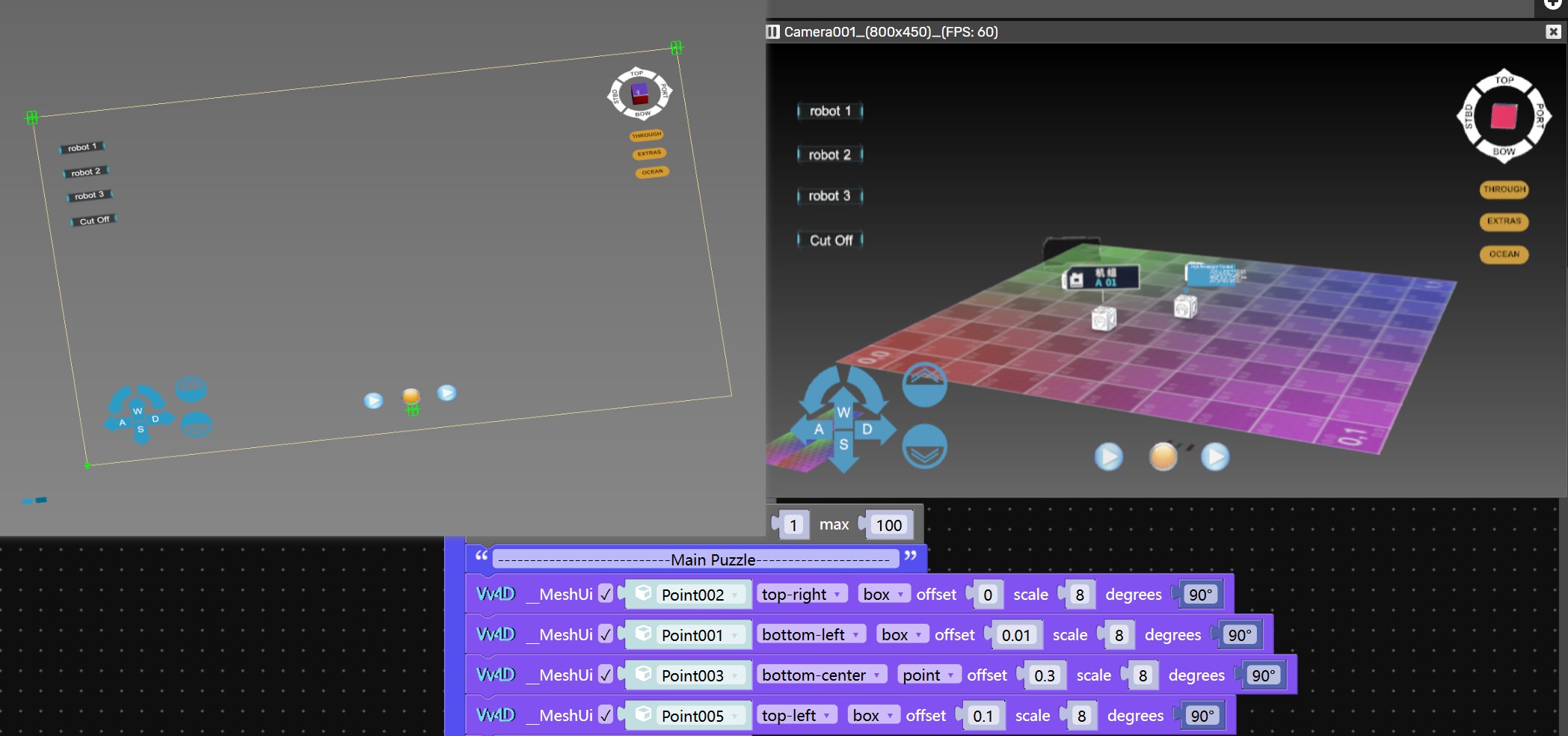
I have managed to combine two separate V3D app instances that communicate with each other over Post Message commands. It almost works all the way but the issue is that I can’t reach the layer underneath. We’d have to do some sort of DOM tunneling for that to work fully. Also it might cause more GPU load than one scene.
So I’ve been thinking if there is any other way. It would be perfect if there was some sort of render layer approach one could use inside of one app.
Appreciate any thoughts on this.
Thank you!
Adam's Verge3D Tools:
GitHub2025-08-21 at 9:44 pm #84231Customer2025-08-24 at 9:36 am #84261 Alexander KovelenovStaff
Hi,
This feature is kinda tricky to support, but can be done easily with JavaScript (see the layers api).2025-08-25 at 12:59 am #84263 QiangGeParticipant
After testing, using the “MeshBasicMaterial” method made it very simple to solve. That is, in 3ds Max’s glTF material extension panel, just check the “Unlit” option.
demo2025-08-25 at 4:57 pm #84271CustomerThank you for the responses Alexander and QiangGe.
The layers method is very interesting, I’ll check it out.
Using the MeshBasicMaterial method would work for certain use cases but in my case I want reflections etc in my UI layer but it should be separate from the world layer.
I’ll report back with what I find working.
Adam's Verge3D Tools:
GitHub2025-08-26 at 7:28 pm #84294CustomerMain Problem
The main challenge is that the main menu is currently part of the 3D scene, which introduces multiple issues:
-
[*]Clipping: UI elements can intersect with 3D objects in the scene.
[*]Camera Parenting: Switching cameras requires complex setups with constraints.
[*]Lighting: UI inherits inconsistent lighting from the main scene.
[*]Scene Clutter: UI elements make the main scene harder to manage.
[*]Background Separation: The UI lacks visual separation from the background, reducing clarity.Issue-Specific Solutions
Clipping
-
[*]Disable Depth Test: In material settings, disable depth testing so UI elements always render on top.
[*]Render Order: In object settings, set render order to a higher value so the UI renders after all other objects.
[*]Alternative Approach: Keep UI objects very small and close to the camera compared to the rest of the scene.Camera Parenting
-
[*]Use a second camera with rotation and position synchronized to the active camera—no constraints required.
Lighting
-
[*]Assign a separate IBL (Image-Based Lighting) for menu objects.
[*]Use layers so UI objects are lit only by specific lights (requires render passes).Scene Clutter
-
[*]Load UI as a separate GLTF file. This preserves full control while keeping the main Blender file cleaner.
Background Separation
-
[*]A layer setup is required to blur or darken the background behind the UI.
[*]As a simpler alternative, use a low-opacity plane behind the UI for visual separation (no true blur).Comparing Layering Solutions
1. Two Separate Apps
Pros
-
[*]Full independent control over visuals
[*]No clipping issues
[*]No camera parenting complexity
[*]Two puzzle editors for cleaner logic separation
[*]Cleaner separation in the Blender file
[*]Ability to apply HTML-based blur between apps
[*]Clear structural organizationCons
-
[*]Two separate app instances increase performance cost
[*]Requires communication between apps
[*]Cannot access the app underneath when the overlay is showing (possible workaround via DOM tunneling)
[*]Two puzzle editors increase complexity2. One App, Two Render Passes, Two Layers
Pros
-
[*]Unified puzzle editor keeps logic simple
[*]No clipping issues
[*]No camera parenting complexity
[*]Supports two cameras without moving the IBL
[*]Allows world pass blur for background separation
[*]Template-based setup reduces initial work
[*]Both layers are accessible for raycasting, enabling HUD-style UI elementsCons
-
[*]Additional render passes come with a performance cost, though likely smaller than running two apps
3. One App, One Render Pass, Two Layers
This approach did not produce the desired results.
Cons
-
[*]The stock engine does not allow separating lights in this way
Adam's Verge3D Tools:
GitHub2025-08-27 at 1:18 pm #84305 -
AuthorPosts

- You must be logged in to reply to this topic.