
Home › Forums › Official Announcements › Verge3D 4.12 pre1 available!
- This topic has 9 replies, 8 voices, and was last updated 1 month ago by
 c4cc.
c4cc.
-
AuthorPosts
-
2026-01-29 at 11:50 am #86119
 Yuri KovelenovStaff
We are excited to announce Verge3D 4.12 and present its first preview release for public testing. Find out what’s included:
☞ new demo for efficient cloning of objects
☞ new puzzle for “true” GPU-based instancing
☞ multi-folder view in App Manager
☞ possibility to run apps with different sets of glTF files or URL params
☞ new demo for placing a live webpage inside a 3D scene
☞ reworked application settings for favicons and social sharing
☞ orbit camera’s pivot can now be seen in Blender viewport
☞ material animation of multi-material objects for 3ds Max and Maya
☞ support for Maya’s contrast node
☞ fixed bugs!Check it out:
2026-01-29 at 11:50 am #86120Yuri KovelenovStaffClone Object
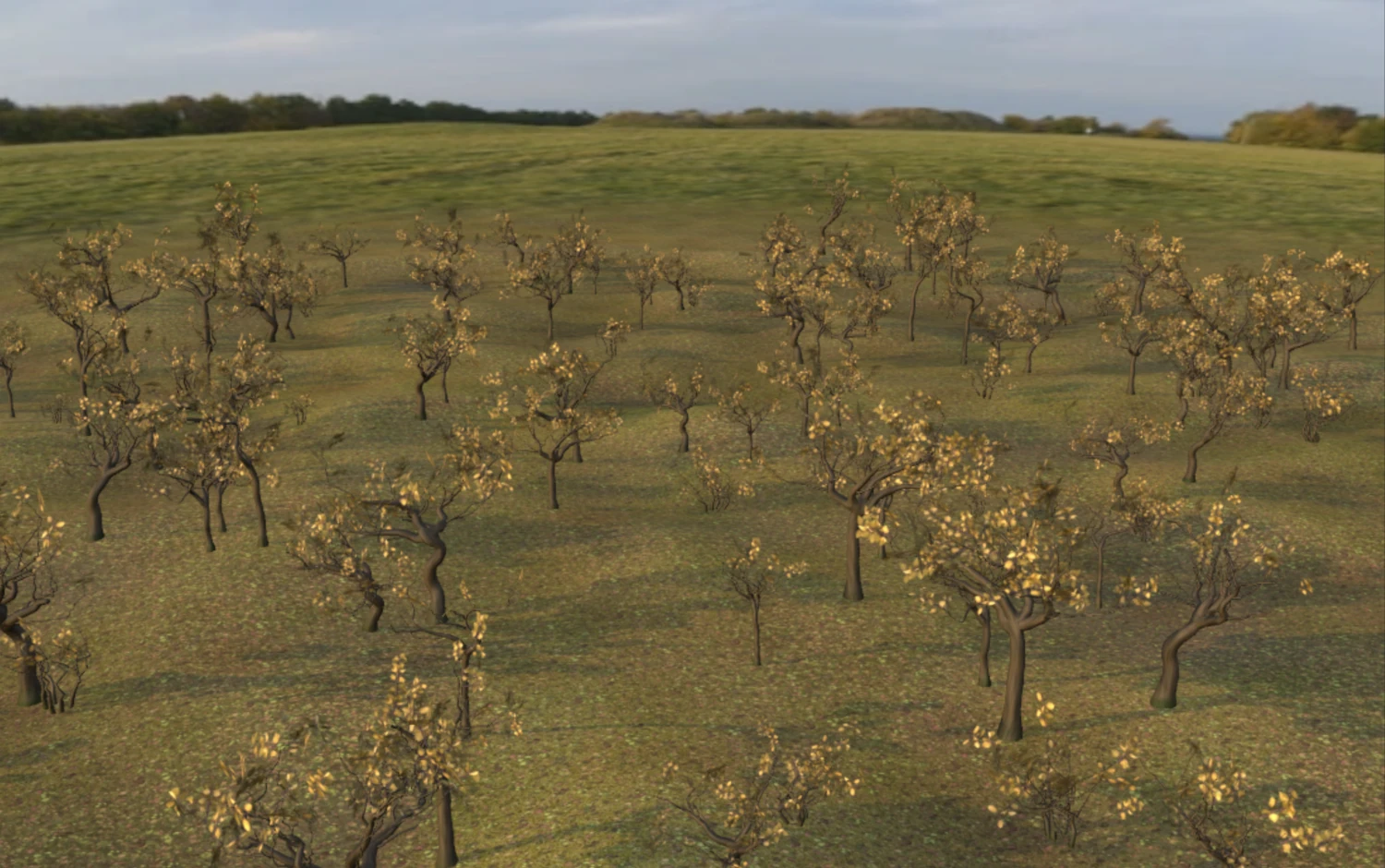
We created a new project with the old name for the Clone Object demo and packed more functionality into it. The clone object puzzle generated forest with randomized positions, rotations and scales. All objects are placed upon curved surface at correct heights using the raycast puzzle. Finally everything is batched together for faster rendering. It is currently Blender-only with 3ds Max and Maya versions being on their way.
GPU Instancing
For this update, we added a new puzzle for “true” GPU-based instancing of objects. Unlike the clone object puzzle mentioned above, it does not create a copy of an object but rather uses the capability of graphics hardware to generate geometry on the fly. This is much more efficient than rendering separate objects, as you can have dozens or even hundreds of thousands of objects easily rendered on a low-end device.
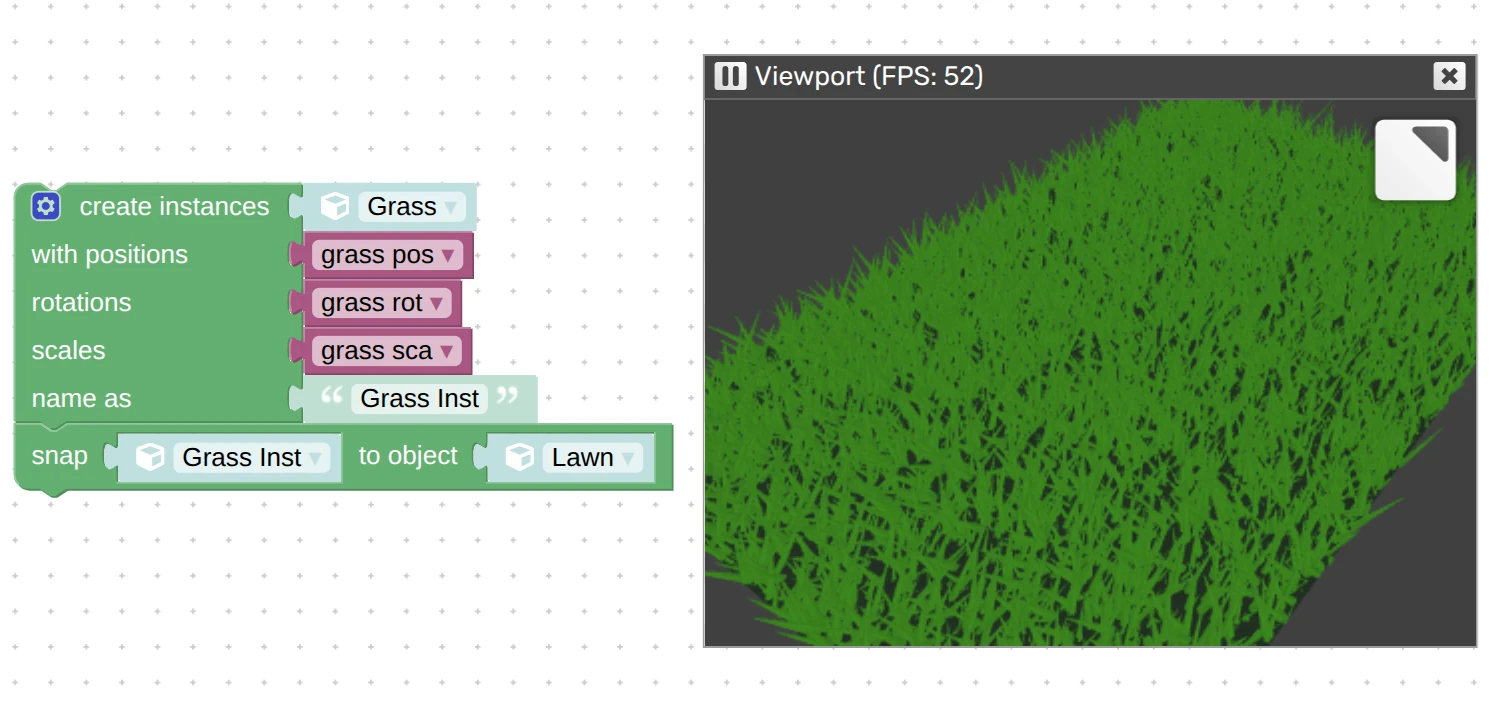
Possible use-cases include grass, foliage, nature objects, city landscapes, fences, you name it. Basically any repeated static objects will benefit from this feature.
Multi-Folder View in App Manager
If you got a big project with many scene files it is only natural to organize it with sub-folders. These are now natively supported by the App Manager. Sub-folders can be opened by clicking on them, expanded or collapsed. You may also notice that the
.htmlfiles are now spaced from assets by a separator line. For example, see how we arranged the materials packs to preview them in a single application: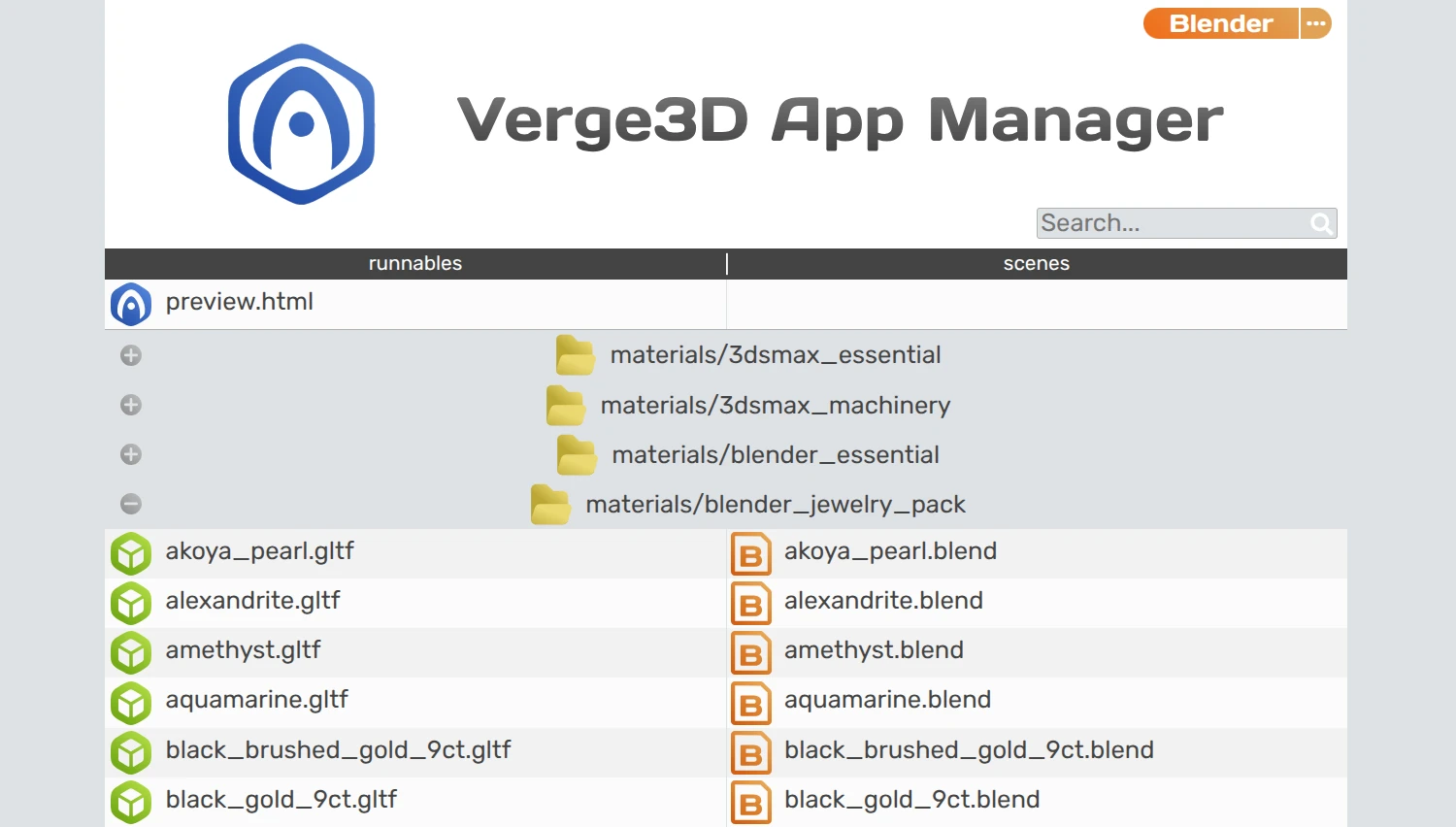
Another usability improvement that we implemented to help you manage your files is that exported scenes are now intelligently matched against their source files. As such, you are immediately aware of their relations, and can see any missing files, whether skipped by mistake or intentionally.
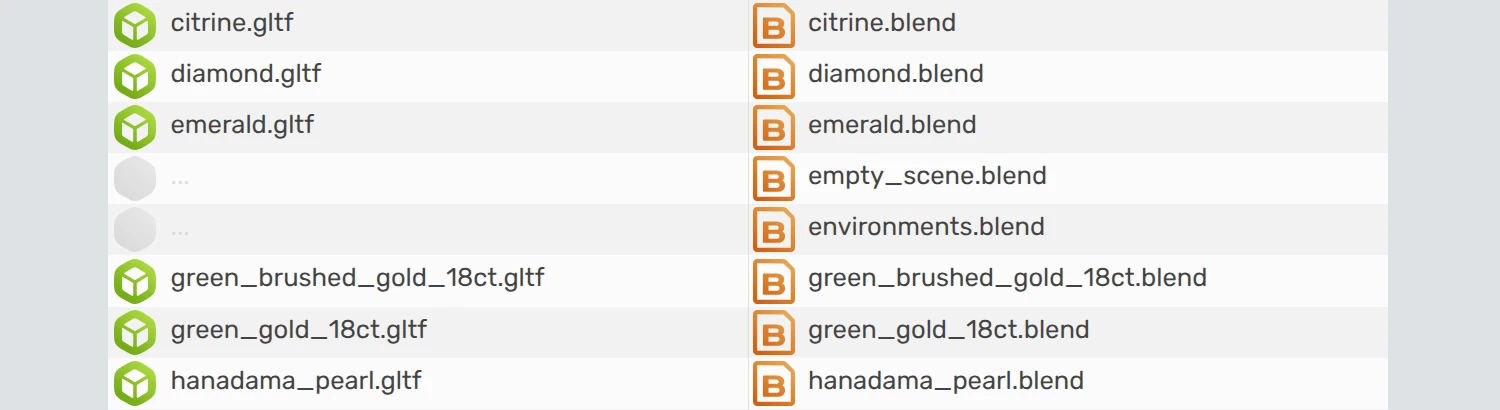
Finally, very long file names are now accurately wrapped to new line and no longer break the layout.
Projects with Different Scenes, Parameters, and Puzzles Branching
Somewhat related to what’s said above is the following experimental feature. It allows you to launch a same app with different sets of glTF files and/or URL parameters. You can then use the parameters to implement conditional branching in your Puzzles to execute different blocks for this or that situation.
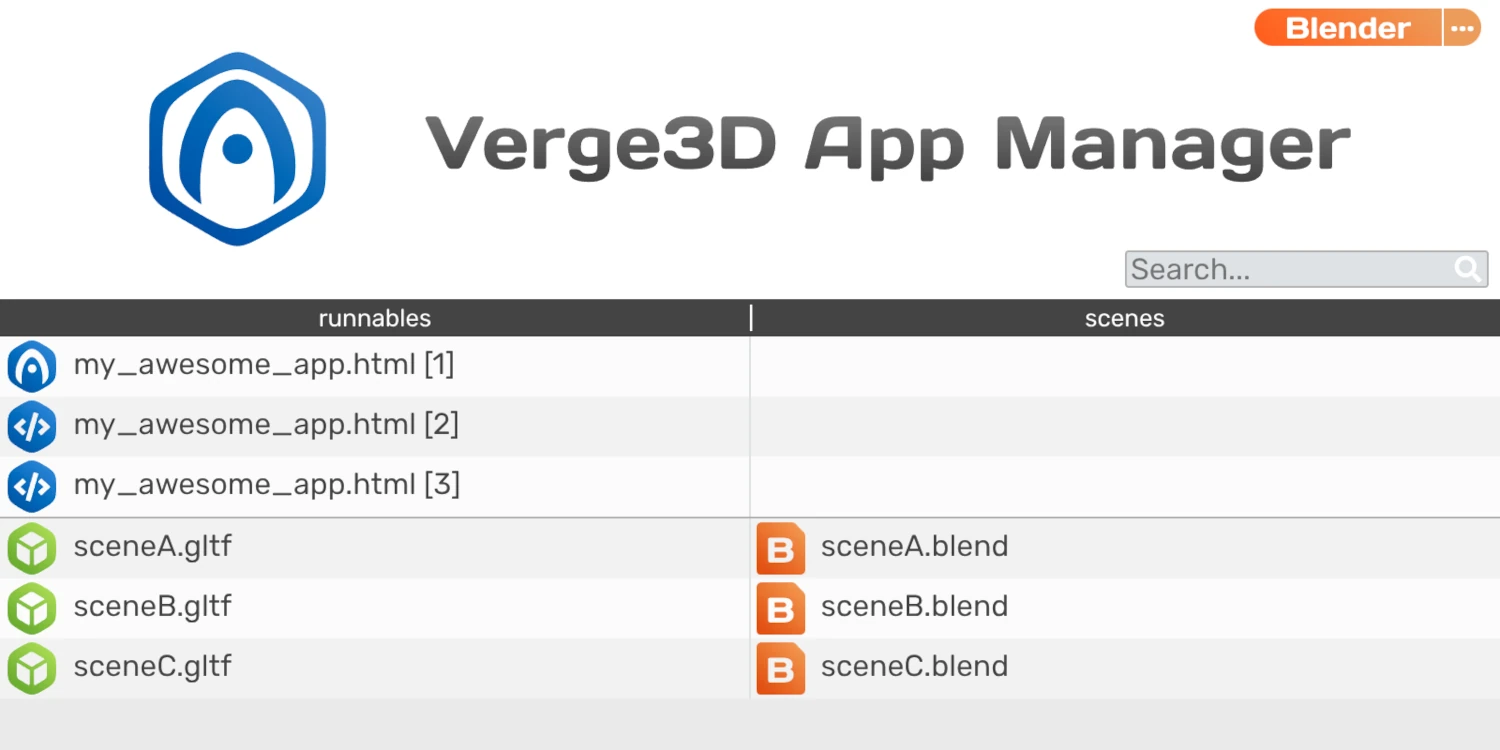
We extensively use it internally for testing in multiple configurations with various modeling tools. It requires editing config files in app folder though. See this guide in Verge3D wiki for more details.
Webpage Inside 3D
We converted our old Htmlmixer demo to something more presentable and called it Webpage Inside 3D. Here you can see a live webpage layered upon a 3D surface – a feature provided by the puzzle create+plane with html.

Moreover, you can provide a website link as parameter in the URL of this demo, e.g.
webpage_inside_3d.html?website=wikipedia.org, if website allows cross-origin embedding. For example, see how it works with Wikipedia. The demo is available for Blender, 3ds Max, and Maya alike.More Improvements in App Manager
To simplify setup of a new applications, we reworked the Application Settings panel. First, we removed the settings for favicon sizes 16px and 32 px, which are outdated formats.
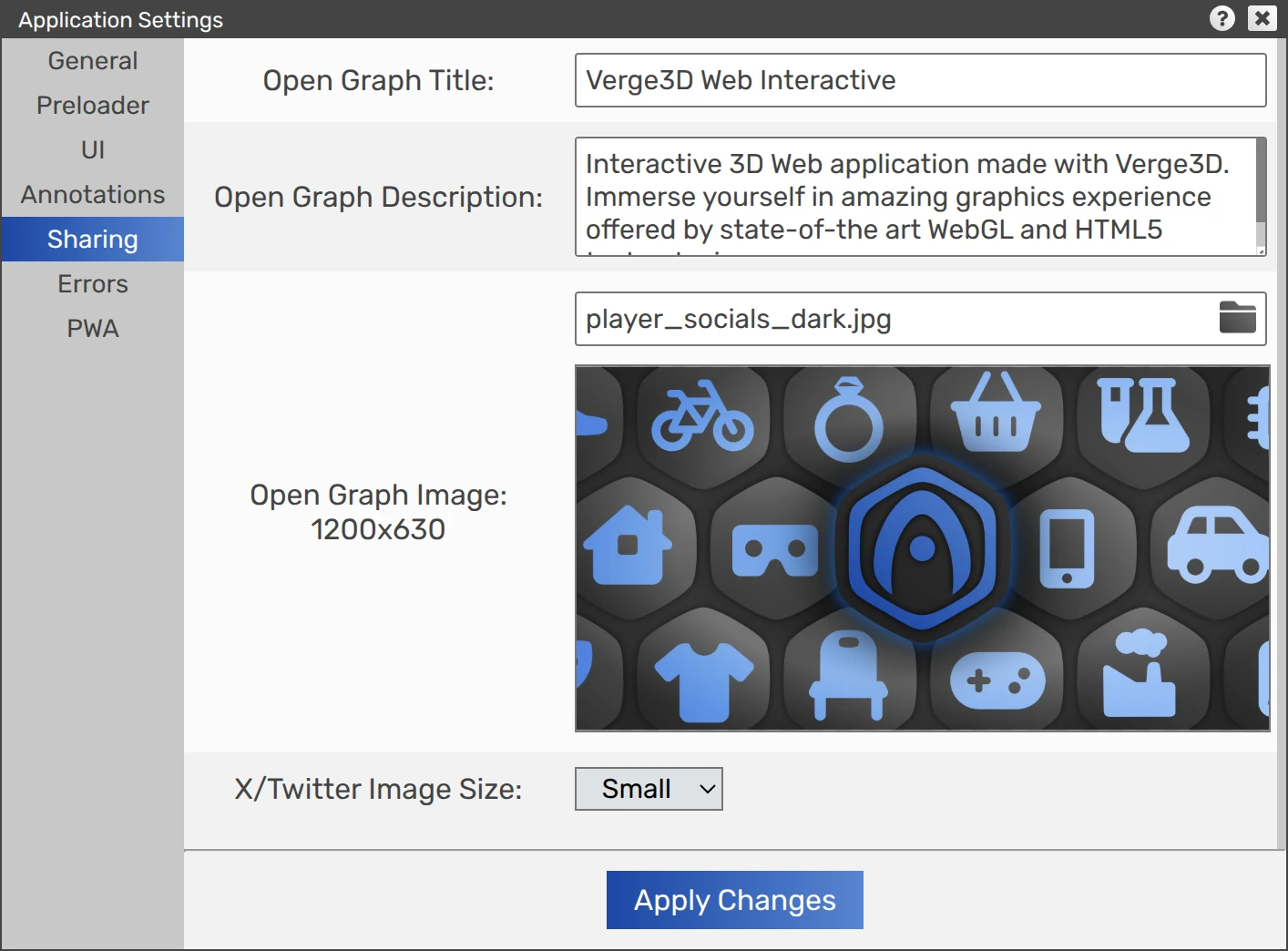
Then, we dropped the Twitter sharing settings since X is now fully complaint with the Open Graph protocol. Instead, we added the possibility to choose image size for your X posts – small or large.
When updating apps for new Verge3D version, any files present in the app media folder are no longer overridden to prevent data loss. Also, more details are now logged in the App Manager when updating apps.
Finally, we made the App Manager look more consistent across various web browsers.
Blender-Related Things
This update introduces a preliminary support for Blender 5.1 which is currently at alpha stage.
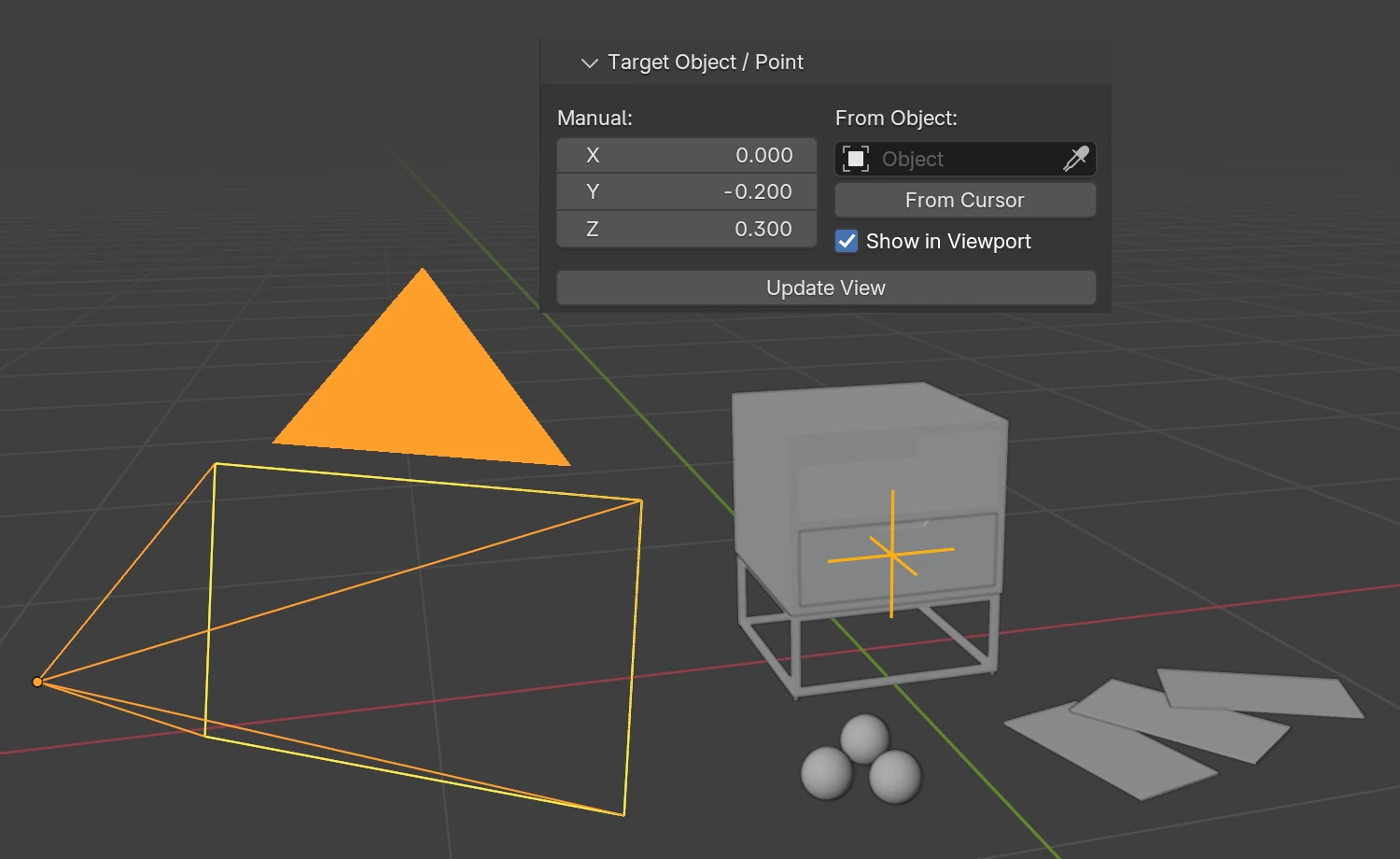
Orbit camera’s pivot can now be seen in Blender viewport to simplify its positioning. This behavior is enabled by default and can be switched off in the camera settings.
The Load Unload demo now loads faster thanks to some minor optimizations.
Blender (and 3ds Max) demo Jewelry Configurator was updated to fix a severe memory leak in the puzzles related to replacing scenes. Also it now shows already viewed jewelry pieces much faster.
We slightly optimized collection-based instancing (not to be confused with GPU instancing provided by the new create instances puzzle). As a result, no more unnecessary auxiliary objects are generated when exporting such scenes. Also fixed missing shadows for such objects.
We did some tweaks in the exporter to make the glTF files a bit smaller.
We fixed the issue when the Bump node is used with Noise causing wireframe-like artifacts. It only affected the latest Apple devices (iPhones, Macs). Thanks for bringing this up on the forums.
3ds Max and Maya-Specific Features
This release introduces a preliminary support for 3ds Max 2027 and Maya 2027 expected in March-April. Accordingly, we dropped support for 3ds Max 2023 and Maya 2023 that won’t be available for download soon.
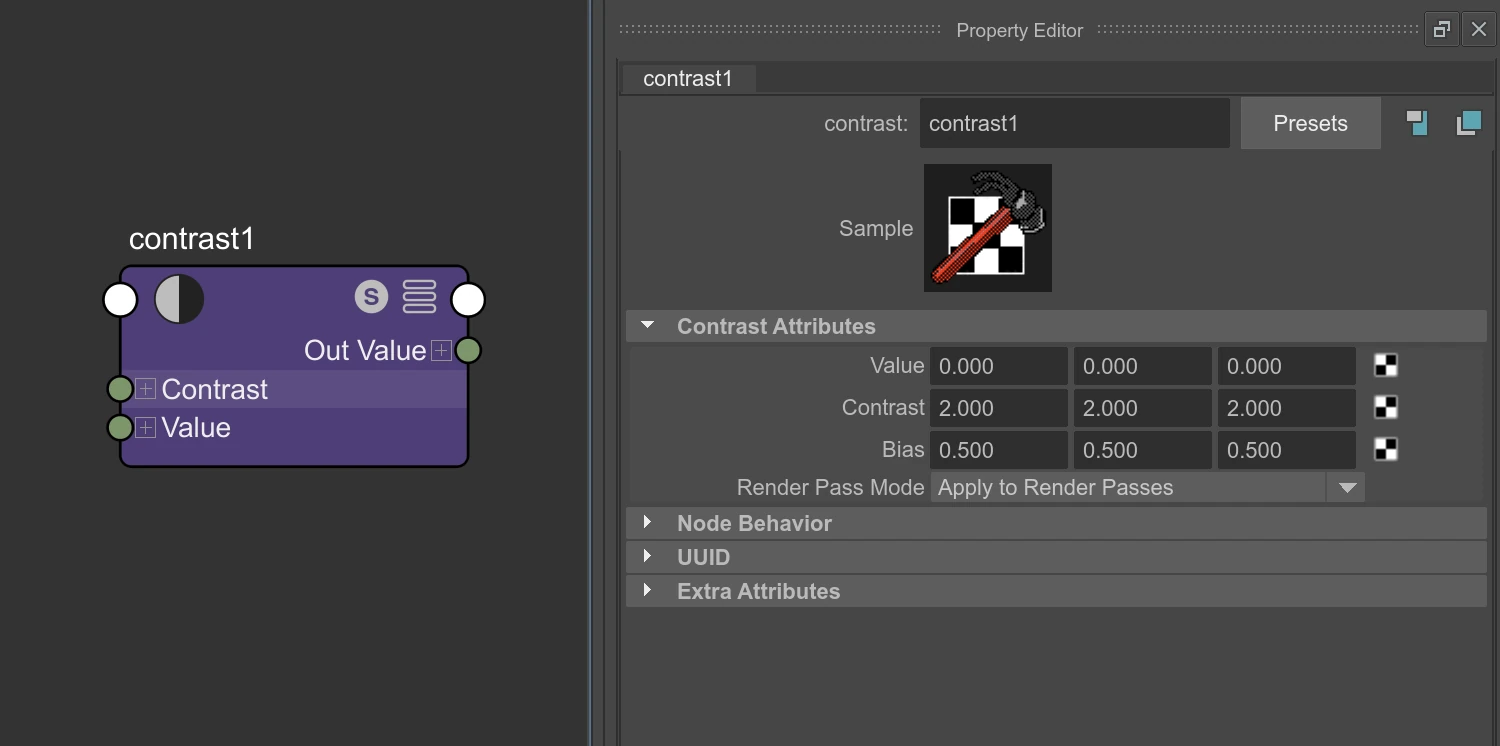
For this update we supported the contrast node available in Maya. Also we fixed engine crash if a Maya shader has the infinity value used in any of its inputs or outputs.
For both 3ds Max and Maya we supported material animation for multi-material objects.
More Features
Here is an important optimization for Verge3D Network. If files didn’t change in the remote folder, the upload button won’t re-upload them, considerably speeding up the publication process. Thanks for suggesting this on the forums.
Geometry batching now better works with multi-material objects.
The message on the “WebGL troubleshooting” screen made more visible with dark theme.
Upon request from our users and as a result of our own (re)consideration, we returned full support for the following API classes: CatmullRomCurve3, LOD, InstancedBufferAttribute, and InstancedMesh. These were also documented in detail in the API Reference.
We rearranged and renamed some components in the installer menu for more clarity.
Also was removed the monochrome mask for favicons which is no longer required by Safari browser.
As usual, the cared about the docs – this time the FAQ page seen some updates.
Fixed Bugs
We fixed the bug with losing controllers and the current camera position when loading new scene in VR mode. Thanks for reporting this on the forums.
We fixed a UI text encoding issue in the App Manager occurred for some users.
We fixed the engine crash with loading glTF files exported by the puzzle export to glTF. Reported here, thanks!
We fixed the regression with the remove event listener puzzle.
Thanks for reporting this on the forums.We fixed the crash in the App Manager if connection cannot be established with the Assets Store due to slow internet, firewalls, etc. It now displays a descriptive message instead.
Lastly, we fixed a minor memory leak with background render targets not mopped up after replacing a scene. This issue was reported through the Enterprise support channel.
-
This reply was modified 1 month, 2 weeks ago by
 Yuri Kovelenov.
2026-01-29 at 11:50 am #86121Yuri KovelenovStaff2026-01-29 at 4:39 pm #86123 xeonCustomer
I rarely comment on preview versions….but thank you. This is a very good and solid update with many features I have been hoping for. Cant wait to start testing it out.
Xeon
Route 66 Digital
Interactive Solutions - https://www.r66d.com
Tutorials - https://www.xeons3dlab.com2026-01-30 at 11:13 am #861252026-01-30 at 2:14 pm #86132 PandernCustomer
Great update.
Really excited about the GPU instancing. This opens up the possibility of distribution of modular models. Will it be able to use null-objects/points/locators or other object to get the position and rotation for the instanced objects?
2026-01-31 at 9:41 am #86136spirou4d
CustomerCongratulation Verge3D team! A lot of new thing here!
>>> a preliminary support for Blender 5.1
Hooo very good news!

Patrick Depoix
Architecte D.P.L.G. - Historien-chercheur en histoire de l'Architecture
Etude en cours: Le mausolée Brion - Carlo Scarpa.2026-01-31 at 11:17 am #86137tomtm
CustomerWow, Instancing, this is very very useful!
2026-02-01 at 1:18 pm #86138 Alexander KovelenovStaff
Will it be able to use null-objects/points/locators or other object to get the position and rotation for the instanced objects?
Sure! It’s the main idea behind this feature
 2026-02-08 at 8:44 am #86188
 c4ccCustomer
Interesting updates. Might I suggest being able to clone armatures and their animations too, besides the original object, to assign to clones of the original object with original armature?
FPS trialproduct 20.9.25 https://postimg.cc/gallery/LMM5vkQ/af43346e
-
This reply was modified 1 month, 2 weeks ago by
-
AuthorPosts

- You must be logged in to reply to this topic.