
Home › Forums › General Questions › OpenXR or WebXR ?
- This topic has 9 replies, 3 voices, and was last updated 6 months, 2 weeks ago by
 NaxosCG.
-
AuthorPosts
-
2025-08-25 at 4:41 pm #84270
 NaxosCGCustomer
Hello there !
I have a 3D customer for whom i’ve created some Verge3D interractive apps.
Now they bought a 3D Sony Spacial Reality display (ELF-SR2) and they would like to get their 3D app on the 3D screen.
I can read that this screen is OpenXR / WebXR compatible.
Is there anyway to make a Verge3D application viewable in 3D on that screen ?Sony lent me one for testing for 1 week, i have it here on my desk. But it seams that stereoscopic side by side does not work (i think Verge3D does that for VR).
Any help would be nice.
If anyone can code openXR / webXR for verge3D, i could pay for that."1+1=3... for large values of 1"
2025-08-26 at 9:16 am #84284NaxosCGCustomerOn the PC with the sony 3D screen, i can see 3D with their player (of course), and VLC playing sibe-by-side stereo video.
When i start my Verge3D app with chrome, it is not seen as VR-available device, so i changed the code to “force” go into VR.
First time i got a chrome alert asking to use openXR (like for localisation)
Another chrome pops up, seams full screen but is not (i’d say 3/4 of the 4k sony screen, it is 2D, and when i push the “go 3D” button, it is weird, not 3D stereo at all, seams that 2 half pictures are mixed.
Any help would… help
"1+1=3... for large values of 1"
2025-08-26 at 10:56 am #84286 QiangGeParticipant
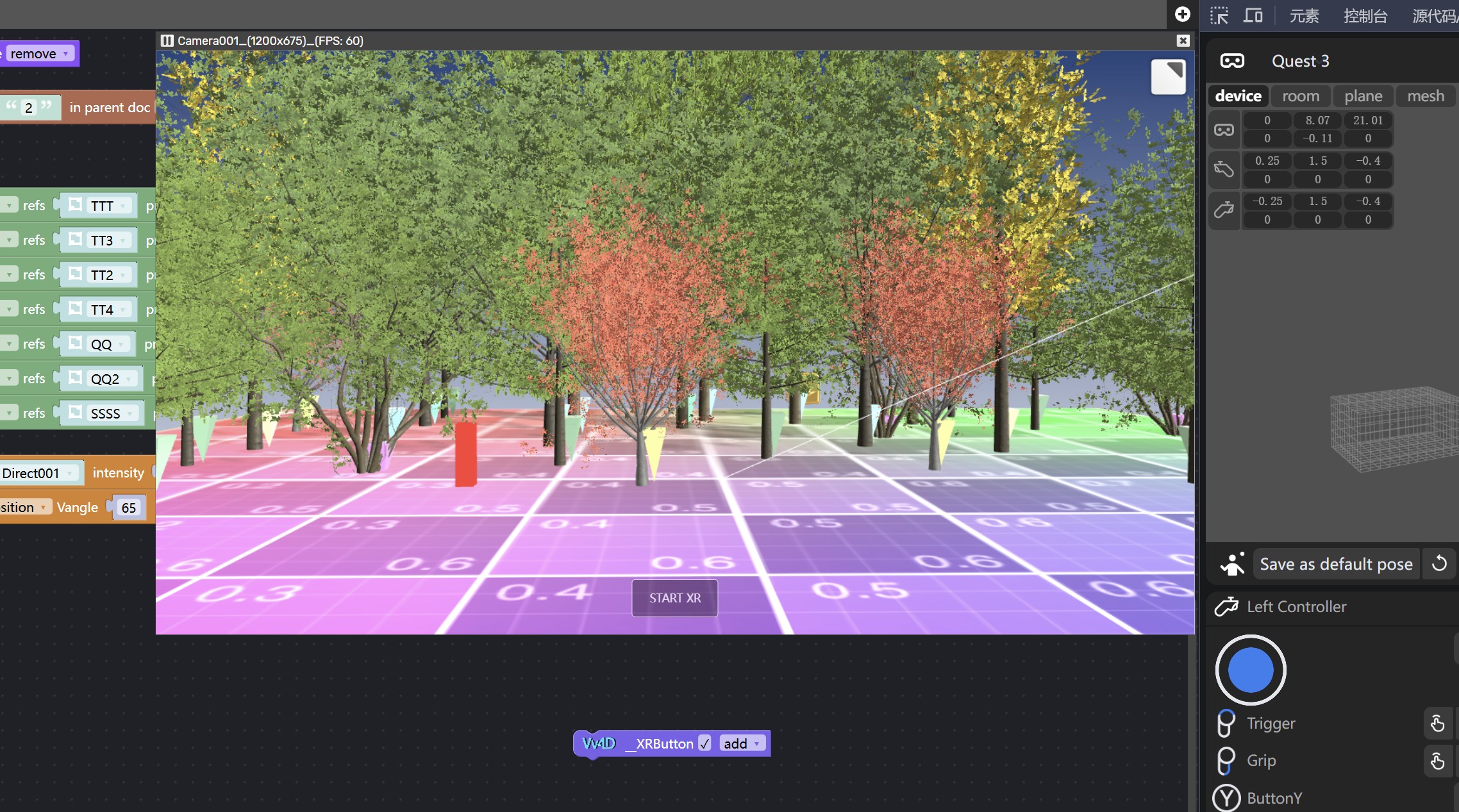
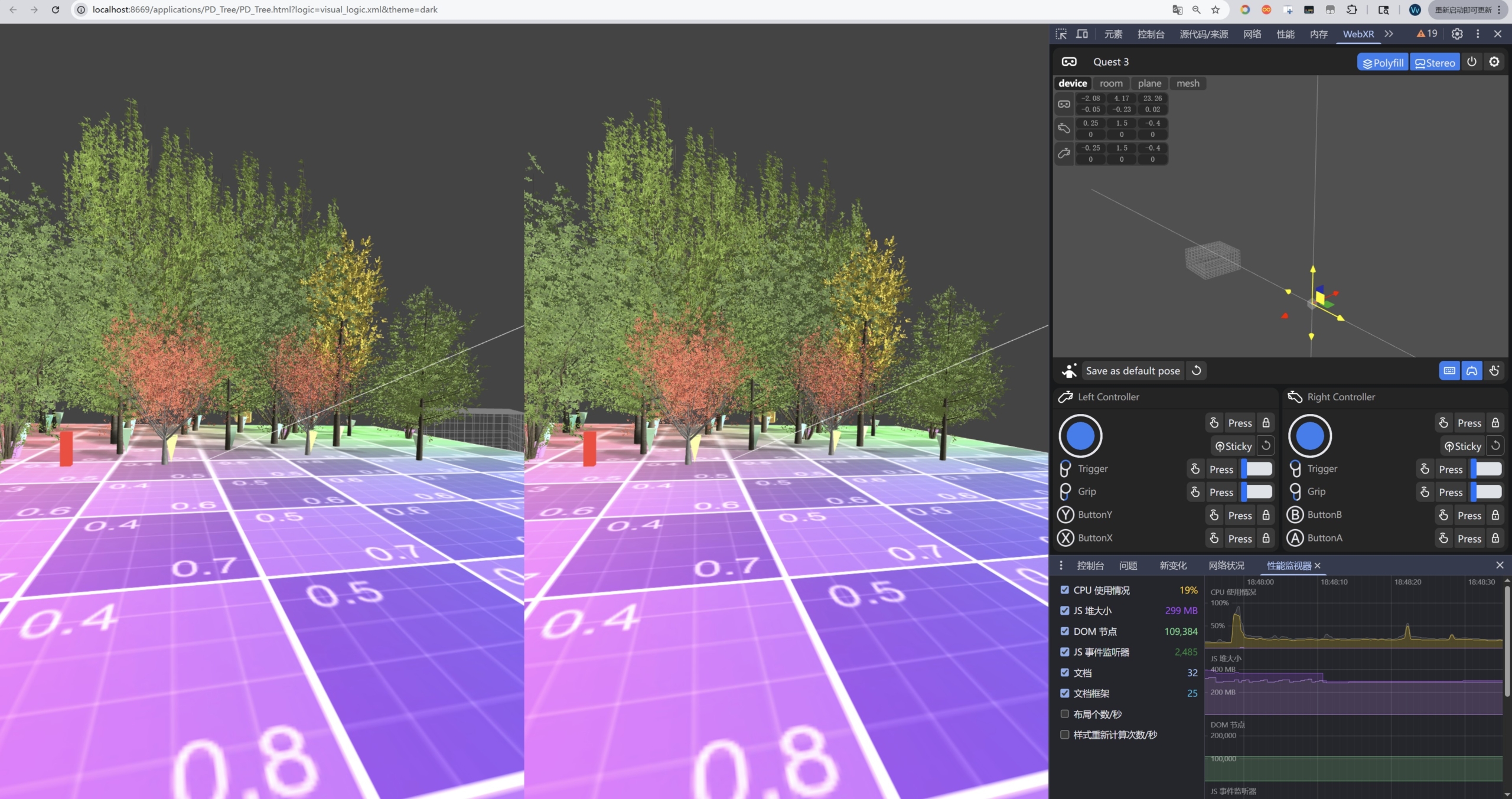
I tried writing a WebXR plugin block for Verge3D so that it can respond and enter WebXR or WebVR directly in the editor interface, which makes development more convenient. But since I haven’t tested it on an actual physical device, I’m not sure how helpful it’ll be for your project.
 2025-08-26 at 1:49 pm #84289NaxosCGCustomer
It could help.
May i test it on this crazy screen ?"1+1=3... for large values of 1"
2025-08-26 at 3:32 pm #84291QiangGeParticipantIt could help.
May i test it on this crazy screen ?Test this Demo on the 3D screen
2025-08-26 at 3:56 pm #84292 Alexander KovelenovStaff2025-08-27 at 8:50 am #84298NaxosCGCustomer
It could help.
May i test it on this crazy screen ?Test this Demo on the 3D screen
Thank you, the link does not work, white screen.
"1+1=3... for large values of 1"
2025-08-27 at 8:54 am #84299NaxosCGCustomerSo now i could open your test.
but when i go to VR, like with my test scene, the screen shows only a quarter on screen. with no side by side…
see video
-
This reply was modified 6 months, 2 weeks ago by NaxosCG.
"1+1=3... for large values of 1"
2025-08-27 at 12:53 pm #84303QiangGeParticipantbut when i go to VR, like with my test scene, the screen shows only a quarter on screen. with no side by side…
The stuff on the side by side is just the browser in xr dev mode—for the real deal, you need a VR headset. A 3D screen likely won’t cut it for WebXR. To check out the PC browser simulation, you’ll have to grab an extension.
2025-08-27 at 12:53 pm #84304QiangGeParticipantremoved
2025-08-27 at 1:18 pm #84307NaxosCGCustomerThe extension did not help, but thank you for your help.
"1+1=3... for large values of 1"
-
This reply was modified 6 months, 2 weeks ago by
-
AuthorPosts
- You must be logged in to reply to this topic.